Indledning
This manual provides essential instructions for setting up, operating, and maintaining your UMIDIGI G2 Tab Kids Android Tablet. Please read this manual thoroughly before using the device to ensure proper function and safety.
Pakkens indhold
Bekræft at alle varer er til stede i din pakke:
- UMIDIGI G2 Tab Kids Tablet
- USB-opladningskabel
- Protective Case (Pre-installed)
- Brugervejledning (dette dokument)
Enhed overview
The UMIDIGI G2 Tab Kids is a 10.1-inch Android 13 tablet designed for children, featuring a durable protective case and parental control options.

Billede: Forside og bagside view of the UMIDIGI G2 Tab Kids tablet in its green protective case.
Key features include a 10.1-inch HD display, 8MP cameras (front and rear), a 6000mAh battery, and a Rockchips RK3562 Quad-Core Processor with 8GB RAM (4GB physical + 4GB extended) and 64GB internal storage, expandable up to 1TB via TF card.

Image: Close-up of the rugged EVA drop-proof case, highlighting its 360° swivel and 180° flip stand functionality.
Opsætning
1. Første opstart og sprogvalg
Upon first use, press and hold the power button to turn on the tablet. You will be prompted to select your preferred language. Follow the on-screen instructions to complete the initial setup.
Video: This tutorial guides users through the initial setup process of the UMIDIGI Kids Tablet, covering language selection, Wi-Fi connection, and setting up a PIN.
2. Tilslutning til Wi-Fi
During setup, select your Wi-Fi network from the list and enter the password if required. If you wish to set up offline, select the "Set up offline" option.
3. Google Services and PIN Setup
Review and accept Google services terms. You will also have the option to set a PIN for device security. It is recommended to set a PIN to protect the tablet from unauthorized access.
4. RAM Expansion
The tablet supports RAM expansion to improve performance. Navigate to Settings > System > Memory & Expansion > RAM Expand to select the desired expansion size (1GB, 2GB, or 4GB). A restart may be required for changes to take effect.
Video: This video demonstrates how to set the language and expand memory on the UMIDIGI tablet during initial setup. It shows navigating through settings to change the language and adjust RAM expansion options.
Betjeningsvejledning
1. Parental Control and Kids App
The UMIDIGI G2 Tab Kids comes with a customized Kids App and parental control features. Access parental controls to manage screen time, app access, and content filtering to ensure a safe learning environment for children.

Image: A child interacting with the UMIDIGI G2 Tab Kids tablet, showcasing the parental control interface and child-friendly applications.
2. Split Screen Mode
The tablet supports split screen mode, allowing two applications to run simultaneously. This feature is useful for multitasking, such as watching a video while taking notes.
Video: This video demonstrates how to use the split screen feature on the UMIDIGI tablet, showing two applications running side-by-side.
3. Opladning af tabletten
Connect the provided USB charge cable to the tablet's USB-C port and a compatible power adapter. The 6000mAh battery provides extended usage time.
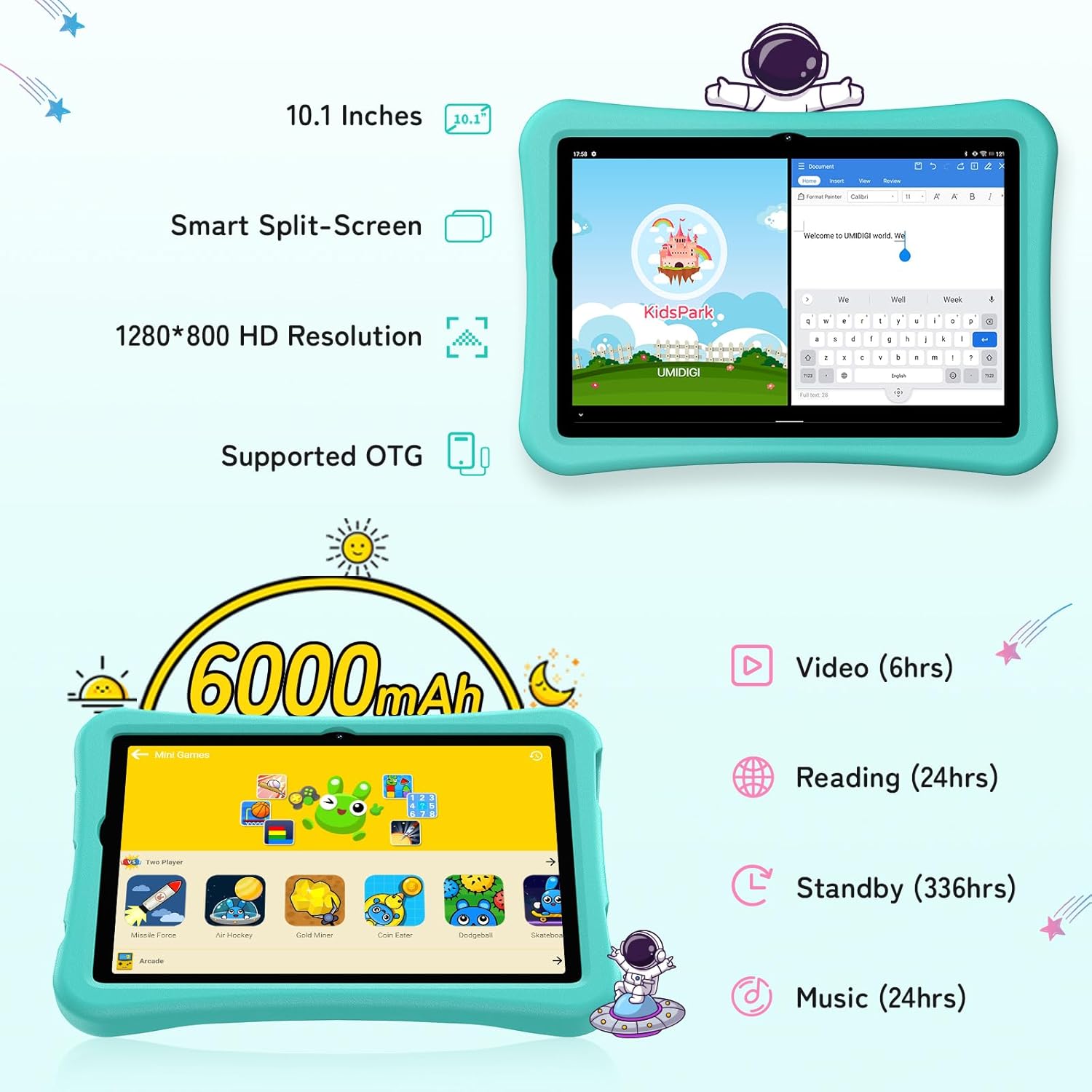
Image: The UMIDIGI G2 Tab Kids tablet connected to a charger, illustrating the charging process.
Opretholdelse
1. Rengøring af tabletten
Use a soft, lint-free cloth to clean the screen and body of the tablet. Avoid using harsh chemicals or abrasive materials that could damage the device. The included EVA protective case can be removed for cleaning if necessary.
2. Softwareopdateringer
Tjek regelmæssigt for systemopdateringer for at sikre optimal ydeevne og sikkerhed. Naviger til Indstillinger > System > Systemopdatering for at søge efter og installere tilgængelige opdateringer.
3. Lagerstyring
To maintain performance, periodically manage the tablet's storage. Delete unnecessary files and applications. The tablet supports up to 1TB external storage via TF card for additional space.
Fejlfinding
- Tabletten tænder ikke: Ensure the battery is charged. Connect the tablet to a charger and wait a few minutes before attempting to power it on again.
- Problemer med Wi-Fi-forbindelse: Check if Wi-Fi is enabled in settings. Restart your router and the tablet. If the issue persists, try forgetting the network and reconnecting.
- Langsom ydeevne: Luk ubrugte apps. Ryd cache fra apps i Indstillinger > Apps. Consider expanding RAM via Settings > System > Memory & Expansion.
- Skærmen reagerer ikke: Perform a forced restart by holding the power button for approximately 10-15 seconds. If the issue continues, contact customer support.
Specifikationer
| Feature | Specifikation |
|---|---|
| Modelnavn | G2 TAB KIDS |
| Operativsystem | Android 13 |
| Skærmstørrelse | 10.1 tommer |
| Skærmopløsning | 1280x800 pixels |
| VÆDDER | 8 GB (4 GB fysisk + 4 GB udvidet) |
| Intern opbevaring | 64 GB (kan udvides op til 1 TB) |
| Batterikapacitet | 6000mAh |
| Kameraer | Front and Rear 8MP |
| Forbindelse | Bluetooth 5.0, WiFi 6 (2.4GHz & 5GHz) |
| Dimensioner | 9.64 x 6.39 x 0.36 tommer |
| Vægt | 1.76 pund |
Garanti og support
UMIDIGI products typically come with a 12-month warranty. For warranty claims, technical support, or service inquiries, please refer to the official UMIDIGI support channels or contact your retailer. Keep your purchase receipt as proof of purchase.
For mere information, besøg UMIDIGI Store.


