1. Introduktion
Tak for købetasing the Ledwood XTREM140 Portable Bluetooth Speaker. This manual provides important information regarding the setup, operation, maintenance, and troubleshooting of your device. Please read this manual thoroughly before using the product to ensure proper functionality and to prevent damage.
The Ledwood XTREM140 is a robust and versatile portable speaker designed for outdoor and indoor use. Its waterproof design (IPX5) allows for use in various environments, and the integrated LED light show enhances your audio experience.
2. Sikkerhedsoplysninger
Overhold følgende sikkerhedsforanstaltninger for at forhindre skader på enheden eller personskade:
- Udsæt ikke højttaleren for ekstreme temperaturer eller direkte sollys i længere perioder.
- Do not immerse the speaker in water. While it is IPX5 water-resistant, it is not designed for submersion.
- Forsøg ikke at skille højttaleren ad eller ændre den. Dette vil ugyldiggøre garantien og kan forårsage skade.
- Hold højttaleren væk fra stærke magnetfelter.
- Brug kun det medfølgende opladningskabel og tilbehør.
- Rengør højttaleren med en blød, tør klud. Brug ikke slibende rengøringsmidler eller opløsningsmidler.
3. Pakkens indhold
Sørg for at alle varer er til stede i pakken:
- Ledwood XTREM140 Portable Bluetooth Speaker
- USB-C ladekabel
- 3.5 mm AUX lydkabel
- Brugervejledning (dette dokument)
- FestiNight Ouni LED Light (if included with your model)
4. Produktet er slutview
Familiarize yourself with the components and controls of your Ledwood XTREM140 speaker.
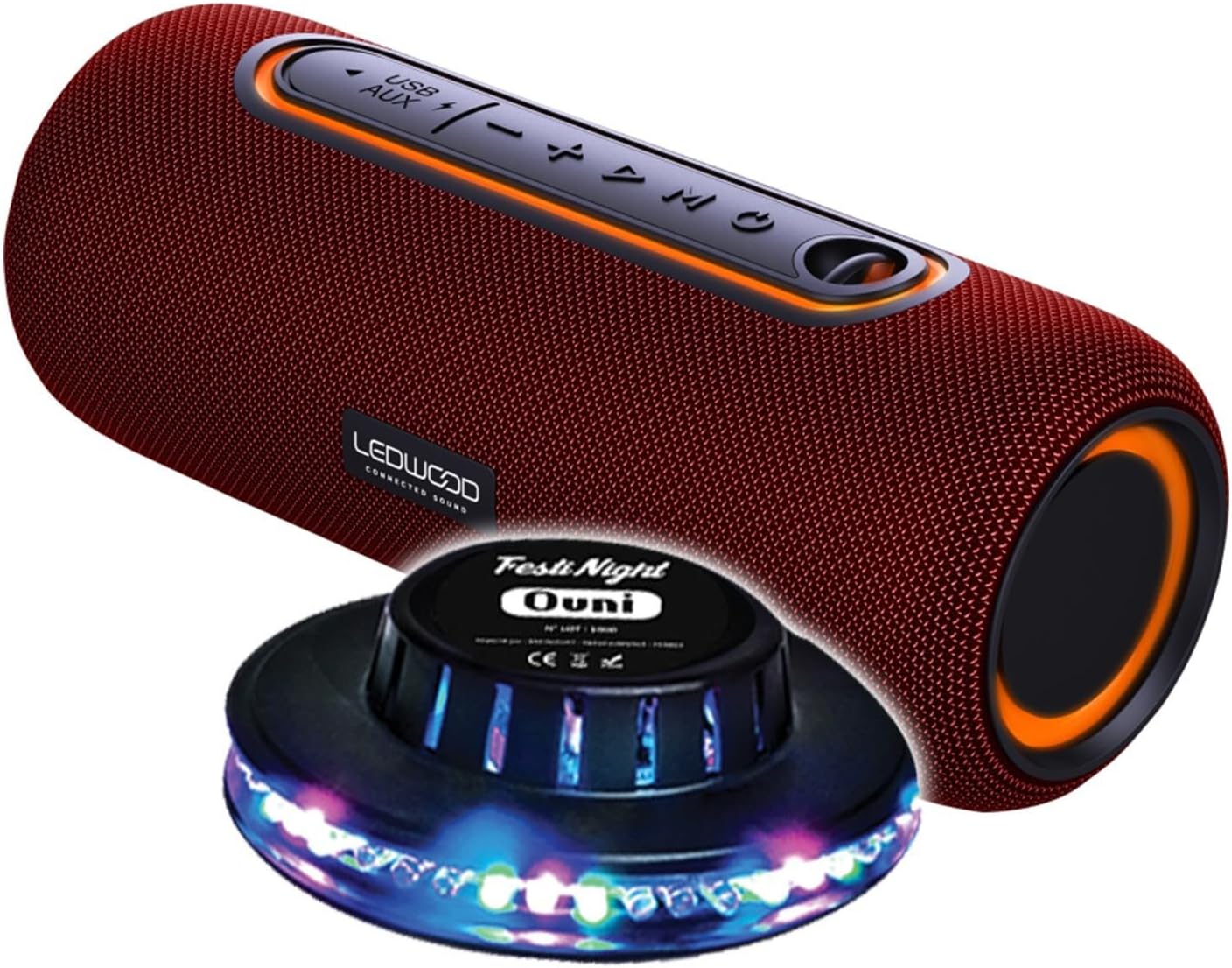
Figure 1: Ledwood XTREM140 Portable Bluetooth Speaker with included FestiNight Ouni LED light. The speaker is red with black accents and control buttons on top. The light is a black disc with multi-colored LEDs.

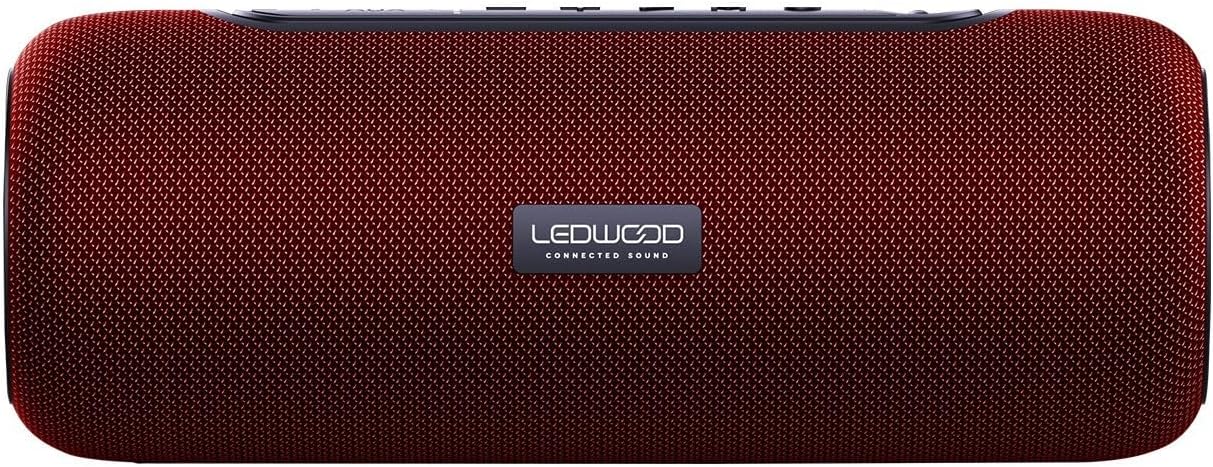
Figure 2: Ledwood XTREM140 Portable Bluetooth Speaker shown with its integrated carrying strap. The speaker is cylindrical, red, with control buttons on the top surface.
Figur 3: Øverst view of the Ledwood XTREM140 Portable Bluetooth Speaker, highlighting the control panel. From left to right, buttons include USB/AUX port, minus volume/previous track, play/pause, plus volume/next track, and mode button. There is also a power button.

Figure 4: A collage showing the FestiNight Ouni LED light projecting various colors and patterns. The light is a black disc with LEDs around its circumference, creating dynamic light effects.
4.1. Kontrolpanel
- Power knap: Tryk og hold for at tænde/slukke.
- Mode-knap (M): Press to switch between Bluetooth, AUX, and USB modes.
- Afspil/Pause-knap (►▮▮): Press to play or pause audio. In call mode, press to answer/end calls.
- Lydstyrke ned / Forrige nummer (-): Tryk for at sænke lydstyrken. Tryk og hold nede for at gå til det forrige nummer.
- Lydstyrke op / Næste nummer (+): Tryk for at øge lydstyrken. Tryk og hold nede for at gå til næste nummer.
- USB-port: Til USB-afspilning.
- AUX port: For wired audio connection via 3.5mm jack.
- USB-C opladningsport: Til opladning af højttaleren.
5. Opsætning
5.1. Opladning af højttaleren
- Connect the provided USB-C charging cable to the speaker's USB-C charging port.
- Tilslut den anden ende af USB-C-kablet til en USB-strømadapter (medfølger ikke) eller en computers USB-port.
- The charging indicator light will illuminate. Once fully charged, the light may change color or turn off. A full charge provides approximately 6 hours of playback.
5.2. Første opstart
Tryk og hold på Power knap for a few seconds until you hear an audible prompt or see an indicator light, indicating the speaker is powered on.
6. Betjeningsvejledning
6.1. Bluetooth-forbindelse
- Ensure the speaker is powered on and in Bluetooth mode (indicated by a specific sound or light). If not, press the Tilstandsknap (M) for at skifte til Bluetooth-tilstand.
- Aktiver Bluetooth på din enhed (smartphone, tablet, computer) og søg efter tilgængelige enheder.
- Select "XTREM140" from the list of found devices.
- Once connected, you will hear a confirmation sound. You can now play audio through the speaker.
6.2. AUX-tilstand
- Connect one end of the 3.5mm AUX audio cable to the speaker's AUX port.
- Tilslut den anden ende til lydudgangsstikket på din enhed.
- Tryk på Tilstandsknap (M) for at skifte til AUX-tilstand.
- Lyd vil nu afspilles via højttaleren fra din tilsluttede enhed.
6.3. USB-afspilning
- Indsæt et USB-flashdrev med lyd files ind i højttalerens USB-port.
- Tryk på Tilstandsknap (M) for at skifte til USB-tilstand.
- Højttaleren vil automatisk begynde at afspille lyd files fra USB-drevet.
6.4. Ægte trådløs stereo (TWS) funktion
The TWS function allows you to pair two XTREM140 speakers together for a stereo sound experience.
- Ensure both XTREM140 speakers are powered on and in Bluetooth pairing mode.
- On one of the speakers, press and hold the Afspil/pause knap for a few seconds until you hear a pairing sound. The speakers will automatically connect to each other.
- Once paired, connect your device to one of the speakers via Bluetooth as described in section 6.1.
- Begge højttalere vil nu afspille lyd i stereo.
6.5. FestiNight Ouni LED Light Operation
If your package includes the FestiNight Ouni LED light, connect it to a USB power source. The light will automatically project multi-colored patterns, synchronizing with the music if placed near the speaker (no direct connection required for synchronization).
7. Vedligeholdelse
7.1. Rensning
Tør højttaleren af med en blød, tør og fnugfri klud. Brug ikke flydende rengøringsmidler, aerosoler eller opløsningsmidler.
7.2. Opbevaring
When not in use for extended periods, store the speaker in a cool, dry place, away from direct sunlight and extreme temperatures. It is recommended to fully charge the speaker before storing it for a long time and to recharge it every few months to maintain battery health.
8. Fejlfinding
| Problem | Mulig årsag | Løsning |
|---|---|---|
| Højttaleren tænder ikke. | Batteriet er afladet. | Oplad højttaleren ved hjælp af det medfølgende USB-C-kabel. |
| Ingen lyd fra højttaleren. | Lydstyrken er for lav eller slået fra. Forkert tilstand valgt. Enheden er ikke tilsluttet. | Increase volume on both the speaker and your connected device. Press the Mode button to select the correct input (Bluetooth, AUX, USB). Ensure Bluetooth is paired or AUX/USB cable is properly connected. |
| Bluetooth-forbindelse mislykkes. | Speaker is too far from the device. Interference. Speaker not in pairing mode. | Move the speaker closer to your device. Avoid obstacles. Ensure the speaker is in Bluetooth pairing mode. Forget the device on your phone and re-pair. |
| Dårlig lydkvalitet. | Low battery. Device volume too high (distortion). Interference. | Charge the speaker. Adjust volume levels. Move away from other electronic devices. |
| TWS-parring mislykkes. | Højttalerne er for langt fra hinanden. Én højttaler er allerede tilsluttet en enhed. | Sørg for, at begge højttalere er tæt på hinanden og ikke er forbundet til nogen anden Bluetooth-enhed, før du starter TWS-parring. |
9. Specifikationer
| Feature | Detalje |
|---|---|
| Modelnavn | XTREM140 |
| Bluetooth version | 5.0 |
| Vandmodstandsvurdering | IPX5 |
| RMS udgangseffekt | 10W RMS |
| Total Admissible Power | 100W |
| Højttaler drivere | 2 x 3.5 inch (9cm) |
| Batterilevetid | Op til 6 timer |
| Batterikapacitet | 5V, 2000mAh |
| Frekvensrespons | 80Hz-16KHz |
| Forbindelse | Bluetooth, USB, 3.5 mm jackstik (AUX) |
| Særlige funktioner | TWS Function, Vocal Assistance, Multicolored UFO LED Light (FestiNight Ouni) |
| Mål (L x H x D) | 24.2 cm x 9.2 cm x 9.2 cm (9.53 x 3.62 x 3.62 tommer) |
| Vægt | 1.6 kilo (3.53 lbs) |
10. Garantioplysninger
Ledwood products are covered by a limited warranty from the date of purchase. This warranty covers defects in materials and workmanship under normal use. It does not cover damage caused by misuse, accident, unauthorized modification, or external causes.
For specific warranty terms and conditions, please refer to the warranty card included with your product or contact Ledwood customer support.
11. Kundesupport
If you encounter any issues or have questions not covered in this manual, please contact Ledwood customer support:
- Webwebsted: www.ledwood.fr (Please check the official Ledwood webhjemmeside for de mest opdaterede kontaktoplysninger.)
- E-mail: Se produktemballagen eller den officielle webwebsted for support-e-mail.
- Telefon: Se produktemballagen eller den officielle webhjemmeside for supporttelefonnummer.
When contacting support, please have your product model (XTREM140) and purchase details ready.


