Indledning
This manual provides detailed instructions for the setup, operation, and maintenance of your Artlii Enjoy4 Mini Projector. Please read this manual thoroughly before using the projector to ensure proper functionality and to maximize your viewing experience. The Artlii Enjoy4 offers native 1080P Full HD resolution, dual-band 2.4G/5G WiFi, and Bluetooth 5.0 connectivity for versatile entertainment and presentation needs.

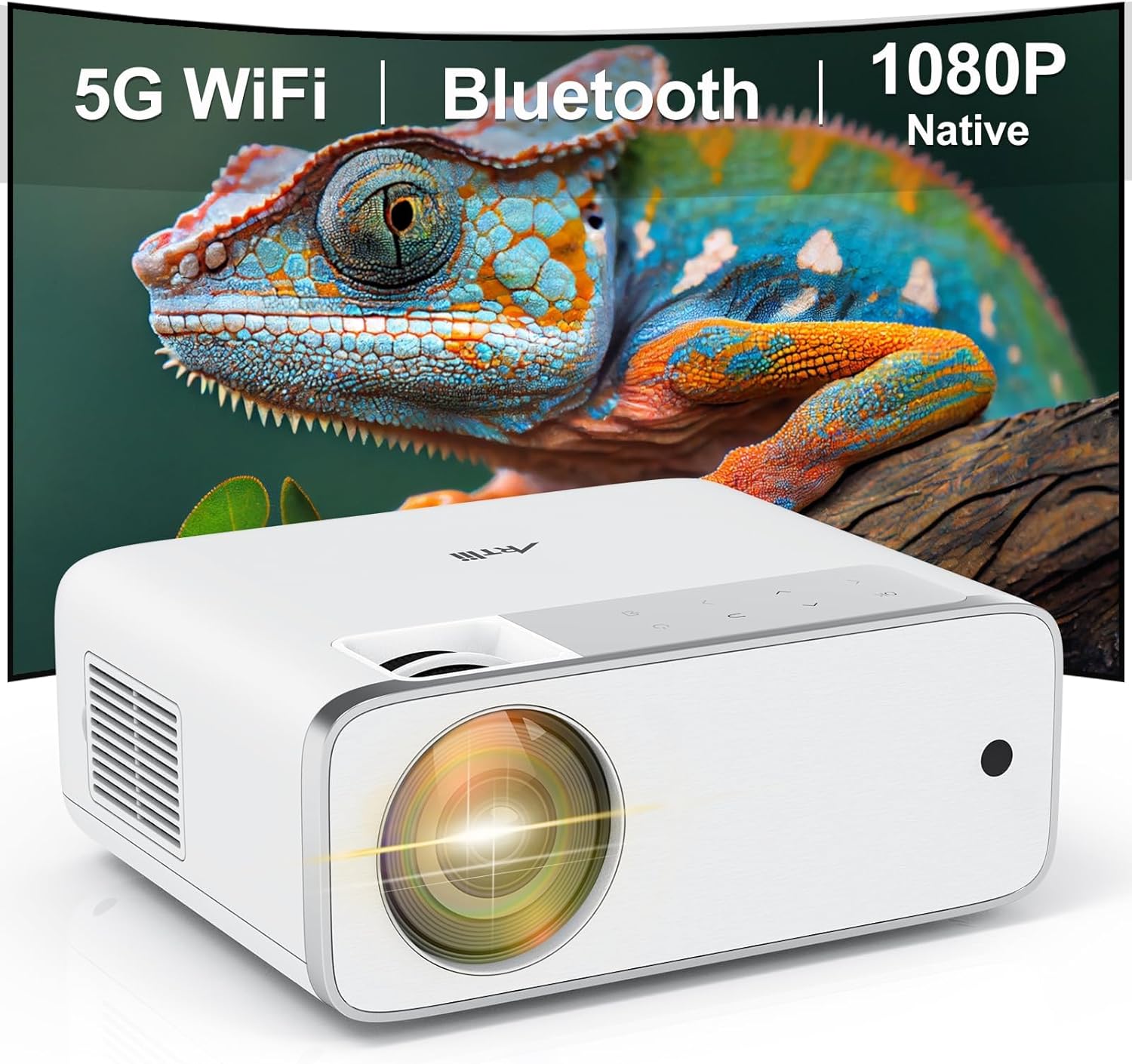
Image: The Artlii Enjoy4 Mini Projector, showcasing its key features including 5G WiFi, Bluetooth, and native 1080P resolution.
Pakkens indhold
Kontroller venligst pakkens indhold ved udpakning. Hvis der mangler eller er beskadigede dele, skal du kontakte kundesupport.
- Artlii Enjoy4 Mini Projector
- Fjernbetjening (AAA-batterier medfølger ikke)
- Strømkabel
- HDMI kabel
- 3.5mm to RCA AV Cable
- Lens Cap
- Rengøringssæt
- Brugermanual
Produkt overview
Forside og Top View
Billede: Forside view of the projector, highlighting the projection lens and infrared receiver.
The front of the projector features the main projection lens. The top panel includes illuminated control buttons and focus/keystone adjustment dials.

Image: Close-up of the projector's top control panel, showing illuminated buttons for power, navigation, and input selection, visible in both day and night settings.
Rear and Side Ports

Image: Rear panel of the projector displaying various connectivity options such as HDMI, USB, AV, and a 3.5mm audio jack, illustrating its multi-device compatibility.
The rear and side panels house the input/output ports. These include:
- HDMI-porte (x2): For connecting devices like laptops, gaming consoles, TV sticks, and DVD players.
- USB-porte (x2): For connecting USB drives for media playback or powering external devices.
- AV-port: For connecting older devices using the included 3.5mm to RCA cable.
- 3.5 mm lydudgang: Til tilslutning af eksterne højttalere eller hovedtelefoner.
- Strømindgang: Til tilslutning af strømkablet.
Opsætning
1. Placering
Position the projector on a stable, flat surface or mount it to a ceiling or tripod. Ensure the projector lens is perpendicular to your projection surface (screen or wall) for optimal image geometry. The recommended projection distance ranges from approximately 1.18 meters to 9.2 meters, allowing for screen sizes from 37 inches up to 300 inches.

Image: Illustration of the Artlii Enjoy4 Mini Projector's flexible placement options and the resulting screen sizes at different projection distances, from 37 inches to 300 inches.
2. Strømtilslutning
- Tilslut strømkablet til projektorens strømindgang.
- Sæt den anden ende af strømkablet i en stikkontakt.
- Tryk på tænd/sluk-knappen på projektoren eller fjernbetjeningen for at tænde den.
3. Fokus- og Keystone-justering
Juster billedets klarhed og form efter tænding:
- Fokusring: Drej fokusringen nær objektivet, indtil det projicerede billede fremstår skarpt og klart.
- Keystone-korrektion: Use the keystone adjustment dial (or digital keystone in settings) to correct trapezoidal distortion, ensuring the image is rectangular. The Artlii Enjoy4 supports ±15° keystone correction.

Image: Visual representation of the keystone correction feature, demonstrating how the projector can adjust the image to a perfect rectangle even when placed at an angle, with a range of ±15 degrees.
Betjeningsvejledning
1. Connecting Devices via Cable
Projektoren understøtter forskellige kabelforbindelser:
- HDMI: Connect your device (laptop, game console, TV stick) to one of the HDMI ports using an HDMI cable. Select the corresponding HDMI input from the projector's source menu.
- USB: Indsæt et USB-flashdrev i en USB-port for at afspille medier files (photos, videos, music). Navigate the media browser using the remote control.
- AV: Use the provided 3.5mm to RCA cable to connect older devices like DVD players. Select the AV input from the source menu.
2. Trådløs forbindelse (WiFi)
The Artlii Enjoy4 supports dual-band 2.4G and 5G WiFi for stable and fast wireless connections.
- Go to the projector's settings menu and select "WiFi Settings".
- Tænd for WiFi, og vælg det ønskede netværk fra listen.
- Enter the WiFi password using the on-screen keyboard.
- Once connected, you can use screen mirroring features or access online content (if supported by connected devices).

Image: The Artlii Enjoy4 Mini Projector in use, projecting content wirelessly, emphasizing its fast and stable 2.4G/5G dual-band WiFi capabilities.
3. Bluetooth-lydforbindelse
Tilslut eksterne Bluetooth-højttalere eller hovedtelefoner for en forbedret lydoplevelse.
- Sørg for, at din Bluetooth-lydenhed er i parringstilstand.
- On the projector, navigate to "Bluetooth Settings" in the menu.
- Turn on Bluetooth and select your device from the list of available devices to pair.

Image: The Artlii Enjoy4 Mini Projector surrounded by Bluetooth-compatible headphones and speakers, illustrating its ability to connect to external audio devices for an improved sound experience.
4. Screen Mirroring (Smartphone/Tablet)
The projector supports screen mirroring from compatible smartphones and tablets (iOS and Android). Refer to the projector's on-screen instructions for specific steps, which typically involve connecting both devices to the same WiFi network and enabling screen mirroring on your mobile device.
5. Billed- og lydindstillinger
- Zoom funktion: Adjust the image size from 75% to 100% using the remote control or menu settings without moving the projector.
- Aspektforhold: Select between 16:9 and 4:3 aspect ratios to match your content.
- Billedtilstand: Choose from various picture modes (e.g., Standard, Vivid, User) to optimize image quality.
- Lydtilstand: Adjust audio settings or select a sound mode (e.g., Standard, Music, Movie).
Opretholdelse
Regelmæssig vedligeholdelse sikrer optimal ydeevne og levetid for din projektor.
- Rengøring af linser: Use a soft, lint-free cloth and lens cleaning solution (if necessary) to gently wipe the projector lens. Avoid abrasive materials.
- Fjernelse af støv: Periodically clean the projector's vents with a soft brush or compressed air to prevent dust buildup, which can affect cooling and performance.
- Opbevaring: When not in use, cover the lens with the provided cap and store the projector in a cool, dry place away from direct sunlight and extreme temperatures.
Fejlfinding
Hvis du støder på problemer, kan du se følgende almindelige problemer og løsninger:
- Intet billede:
- Sørg for, at strømkablet er korrekt tilsluttet, og at projektoren er tændt.
- Kontroller, at inputkilden er korrekt valgt (f.eks. HDMI1, USB).
- Check if the connected device is powered on and outputting a signal.
- Sløret billede:
- Juster fokusringen på projektorlinsen.
- Sørg for, at projektionsafstanden er inden for det anbefalede område.
- Correct any keystone distortion using the adjustment dial or menu settings.
- Ingen lyd:
- Kontroller lydstyrkeniveauet på både projektoren og den tilsluttede kildeenhed.
- Hvis du bruger eksterne højttalere, skal du sørge for, at de er korrekt tilsluttet via Bluetooth eller 3.5 mm lydstikket.
- Kontroller, at lydudgangsindstillingerne på din kildeenhed er korrekte.
- Problemer med WiFi/Bluetooth-forbindelse:
- Ensure WiFi/Bluetooth is enabled on both the projector and the device you are trying to connect.
- Check that the WiFi password is entered correctly.
- Move the projector closer to your WiFi router or Bluetooth device to improve signal strength.
- Restart both the projector and the connecting device.
Specifikationer
| Feature | Specifikation |
|---|---|
| Mærke | Artlii |
| Model | Nyd 4 |
| Indfødt opløsning | 1920 x 1080 (Fuld HD) |
| Lysstyrke | 210 ANSI Lumens |
| Kontrastforhold | 1400:1 |
| Projektionsstørrelse | 37" - 300" (Recommended: 40" - 200") |
| Keystone korrektion | ±15° Manuel |
| Zoomfunktion | 75% - 100% |
| Trådløs forbindelse | 2.4G/5G WiFi, Bluetooth 5.0 |
| Indgangsporte | 2x HDMI, 2x USB, 1x AV, 1x 3.5mm Audio Out |
| Kompatible enheder | TV Sticks, Smartphones (iOS & Android), Laptops, DVD Players, USB Drives, PS5, Xbox |
Garanti og support
Information regarding specific warranty terms and customer support contact details is typically provided with your product packaging or on the manufacturer's official website. Please refer to those resources for the most accurate and up-to-date information.


