Produkt overview
The pTron Zenbuds Ultima ANC Earbuds are advanced wireless headphones designed for an immersive audio experience. Featuring 35dB Hybrid Active Noise Cancellation (ANC) and Transparency Mode, they allow you to control your sound environment. Equipped with 4 QuadPro Microphones and TruTalk Environmental Noise Cancellation (ENC), these earbuds ensure crystal-clear calls. Enjoy up to 50 hours of total playtime with the charging case, 4D Panoramic Audio, and ultra-low 40ms latency for gaming. The earbuds are also IPX5 water-resistant, making them suitable for various activities.

This image displays the pTron Zenbuds Ultima ANC Earbuds in Jade Black, alongside their sleek charging case. The earbuds feature a stem design with an in-ear fit, showcasing their compact and modern aesthetic.
Pakkens indhold
Markér venligst feltet for følgende elementer:
- 1 x Pair of pTron Zenbuds Ultima ANC Earbuds
- 1 x opladningsetui
- 1 x USB Type-C opladningskabel
- 1 x Set of Extra Ear Tips (S/M/L sizes)
- 1 x brugermanual
- 1 x garantikort
Opsætningsvejledning
1. Opladning af øretelefoner og etuiet
Before first use, fully charge the earbuds and the charging case. Place the earbuds into the charging case, ensuring they are correctly seated. Connect the provided USB Type-C cable to the charging port on the case and the other end to a 5V-1A power adapter (not included). The indicator lights on the case will show the charging status. A full charge typically takes approximately 1.5 hours for the earbuds and 2 hours for the case.
2. Parring med din enhed
The pTron Zenbuds Ultima feature 1-step pairing for convenience.
- Sørg for, at opladningsetuiet har tilstrækkelig strøm.
- Open the charging case lid. The earbuds will automatically power on and enter pairing mode, indicated by a flashing LED light on the earbuds.
- Gå til Bluetooth-indstillingerne på din smartphone eller Bluetooth-aktiverede enhed.
- Søg efter "pTron Zenbuds Ultima" in the list of available devices.
- Select it to connect. Once connected, you will hear a confirmation tone, and the earbud LED lights will turn off.
- For subsequent uses, the earbuds will automatically connect to the last paired device when the case lid is opened, provided Bluetooth is enabled on your device.

This image shows the pTron Zenbuds Ultima earbuds removed from their charging case, ready for use or pairing. The open case is visible in the background, highlighting the compact design.
Betjeningsvejledning
Tryk på kontrolelementer
The pTron Zenbuds Ultima feature intuitive touch controls on each earbud. The following table outlines the common functions:
| Handling | Fungere |
|---|---|
| Enkelt tryk (V/H) | Afspil/pause musik, besvar/afslut opkald |
| Dobbelttryk (L) | Forrige spor |
| Dobbelttryk (R) | Næste spor |
| Tredobbelt tryk (V/H) | Activate Voice Assistant (Google Assistant/Siri) |
| Long Press (2s) (L/R) | Switch between ANC / Transparency / Normal Mode |
| Long Press (2s) during call | Afvis opkald |
Aktiv støjreduktion (ANC) og transparenstilstand
The Zenbuds Ultima feature 35dB Hybrid ANC to significantly reduce ambient noise, allowing for an immersive listening experience. Transparency Mode allows you to hear your surroundings without removing the earbuds, which is useful for awareness in busy environments. To switch between ANC, Transparency, and Normal modes, long-press either earbud's touch sensor for 2 seconds.
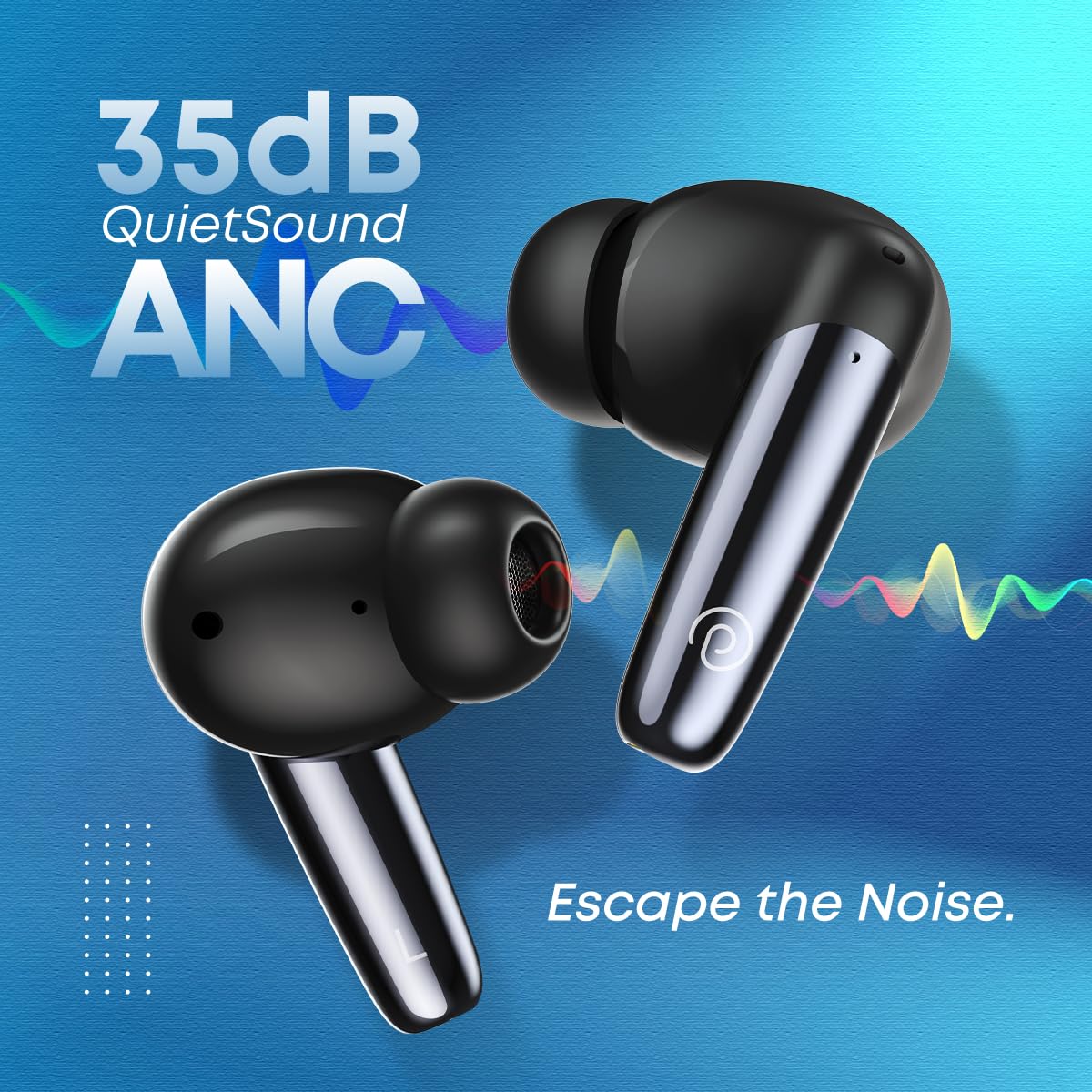
This image emphasizes the 35dB QuietSound ANC feature of the pTron Zenbuds Ultima, showing the earbuds with sound wave graphics indicating noise cancellation.
Foretage og modtage opkald
Equipped with 4 QuadPro Microphones and TruTalk Environmental Noise Cancellation (ENC) technology, the Zenbuds Ultima ensure your voice is transmitted clearly during calls, even in noisy environments. Use the touch controls to answer, end, or reject calls.

This image depicts a person using the pTron Zenbuds Ultima earbuds, highlighting the QuadPro Mics with TruTalk ENC for clear communication in various settings.
Audio and Gaming Experience
The 13mm dynamic drivers deliver immersive stereo sound with deep bass and 4D Panoramic Audio. For gamers, the 40ms low-latency mode (AptSense) ensures synchronized audio and video, providing a seamless mobile entertainment experience.

This image focuses on one pTron Zenbuds Ultima earbud, emphasizing its 4D Panoramic Audio capabilities and Bluetooth 5.3 connectivity for an enhanced listening experience.
Vedligeholdelse og pleje
Rensning
Regularly clean your earbuds and charging case to ensure optimal performance and hygiene. Use a soft, dry, lint-free cloth to wipe the surfaces. For the ear tips, remove them and clean with a mild soap solution if necessary, then rinse thoroughly and dry completely before reattaching. Do not use harsh chemicals or abrasive materials.
Vandtæthed (IPX5)
The pTron Zenbuds Ultima are rated IPX5 water-resistant, meaning they can withstand splashes of water and sweat. This makes them suitable for workouts and light rain. However, they are not designed for submersion in water or for use during swimming. Ensure the earbuds are dry before placing them back into the charging case.

This image visually represents the IPX5 water resistance of the pTron Zenbuds Ultima, showing the earbuds with water droplets, indicating their ability to withstand sweat and splashes.
Batteripleje
To prolong battery life, avoid exposing the earbuds and case to extreme temperatures. Store them in a cool, dry place when not in use. It is recommended to fully charge the device at least once every three months if not used regularly.
Fejlfinding
If you encounter issues with your pTron Zenbuds Ultima, please refer to the following common solutions:
- Ørepropper parrer ikke: Ensure both earbuds are charged. Place them back in the case, close the lid, wait a few seconds, then open the lid to re-enter pairing mode. On your device, forget the previous Bluetooth connection and try pairing again.
- Kun én øreprop virker: Check if both earbuds are charged. Try placing both earbuds back into the charging case, close the lid, and then take them out simultaneously. This often re-syncs them.
- Ingen lyd: Check the volume level on your device and the earbuds. Ensure the earbuds are properly connected to your device. Try playing audio from a different application or source.
- Opladningsproblemer: Ensure the charging cable is securely connected to both the case and the power adapter. Use a DC5V-1A charger. Clean the charging contacts on the earbuds and inside the case with a dry cotton swab.
- Dårlig opkaldskvalitet: Ensure the microphones are not obstructed. Try moving to an area with less background noise.
- Intermitterende forbindelse: Ensure your device is within the 10-meter Bluetooth range. Avoid obstacles between the earbuds and your device.
Tekniske specifikationer
| Feature | Specifikation |
|---|---|
| Modelnavn | Zenbuds Ultima |
| Bluetooth version | 5.3 |
| Bluetooth rækkevidde | Op til 10 meter |
| Støjkontrol | 35dB Hybrid Active Noise Cancellation (ANC) |
| Mikrofoner | 4 QuadPro Mics with TruTalk ENC |
| Driver størrelse | 13 mm dynamisk driver |
| Lav latens | 40ms (AptSense) |
| Samlet spilletid | Op til 50 timer (med opladningsetui) |
| Vandmodstand | IPX5 (Sweat & Water Resistant) |
| Opladningsport | USB Type-C |
| Kontroltype | Touch-kontrol, stemmekontrol |
| Kompatible enheder | All Bluetooth Devices (iOS, Android, Laptops, PCs, Smart TVs) |
| Materiale | ABS, PC, Silikone |
| Varens vægt | 40 gram |
| Produktdimensioner | 7.8 x 6.4 x 2.6 cm |
Garanti og kundesupport
The pTron Zenbuds Ultima ANC Earbuds come with a 1 års producentgaranti from the date of purchase. This warranty covers manufacturing defects. Please retain your purchase receipt for warranty claims.
For any product-related queries, technical support, or warranty claims, please contact pTron customer support:
- E-mail: Support@ptron.in
- Telefon: 040-67138888
Please note: Using incompatible USB cables or high voltage chargers can damage the product and void the product warranty. We strongly recommend using DC5V-1A chargers and the USB cable included in the package.


