1. Introduktion
This manual provides comprehensive instructions for the setup, operation, and maintenance of your JOOAN Dual 3MP PTZ Security Camera. Designed for indoor use, this camera offers advanced features such as dual lenses for monitoring two areas simultaneously, 5G/2.4G dual-band WiFi connectivity, and intelligent monitoring capabilities to enhance your home security or pet/baby monitoring.
Nøglefunktioner:
- Dobbelte linser: Monitor two distinct areas simultaneously with independent views.
- Dual-Band WiFi: Supports both 5GHz and 2.4GHz WiFi networks for flexible connectivity.
- Høj opløsning: Captures clear 3MP video footage.
- Nattesyn: Offers Color, Infrared, and Smart Color night vision modes.
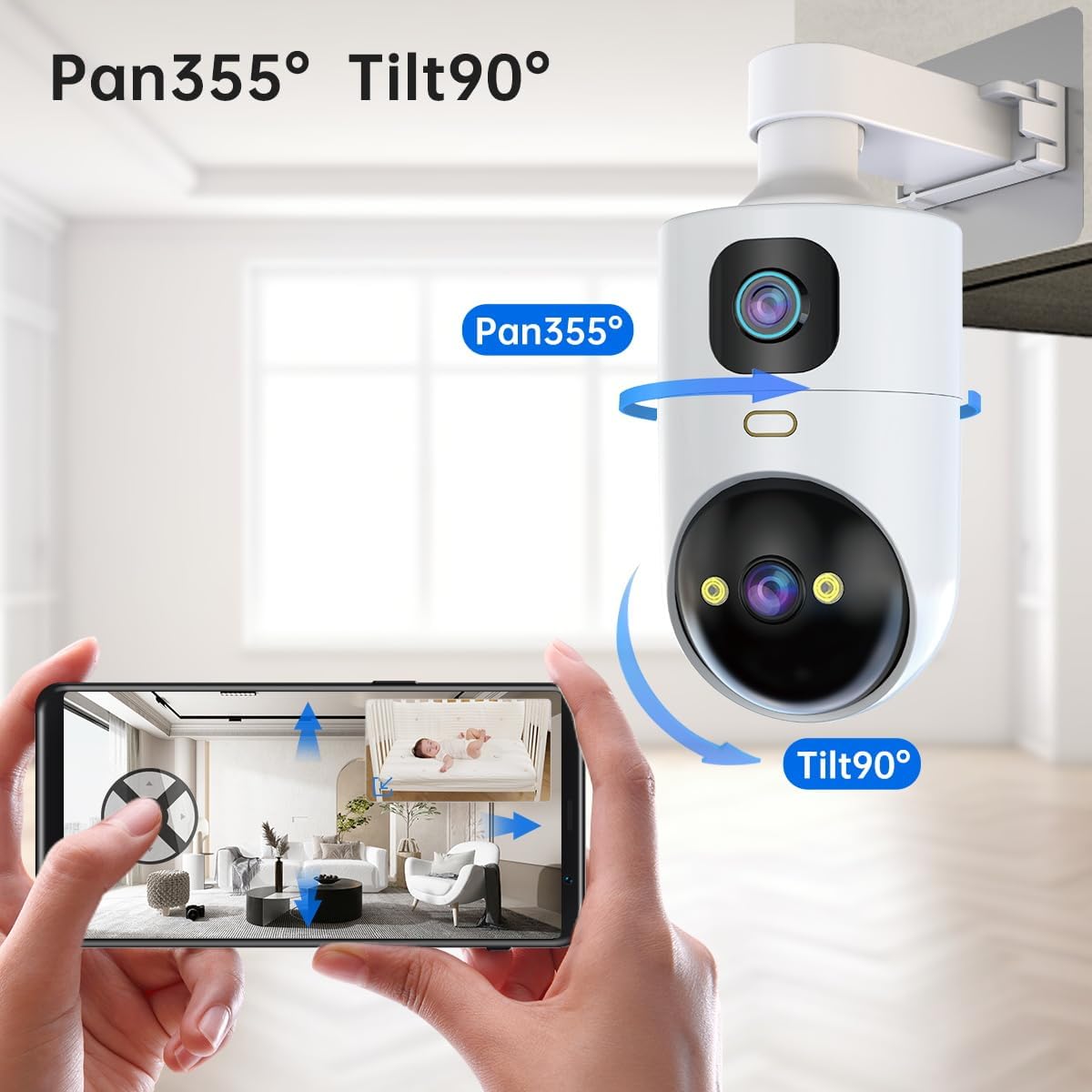
- PTZ-funktionalitet: Pan 355°, Tilt 90° for wide area coverage and 8X digital zoom.
- Automatisk sporing: Følger automatisk registreret bevægelse.
- Two-Way Audio & One-Touch Call: Communicate remotely and allow family members to call you with a single button press.
- Fleksibel opbevaring: Supports secure cloud storage and local SD card storage (up to 256GB).
2. Pakkens indhold
Kontroller venligst, at alle varer er til stede i din pakke:
- 1 x JOOAN Dual Lens Camera
- 1 x strømadapter (5V)
- 1 x netledning (3 meter)
- 1 x skruepose
- 1 x monteringsbeslag
- 1 x Brugermanual (dette dokument)
- 1 x Warning Sign
3. Produktet er slutview
Familiarize yourself with the components of your JOOAN Dual 3MP PTZ Security Camera.

Figur 3.1: Front view of the JOOAN Dual 3MP PTZ Security Camera alongside a smartphone displaying its dual camera feed. The camera features two distinct lenses, one at the top and one at the bottom, allowing for simultaneous monitoring of two different areas. The smartphone screen shows two live feeds, labeled CAM1 and CAM2, demonstrating the camera's dual monitoring capability.

Figur 3.2: The JOOAN Dual 3MP PTZ Security Camera mounted on a wall, illustrating its Pan 355° and Tilt 90° capabilities. Blue arrows indicate the range of motion for both horizontal (pan) and vertical (tilt) adjustments. A smartphone screen below shows the camera's live view with directional controls, demonstrating remote control over its movement to cover a wide area.
4. Opsætning
4.1 Indledende opsætning
- Tænd: Connect the camera to a power source using the provided 5V adapter and 3-meter power cord. The camera will power on automatically.
- Nulstil kamera: Locate the reset button, typically found near the camera's head. Press and hold the reset button for approximately 5-10 seconds until you hear a voice prompt indicating the camera is resetting. This prepares the camera for a new connection.
- Download app: Download the free "cam720" app from your device's app store (available on iOS and Android).
Figur 4.1: The cam720 app interface for remote access and multi-user support. The image shows two individuals viewing the camera feed on their smartphones, emphasizing the ease of access and sharing. Logos for Android, iOS, and Windows indicate broad compatibility for the cam720 application.
- Føj kamera til app: Open the cam720 app and follow the on-screen instructions to add your camera. Søg efter the device (it will typically appear as "JAA-**").
- Opret forbindelse til WiFi: Enter your WiFi network password when prompted. The camera supports both 5GHz and 2.4GHz WiFi networks. Ensure your mobile device is connected to the same WiFi network during the initial setup process.
4.2 Monteringsmuligheder
The JOOAN camera offers versatile installation options to suit your needs:
- Vægmonteret: Use the included bracket and screws to securely mount the camera on a wall.
- Loftsmonteret: The camera can also be mounted to the ceiling for an overhead view.
- Flad overflade: Place the camera on any flat surface such as a table, shelf, or desk.
5. Betjeningsvejledning
5.1 App Usage (cam720)
The cam720 app is your primary interface for controlling and monitoring your camera.
- Fjernadgang: View live feeds and control camera functions from anywhere using your smartphone.
- Multi-Users: Share access to the camera feed with family members or trusted individuals.
- Tovejs lyd: Use the built-in microphone and speaker to communicate with people or pets near the camera.
- Opkald med et enkelt tryk: The camera features a dedicated button that, when pressed, initiates a call to your connected smartphone, allowing for immediate communication.

Figur 5.1: A hand pressing the 'phone' button on the JOOAN camera, triggering a call notification on a smartphone. This illustrates the camera's one-touch call feature, enabling immediate two-way communication between the camera's location and the remote smartphone user.
5.2 Videoovervågning
Leverage the camera's advanced monitoring capabilities:
- Dobbelte linser: The camera's dual lens design allows you to monitor two different areas simultaneously within the same app interface.

Figur 5.2: The JOOAN camera demonstrating its 'One Device = Two Cameras' capability. The image shows the physical camera with two lenses, and a smartphone screen displaying two separate live feeds (Camera1 and Camera2) from different perspectives within a room, highlighting the dual monitoring functionality.
- Panorering/Vipning/Zoom (PTZ): Styr kameraets viewing angle remotely. Pan horizontally up to 355° and tilt vertically up to 90° to cover a wide area. Utilize the 8X digital zoom for closer inspection.
- Automatisk sporing: Enable auto tracking to have the camera automatically follow detected motion within its field of view.
Figur 5.3: An illustration of the camera's Auto Tracking and Timed Cruise features. The camera is positioned in a room, with red markers indicating three preset monitoring points (Preset bit 1, 2, 3). Light rays emanating from the camera show its ability to pan and track movement across these areas, demonstrating its automated surveillance capabilities.
5.3 Nattesynstilstande
The camera offers three distinct night vision modes for optimal visibility in low-light conditions:
- Full Color Light: Provides a full-color image in low light using integrated floodlights.
- Infrared Normal Light: Uses infrared LEDs for a clear black-and-white image in complete darkness.
- Smart Color Light: Automatically switches to color night vision when motion is detected, otherwise remaining in infrared mode.

Figur 5.4: Visual representation of the three night vision modes: Full Color Light, Infrared Normal Light, and Smart Color Light. Each mode is depicted with an example image showing the camera's view in different low-light scenarios, highlighting the distinct visual output of each setting.
5.4 Optagelse og opbevaring
Your camera supports multiple recording and storage methods:
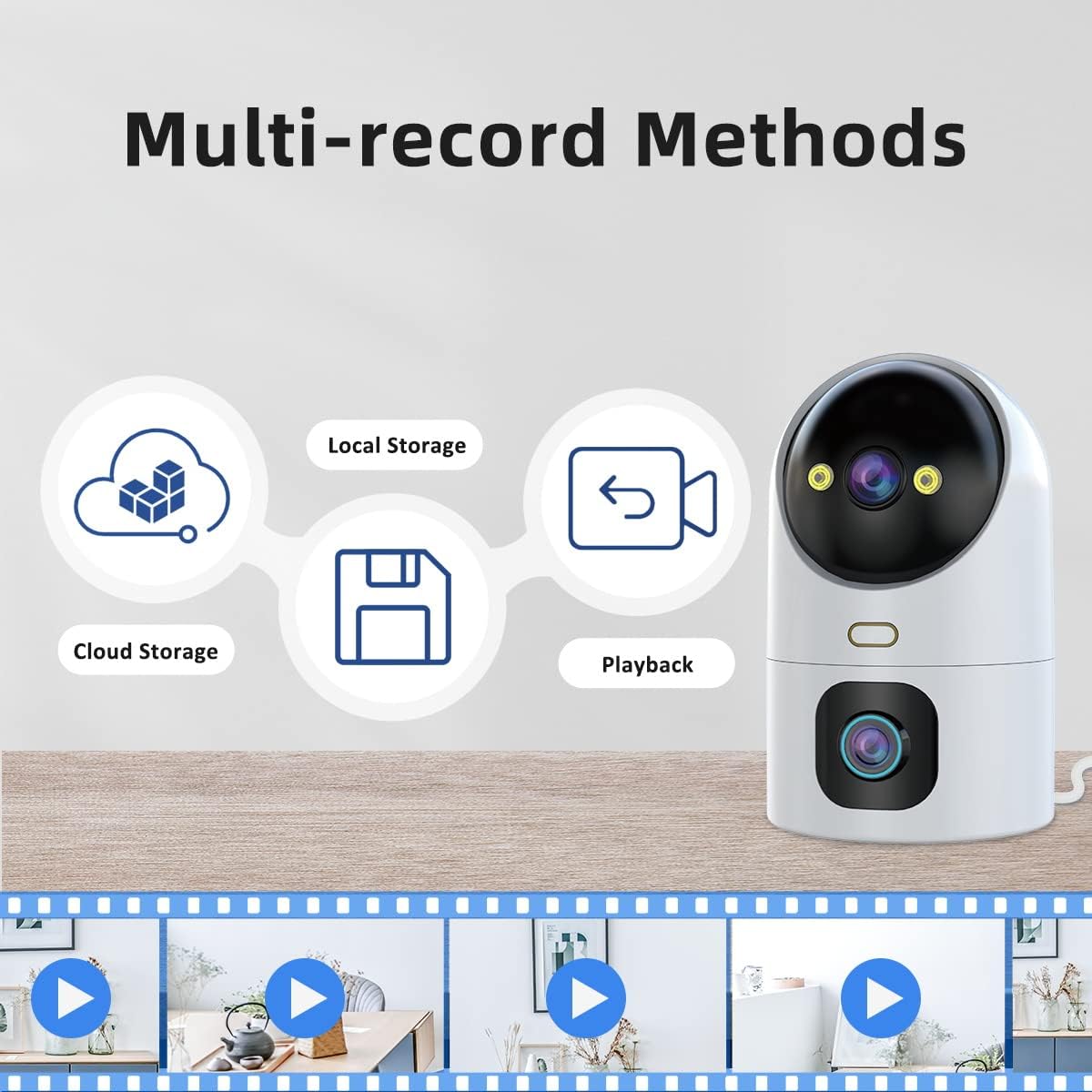
- Cloud Storage: Securely store video footage in the cloud. Access up to 30 days of video history. Subscription may be required after initial trial.
- SD-kortlagring: Insert a microSD card (not included) into the camera for local storage. Supports up to 256GB capacity.
- Optagetilstande: Choose between continuous recording or alarm-triggered recording (motion detection).
- Afspilning: Nemt omview optaget footage through the cam720 app.

Figur 5.5: An illustration detailing the multiple recording methods available for the JOOAN camera: Cloud Storage, Local Storage (via SD card), and Playback. Icons represent each storage type, and a filmstrip at the bottom shows various recorded moments, indicating the camera's ability to capture and store video for later review.
6. Vedligeholdelse
To ensure optimal performance and longevity of your JOOAN camera, follow these maintenance guidelines:
- Rensning: Gently wipe the camera lens and body with a soft, dry cloth. Avoid using harsh chemicals or abrasive materials that could scratch the lens or damage the finish.
- Firmwareopdateringer: Periodically check the cam720 app for available firmware updates. Keeping your camera's firmware up-to-date ensures you have the latest features, security patches, and performance improvements.
- Power Cycle: If the camera experiences minor issues, try unplugging it from the power source for 10 seconds and then plugging it back in. This can often resolve temporary glitches.
7. Fejlfinding
If you encounter issues with your JOOAN camera, refer to the following common problems and solutions:
| Problem | Mulig årsag | Løsning |
|---|---|---|
| Camera won't connect to WiFi | Incorrect WiFi password; Camera too far from router; Incorrect WiFi band (2.4GHz vs 5GHz); Router issues. | Double-check WiFi password. Move camera closer to router. Ensure your router supports both 2.4GHz and 5GHz, and that the camera is connecting to the correct band. Reset the camera and try setup again. Restart your router. |
| No video feed in app | Camera offline; Network issues; App glitch. | Check if the camera is powered on. Verify your internet connection. Restart the cam720 app. Power cycle the camera. |
| Dårlig videokvalitet | Insufficient bandwidth; Dirty lens; Low light conditions. | Ensure stable and strong WiFi signal. Clean the camera lens. Adjust night vision settings if applicable. |
| To-vejs lyd virker ikke | Microphone/speaker muted in app; App permissions. | Check audio settings in the cam720 app to ensure microphone and speaker are enabled. Grant necessary microphone permissions to the app on your smartphone. |
| SD-kort optager ikke | SD card full or corrupted; Incorrect formatting; Recording settings. | Check SD card status in app. Format the SD card via the app (this will erase data). Ensure recording settings (continuous/alarm) are configured correctly. Replace SD card if corrupted. |
Hvis problemet fortsætter efter at have prøvet disse løsninger, bedes du kontakte kundesupport.
8. Specifikationer
| Feature | Specifikation |
|---|---|
| Modelnavn | W5-U (HS-01-Rotate) |
| Indendørs/Udendørs brug | Indendørs |
| Videooptagelsesopløsning | 3 MP |
| Forbindelsesprotokol | Wi-Fi (5 GHz og 2.4 GHz) |
| Strømkilde | Corded Electric (5V Adapter) |
| Monteringstype | Wall Mount, Ceiling Mount, Flat Surface |
| Viewi vinkel | Pan 355 Degrees, Tilt 90 Degrees |
| Night Vision Range | 20 meter |
| Materiale | Acrylonitril Butadien Styren (ABS) |
| Varedimensioner (L x B x H) | 3.74 x 3.66 x 6.89 tommer |
| Varens vægt | 15.8 ounce |
| Max Flash Memory Supported | 256 GB (Micro SD-kort) |
| Videokodning | H.264 |
| Alert Type | Lyd og bevægelse |
| Kontrolmetode | App (cam720) |
9. Garantioplysninger
JOOAN products are manufactured with high-quality standards. For specific warranty terms and conditions, please refer to the warranty card included with your product or visit the official JOOAN webwebsted. Gem din købskvittering som købsbevis i tilfælde af garantikrav.
10. Kundesupport
If you require further assistance or have questions not covered in this manual, please contact JOOAN customer support through the following channels:
- Officiel Webwebsted: Visit the JOOAN official webwebsted med ofte stillede spørgsmål, supportressourcer og kontaktoplysninger.
- Support i appen: The cam720 app may offer a support or feedback section where you can submit inquiries.
Please have your product model (HS-01-Rotate) and purchase details ready when contacting support.


