1. Introduktion
Thank you for choosing the Kinganda Q71 Clip-On Open Ear Headphones. These innovative wireless earbuds are designed to provide a comfortable and secure listening experience while allowing you to remain aware of your surroundings. Featuring Bluetooth 5.3 technology, a lightweight design, and IPX4 water resistance, the Q71 is ideal for various activities including sports, commuting, and daily use.
2. Hvad er der i æsken
- Kinganda Q71 Clip-On Open Ear Headphones (Left & Right)
- Opladningsetui
- USB Type-C opladerkabel
- Instruktionsmanual
3. Produktet er slutview
The Kinganda Q71 headphones feature a unique clip-on design that rests comfortably on your ear without entering the ear canal, ensuring comfort and situational awareness. The compact charging case provides extended battery life and features an LED display for battery status.

Figure 3.1: Kinganda Q71 Clip-On Open Ear Headphones and Charging Case. The earbuds are securely nestled in the charging case, which features a digital display indicating battery levels.

Figur 3.2: Detaljeret view of an earbud's internal components, highlighting the Bluetooth 5.3 chip and emphasizing its lightweight construction.
4. Opsætning
4.1. Indledende parring
- Sørg for, at øretelefonerne er fuldt opladede.
- Åbn opladningsetuiet. Ørepropperne går automatisk i parringstilstand (indikeret med blinkende lys på ørepropperne).
- Aktiver Bluetooth på din enhed (smartphone, tablet, computer).
- Søg efter "YYK-Q71" in the list of available Bluetooth devices and select it to connect.
- Når forbindelsen er oprettet, vil en stemmemeddelelse bekræfte den gennemførte parring.
Video 4.1: Demonstrates the initial pairing process for the Kinganda Q71 Clip-On Earbuds, showing how to activate pairing mode and connect to a device.
4.2. Sådan tager du ørepropperne på
The Q71 earbuds are designed to clip securely onto your ear. Identify the left (L) and right (R) earbuds. Gently place the earbud over your ear, ensuring the speaker part is positioned towards your ear canal for optimal sound. The clip will rest comfortably behind your ear.

Figure 4.1: Proper wearing of the Kinganda Q71 earbud, illustrating how the open-ear design allows for environmental awareness.
Video 4.2: Shows the correct method for clipping the Q71 earbuds onto the ear, ensuring a secure and comfortable fit.
5. Betjeningsvejledning
5.1. Knapkontrol
The Q71 earbuds feature multi-function buttons for easy control of music and calls. The physical buttons are designed to prevent accidental touches during adjustments.

Figure 5.1: Visual guide to the multi-function button controls on the Kinganda Q71 earbuds.
- Afspil/pause: Single click the button on either earbud.
- Næste sang: Double click the button on the right earbud.
- Forrige sang: Double click the button on the left earbud.
- Lydstyrke op: Triple click the button on the right earbud.
- Skrue ned for lyden: Triple click the button on the left earbud.
- Besvar/afslut opkald: Single click the button on either earbud during an incoming call.
- Afvis opkald: Press and hold the button on either earbud for 2 seconds during an incoming call.
- Aktivér stemmeassistent (Siri/Google Assistant): Press and hold the button on either earbud for 1 second.
5.2. Opladning af øretelefoner og etuiet
Opladningsetuiet har et LED-display, der viser batteriprocententage of the case and the charging status of each earbud (L for left, R for right).

Figure 5.2: The charging case's LED display indicates the overall battery level and individual earbud charging status.
- Opladning af øretelefoner: Place the earbuds into their respective slots in the charging case. They will automatically begin charging. The LED display will show charging progress for each earbud.
- Opladningsetui: Connect the provided USB Type-C cable to the charging port on the case and plug the other end into a USB power source (e.g., wall adapter, computer USB port). The LED display will show the case's battery percentage stigendeasing under opladning.
6. Vedligeholdelse
6.1. Rensning
Regular cleaning helps maintain optimal performance and hygiene. Use a soft, dry, lint-free cloth to wipe the earbuds and charging case. Avoid using abrasive materials, alcohol, or chemical cleaners.
6.2. Vandafvisende (IPX4)
The Kinganda Q71 earbuds are IPX4 water-resistant, meaning they are protected against splashing water from any direction. This makes them suitable for workouts and light rain. They are ikke designed for submersion in water or exposure to heavy rain.
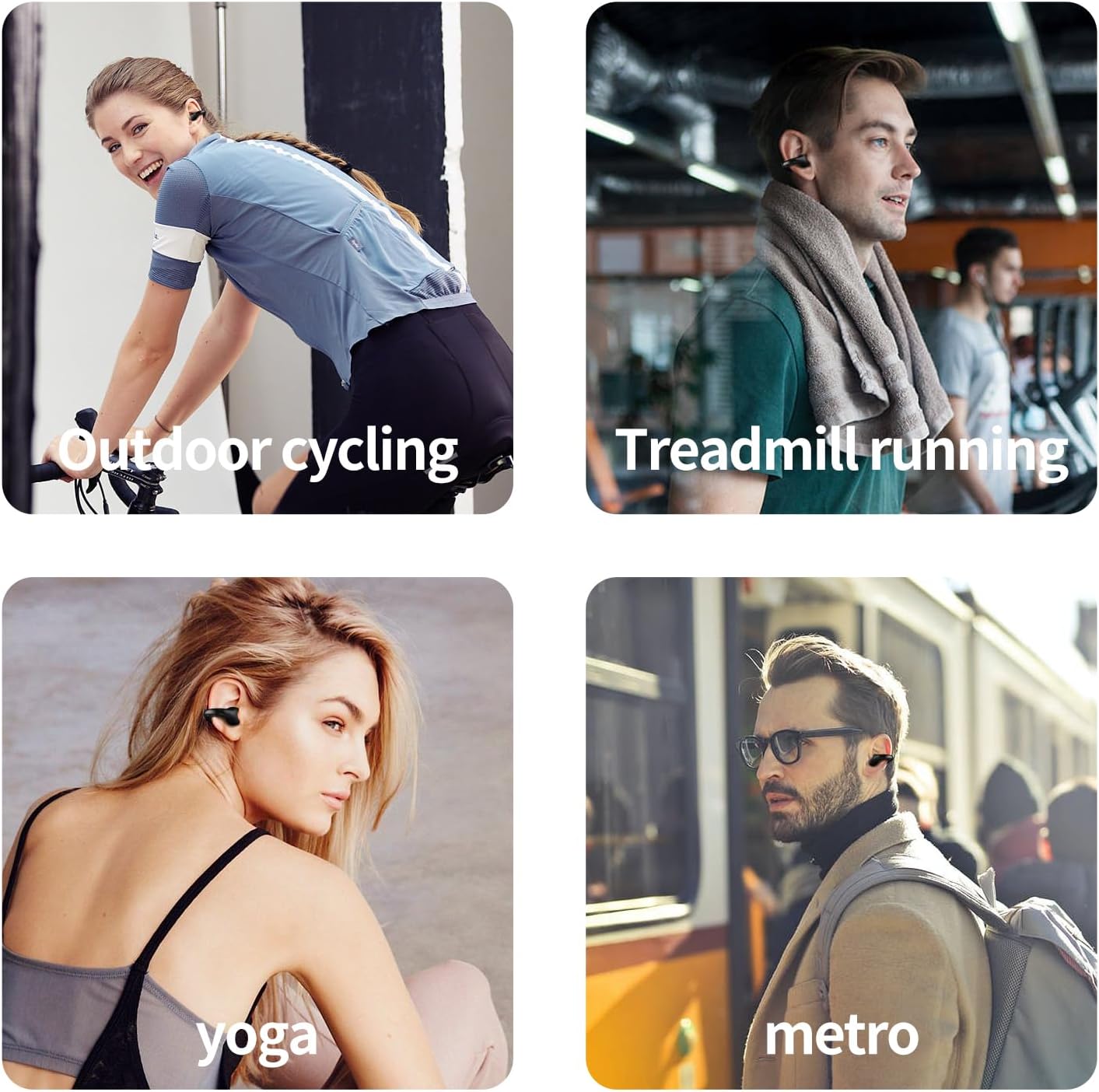
Figure 6.1: The IPX4 rating ensures the earbuds can withstand splashes and light rain, making them suitable for active use.
6.3. Opbevaring
Når ørepropperne ikke er i brug, skal de opbevares i deres opladningsetui for at beskytte dem mod støv og skader, og for at holde dem opladede. Opbevar etuiet et køligt og tørt sted, væk fra direkte sollys og ekstreme temperaturer.
7. Fejlfinding
| Spørgsmål | Mulig løsning |
|---|---|
| Øretelefoner parrer/forbinder ikke |
|
| Kun én øretelefon virker |
|
| Lav lydstyrke eller dårlig lydkvalitet |
|
| Ladeetui oplader ikke |
|
8. Specifikationer
| Feature | Detalje |
|---|---|
| Modelnavn | Q71 |
| Forbindelsesteknologi | Trådløs |
| Trådløs kommunikationsteknologi | Bluetooth |
| Bluetooth version | 5.3 |
| Bluetooth rækkevidde | 100 meter |
| Batterilevetid (ørepropper) | 6 timer |
| Samlet spilletid med opladningsetui | Op til 80 timer |
| Opladningsetui Batterikapacitet | 300mAh |
| Vandmodstandsniveau | IPX4 |
| Øreplacering | Åbent øre |
| Ørestykke form | Earclip |
| Kontroltype | Mediekontrol (knap) |
| Varens vægt | 0.18 OZ (per earbud) / 4.2 ounces (total package) |
| Materiale | Plastic (Earbuds), [PO] (Carrying Case) |
| Fabrikant | Kinganda |
9. Garanti og support
Kinganda products come with a standard manufacturer's warranty. For detailed warranty information, technical support, or customer service inquiries, please refer to the contact information provided in your product packaging or visit the official Kinganda webwebsted.
You may also refer to the official User Manual (PDF) available at: https://manuals.plus/m/80852dff210946e3109d65f43f0f8c7f1139b6834c04150c5e1ec3315918312b


