
1. Introduktion
Tak, fordi du har valgt Choetech True Wireless-øretelefonerne. Denne manual indeholder detaljerede instruktioner om, hvordan du opsætter, betjener og vedligeholder dine øretelefoner for at sikre optimal ydeevne og levetid. Læs venligst denne manual omhyggeligt, inden du bruger produktet, og gem den til senere brug.
2. Pakkens indhold
- Choetech ægte trådløse øretelefoner (venstre og højre)
- Opladningsetui
- USB opladningskabel
- Flere størrelser af ørepropper
- Brugermanual
3. Produktet er slutview
Gør dig bekendt med komponenterne i dine Choetech True Wireless-øretelefoner.

Billede: Choetech True Wireless-øretelefoner og deres kompakte opladningsetui.

Billede: Ørepropperne placeret i det åbne opladningsetui, der viser opladningskontakterne.
Øreproppernes komponenter:
- Berøringskontrolområde: Til styring af afspilning, opkald og stemmeassistent.
- LED-indikator: Viser parringsstatus og batteriniveau.
- Mikrofon: Til opkald og stemmekommandoer.
- Opladningskontakter: Til opladning inde i etuiet.
Komponenter til opladningsetuiet:
- Opladningsstik til øretelefoner: Holder og oplader ørepropperne sikkert.
- LED-indikator for opladningsetuiet: Viser batteristatus for etuiet.
- USB opladningsport: Til opladning af etuiet.
4. Opsætning
4.1 Opladning af øretelefoner og etuiet
Oplad både ørepropperne og opladningsetuiet helt inden første brug.
- Placer ørepropperne i opladningsetuiet, og sørg for, at de er korrekt isat.
- Tilslut USB-opladerkablet til opladningsporten på etuiet og en strømkilde (f.eks. USB-vægadapter, computerens USB-port).
- LED-indikatorerne på ørepropperne og etuiet viser opladningsstatus. De slukker eller skifter farve, når de er fuldt opladet.
En fuld opladning giver over 5 timers spilletid for ørepropperne, og opladningsetuiet forlænger den samlede brugstid til cirka 120 timer i standbytilstand.

Billede: Visuel repræsentation af øreproppernes lange batterilevetid, der angiver afspilnings-, tale- og standbytider.
4.2 Parring med din enhed (Bluetooth 5.2)
Ørepropperne bruger avanceret Bluetooth 5.2-teknologi for en hurtig og stabil forbindelse.
- Åbn opladningsetuiet. Ørepropperne tændes automatisk og går i parringstilstand. Øreproppernes LED-indikatorer blinker, hvilket indikerer, at de er klar til parring.
- Aktiver Bluetooth på din enhed (smartphone, tablet osv.).
- Søg efter tilgængelige Bluetooth-enheder, og vælg "Choetech BH-T06" fra listen.
- Når der er oprettet forbindelse, vil øreproppernes LED-indikatorer holde op med at blinke. Du vil høre en bekræftelsestone.
Ørepropperne understøtter problemfri skift, hvilket gør det muligt for hver øreprop at skifte hurtigt mellem to forskellige lydenheder uafhængigt.
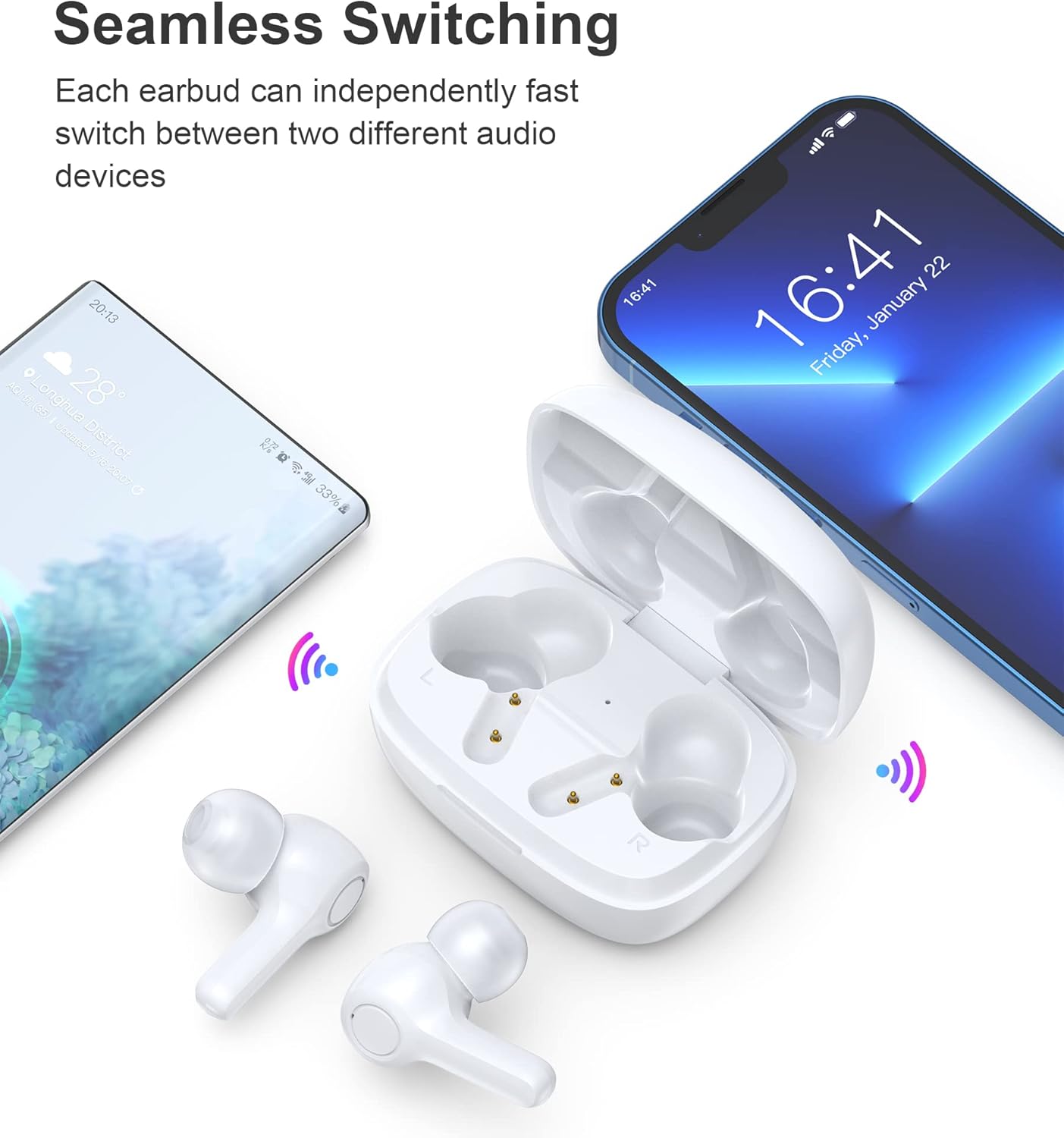
Billede: Illustration, der viser den problemfri skift mellem en smartphone og en anden enhed.
Note: Efter den første parring opretter ørepropperne automatisk forbindelse til den sidst parrede enhed, når de tages ud af etuiet, forudsat at Bluetooth er aktiveret på enheden.
5. Betjeningsvejledning
5.1 Tænd/sluk
- Tænd: Åbn opladningsetuiet, og øretelefonerne tænder automatisk.
- Sluk: Sæt ørepropperne tilbage i opladningsetuiet, og luk låget. De slukker automatisk og begynder at oplade.
5.2 Tryk på kontrolelementer
Ørepropperne har følsomme berøringsknapper for nem betjening.
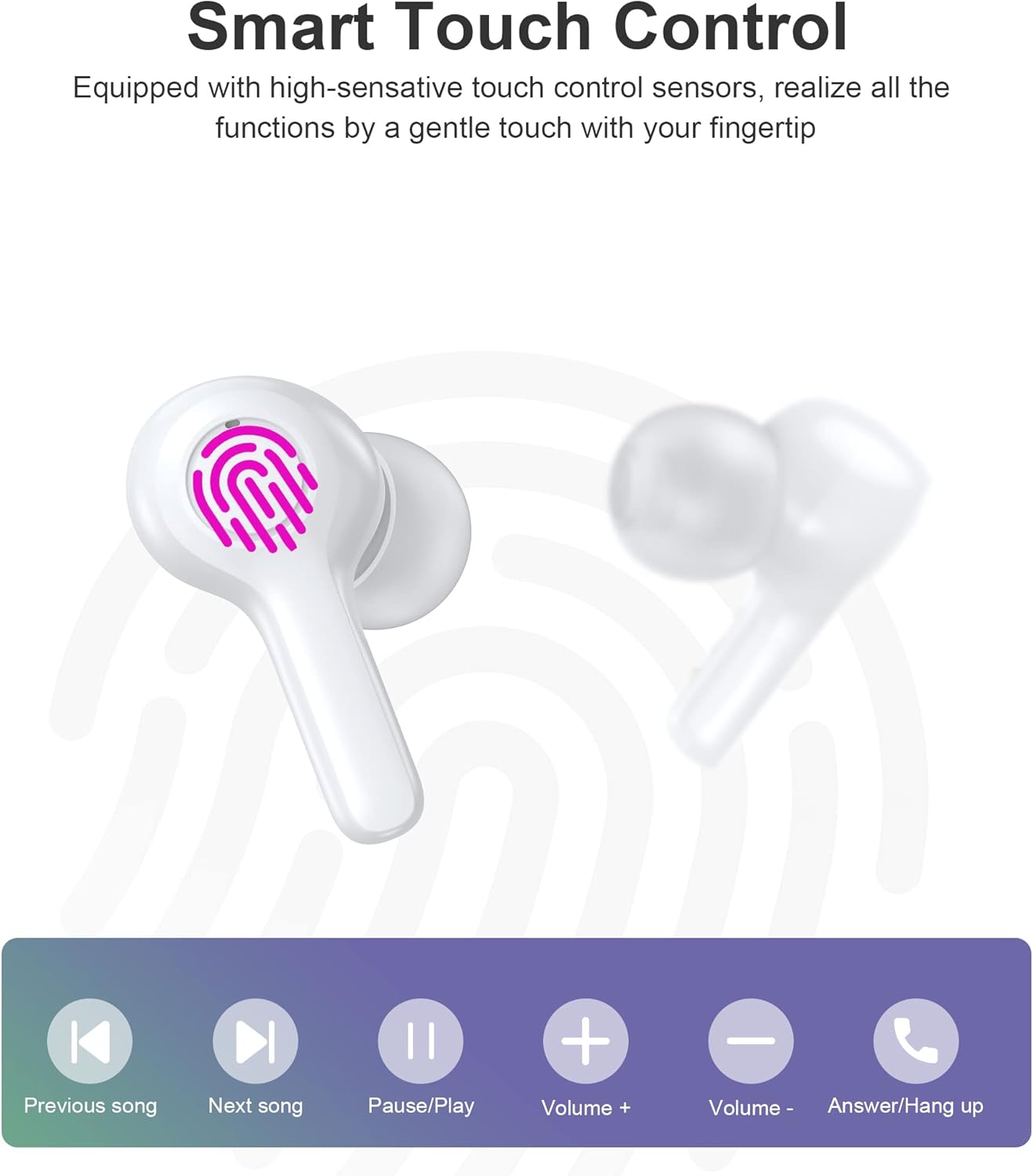
Billede: Diagram, der illustrerer de forskellige berøringsfunktioner på ørepropperne, herunder afspilning, lydstyrke og opkaldsstyring.
| Handling | Venstre øretelefon | Højre ørepropper |
|---|---|---|
| Afspil/pause | Enkelt tryk | Enkelt tryk |
| Næste sang | Dobbelttryk | |
| Forrige sang | Dobbelttryk | |
| Lydstyrke op | Tredobbelt tryk | |
| Lydstyrke ned | Tredobbelt tryk | |
| Besvar/afslut opkald | Enkelt tryk | Enkelt tryk |
| Afvis opkald | Langt tryk (2 sek.) | Langt tryk (2 sek.) |
| Aktiver Voice Assistant | Langt tryk (2 sek.) | Langt tryk (2 sek.) |
Note: Specifikke berøringsbetjeningsfunktioner kan variere en smule afhængigt af din tilsluttede enhed og dens operativsystem.
6. Vedligeholdelse
6.1 Rengøring
Ørepropperne er vandtætte i henhold til IPX8, hvilket gør dem modstandsdygtige over for sved og vand. De er nemme at rengøre.
- Tør ørepropperne og opladningsetuiet af med en blød, tør og fnugfri klud.
- Til genstridigt snavs, let dampRengør kluden med vand. Brug ikke skrappe kemikalier eller slibende materialer.
- Sørg for, at opladningskontakterne på både ørepropperne og etuiet er rene og tørre for at forhindre opladningsproblemer.

Billede: Visuel repræsentation af øreproppernes IPX8-vandtæthed, der viser dem nedsænket i vand.
6.2 Opbevaring
- Når ørepropperne ikke er i brug, skal de opbevares i deres opladningsetui for at beskytte dem og holde dem opladede.
- Opbevar produktet et køligt, tørt sted, væk fra ekstreme temperaturer og direkte sollys.
7. Fejlfinding
Hvis du støder på problemer, kan du bruge følgende almindelige løsninger:
- Ørepropper parrer ikke: Sørg for, at begge ørepropper er taget ud af etuiet og i parringstilstand. Sluk og tænd for din enheds Bluetooth. Prøv at glemme enheden i dine Bluetooth-indstillinger og parre igen.
- Kun én øreprop virker: Sæt begge ørepropper tilbage i opladningsetuiet, luk låget, vent et par sekunder, og tag dem derefter ud igen. Dette synkroniserer dem ofte igen.
- Ingen lyd: Kontrollér lydstyrken på din enhed og ørepropperne. Sørg for, at ørepropperne er korrekt tilsluttet din enhed.
- Opladningsproblemer: Rengør opladningskontakterne på begge ørepropper og etuiet. Prøv et andet USB-kabel og en anden strømkilde.
- Dårlig opkaldskvalitet: Sørg for, at mikrofonerne ikke er blokeret. Flyt tættere på din enhed. Den smarte støjreduktionsteknologi hjælper med at give klare opkald, men ekstremt støjende miljøer kan stadig påvirke kvaliteten.

Billede: Visuel repræsentation af støjreduktionsteknologien, der viser lydbølger, der behandles for at opnå klarere lyd.
Hvis problemet fortsætter, bedes du kontakte kundesupport.
8. Specifikationer
| Feature | Detalje |
|---|---|
| Model | BH-T06 |
| Bluetooth version | 5.2 |
| Vandtæt vurdering | IPX8 (Vandtæt ned til 1 meter i 30 minutter) |
| Earbud batterikapacitet | 40mAh (hver øretelefon) |
| Opladningsetui Batterikapacitet | 300mAh |
| Afspilningstid | ~5+ timer (øretelefoner) |
| Standbytid (med etui) | ~120 timer |
| Højttaler størrelse | 8 mm |
| Mikrofoner | 4 (for klare opkald) |
| Forbindelsesteknologi | Trådløs (Bluetooth) |
| Støjkontrol | Automatisk støjreduktion |
9. Sikkerhedsoplysninger
- Produktet må ikke skilles ad eller modificeres.
- Holdes væk fra ekstreme temperaturer, direkte sollys og åben ild.
- Undgå at tabe eller udsætte produktet for stærke stød.
- Opbevares utilgængeligt for børn og kæledyr.
- Brug ikke ørepropperne ved for høj lydstyrke i længere perioder for at undgå høreskader.
10. Garanti og support
Choetech-produkter leveres med en standardgaranti. Se venligst garantikortet, der følger med din pakke, eller besøg den officielle Choetech-side. webwebstedet for detaljerede garantivilkår og -betingelser. For teknisk support, hjælp til fejlfinding eller eventuelle forespørgsler, bedes du kontakte Choetechs kundeservice via deres officielle kanaler.


