Indledning
This manual provides detailed instructions for the setup, operation, maintenance, and troubleshooting of your Makeid L1 Portable Wireless Sticker Label Maker Machine. Please read this manual thoroughly before using the device to ensure proper function and longevity.
Hvad er der i æsken
Bekræft at alle komponenter er til stede i pakken:
- Makeid L1 Label Maker Machine
- 4-meter roll of label tape
- USB ladekabel
- Brugervejledning (dette dokument)
Produkt overview
Familiarize yourself with the key components of your Makeid L1 Label Maker.

Billede: Overview of the Makeid L1 Label Maker, highlighting the power button, the lid for tape replacement, and the integrated cutter for crisp labels.
- Power knap: Located on the side, used to turn the device on/off.
- Låg: Opens to access the tape compartment for loading and replacing label rolls.
- Indbygget skærer: Ensures clean and precise cuts of printed labels.
- Label Output Slot: Hvor trykte etiketter dukker op.
- Opladningsport: USB-port til genopladning af enheden.
Opsætning
1. Opladning af enheden
Before first use, ensure the label maker is fully charged. Connect the provided USB charging cable to the device's charging port and a compatible USB power source (e.g., computer USB port, USB wall adapter). The indicator light will show charging status (refer to device specific light indicators for full/charging status).
2. Isætning af etiketbånd
The Makeid L1 supports various label tape widths (9mm, 12mm, 16mm) and types (continuous, die-cut, transparent, white, colored, pattern). Ensure the tape is correctly oriented.
- Open the lid of the label maker.
- Insert the label roll into the compartment, ensuring the tape feeds out from the bottom and through the output slot.
- Luk låget forsvarligt.
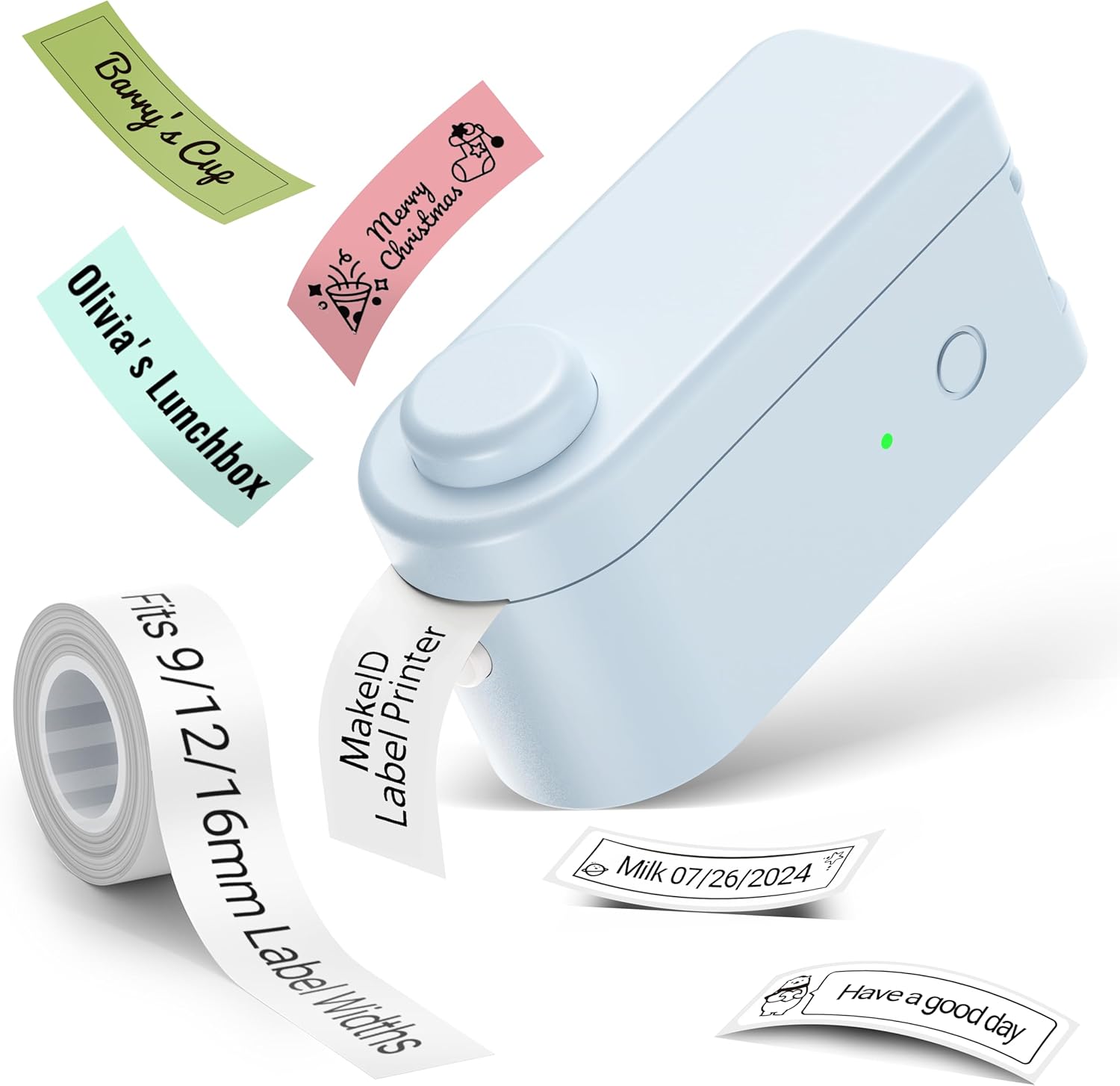
Billede: The Makeid L1 Label Maker demonstrating the label tape roll and examples of printed labels, including continuous and die-cut types.
3. Download og installation af appen
The Makeid L1 operates via a dedicated mobile application. Søg efter "MakeID-Life" on your device's app store.

Billede: Screenshots showing the "Get it on Google Play" and "Download on the App Store" buttons, indicating where to find the MakeID-Life application.
4. Bluetooth-parring
The label maker connects to your smartphone via Bluetooth.
- Sørg for, at Bluetooth er aktiveret på din smartphone.
- Turn on the Makeid L1 Label Maker by pressing the power button. The indicator light will flash, indicating it's ready for pairing.
- Open the "MakeID-Life" app. The app will automatically search for nearby devices.
- Select "L1" from the list of available devices to connect. Once connected, the indicator light on the label maker will become solid.

Billede: A visual guide demonstrating the three steps for Bluetooth connection: turning on Bluetooth, selecting the L1 model within the app, and confirming the device connection.
Betjeningsvejledning
1. Designing Your Label
The "MakeID-Life" app offers extensive customization options:
- Tekstinput: Type your desired text.
- Skrifttyper: Choose from 88 different font styles.
- Ikoner og symboler: Access over 600 icons and various symbols.
- Skabeloner: Utilize over 400 pre-designed templates for various purposes (e.g., kitchen, office, school).
- Kanter og rammer: Add decorative borders.
- Andre funktioner: Create barcodes, QR codes, tables, dates, and patterns.
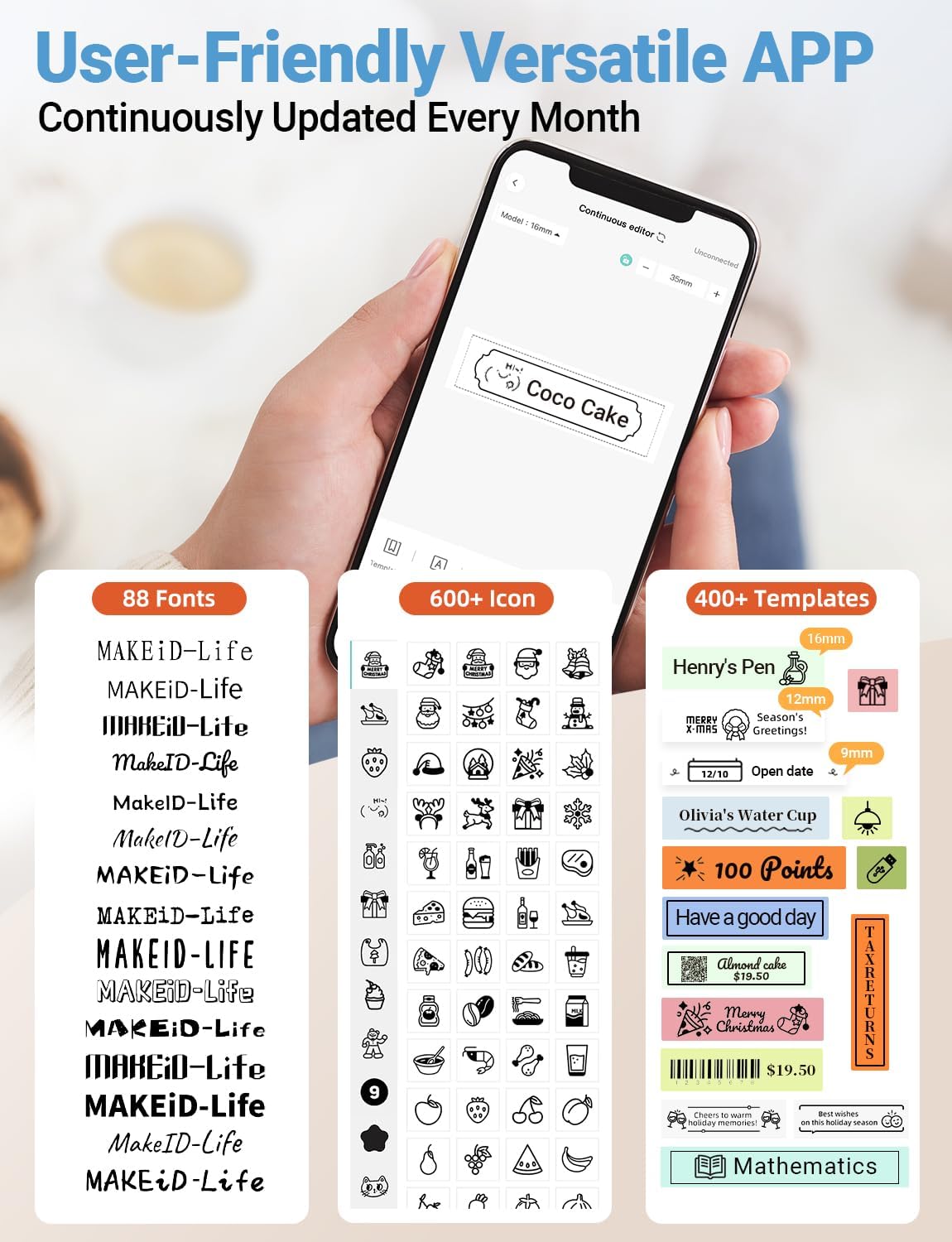
Billede: En detaljeret view of the MakeID-Life app interface, showcasing the wide selection of 88 fonts, over 600 icons, and more than 400 templates available for label customization.
2. Udskrivning af etiketter
Once your design is complete in the app:
- Review your label design on the app screen.
- Tryk på knappen "Udskriv" i appen.
- The label will be thermally printed and emerge from the output slot.
3. Skæring af etiketter
The Makeid L1 features a built-in cutter for clean edges.
- After printing, gently pull the label forward slightly.
- Press the cutting button (refer to the Product Overview image for location) to cleanly cut the label.

Billede: Illustration of the Makeid L1's built-in cutter, demonstrating how it provides professional and safe cutting of labels, eliminating messy torn edges.
4. Types of Label Printing
The L1 supports two primary types of label printing:
- Kontinuerlige etiketter: Ideal for custom lengths, allowing you to print text of any length and cut it precisely.
- Udstansede etiketter: Pre-sized labels with specific shapes, perfect for consistent labeling of items like jars or files.

Billede: Visual representation of continuous labels, which can be cut to any length, and die-cut labels, which are pre-shaped for specific applications.
Opretholdelse
Rengøring af skrivehovedet
For at sikre optimal udskriftskvalitet skal du rengøre det termiske printhoved med jævne mellemrum.
- Turn off the label maker and disconnect it from the power source.
- Open the lid and remove the label tape.
- Tør forsigtigt printhovedet af med en blød, fnugfri kludamprenset med isopropylalkohol. Brug ikke vand eller slibende rengøringsmidler.
- Allow the print head to dry completely before reinserting the tape and closing the lid.
Opbevaring
Store the label maker in a cool, dry place away from direct sunlight and extreme temperatures. Remove the label tape if storing for extended periods.
Fejlfinding
Se tabellen nedenfor for almindelige problemer og deres løsninger.
| Problem | Mulig årsag | Løsning |
|---|---|---|
| Enheden tændes ikke. | Lavt batteri. | Oplad enheden ved hjælp af det medfølgende USB-kabel. |
| Kan ikke oprette forbindelse via Bluetooth. | Bluetooth er slået fra på telefonen; enheden er ikke i parringstilstand; app-problem. | Ensure Bluetooth is enabled on your phone. Turn the label maker off and on again to re-enter pairing mode. Restart the "MakeID-Life" app. |
| Dårlig udskriftskvalitet / Falmede udskrifter. | Print head dirty; incorrect label tape; low battery. | Clean the print head. Ensure you are using Makeid compatible thermal label tape. Charge the device. |
| Label tape not feeding. | Tape incorrectly loaded; tape jammed. | Open the lid and re-insert the label tape correctly, ensuring it's not jammed. |
| Etiketterne skæres ikke rent. | Cutter blade dull or obstructed. | Ensure no debris is obstructing the cutter. If issues persist, contact customer support. |
Specifikationer
Detailed technical specifications for the Makeid L1 Label Maker Machine:
| Feature | Detalje |
|---|---|
| Mærke | Makeid |
| Modelnavn | L1 |
| Forbindelsesteknologi | Bluetooth |
| Udskrivningsteknologi | Termisk |
| Printer output | Monokrom |
| Opløsning | 203 x 203 DPI (also 300 x 300 DPI for other variants) |
| Maksimal mediestørrelse | 0.63 tommer (16 mm) |
| Kompatible enheder | Smartphones (Android og iOS) |
| Kontrolmetode | App |
| Hardware-interface | USB |
| Strømkilde | 1 lithium-ion batteri (medfølger) |
| Produktdimensioner | 3.93" D x 1.6" B x 1.96" H (10 x 4.06 x 4.98 cm) |
| Varens vægt | 4.4 ounces (126 gram) |
| Særlige funktioner | Continuous & Pre-cut Label Tapes, Waterproof, Oil-proof, Friction Resistant, Light Resistant, No Fading, Rich Font Icon Pattern, Portable, Inkless, Wireless, Rechargeable, Creative Print Functions (Barcode, Text, Picture, QR 2D Code, Table, Date, Border, Icon, Shape, Pattern, Template) |
Garanti og support
The Makeid L1 Label Maker comes with a Livstidsgaranti. For technical support, warranty claims, or further assistance, please contact Makeid customer service through the official Makeid webwebstedet eller kontaktoplysningerne på din produktemballage.
For yderligere ressourcer og ofte stillede spørgsmål, besøg Makeid-butik på Amazon.
Sikkerhedsoplysninger
- Du må ikke skille enheden ad eller forsøge at reparere den selv.
- Hold enheden væk fra vand og høj luftfugtighed.
- Use only original or certified compatible label tapes and charging cables.
- Opbevares utilgængeligt for børn.
- Undgå at udsætte enheden for ekstreme temperaturer eller direkte sollys.


