Indledning
Welcome to the user manual for your Urbanista Los Angeles Solar Powered Noise Cancelling Headphones. These headphones are designed to provide a premium audio experience with the innovative feature of self-charging through solar cell material. This manual will guide you through the setup, operation, and maintenance of your headphones to ensure optimal performance.

Image: Urbanista Los Angeles headphones in Midnight Black, showcasing deres elegante design.
Produkt overview
The Urbanista Los Angeles headphones integrate advanced technology for an enhanced listening experience. Key features include:
- Powerfoyle Solar Charging: Utilizes solar cell material to convert all light, both indoor and outdoor, into energy for continuous charging.
- Virtually Infinite Playtime: Designed to provide extended listening sessions without frequent manual charging.
- 80-Hour Battery Reserve: Ensures power availability even in low-light conditions.
- Hybrid Active Noise Cancelling (ANC): Reduces unwanted background noise for immersive audio.
- Omgivende lydtilstand: Giver dig mulighed for at høre dine omgivelser, mens du lytter til lyd.
- On-Ear Detection: Automatically pauses/plays audio when headphones are removed/placed on ears.
- Bluetooth 5.0: Giver stabil og effektiv trådløs forbindelse.
- Stemmestyring: Compatible with Siri and Google Voice Assistant.

Image: Illustration detailing the Powerfoyle solar cell material, highlighting its ability to harvest light for continuous energy.

Image: Visual representation of key audio features: Active Noise Cancelling, Ambient Sound, and On-Ear Detection.
Opsætning
Opladning af hovedtelefoner
The Urbanista Los Angeles headphones feature Powerfoyle solar charging. Simply expose the headband to any light source, whether indoor or outdoor, to begin charging. For initial setup or faster charging, use the provided USB-C cable to connect the headphones to a power source.
- Solopladning: Place the headphones with the headband exposed to light. The charging indicator (if present) will show charging status.
- USB-C opladning: Connect the USB-C cable to the charging port on the headphones and to a compatible USB power adapter or computer.
Bluetooth-parring
Sådan tilslutter du dine hovedtelefoner til en enhed via Bluetooth:
- Sørg for, at hovedtelefonerne er slukket.
- Tryk på tænd/sluk-knappen, og hold den nede, indtil LED-indikatoren blinker, hvilket angiver parringstilstand.
- Gå til Bluetooth-indstillingerne på din enhed (smartphone, tablet, computer).
- Select "Urbanista Los Angeles" from the list of available devices.
- Once connected, the LED indicator will change to a steady light or turn off, depending on the model.
Betjeningsvejledning
Familiarize yourself with the controls on your Urbanista Los Angeles headphones for optimal use.
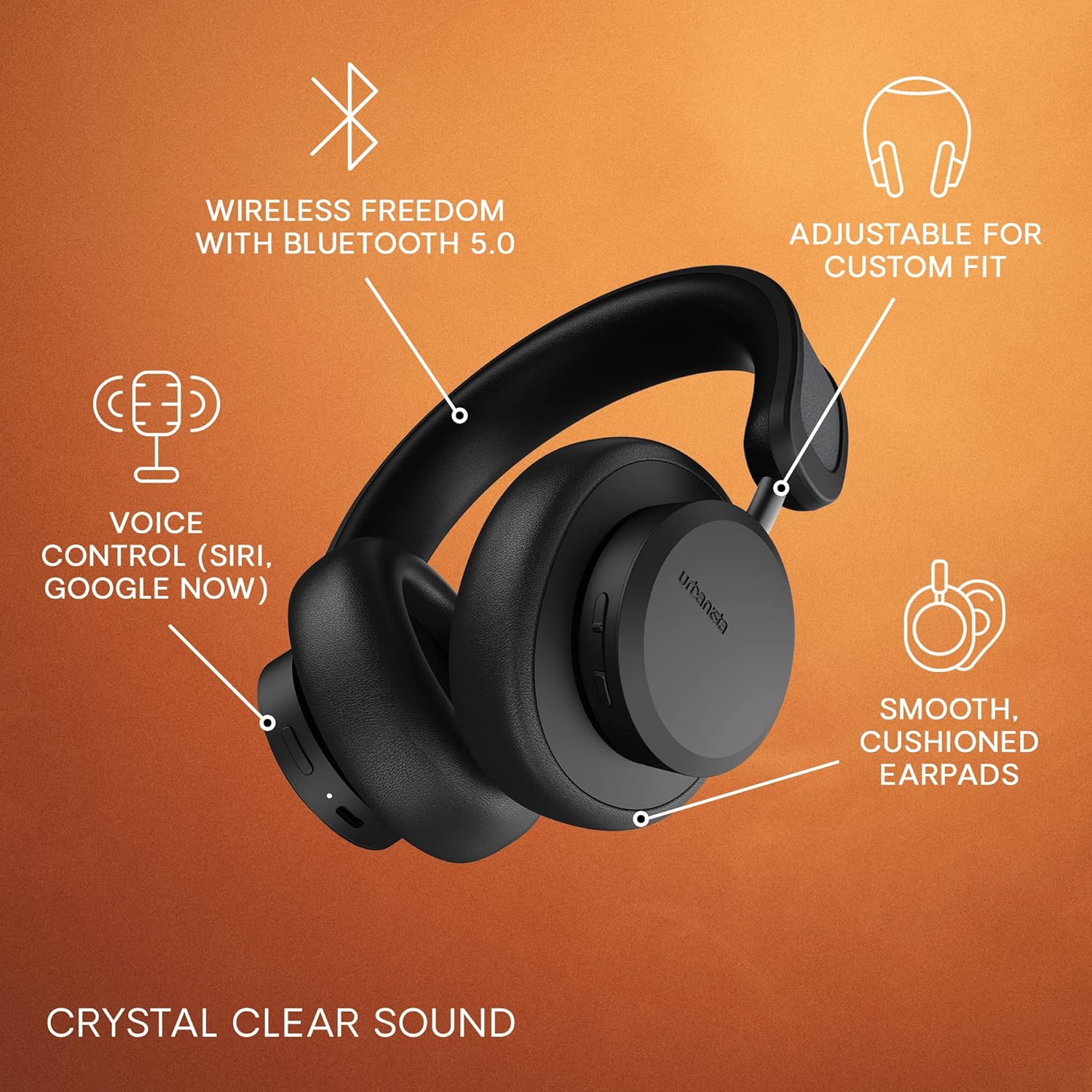
Image: Headphone diagram highlighting features such as Bluetooth 5.0, adjustable fit, voice control, and comfortable earpads.
Tænd/sluk
- Tænd: Tryk og hold tænd/sluk-knappen nede i cirka 3 sekunder.
- Sluk: Tryk og hold tænd/sluk-knappen nede i cirka 5 sekunder.
Active Noise Cancelling (ANC) and Ambient Sound
These modes can be toggled using the dedicated control button, typically located on one of the earcups.
- Aktiver ANC: Press the ANC/Ambient Sound button once.
- Activate Ambient Sound: Press the ANC/Ambient Sound button a second time.
- Deactivate Both: Press the ANC/Ambient Sound button a third time to return to normal mode.
Stemmeassistent
To activate your device's voice assistant (Siri or Google Assistant), press the designated voice control button (refer to your product's specific button layout if available). This will allow you to issue commands hands-free.
Øre-detektion
The headphones are equipped with on-ear detection. When you remove the headphones from your ears, audio playback will automatically pause. Placing them back on your ears will resume playback.
Basic Controls (General)
While specific button functions may vary slightly, common controls include:
- Lydstyrke op/ned: Brug lydstyrkeknapperne.
- Afspil/pause: Tryk enkelt gang på multifunktionsknappen.
- Næste nummer: Dobbelttryk på multifunktionsknappen.
- Forrige nummer: Tryk tre gange på multifunktionsknappen.
- Besvar/afslut opkald: Tryk én gang på multifunktionsknappen under et opkald.
- Afvis opkald: Tryk og hold multifunktionsknappen nede under et indgående opkald.
Opretholdelse
Proper care will extend the lifespan of your Urbanista Los Angeles headphones.
- Rensning: Use a soft, dry cloth to wipe the headphones. Avoid using harsh chemicals or abrasive materials.
- Ørepuder: Gently clean earpads with a slightly damp cloth if necessary. Ensure they are completely dry before use.
- Opbevaring: Store the headphones in a cool, dry place away from direct sunlight and extreme temperatures. When not in use, consider placing them in a protective case.
- Vandtæthed: Hovedtelefonerne er vandafvisende. Undgå at nedsænke dem i vand eller udsætte dem for kraftig regn.

Image: Urbanista Los Angeles headphones, illustrating their design and material.
Fejlfinding
Hvis du støder på problemer med dine hovedtelefoner, kan du bruge følgende almindelige løsninger:
- Hovedtelefoner tænder ikke: Ensure the headphones are charged. Connect them via USB-C to a power source.
- Kan ikke parres via Bluetooth: Make sure the headphones are in pairing mode (flashing LED). Turn off and on your device's Bluetooth, then try pairing again. Ensure the headphones are not already connected to another device.
- Ingen lyd: Kontrollér lydstyrken på både hovedtelefonerne og din tilsluttede enhed. Sørg for, at hovedtelefonerne er korrekt parret.
- ANC fungerer ikke effektivt: Ensure the ANC mode is activated. Check that the earcups form a good seal around your ears.
- Solopladning virker ikke: Ensure the Powerfoyle material on the headband is exposed to sufficient light.
For further assistance, consult the Urbanista support webwebsted eller kontakt kundeservice.
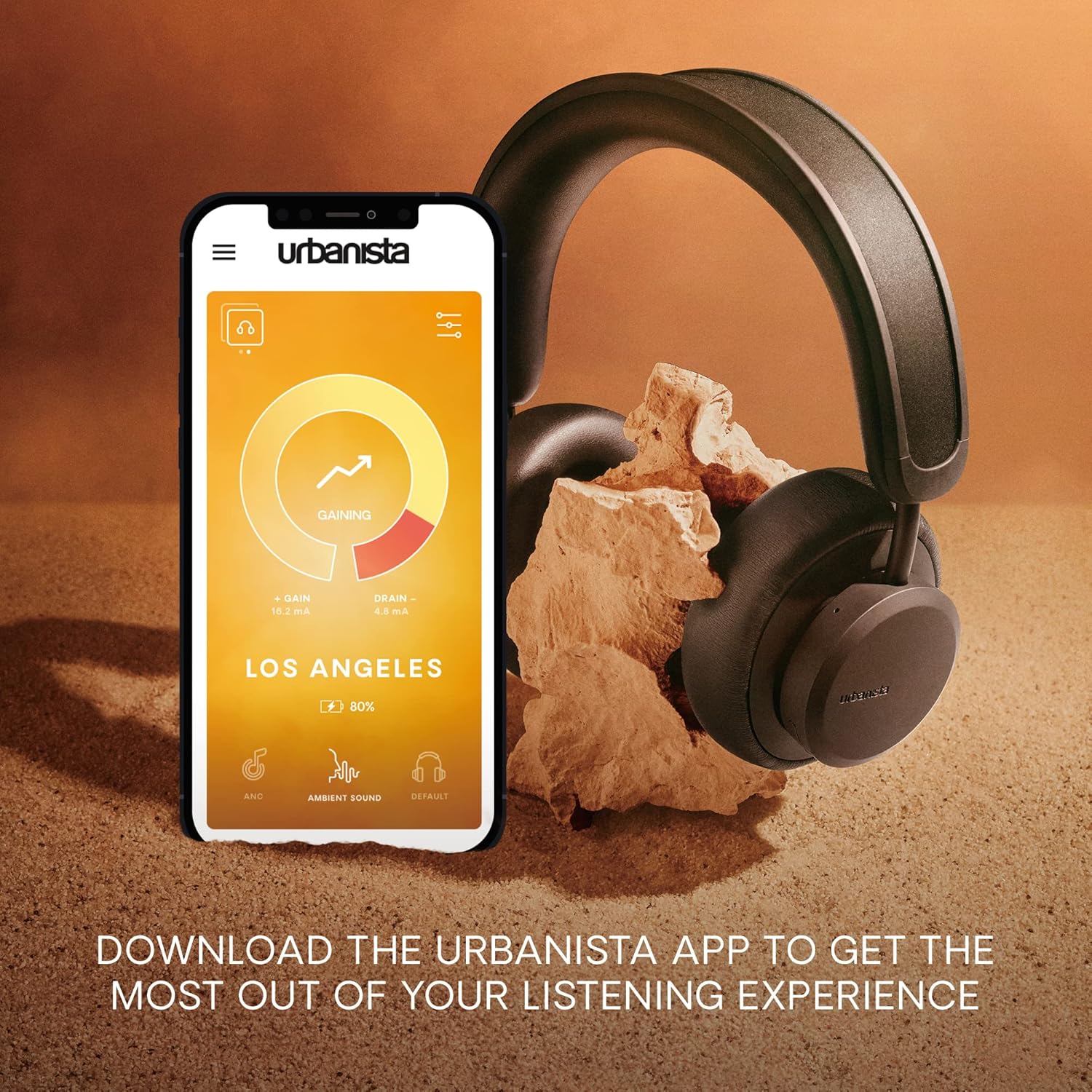
Image: The Urbanista app interface, which can be used for managing headphone settings and monitoring charging.
Specifikationer
| Feature | Detalje |
|---|---|
| Modelnavn | Los Angeles |
| Mærke | Urbanista |
| Farve | Midnight Black |
| Forbindelsesteknologi | Bluetooth 5.0, Trådløs |
| Trådløs kommunikationsteknologi | Bluetooth |
| Støjkontrol | Aktiv støjreduktion |
| Formfaktor | Over Ear |
| Ørestykke form | Over-øre |
| Materiale | Kunstlæder |
| Kontroltype | Stemmekontrol |
| Kompatible enheder | Wide Range of Bluetooth-enabled Devices |
| Varens vægt | 1.1 pund (500 gram) |
| Produktdimensioner | 9.06 x 3.15 x 10.47 tommer |
| Vandmodstandsniveau | Vandtæt |
| Frekvensområde | 20 Hz til 20 kHz |
| Bluetooth version | 5.0 |
| Særlige funktioner | Android, Foldable, Microphone Included, Noise Cancellation, iOS, Wireless |
Garanti og support
For information regarding warranty coverage, please refer to the documentation provided with your purchase or contact the seller from whom you acquired the renewed product. For technical support, product registration, or further inquiries, please visit the official Urbanista webwebstedet eller kontakt deres kundesupportkanaler.


