1. Vigtige sikkerhedsinstruktioner
Please read all instructions carefully before using this appliance and retain them for future reference. Failure to follow these instructions may result in electric shock, fire, or injury.
- Dette apparat er kun til indendørs brug.
- Sørg for, at strømforsyningen matcher voltage angivet på mærkatet.
- Do not operate the unit with a damaged cord or plug. If the supply cord is damaged, it must be replaced by the manufacturer, its service agent, or similarly qualified persons to avoid a hazard.
- Keep the unit at least 50 cm away from walls and other objects to ensure proper airflow.
- Stik ikke fingre eller fremmedlegemer ind i luftindtaget eller -udtaget.
- Tag altid stikket ud af enheden, før du rengør eller udfører vedligeholdelse.
- Do not use chemical solvents (e.g., benzene, alcohol, gasoline) to clean the unit.
- Dette apparat kan bruges af børn i alderen 8 år og derover og personer med nedsatte fysiske, sensoriske eller mentale evner eller mangel på erfaring og viden, hvis de har fået opsyn eller instruktion i brugen af apparatet på en sikker måde og forstår de involverede farer. .
- Børn må ikke lege med apparatet. Rengøring og brugervedligeholdelse må ikke udføres af børn uden opsyn.
2. Produktet er slutview
The Daitsu Alisios Premium APD12FCX is a portable air conditioner designed for efficient cooling, heating, dehumidification, and fan operation. It features Wi-Fi connectivity for smart control.
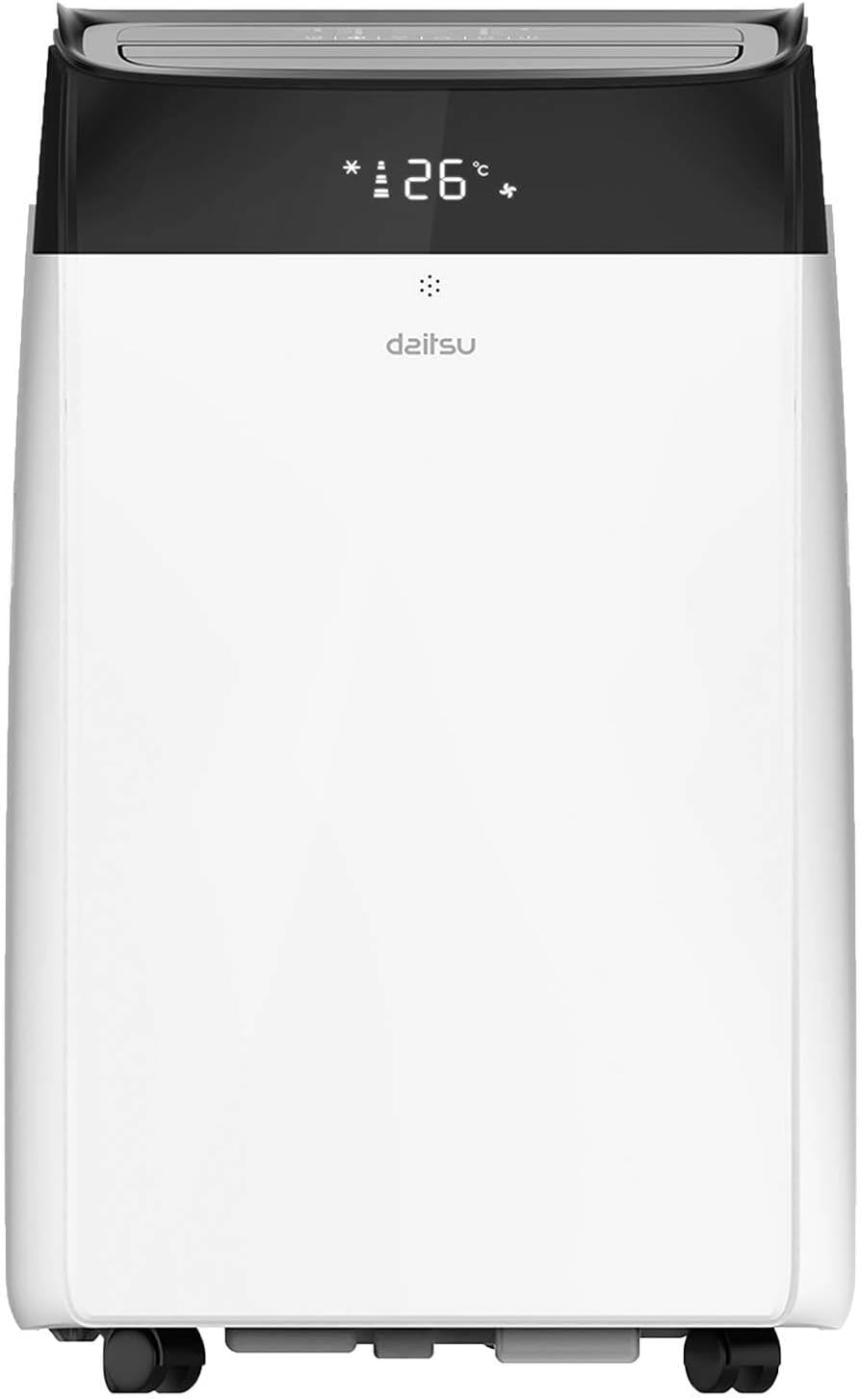
2.1 Enhedens komponenter
- Frontpanel: Air outlet, control panel, display.
- Bagside: Air inlet with filter, exhaust air outlet, continuous drainage port.
- Sidepaneler: Integrated handles for portability.
- Grundlag: Caster wheels for easy movement.


3. Opsætning og installation
3.1 Udpakning
- Tag forsigtigt enheden ud af emballagen.
- Check for any damage during transit. If damaged, contact your retailer immediately.
- Gem emballagen til senere opbevaring eller transport.
3.2 Placering
Place the unit on a firm, level surface in a location that allows for proper air circulation and exhaust hose installation.
- Ensure there is at least 50 cm of space around the unit for optimal performance.
- Undgå at placere enheden i direkte sollys eller i nærheden af varmekilder.
- The unit should be placed near a window or opening for the exhaust hose.

3.3 Montering af udstødningsslange
The exhaust hose expels hot air outside, which is essential for the unit's cooling efficiency.
- Attach the exhaust hose connector to the exhaust air outlet on the rear of the unit.
- Forlæng udstødningsslangen, og fastgør vinduesadapteren til den anden ende.
- Install the window kit in a suitable window opening, ensuring a tight seal to prevent hot air from re-entering the room.
- Keep the exhaust hose as short and straight as possible to maximize efficiency. Avoid kinks or sharp bends.
3.4 Opsætning af dræning
During cooling and dehumidifying modes, water will accumulate inside the unit. This water needs to be drained.
- Intermittent Drainage: The unit will stop operating when the internal water tank is full. Drain the water manually from the drainage port at the rear of the unit into a suitable container.
- Kontinuerlig dræning: For continuous operation, especially in high humidity or dehumidifier mode, attach a drainage hose (not included) to the continuous drainage port and direct it to a floor drain or a larger container. Ensure the hose is sloped downwards for gravity drainage.
4. Betjeningsvejledning
The unit can be operated via the control panel on the unit or the included remote control.
4.1 Kontrolpanel
The control panel on the top of the unit allows you to power on/off, select modes, adjust temperature, and set fan speed.
4.2 Fjernbetjening
Fjernbetjeningen giver nem adgang til alle funktioner på afstand.

4.3 driftstilstande
- Køletilstand: Select the snowflake icon. Adjust the desired temperature using the up/down arrows.
- Opvarmningstilstand: Select the sun icon. Adjust the desired temperature.
- Ventilatortilstand: Select the fan icon. The unit will circulate air without cooling or heating. Adjust fan speed.
- Affugtertilstand: Select the water drop icon. The unit will remove moisture from the air.
4.4 Justering af temperatur og ventilatorhastighed
- Brug Op (^) og Ned (v) arrows on the control panel or remote to set the desired temperature.
- Tryk på Blæserhastighed button to cycle through Low, Medium, and High fan speeds.
4.5 Timer funktion
The 24-hour timer allows you to set the unit to turn on or off automatically after a specified period.
- Tryk på Timer knap.
- Use the up/down arrows to set the desired delay in hours.
- Timeren aktiveres efter et par sekunder.
4.6 Dvaletilstand
Sleep mode adjusts the temperature and fan speed for comfortable sleeping conditions and reduced energy consumption.
- Activate Sleep mode by pressing the dedicated button on the remote control (if available) or through the control panel.
4.7 Wi-Fi-forbindelse
The Daitsu Alisios Premium APD12FCX features Wi-Fi connectivity, allowing control via the Smart Life application on your smartphone.
- Download Smart liv app from your device's app store (available on App Store and Google Play).
- Follow the in-app instructions to register an account and add your Daitsu APD12FCX unit.
- Ensure your unit is powered on and your smartphone is connected to a 2.4GHz Wi-Fi network during the pairing process.
- Once connected, you can control the unit's modes, temperature, fan speed, and timer remotely.

5. Vedligeholdelse
Regelmæssig vedligeholdelse sikrer optimal ydeevne og forlænger levetiden på dit klimaanlæg.
5.1 Rengøring af luftfilteret
Luftfilteret bør rengøres hver anden uge eller oftere afhængigt af brug og luftkvalitet.
- Tag enheden ud af stikkontakten.
- Locate the air filter on the rear panel (refer to Figure 2.2).
- Træk forsigtigt filteret ud.
- Vask filteret med lunkent vand og et mildt rengøringsmiddel. Skyl grundigt.
- Lad filteret lufttørre helt, før det sættes i enheden igen. Udsæt det ikke for direkte sollys.
5.2 Cleaning the Unit Surface
- Tag stikket ud af stikkontakten.
- Tør overfladen af med en blød, damp klæde.
- Do not use harsh chemicals, abrasives, or solvents, as these can damage the unit's finish.
5.3 Draining Accumulated Water
If the unit stops operating and displays a 'Full Water' indicator, you need to drain the internal water tank.
- Sluk og tag stikket ud af enheden.
- Place a shallow pan or container under the drainage port at the rear of the unit.
- Fjern gummiproppen fra drænåbningen.
- Lad alt vandet løbe ud.
- Replace the rubber stopper firmly.
5.4 Opbevaring
Ved opbevaring af enheden i længere tid:
- Drain all accumulated water from the unit.
- Clean the air filter and the unit's surface.
- Kør enheden i kun ventilatortilstand i et par timer for at tørre de indvendige komponenter.
- Tag netledningen ud, og rul den pænt op.
- Opbevar enheden et tørt og køligt sted, helst i originalemballagen.
6. Fejlfinding
Før du kontakter kundesupport, bedes du læse følgende fejlfindingsvejledning for almindelige problemer.
| Problem | Mulig årsag | Løsning |
|---|---|---|
| Enheden tænder ikke | Ingen strømforsyning Netledningen er ikke sat i Strømafbryder udløst | Tjek stikkontakten Sørg for, at netledningen er korrekt tilsluttet Nulstil afbryder |
| Enheden køler ikke effektivt | Vinduer/døre åbne Exhaust hose blocked or kinked Luftfilter snavset Værelset er for stort Temperaturindstillingen er for høj | Luk alle vinduer og døre Ensure exhaust hose is clear and straight Rengør luftfilteret Consider unit capacity for room size Sænk temperaturindstillingen |
| Enheden er støjende | Enheden står ikke på en plan overflade Luftfilter snavset Interne komponenter vibrerer | Placer enheden på en flad, stabil overflade Rengør luftfilteret This is normal operating noise for portable ACs. If excessive, contact support. |
| Vandlækage | Aftapningsprop løs Drain hose not properly connected (continuous drainage) | Ensure drain plug is securely in place Check drain hose connection and ensure proper slope |
| Display shows 'FL' (Full Water) | Internal water tank is full | Drain the water from the unit (refer to Section 5.3) |
7. Specifikationer
Technical specifications for the Daitsu Alisios Premium APD12FCX portable air conditioner.
| Feature | Specifikation |
|---|---|
| Mærke | Daitsu |
| Modelnummer | APD12FCX |
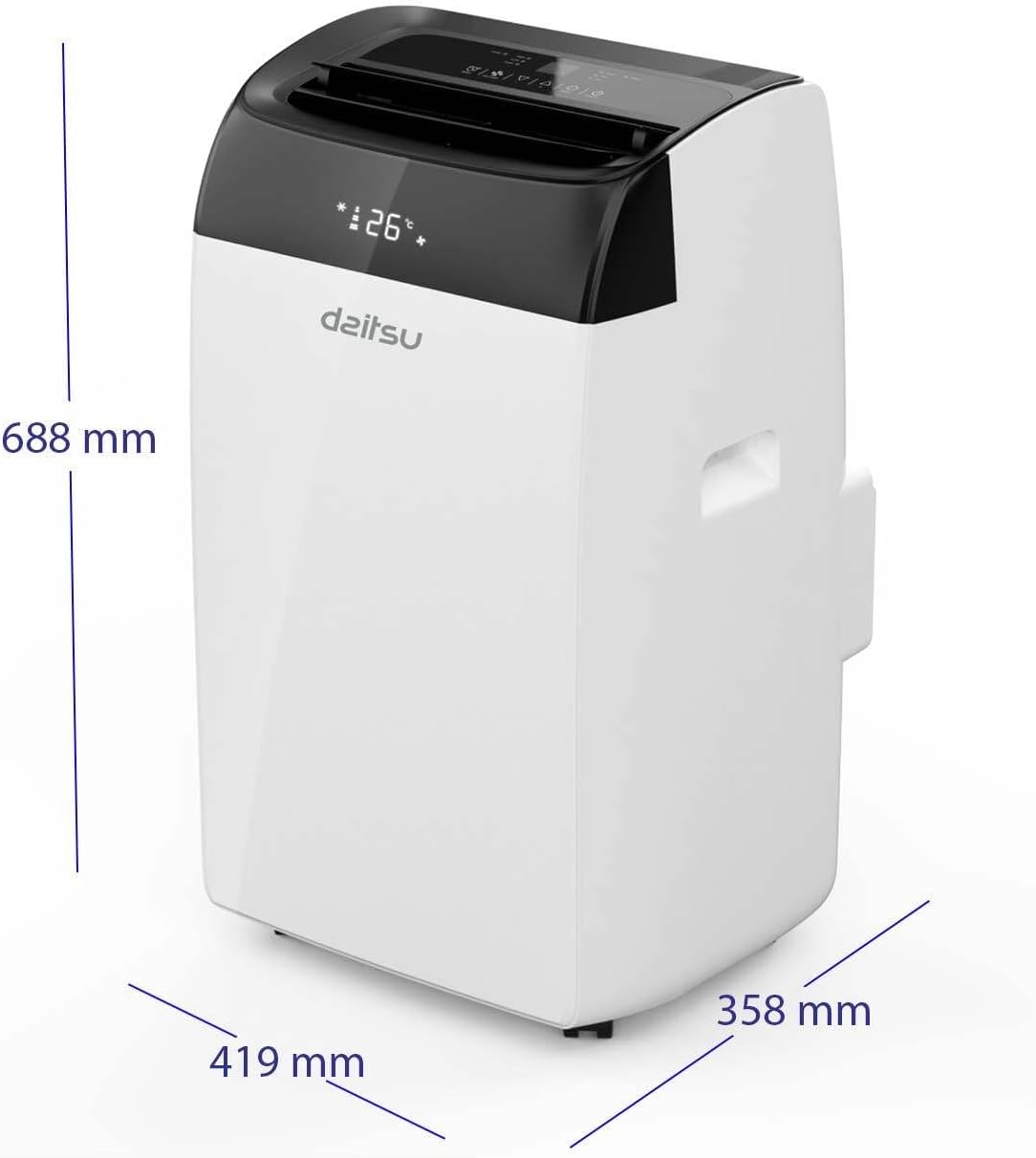
| Dimensioner (L x B x H) | 35.8 x 41.9 x 68.8 cm |
| Vægt | 25 kilo |
| Kølekapacitet | 3009 Frigorias (approx. 3.5 kW) |
| Støjniveau | 53 decibel |
| Voltage | 230 volt |
| Magt | 3.5 KW |
| Særlige funktioner | Dehumidifier, Silent Mode, Remote Control, Wi-Fi Enabled |
| Filtertype | Forfilter |
| Strømkilde | El-kabel |
| Installationstype | Transportabel |
| Sæsonbestemt energieffektivitetsforhold (SEER) | 14 |
8. Garanti og support
The Daitsu Alisios Premium APD12FCX typically comes with a 3 års garanti, as indicated on product packaging. Please refer to your purchase documentation for specific warranty terms and conditions.
For technical support, warranty claims, or service inquiries, please contact your retailer or the authorized Daitsu service center in your region. Keep your proof of purchase for warranty validation.


