Indledning
Thank you for choosing the MONODEAL Bluetooth Headset. This open-ear headset is designed to provide clear communication and comfortable listening, featuring advanced noise cancellation, Bluetooth 5.1 connectivity, and multipoint connection capabilities. This manual will guide you through the setup, operation, and maintenance of your new headset to ensure optimal performance and longevity.
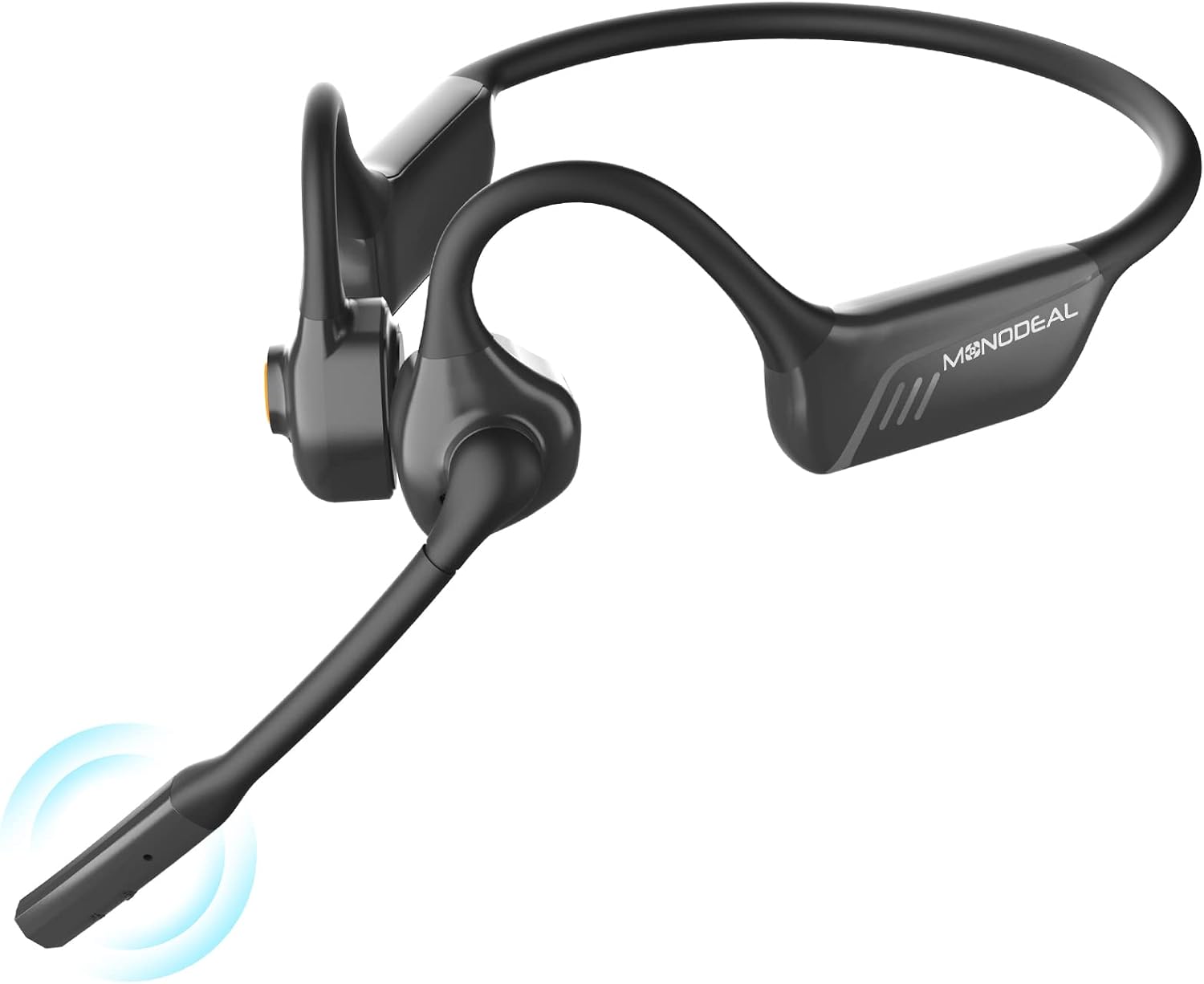
Image: The MONODEAL Bluetooth Headset, showcasing its sleek design and integrated microphone.
Pakkens indhold
Kontroller venligst pakkens indhold omhyggeligt. Hvis der mangler eller er beskadigede dele, bedes du kontakte kundesupport.
- MONODEAL Bluetooth Headset (MD08 pro)
- USB opladningskabel
- Brugermanual

Image: Contents of the MONODEAL headset package, including the headset, charging cable, and user manual.
Produkt overview
Familiarize yourself with the various components and controls of your MONODEAL Bluetooth Headset.

Image: Diagram highlighting the dual noise-canceling microphone and the one-click mute button on the headset.

Image: Illustration showing the 142-degree rotation capability of the headset's microphone boom.
Nøglefunktioner:
- Noise Cancellation & Mute Function: Advanced ambient noise reduction for clear calls. Easy-to-access mute button on the microphone.
- Improved Air Conduction: Delivers sound without bone conduction vibrations, ensuring comfort during extended wear.
- Bluetooth 5.1 & High-Quality Sound: Faster transmission, stable connection, low latency, and energy efficiency with stereo sound.
- Multipoint forbindelse: Connects to two devices simultaneously (Android, iOS, Windows compatible).
- Lang batterilevetid: Up to 8 hours of talk/music time, 36 hours standby, with Type-C fast charging.
- Design med åbent øre: Lightweight and comfortable, allowing awareness of surroundings while enjoying audio.
Opsætning
1. Opladning af headsettet
Before first use, fully charge the headset. Use the provided USB Type-C cable to connect the headset to a power source (e.g., computer USB port, wall adapter).
- En fuld opladning tager cirka 2 timer.
- LED-indikatoren viser opladningsstatus (f.eks. rød for opladning, blå for fuldt opladet).
Image: Visual representation of the headset being charged via its USB-C port, indicating fast charging capability.
2. Parring med en enhed
The MONODEAL headset supports Bluetooth 5.1 for a stable and efficient connection.
- Tænd: Tryk på tænd/sluk-knappen, og hold den nede, indtil LED-indikatoren blinker blåt og rødt, hvilket angiver parringstilstand.
- Aktiver Bluetooth: Aktiver Bluetooth på din enhed (smartphone, tablet, computer).
- Vælg hovedsæt: In your device's Bluetooth settings, search for "MONODEAL MD08 pro" (or similar) and select it to connect.
- Bekræftelse: Once connected, the headset's LED will flash blue slowly, and you may hear an audible confirmation.

Image: The headset shown connected to a laptop, smartphone, and tablet, illustrating its dual device connection capability across Windows, Android, and iOS platforms.
3. Flerpunktsforbindelse
Your headset can connect to two Bluetooth devices simultaneously, allowing seamless switching between them.
- Par headsettet med den første enhed som beskrevet ovenfor.
- Deaktiver Bluetooth på den første enhed.
- Sæt headsettet tilbage i parringstilstand, og par det med den anden enhed.
- Genaktiver Bluetooth på den første enhed. Headsettet burde automatisk oprette forbindelse til begge enheder.
When a call comes in on one device, the headset will automatically switch to that device. When the call ends, it will revert to the previous audio source.
Betjeningsvejledning
The headset features intuitive controls for managing calls and media playback.

Image: Visual guide to the headset's multi-function button, illustrating controls for play/pause, skipping tracks, managing calls, adjusting volume, and accessing voice assistant.
Tænd/sluk:
- Tænd: Tryk og hold tænd/sluk-knappen nede i 3 sekunder.
- Sluk: Tryk og hold tænd/sluk-knappen nede i 5 sekunder.
Opkaldshåndtering:
- Besvar/afslut opkald: Tryk én gang på multifunktionsknappen.
- Afvis opkald: Tryk og hold multifunktionsknappen nede i 2 sekunder.
- Slå mikrofon til/fra: Press the dedicated Mute button on the microphone boom.

Billede: Detaljeret view of the mute button located on the microphone boom for quick call privacy.
Lydkontrol:
- Afspil/pause: Tryk én gang på multifunktionsknappen.
- Næste nummer: Tryk to gange på multifunktionsknappen.
- Forrige nummer: Tryk tre gange på multifunktionsknappen.
- Lydstyrke op: Tryk på knappen Lydstyrke +.
- Skrue ned for lyden: Tryk på Lydstyrke-knappen.
Stemmeassistent:
- Aktiver stemmeassistent: Tryk og hold multifunktionsknappen nede i 2 sekunder (når du ikke er i gang med et opkald).
Opretholdelse
Korrekt pleje vil forlænge levetiden på dit headset.
- Rensning: Tør headsettet af med en blød, tør klud. Brug ikke slibende rengøringsmidler eller opløsningsmidler.
- Opbevaring: Opbevar headsettet et køligt, tørt sted væk fra direkte sollys og ekstreme temperaturer.
- Vandtæthed: Selvom headsettet er designet til daglig brug, bør det undgås at nedsænke det i vand.
- Opladning: Only use the provided charging cable or a certified Type-C cable.
Fejlfinding
Hvis du støder på problemer, kan du prøve følgende løsninger:
| Problem | Løsning |
|---|---|
| Headsettet vil ikke tænde. | Sørg for, at headsettet er fuldt opladet. Tilslut det til en strømkilde, og prøv igen. |
| Kan ikke parres med enheden. |
|
| Ingen lyd eller lav lydstyrke. |
|
| Mikrofon virker ikke. |
|
| Forbindelsen falder ofte fra hinanden. |
|
Specifikationer
| Feature | Detalje |
|---|---|
| Modelnummer | MD08 pro |
| Mærke | MONODEAL |
| Forbindelsesteknologi | Trådløs (Bluetooth 5.1) |
| Øreplacering | Åbent øre |
| Formfaktor | Air Conduction (Improved from Bone Conduction) |
| Støjkontrol | Noise Shielding (Noise Cancellation) |
| Batteri | 1 Lithium-Metal Battery (included) |
| Batterilevetid (tale/musik) | Op til 8 timer |
| Standby tid | Op til 36 timer |
| Opladningstid | Ca. 2 timer (Type-C hurtigopladning) |
| Transmission Range | Op til 10 meter (33 fod) |
| Inkluderede komponenter | Kabel |
| Farve | Sort |
Garanti og support
MONODEAL products are designed for reliability and performance. For warranty information and technical support, please refer to the warranty card included in your package or visit the official MONODEAL webwebsted.
If you experience any issues not covered in this manual, please contact our customer service team for assistance. Please have your model number (MD08 pro) and purchase details ready.


