Indledning
Thank you for choosing the Roberts Radio Digital Play11. This portable radio offers high-quality audio with DAB, DAB+, and FM reception. Designed for ease of use, it features a headphone jack for personal listening and flexible power options. This manual provides essential information for setting up, operating, and maintaining your device.
Sikkerhedsoplysninger
Læs og forstå venligst alle sikkerhedsinstruktioner, før du bruger dette produkt. Gem disse instruktioner til senere brug.
- Udsæt ikke radioen for regn, fugt eller ekstreme temperaturer.
- Undgå at placere enheden i nærheden af varmekilder eller i direkte sollys.
- Use only the specified power supply (USB-C cable) or 4 x AA batteries.
- Forsøg ikke at skille enheden ad eller ændre den. Overlad al service til kvalificeret personale.
- Ensure proper ventilation; do not cover ventilation openings.
- Bortskaf batterier ansvarligt i henhold til lokale regler.
Hvad er der i æsken
Sørg for, at alle følgende ting er til stede ved udpakning:
- Roberts Radio Digital Play11
- Hurtig startvejledning
- USB-C strømkabel
- Sikkerheds- og garantifolder
Produkt overview
Familiarize yourself with the main components and controls of your Play11 radio.

Billede: Forside view of the Roberts Play11 radio with labels indicating the On/Off button, Volume knob, Antenna, LCD Display, Select knob, Favourites button, Info/Menu button, Mode button, and Next/Previous buttons.
- On/Off knap: Tænder eller slukker for enheden.
- Lydstyrkeknap: Justerer lydudgangsniveauet.
- Antenne: Forlæng for optimal radiomodtagelse.
- LCD-skærm: Viser stationsoplysninger, tid og menupunkter.
- Vælg knap: Navigerer i menuer og bekræfter valg.
- Favourites (2 sec) Button: Press and hold to save a favourite station; short press to recall.
- Info | Menu Button: Displays station information; press and hold to access the main menu.
- Mode knap: Switches between DAB, DAB+, and FM modes.
- Next | Previous Buttons: Navigerer gennem stationer eller menupunkter.
- Hovedtelefonstik: For private listening (3.5mm AUX Out Port).
- USB-C-port: Til strømforsyning.

Billede: Nærbillede view of the Roberts Play11 radio, highlighting the 3.5mm headphone jack on the side for personal listening.
Opsætning
1. Strømforsyning
The Play11 can be powered by either batteries or the included USB-C power cable.

Billede: Bagside view of the Roberts Play11 radio, illustrating the battery compartment for 4x AA batteries (not included) and the USB-C power input port.
- Batteridrift: Open the battery compartment on the rear of the radio. Insert 4 x AA (LR6) batteries, ensuring correct polarity. Close the compartment securely. Batteries are not included.
- Netdrift: Connect the supplied USB-C power cable to the USB-C port on the radio and plug the other end into a suitable USB power adapter (not supplied).
2. Antenne
Extend the telescopic antenna fully for optimal reception in both DAB/DAB+ and FM modes.
3. Første opstart
Tryk på Til/Fra button to power on the radio. If this is the first time using the radio, it will automatically perform a full scan for DAB/DAB+ stations.
Betjeningsvejledning
Switching Modes (DAB/DAB+/FM)
Tryk på Mode button repeatedly to cycle between DAB, DAB+, and FM radio modes.
DAB / DAB + radio
- Scanning efter stationer: After initial power-on, the radio will automatically scan. To perform a manual scan, press and hold the Info | Menu button, navigate to "Full Scan" using the Vælge knob, and press Vælge for at bekræfte.
- Valg af stationer: Drej på Vælge knob to browse available stations. Press the Vælge knob to tune into the desired station.
- Saving Presets (Favourites): Stil ind på den ønskede station. Tryk og hold nede Favourites (2 sec) button until "Preset Store" appears. Rotate the Vælge knob to choose a preset number (1-10) and press Vælge at gemme.
- Genkaldelse af forudindstillinger: Tryk kort på Favourites (2 sec) knap. Drej på Vælge knob to choose the desired preset and press Vælge at tune ind.
FM radio
- Scanning efter stationer: I FM-tilstand skal du trykke på og holde nede Next | Previous knapperne for automatisk at scanne efter den næste tilgængelige station.
- Manuel indstilling: Drej på Vælge knappen til manuelt at indstille til en bestemt frekvens.
- Saving Presets (Favourites): Stil ind på den ønskede station. Tryk og hold nede Favourites (2 sec) button until "Preset Store" appears. Rotate the Vælge knob to choose a preset number (1-10) and press Vælge at gemme.
- Genkaldelse af forudindstillinger: Tryk kort på Favourites (2 sec) knap. Drej på Vælge knob to choose the desired preset and press Vælge at tune ind.
Brug af hovedtelefoner
Connect standard 3.5mm headphones to the headphone jack on the side of the radio for private listening. The internal speaker will automatically mute when headphones are connected.
Opretholdelse
- Rensning: Tør radioen af med en blød, tør klud. Brug ikke slibende rengøringsmidler eller opløsningsmidler.
- Udskiftning af batteri: When using batteries, replace all four AA batteries simultaneously when the low battery indicator appears on the display. Ensure correct polarity.
- Opbevaring: Hvis radioen opbevares i længere tid, skal batterierne fjernes for at forhindre lækage.
Fejlfinding
| Problem | Mulig årsag | Løsning |
|---|---|---|
| Ingen strøm | Batteries are flat or incorrectly inserted; USB-C cable not connected properly. | Replace batteries, ensuring correct polarity. Check USB-C cable connection and power adapter. |
| Dårlig DAB/FM-modtagelse | Antenna not fully extended; weak signal area; interference. | Fully extend the telescopic antenna. Try repositioning the radio. Perform a full scan for DAB stations. |
| Ingen lyd | Volume too low; headphones connected; unit muted. | Increase volume. Disconnect headphones. Check if the unit is muted (though this model doesn't have a dedicated mute button, ensure volume is not at zero). |
| Knapperne reagerer ikke | Midlertidig softwarefejl. | Turn the radio off and on again. If problem persists, remove power source (batteries/USB-C) for a few minutes, then reconnect. |
Specifikationer
| Model | PLAY11BK |
| Tuner type | DAB, DAB+, FM |
| Forudindstillinger | 10 DAB, 10 FM |
| Strømkilde | 4 x AA batteries (not included) or USB-C (4.5 Volts) |
| Hardware-interface | USB Type C |
| Hovedtelefonstik | 3.5 mm |
| Display Type | LCD |
| Dimensioner (LxBxH) | 17.4 x 6 x 11 cm |
| Vægt | 357 g |
| Materiale | Plast, polycarbonat (PC) |
Garanti og support
Your Roberts Radio Digital Play11 comes with a 2-year warranty. Please refer to the included Safety and Warranty leaflet for detailed terms and conditions. For technical support or service inquiries, please visit the official Roberts Radio webwebsted eller kontakt deres kundeserviceafdeling.
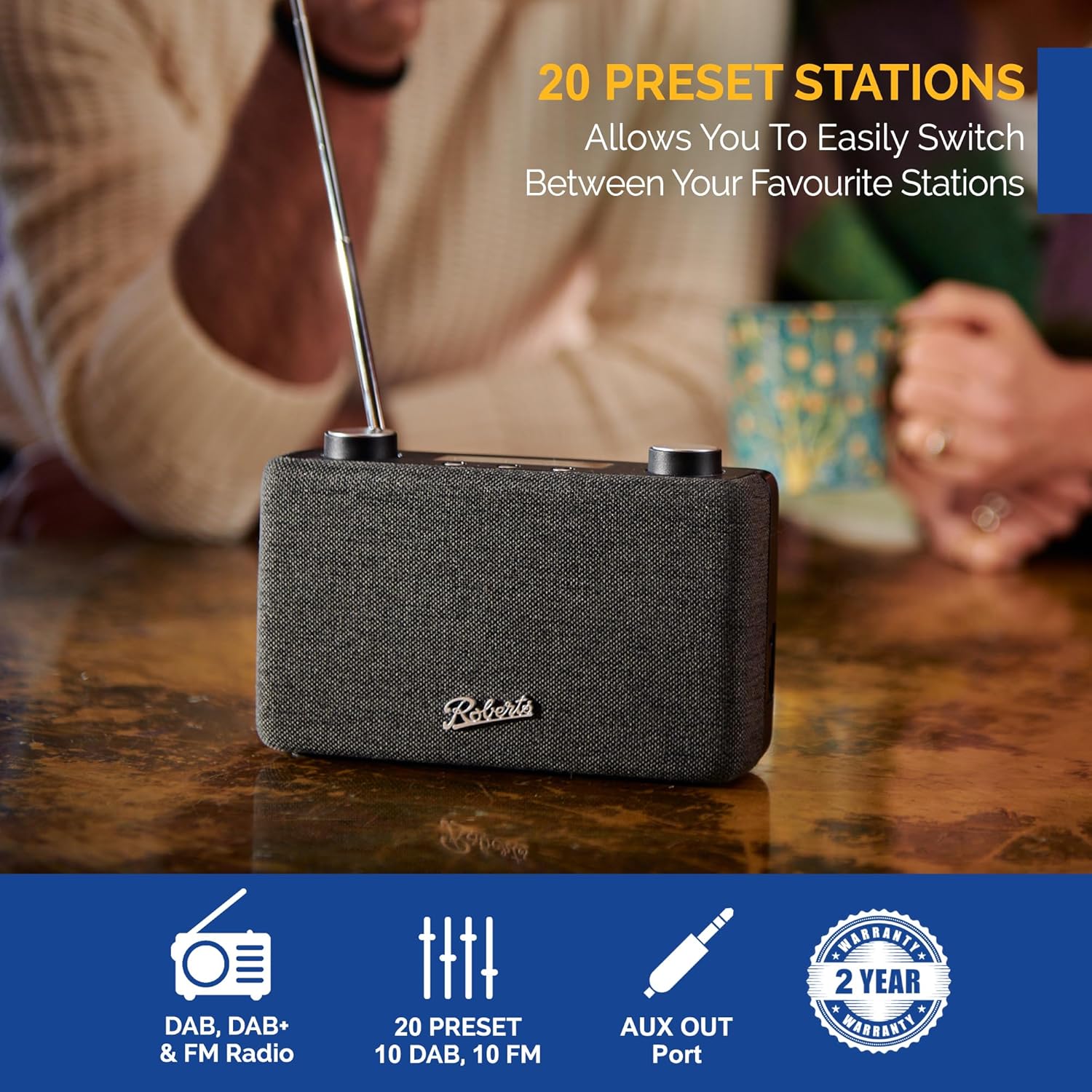
Image: The Roberts Play11 radio displayed alongside icons indicating DAB/DAB+ & FM Radio, 20 Presets, AUX Out Port, and a 2-Year Warranty badge.


