Indledning
This manual provides comprehensive instructions for the installation, setup, operation, and maintenance of your Weiser Elements Satin Nickel Keyless Entry Door Lock/Deadbolt Lock. Designed for convenience and security, this electronic deadbolt offers keyless entry and advanced features to enhance your home security.
Please read this manual thoroughly before installation and use to ensure proper function and to maximize the lifespan of your lock.
Produkt overview og nøglefunktioner
The Weiser Elements Keyless Entry Deadbolt Lock combines traditional aesthetics with modern electronic security. Its key features include:
- Nøglefri adgang: Convenient access using a personalized code, eliminating the need for physical keys.
- Brugerkodestyring: Supports up to 12 user access codes, 2 one-time codes, and 1 master code for flexible access control.
- Dobbelt drift: Can be operated by both the electronic keypad and a traditional key.
- Baggrundsbelyst tastatur: Ensures visibility and ease of use in low-light conditions.
- One-Touch Motorized Locking: Simplifies locking with a single button press.
- Automatisk låsefunktion: Customizable automatic locking after a set period (30 seconds, 1, 3, 5, or 10 minutes) for added peace of mind.
- Ferietilstand: Temporarily disables the keypad to prevent unauthorized access when you are away.
- Indtrængningsalarm: Activates an alarm and temporarily disables the keypad after multiple incorrect code attempts.
- BHMA/ANSI Grade 3 Certified: Meets industry standards for security, durability, and finish.
- Lang batterilevetid: Designed for approximately 12 months of battery life with typical use.

Image: The Weiser Elements Keyless Entry Deadbolt Lock, showing both the exterior keypad assembly and the interior battery housing and turn piece.
Hvad er der i æsken
Når du åbner pakken, skal du kontrollere, at alle komponenter er til stede:
- Exterior Deadbolt Assembly (Keypad)
- Interior Deadbolt Assembly (Battery Housing and Turn Piece)
- Justerbar lås
- Slagplade
- Monteringsplade
- Installationshardware (skruer)
- 2 nøgler
- Installationsvejledning / Brugermanual (dette dokument)

Image: A visual representation of all components included in the Weiser Elements Keyless Entry Deadbolt Lock package, including the exterior and interior lock parts, latch, strike plate, mounting plate, screws, and keys.
Installation
The Weiser Elements Keyless Entry Deadbolt Lock is designed for simple installation, requiring only a screwdriver. No hard wiring is needed. For detailed, step-by-step instructions, please refer to the included printed installation guide.
Krav til klargøring af dør:
- Cross bore hole diameter: 1-1/2 inches or 2-1/8 inches.
- Door thickness: 1-3/8 inches to 1-3/4 inches (standard).
For interactive 3D video and voice-guided installation support, the BILT App kan varmt anbefales. Søg efter "Weiser Elements" within the app for specific guidance.

Image: Technical drawing showing the dimensions of the Weiser Elements Keyless Entry Deadbolt Lock, including the exterior keypad, interior assembly, and adjustable latch backset.
Setup: Programming Codes
Your Weiser Elements lock allows you to program multiple user codes for convenient access. It is crucial to set a Master Code first, which is used for programming and managing other codes, but cannot unlock the door.
Indstilling af masterkoden:
- Åbn batteridækslet på den indvendige del.
- Tryk én gang på knappen "Program".
- Indtast en ny masterkode på 4-8 cifre.
- Press the "Lock" button (padlock icon).
- You will hear a long beep, indicating successful programming.
Tilføjelse af brugerkoder:
You can program up to 12 unique user codes and 2 one-time user codes.
- Indtast din masterkode.
- Tryk på knappen "Lås".
- Press '1' on the keypad.
- Tryk på knappen "Lås".
- Indtast en ny brugerkode på 4-8 cifre.
- Tryk på knappen "Lås".
- A long beep confirms the code is added. Test the new user code to ensure it unlocks the door.
Sletning af brugerkoder:
- Indtast din masterkode.
- Tryk på knappen "Lås".
- Press '2' on the keypad.
- Tryk på knappen "Lås".
- Indtast den brugerkode, du vil slette.
- Tryk på knappen "Lås".
- A long beep confirms the code is deleted.

Image: Illustration demonstrating the capacity for 12 user codes and 2 one-time user codes for the Weiser Elements Keyless Entry Deadbolt Lock, highlighting its flexible access management.
Betjeningsvejledning
Oplåsning af døren:
- Brug af en brugerkode: Enter your 4-8 digit user code on the keypad. The deadbolt will retract, and you can open the door.
- Brug af nøglen: Insert the physical key into the keyway and turn to unlock the deadbolt.
Låser døren:
- One-Touch Låsning: Press the "Lock" button (padlock icon) on the keypad. The deadbolt will extend, securing the door.
- Using the Turn Piece (Interior): From the inside, rotate the turn piece to extend the deadbolt.
- Using the Key (Exterior): Insert the physical key into the keyway and turn to lock the deadbolt.

Image: A person using the keypad for keyless entry on a door equipped with the Weiser Elements Keyless Entry Deadbolt Lock, demonstrating the convenience of code-based access.
Særlige funktioner
Automatisk låsefunktion:
The Auto-Lock feature automatically locks your door after a set period of time, providing enhanced security and peace of mind. This feature can be customized or disabled.
- To Enable/Adjust Auto-Lock: Refer to your detailed installation guide for specific programming steps. Available settings include 30 seconds, 1 minute, 3 minutes, 5 minutes, and 10 minutes.

Image: A visual explanation of the Auto-Lock feature, showing how the lock can be set to automatically lock after 30 seconds, 1 minute, 3 minutes, 5 minutes, or 10 minutes.
Ferietilstand:
Vacation Mode temporarily disables the keypad, preventing any code entry. This is ideal for extended periods away from home, ensuring no one can operate the lock via the keypad.
- To Activate/Deactivate Vacation Mode: Consult your installation guide for the specific sequence using your Master Code.
Indtrængningsalarm:
The lock features an intrusion alert system. If 3 consecutive incorrect user code attempts are made, the keypad will be disabled for 1 minute, and an alarm will sound. This deters unauthorized access attempts.
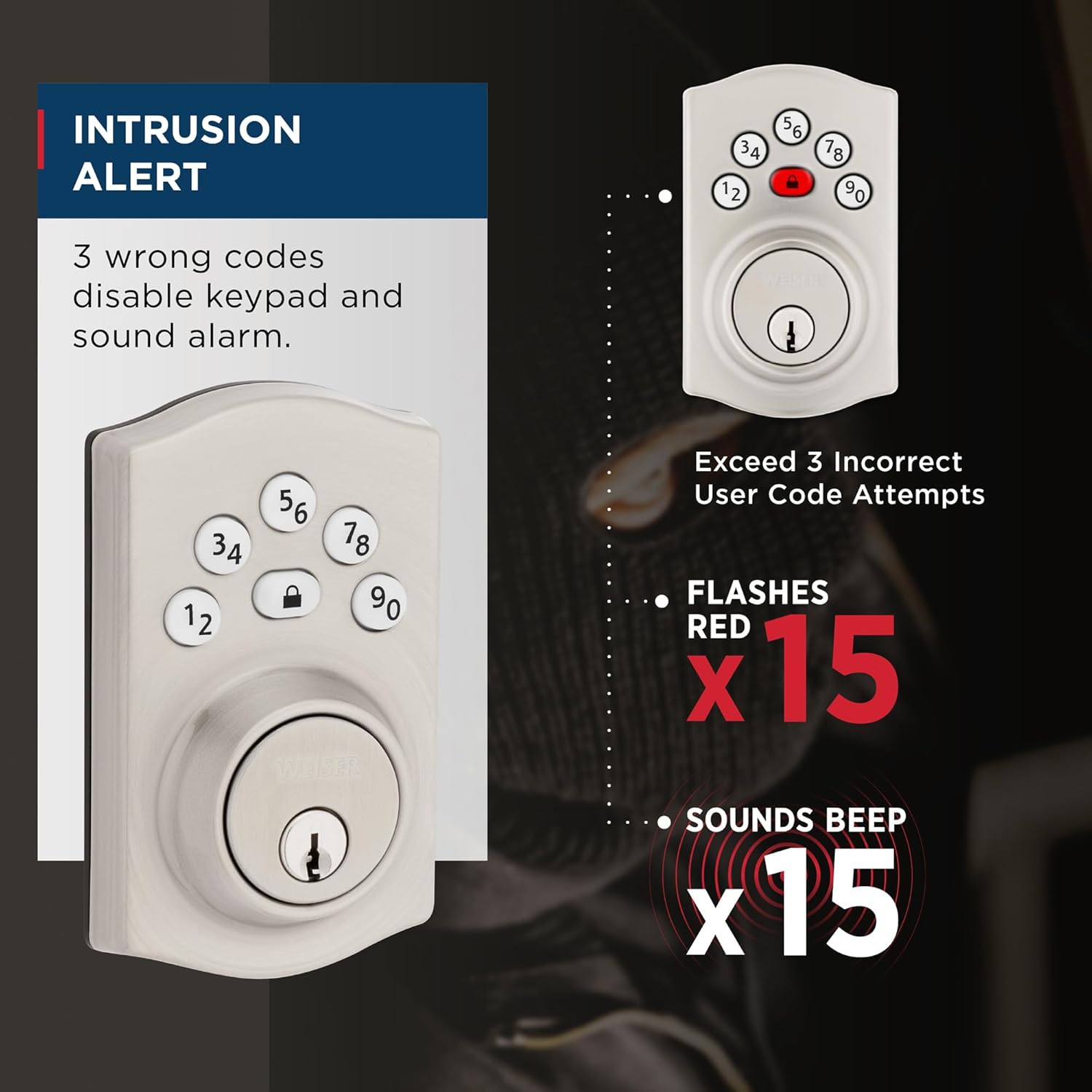
Image: Diagram illustrating the Intrusion Alert feature, showing the keypad flashing red 15 times and sounding 15 beeps after 3 incorrect code attempts.
Nem indtastning af kode for svagt lys:
The keypad features bright LED lights that illuminate the numbers, making it easy to enter your code even in complete darkness. Simply touch any key to activate the backlight.
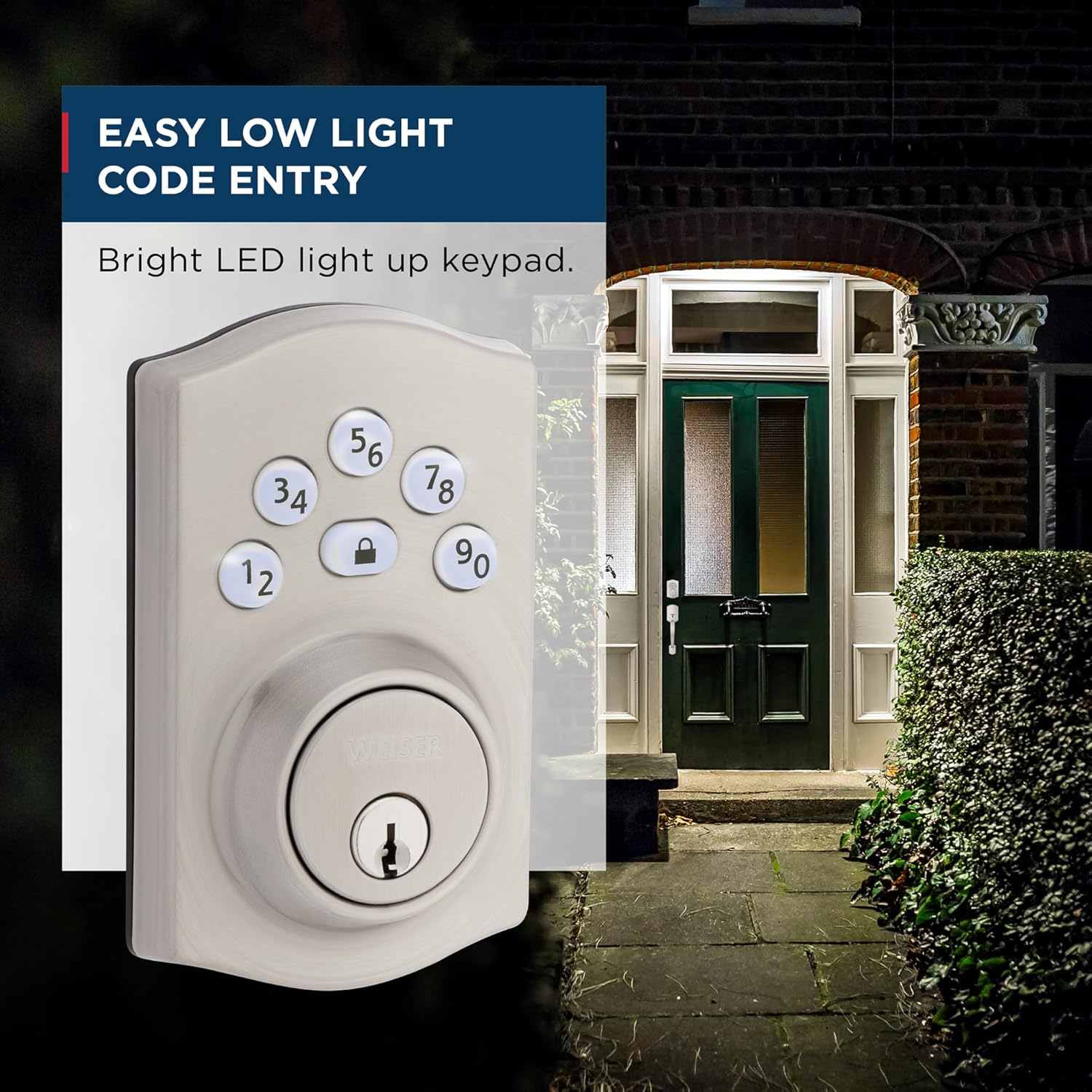
Image: A depiction of the Weiser Elements Keyless Entry Deadbolt Lock's keypad illuminated at night, demonstrating its ease of use in low-light conditions.
Opretholdelse
Rensning:
To maintain the finish of your lock, clean it with a soft, damp klud. Undgå slibende rengøringsmidler, opløsningsmidler eller barske kemikalier, da disse kan beskadige overfladen og de elektroniske komponenter.
Udskiftning af batteri:
The lock operates on 4x AA alkaline batteries (not included). When the batteries are low, the lock will provide an audible and visual low battery warning. Replace all four batteries simultaneously with new, high-quality alkaline batteries. Do not mix old and new batteries or different battery types.
Expected battery life is approximately 12 months under normal usage conditions.
Fejlfinding
| Problem | Mulig årsag | Løsning |
|---|---|---|
| Låsen reagerer ikke på indtastning på tastaturet. | Low batteries; incorrect code entered; keypad disabled (Vacation Mode or Intrusion Alert). | Replace batteries; ensure correct code is entered; check if Vacation Mode is active; wait 1 minute if Intrusion Alert was triggered. |
| Deadbolt kan ikke trækkes helt ud/ind. | Misalignment of lock components; door frame strike plate misalignment. | Check installation for proper alignment; adjust strike plate if necessary. Ensure door closes smoothly. |
| Low battery warning persists after battery replacement. | Batteries not inserted correctly; poor quality batteries. | Re-insert batteries, ensuring correct polarity; use new, high-quality alkaline batteries. |
| Kan ikke programmere nye koder. | Incorrect Master Code; programming sequence error. | Verify Master Code; follow programming steps precisely as outlined in the "Setup" section. |
If you encounter issues not listed here or if the suggested solutions do not resolve the problem, please contact Weiser customer support.
Specifikationer
| Attribut | Detalje |
|---|---|
| Modelnummer | 9GED92400-003 |
| Farve | Satin nikkel |
| Stil | Traditionel |
| Slutte | Børstet |
| Materiale | Metal, Plast |
| Produktmål (L x B x H) | 2.46 x 7.14 x 11.66 cm (0.97 x 2.81 x 4.59 tommer) |
| Varens vægt | 710 g (1.56 lbs) |
| Dørtykkelseskompatibilitet | 1-3/8" to 1-3/4" |
| Cross Bore Hole Diameter | 1-1/2" or 2-1/8" |
| Batteritype | 4x AA alkaliske batterier (medfølger ikke) |
| Certificeringer | BHMA/ANSI Grade 3 |
| Låsetype | Tastatur, Pin-holder |
| Anbefalede anvendelser | Front, Back, Side, Garage, Office, Shed Doors |

Billede: Eksamples of where the Weiser Elements Keyless Entry Deadbolt Lock can be used, including entry doors, shed doors, side doors, and garage doors.
Garanti og support
Your Weiser Elements Keyless Entry Deadbolt Lock comes with the following warranties:
- 1 års begrænset elektronikgaranti: Covers electronic components against defects in material and workmanship.
- Livstids begrænset garanti på mekanisk og finish: Covers the mechanical components and the finish of the lock for the lifetime of the original residential user.
For warranty claims, technical assistance, or further inquiries, please contact Weiser customer support. Visit the official Weiser webhjemmeside for kontaktoplysninger og yderligere ressourcer: www.weiserlock.com


