Indledning
This manual provides comprehensive instructions for the Jansite AHD 1080P 170° Wide Angle Rear View Car Camera, Model JM-P31-E-EU2. Please read this manual thoroughly before installation and operation to ensure correct usage and optimal performance. This camera is designed to enhance your vehicle's rear visibility, offering a wide-angle view and clear imaging for safer reversing and parking.
Produktegenskaber
- AHD 1080P High-Resolution Imaging: Utilizes a 1-megapixel CCD sensor with 3D noise reduction for clear, sharp, and color-accurate images.
- 170° bred Viewvinkel: Tilbyder et bredt felt af view to minimize blind spots, offering a comprehensive perspective behind your vehicle.
- Adjustable Lens & 360° Rotation: The camera lens can be rotated 360° and adjusted by 45° to achieve the optimal viewing angle for any installation position.
- Triple Control Modes: Features selectable video output (AHD 1080P or CVBS), switchable front/rear view, and optional parking guidelines, controlled by cutting specific wires.
- Integrated Step-down Module: Ensures stable power delivery and prevents overheating.
- Double-Shielded Video Cable: Provides stable video signal transmission, reducing interference and delays.
- IP69K Waterproof Rating: Fully sealed design ensures reliable operation in all weather conditions, resistant to water, fog, and extreme temperatures.
- Wide Voltage Kompatibilitet: Understøtter 12V-24V køretøjselektriske systemer.
- Kompakt design: Miniaturized form factor for discreet and versatile installation.
- Nattesyn: Enhanced low-light performance for clear visibility in dark conditions.
Pakkens indhold
Kontroller venligst pakkens indhold ved modtagelse:
- Jansite AHD Rear View Camera (Model JM-P31-E-EU2)
- Video Cable (RCA connector)
- Strømkabel
- Mounting Hardware (screws, wrench for adjustment)
- Brugervejledning (dette dokument)
Sikkerhedsoplysninger
Overhold følgende sikkerhedsretningslinjer under installation og drift:
- Ensure the vehicle's power is disconnected before installation to prevent electrical shock or damage.
- Route cables carefully to avoid interference with vehicle moving parts, sharp edges, or heat sources.
- Bloker ikke førerens view or interfere with vehicle safety systems during installation.
- This camera is an aid for reversing and parking; always check your surroundings directly.
- Only use the camera within its specified voltage rækkevidde (12V-24V).
Installationsvejledning
Follow these steps for proper installation of your Jansite rear view kamera:
- Mounting Location Selection: Choose a suitable location at the rear of your vehicle that provides an unobstructed view. The camera's mini design allows for versatile surface mounting.

Billede: Eksamples of various installation positions for the camera, including normal, horizontal, and upside-down mounting, with real-shot examples.
- Sikker montering: Use the provided screws to firmly attach the camera to the chosen surface.
- Vinkeljustering: The camera lens can be rotated 360° and adjusted by 45° up or down. Use the included wrench to fix the lens at the optimal viewvinkel.

Image: The camera's adjustable lens (45° up/down, 360° rotation) and its compact dimensions compared to a 20 Euro cent coin.
- Ledningsføring:
- Connect the camera's power cable to your vehicle's reverse light power supply (typically 12V) or a constant 12V-24V power source if using for continuous monitoring.
- Connect the video cable (RCA connector) from the camera to your compatible display unit (e.g., car stereo, aftermarket LCD/TFT screen).
- Vigtig kompatibilitetsbemærkning: This camera is compatible ONLY with car stereos, head units, OEM navigation systems, stereo displays, DVD players, or rearview mirror monitors that accept standard RCA input. It is NOT suitable for dash cams or mirror dash cams due to different connector and PIN definitions.

Image: Visual warning about compatibility, showing incompatible dash cams.
Betjeningsvejledning
The camera features three control modes activated by cutting specific wires on the video cable. Perform these modifications før final installation if needed.
- Guideline ON/OFF:
- Misligholdelse: Parking guidelines are ON.
- To turn guidelines OFF: Cut the green wire loop.
- Video Signal Output (AHD 1080P / CVBS):
- Misligholdelse: AHD 1080P (25FPS). This is suitable for AHD-compatible displays.
- To switch to CVBS signal: Cut the orange wire loop. CVBS is compatible with most older or non-AHD displays.
- For/bag View Switching (Mirror Image / Positive Image):
- Misligholdelse: Mirror Image (Rear View).
- To switch to Positive Image (Front View): Cut the white wire loop. This is useful if installing the camera as a front camera.

Image: Illustration of the three control modes activated by cutting specific wires: guideline ON/OFF, AHD 1080P to CVBS signal switching, and mirror image (rear view) to positive image (front view).
- Skærmindstillinger: After installation, access your display unit's settings to select the correct reversing system (e.g., AHD 1080P 25fps or CVBS) if applicable.

Billede: Eksample of a car stereo interface showing settings for reversing system selection, including AHD 720p 25fps and AHD 1080p 25fps.
Opretholdelse
To ensure the longevity and optimal performance of your camera, follow these maintenance tips:
- Rensning: Rengør kameralinsen regelmæssigt med en blød kludamp cloth to ensure clear visibility. Avoid abrasive cleaners.
- Vandtæt Design: The camera features an IP69K waterproof rating, making it resistant to high-pressure water jets and submersion. No special waterproofing maintenance is required.
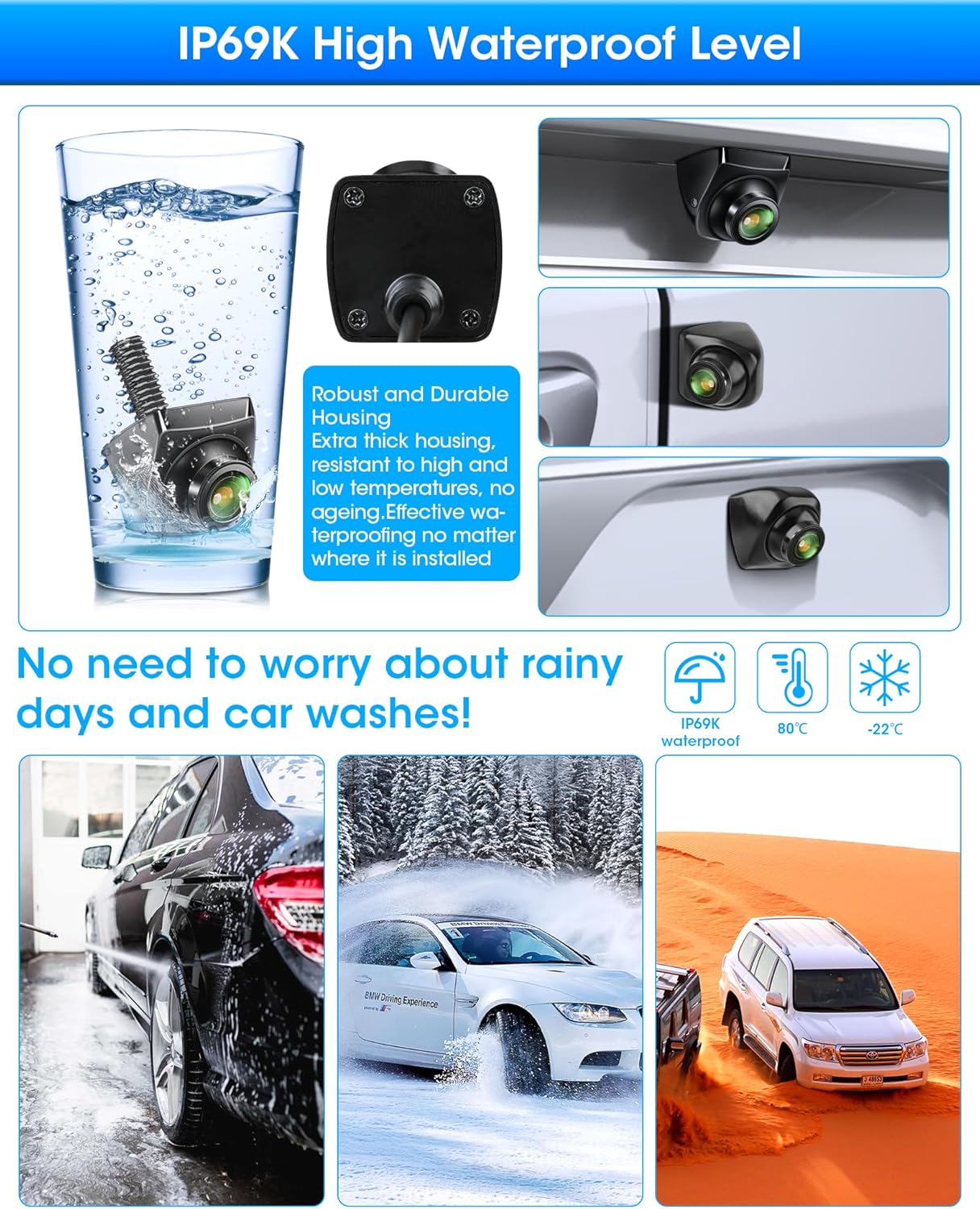
Image: The camera submerged in water, emphasizing its IP69K waterproof rating and robust housing, with examples of use in rain, snow, and desert conditions.
- Kabelinspektion: Periodically check cables for any signs of wear or damage, especially where they pass through vehicle bodywork.
Fejlfinding
Hvis du støder på problemer med dit kamera, kan du se følgende almindelige problemer og løsninger:
- Intet billede på skærmen:
- Check all cable connections (power, video) are secure.
- Ensure the camera is receiving power (e.g., reverse lights are on).
- Verify your display unit is set to the correct video input.
- Confirm the video signal type (AHD/CVBS) matches your display and the camera's wire-cut configuration.
- Sløret eller forvrænget billede:
- Rengør kameralinsen.
- Check video cable for damage or kinks.
- Ensure the video signal type (AHD/CVBS) is correctly configured for your display.
- Verify the display unit's resolution settings.
- Ukorrekt View (Mirror/Front):
- Check the white wire loop on the camera cable. Cut it if you need front view, leave it intact for rear view.
- Retningslinjer for parkering forbudt:
- Check the green wire loop on the camera cable. Cut it if you want guidelines OFF, leave it intact for guidelines ON.
- Interference/Signal Noise:
- Ensure the double-shielded video cable is used and routed away from strong electrical interference sources.
- Verify power connections are stable and free from fluctuations.
Specifikationer
| Feature | Detalje |
|---|---|
| Mærke | Jansite |
| Modelnummer | JM-P31-E-EU2 |
| Opløsning | AHD 1080P (1 Megapixel effective) |
| Viewi vinkel | 170 degrees (horizontal and vertical) |
| Linsetype | Optical Glass Lens, Fixed Wide Angle, 2.0mm Focal Length |
| Optisk sensorteknologi | CCD |
| Optisk sensorstørrelse | 1/4 tomme |
| Video output | AHD 1080P (default), switchable to CVBS |
| Kontroltilstande | Parking Guideline ON/OFF, Front/Rear View Switch, AHD/CVBS Switch |
| Justerbarhed | 360° Rotation, 45° Angle Adjustment |
| Vandtæt vurdering | IP69K |
| Voltage Kompatibilitet | 12V-24V DC |
| Dimensioner | 28 mm (L) x 28 mm (B) x 25 mm (H) |
| Connector Type | RCA |
| Særlige funktioner | Integrated Step-down Module, Double-Shielded Video Cable, Super Night Vision |
Garanti og support
For warranty information and technical support, please refer to the contact details provided with your purchase or visit the official Jansite webwebsted. Gem din købsbevis til garantikrav.