1. Produktet er slutview
The GMBACK Wireless Switch 2 Pro Controller is a versatile gaming controller designed for a wide range of platforms, including Nintendo Switch 2/Switch/Lite/OLED, Apple devices (iPhone, iPad, Mac, TV, Apple Arcade MFi Games), Android devices (phone, tablet, Android TV, TV boxes), PC/Laptop (Windows 7/8/9/10/11), and Steam. It features advanced functionalities such as programmable buttons, 6-axis gyro motion control, adjustable vibration, turbo modes, and customizable RGB lighting to enhance your gaming experience.

Billede: Forside view of the GMBACK Wireless Switch 2 Pro Controller, showcasing dens ergonomiske design og oplyste joysticks.
2. Pakkens indhold
Kontroller venligst pakkens indhold ved udpakning for at sikre, at alle varer er til stede:
- GMBACK Wireless Switch 2 Pro Controller
- USB opladningskabel
- Brugervejledning (dette dokument)
3. Opsætning og tilslutning
3.1 Bred kompatibilitet
The controller supports a broad range of devices. Ensure your device's Bluetooth is enabled before attempting to pair.
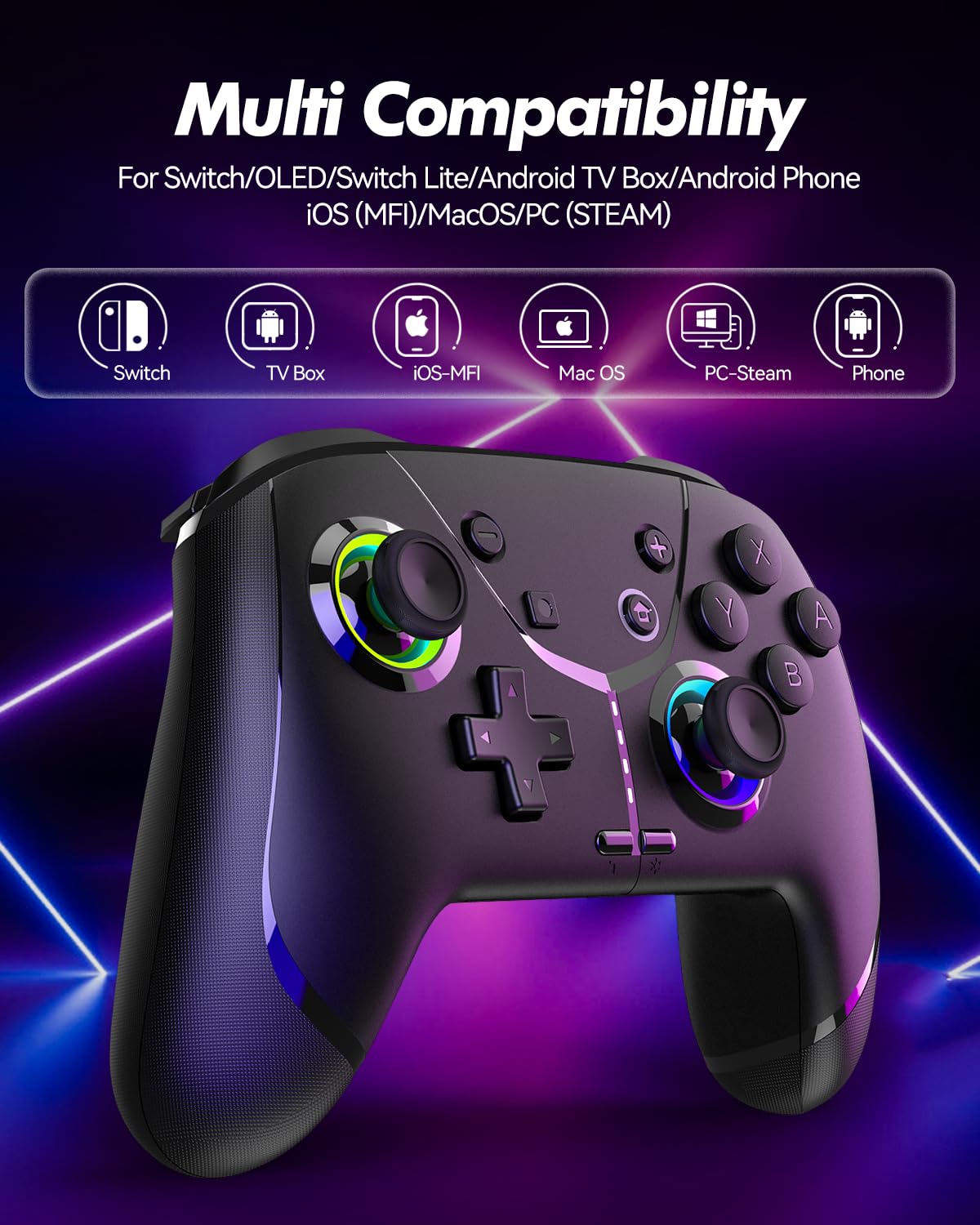
Image: Diagram illustrating the controller's compatibility with Nintendo Switch, TV Box, iOS-MFi, Mac OS, PC-Steam, and Phone devices.
3.2 Bluetooth-forbindelse
Sådan parrer du controlleren via Bluetooth:
- Sørg for, at controlleren er tilstrækkeligt opladet.
- Tænd controlleren ved at trykke på Home-knappen.
- Activate Bluetooth pairing mode on the controller (refer to specific device pairing instructions below).
- On your device (Switch, phone, PC), go to Bluetooth settings and search for new devices.
- Select "Pro Controller" or similar from the list to connect.
- Once connected, the indicator lights on the controller will stabilize.
3.3 Kabelforbindelse
For PC or other compatible devices, you can connect the controller directly using the provided USB cable. This will typically allow for plug-and-play functionality without requiring Bluetooth pairing.
4. Betjeningsvejledning
4.1 Programmable Buttons (AR/AL)
The controller features two programmable buttons (AR and AL) on the back. These can be mapped to single buttons or record a sequence of up to 30 seconds of gaming operations.
- Mapping Single Buttons: Press the Program button, then the button you wish to map (e.g., A, B, X, Y, L, R, ZL, ZR, Left Joystick, Right Joystick, D-pad, +,-), then press AR or AL.
- Optagelse af makroer: Press the Program button, then perform the sequence of actions you wish to record. Press AR or AL again to save the macro.

Billede: Nærbillede view of the controller's underside, highlighting the AR and AL programmable buttons and their mapping capabilities.
4.2 Motion Controls (6-Axis Gyro Sensor)
The built-in 6-axis gyro sensor allows for precise motion control in compatible games on Switch, mobile phones, PC, and TV. This feature enables intuitive aiming and movement based on the controller's orientation.

Image: Illustration of the 6-axis gyro sensor functionality, showing a user holding the controller with motion lines indicating active control in a racing game.
4.3 Justerbar vibration
The asymmetric dual motors provide four adjustable vibration intensities (100%, 70%, 50%, 0%) for an immersive gaming experience. Adjust the vibration level to your preference through the controller's settings or specific button combinations (refer to the quick start guide for details).

Image: Visual representation of the dual vibration feature with intensity levels (None, Weak, Medium, Strong) and the auto/manual turbo function.
4.4 Turbo Modes
The controller offers both auto and manual turbo modes with three adjustable speeds (5, 10, or 15 shots per second). This feature allows for rapid, continuous input of a button press, useful in fast-paced games.
- Manuel turbo: Press the Turbo button and the desired action button simultaneously.
- Auto Turbo: Press the Turbo button and the action button twice.
- Justering af hastighed: While in Turbo mode, press the Turbo button and move the right joystick up or down to cycle through speeds.
4.5 ABXY Function Switching
Easily switch between Nintendo Switch (A/B/X/Y) and Xbox (Y/X/B/A) button layouts without physically removing buttons. This ensures compatibility and comfort across different gaming platforms.

Image: Depiction of the ABXY button layout switching feature, showing the buttons rotating to indicate the change between Nintendo and Xbox configurations.
4.6 Wake-Up Function and RGB Light
The controller supports a wake-up function for connected devices (e.g., Nintendo Switch). It also features cool RGB lighting around the joysticks, which can be customized or turned off to suit your preference.

Image: The controller with illuminated RGB lights around the joysticks, indicating the "Wake Up & Cool LED Light" feature.
4.7 Skærmbilledefunktion
A dedicated screenshot button allows you to capture in-game moments instantly on compatible platforms.
5. Opladning og batterilevetid
The controller is equipped with a built-in 800 mAh rechargeable battery, providing approximately 15-20 hours of gameplay on a full charge. Charging time is typically around 3 hours.
- Connect the controller to a USB power source (e.g., console, PC, USB wall adapter) using the provided USB charging cable.
- Indikatorlamperne viser opladningsstatus og slukker eller skifter farve, når de er fuldt opladet.

Image: Illustration highlighting the controller's ergonomic design and battery specifications: 800mAh Lithium Battery, 3H Charging Time, and 15-20H Playing Time.
6. Vedligeholdelse
To ensure the longevity and optimal performance of your GMBACK Wireless Switch 2 Pro Controller:
- Hold controlleren ren ved at tørre den af med en blød, tør klud. Undgå at bruge skrappe kemikalier eller slibende materialer.
- Opbevar controlleren et køligt, tørt sted væk fra direkte sollys og ekstreme temperaturer.
- Undgå at tabe controlleren eller udsætte den for kraftige stød.
- Forsøg ikke at adskille eller ændre controlleren, da dette vil ugyldiggøre garantien.
- Oplad controlleren regelmæssigt, selvom den ikke bruges hyppigt, for at opretholde batteriets sundhedstilstand.
7. Fejlfinding
| Problem | Mulig årsag | Løsning |
|---|---|---|
| Controlleren tænder ikke. | Lavt batteri. | Oplad controlleren i mindst 3 timer. |
| Kan ikke parres via Bluetooth. | Controlleren er ikke i parringstilstand; Bluetooth-interferens; enhed Bluetooth slukket. | Ensure controller is in pairing mode. Turn off and on device Bluetooth. Move closer to the device. Try wired connection. |
| Inputforsinkelse eller afbrydelse. | Lavt batteri; for langt fra enheden; trådløs interferens. | Charge controller. Move closer to device. Reduce other wireless device interference. |
| Buttons/Joysticks unresponsive. | Softwarefejl; fysisk skade. | Restart the controller and the connected device. If problem persists, contact customer support. |
| Vibrationen virker ikke. | Vibrationsintensiteten er indstillet til 0%; spillet understøtter ikke vibration. | Adjust vibration intensity. Check game settings. |
8. Specifikationer
- Model: 6-akset gyrosensor
- Forbindelse: Bluetooth
- Kompatibilitet: Nintendo Switch 2/Switch/Lite/OLED, Apple (iPhone, iPad, Mac, TV, MFi Games), Android (phone, tablet, TV), PC (Windows 7/8/9/10/11), Steam
- Batteri: 800 mAh lithium batteri
- Opladningstid: Ca. 3 timer
- Spilletid: 15-20 timer
- Funktioner: Programmable Buttons, 6-Axis Gyro, Adjustable Vibration, Turbo Modes, ABXY Function Switching, Wake-up, RGB Light, Screenshot
- Varens vægt: 11.3 ounce
- Pakkedimensioner: 6.61 x 5.2 x 2.76 tommer
- Fabrikant: GMBACK
9. Garanti og support
GMBACK is committed to providing high-quality products and excellent customer service. For any issues or inquiries regarding your controller, please refer to the following:
- Garantioplysninger: Please retain your proof of purchase for warranty claims. Specific warranty terms may vary; refer to the product packaging or contact GMBACK customer support for details.
- Kundesupport: For technical assistance, troubleshooting, or warranty service, please contact GMBACK customer support through the retailer where you purchased the product or visit the official GMBACK store on Amazon: GMBACK Store.
- Online brugermanual: A PDF version of the user manual may be available for download at https://manuals.plus/m/56f01544f3b9d5425429644adc4053f7681b5d3717aa40f944cdb0f9bfccf36b.


