Indledning
Welcome to the user manual for your Ozeino OW810 Wireless Gaming Headset. This guide provides detailed instructions for setting up, operating, maintaining, and troubleshooting your headset to ensure optimal performance and longevity. Please read this manual thoroughly before using your headset.
Hvad er der i æsken
- 1x Ozeino OW810 Wireless Gaming Headset (Black)
- 1x USB & Type-C Transmitter
- 1x 3.5 mm Aux-kabel
- 1x ladekabel
- 1x brugermanual
Produkt overview
The Ozeino OW810 Wireless Gaming Headset is designed for an immersive audio experience across various gaming platforms. It features advanced connectivity options, superior sound quality, and comfortable design for extended use.

Figure 1: Ozeino OW810 Wireless Gaming Headset with USB & Type-C Transmitter.
Nøglefunktioner:
- Overlegen lydydelse: Equipped with 50mm drivers and 2.4G lossless wireless technology, delivering rich bass and accurate sound for an immersive gaming experience.
- Ultra-Low Latency Wireless: Experience real-time gaming audio with less than 30ms delay via the 2.4GHz USB & Type-C ultra-low latency wireless connection, ensuring smooth operation.
- Fleksibel tilslutning: Supports 2.4GHz wireless, Bluetooth, and 3.5mm wired modes for broad compatibility with various devices.
- Langtidsholdbart batteri: Enjoy extended gaming sessions with up to 30 hours of battery life on a single charge.
- Komfortabelt design: Features breathable ear muffs and premium memory foam earpads for long-lasting comfort during prolonged use.
- Justerbar mikrofon: An adjustable 120° microphone with noise-cancelling technology ensures clear voice communication.
- Intuitive kontroller: Easily accessible multi-functional buttons on the headset allow for quick adjustments to volume, microphone mute, and RGB lighting.

Figure 2: Headset highlighting 7.1 Surround Sound capabilities.

Figur 3: Detaljeret view of the headset's internal 2.4GHz wireless technology.
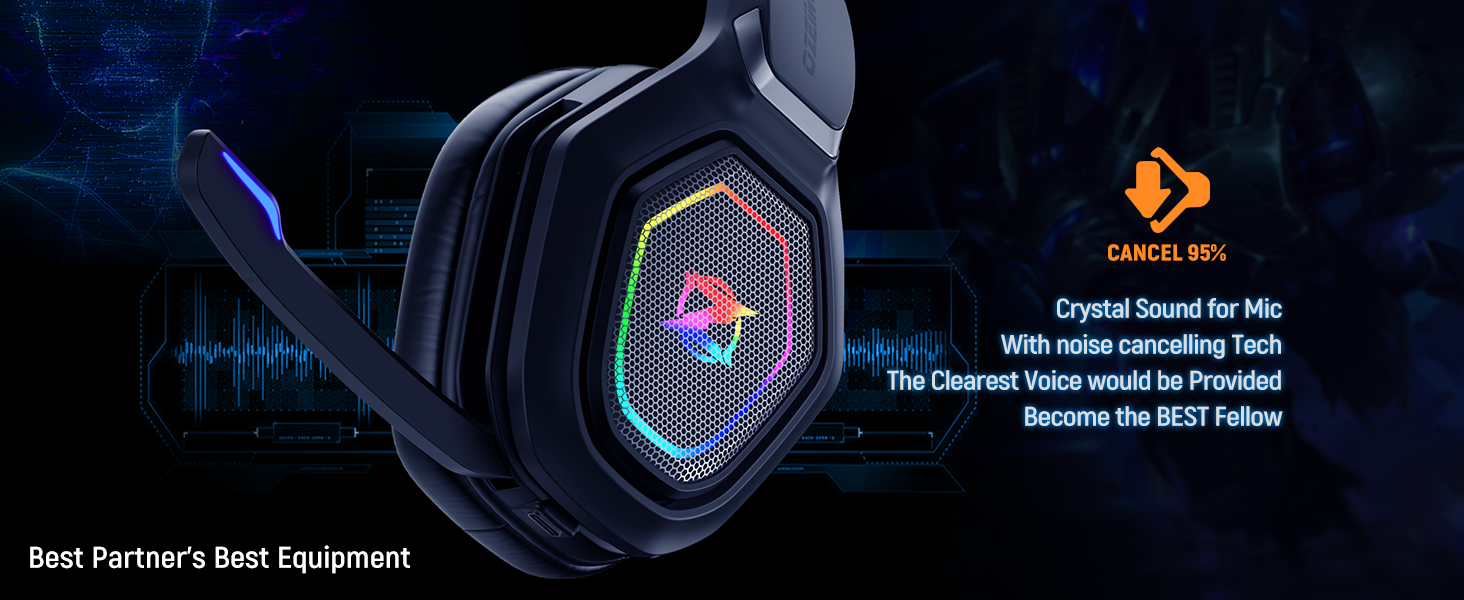
Figure 4: Visual representation of the headset's extended battery life.
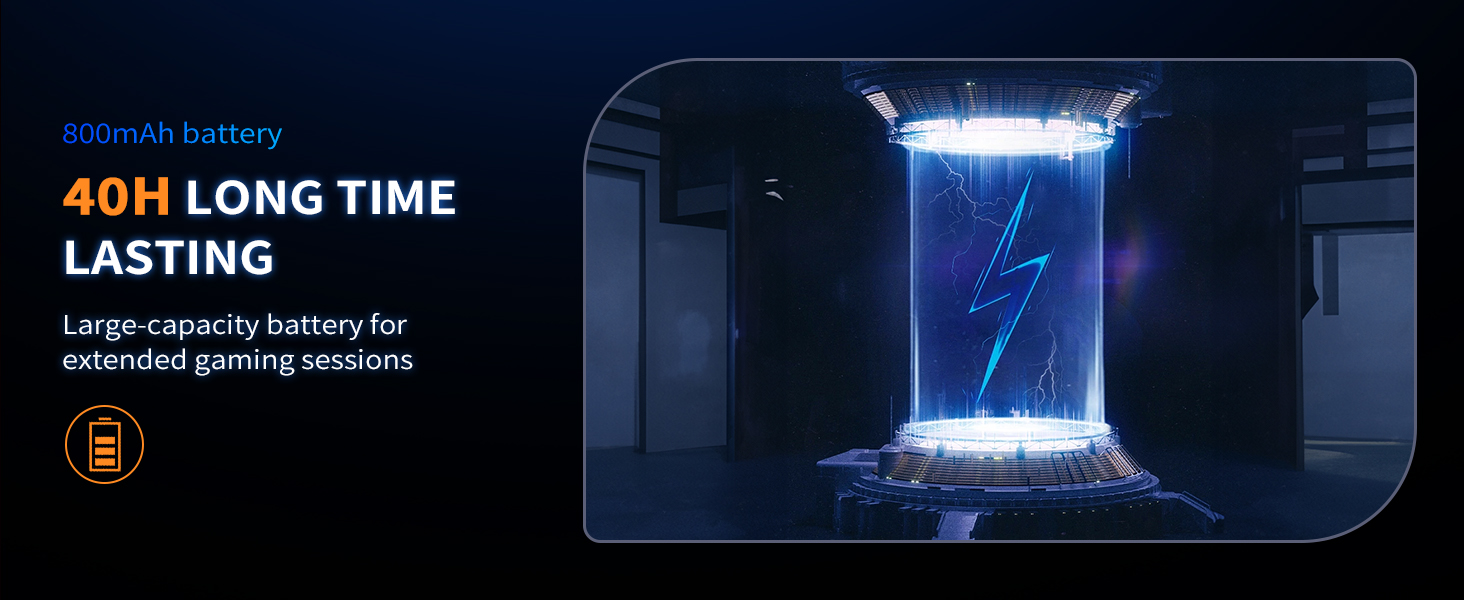
Figure 5: Close-up of the headset's comfortable, breathable ear muffs.
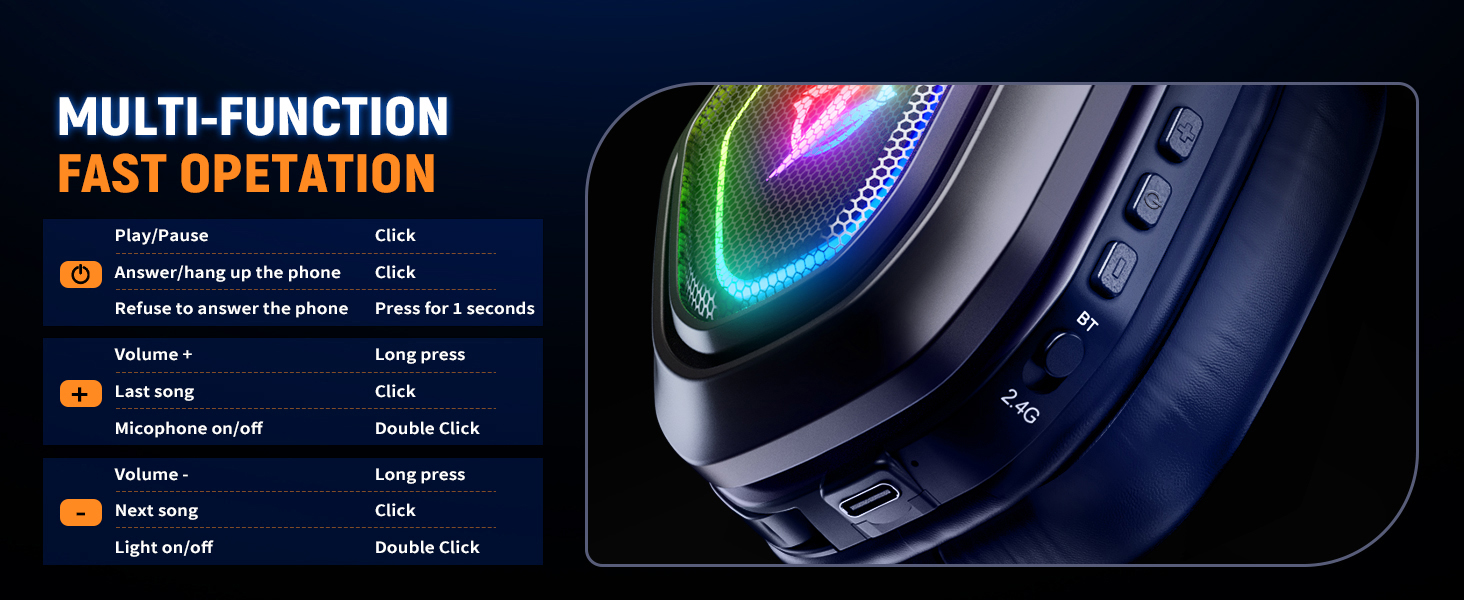
Figure 6: The headset's microphone with noise cancellation feature.
Opsætning
The Ozeino OW810 headset offers versatile connectivity options. Choose the method that best suits your device.
2.4GHz Wireless Mode (Recommended for Gaming Consoles & PC)
This mode provides ultra-low latency and is ideal for gaming on PS5, PS4, PC, Mac, and Nintendo Switch.
- Identify the correct USB transmitter: The included transmitter has both a standard USB-A connector and a detachable USB-C adapter.
- Plug the transmitter into an available USB port on your PS5, PS4, PC, Mac, or Switch (use the USB-C adapter for Switch or compatible laptops/phones).
- Turn on the headset by pressing and holding the Power button until the RGB lights illuminate.
- Ensure the mode switch on the headset is set to '2.4G'. The headset should automatically connect to the transmitter. A voice prompt will confirm connection.

Figure 7: The versatile USB & Type-C transmitter for various devices.
Bluetooth Mode (For Phones, Laptops, and Switch)
This mode is suitable for mobile devices and laptops with native Bluetooth. Note: Bluetooth function does not directly support PS5, PS4, or PC; an additional USB Bluetooth Adapter is required (not included) for these platforms.
- Tænd for headsettet.
- Set the mode switch on the headset to 'BT' (Bluetooth). The headset will enter pairing mode, indicated by a flashing light.
- On your device (phone, laptop, Switch), go to Bluetooth settings and search for 'Ozeino OW810'.
- Select the headset to pair. Once paired, a voice prompt will confirm connection.
3.5mm Wired Mode (For Music and Calls)
Use the included 3.5mm Aux Cable for a wired connection. This mode primarily supports music playback and calls.
- Connect one end of the 3.5mm Aux Cable to the headset's 3.5mm jack.
- Tilslut den anden ende til 3.5 mm lydstikket på din enhed.

Figur 8: Overview of headset compatibility across different platforms and modes.
Betjeningsvejledning
The Ozeino OW810 headset features intuitive controls located on the earcups for easy access during use.

Figure 9: Diagram of multi-function controls on the headset.
Knap funktioner:
| Fungere | Handling |
|---|---|
| Tænd/sluk | Tryk og hold tænd/sluk-knappen nede. |
| Afspil/pause musik | Click the Power button. |
| Besvar/læg på telefonopkald | Click the Power button. |
| Refuse Phone Call | Tryk og hold tænd/sluk-knappen nede i 1 sekund. |
| Lydstyrke op (+) | Tryk længe på Lydstyrke + -knappen. |
| Næste sang | Klik på knappen Lydstyrke +. |
| Skrue ned (-) | Tryk længe på lydstyrkeknappen. |
| Forrige sang | Klik på knappen Lydstyrke -. |
| Mikrofon til / fra | Double Click the Microphone button. |
| RGB lys til/fra | Double Click the Light button. |
Opretholdelse
Proper care and maintenance will extend the life of your Ozeino OW810 headset.
- Rensning: Brug en blød, tør klud til at tørre headsettet af. For ørekopper, en let tør kludamp cloth can be used, but ensure no moisture enters the speaker grilles. Avoid harsh chemicals or abrasive materials.
- Opbevaring: Store the headset in a cool, dry place away from direct sunlight and extreme temperatures. When not in use, it is recommended to store it in its original packaging or a protective case to prevent dust accumulation and physical damage.
- Batteripleje: To maintain battery health, avoid fully discharging the headset frequently. Charge the headset regularly, even if not in constant use. Do not expose the battery to high temperatures.
- Kabelstyring: When disconnecting cables, always pull from the plug, not the cable itself, to prevent damage to the connectors.
Fejlfinding
If you encounter issues with your Ozeino OW810 headset, refer to the following common problems and solutions:
- Ingen lyd/lav lydstyrke:
- Sørg for, at headsettet er tændt og fuldt opladet.
- Kontroller lydstyrkeniveauet på både headsettet og din tilsluttede enhed.
- Verify the correct audio output device is selected in your device's sound settings (e.g., 'Ozeino OW810' for PC).
- If using 2.4GHz wireless, ensure the USB transmitter is securely plugged in and the headset is in '2.4G' mode.
- If using Bluetooth, ensure the headset is paired and connected, and in 'BT' mode.
- Mikrofonen virker ikke:
- Ensure the microphone is not muted (double-click the Microphone button to toggle).
- Check microphone input settings on your connected device.
- Sørg for, at mikrofonen er korrekt placeret og ikke blokeret.
- Connection Drops/Interference:
- Move closer to the transmitter/Bluetooth device to reduce range issues.
- Undgå stærk elektromagnetisk interferens fra andre enheder.
- Sørg for, at headsettet er fuldt opladet.
- Prøv at parre headsettet med din enhed igen.
- Headsettet oplader ikke:
- Ensure the charging cable is securely connected to both the headset and a power source.
- Try a different charging cable or USB port/power adapter.
Specifikationer
| Feature | Detalje |
|---|---|
| Modelnavn | OW810 |
| Mærke | Ozeino |
| Forbindelsesteknologi | Wireless (2.4GHz, Bluetooth), Wired (3.5mm Aux) |
| Trådløs kommunikationsteknologi | Bluetooth |
| Hovedtelefonstik | 3.5 mm Jack |
| Audio driver størrelse | 50 millimeter |
| Frekvensområde | 20 Hz - 20,000 Hz |
| Lydforsinkelse | 20 Milliseconds (2.4GHz mode) |
| Batterilevetid | Op til 30 timer |
| Bluetooth version | 5.3 |
| Bluetooth rækkevidde | 10 meter |
| Støjkontrol | Aktiv støjreduktion (mikrofon) |
| Materiale | Plast |
| Varens vægt | 1.06 pund (0.48 kilo) |
| Produktdimensioner | 7.48 x 3.94 x 8.27 tommer |
| Kompatible enheder | Desktops, Gaming Consoles (PS5, PS4, Switch), Laptops, Television |
Garanti og support
Ozeino is committed to providing high-quality products. For any questions, technical assistance, or warranty claims, please contact Ozeino customer support through the retailer's platform or the official Ozeino webwebsted.
Yderligere beskyttelsesplaner kan muligvis købes gennem din forhandler for at udvide dækningen ud over producentens standardgaranti.


