1. Introduktion
Thank you for choosing Inspireyes Mini Ranger Rechargeable Walkie Talkies. These 2-way radios are designed for clear and reliable communication, ideal for children aged 3-12 during various indoor and outdoor activities. This manual provides essential information for safe and effective use of your device.

Figure 1: Inspireyes GL-528 Mini Ranger Walkie Talkies (3-pack)
2. Sikkerhedsoplysninger
- Udsæt ikke enheden for ekstreme temperaturer eller direkte sollys.
- Hold enheden væk fra vand og fugt.
- Forsøg ikke at adskille eller modificere enheden.
- Brug kun det medfølgende ladekabel.
- Hold opsyn med små børn under brug.
3. Pakkens indhold
- Inspireyes Mini Ranger Walkie Talkies (3 units)
- USB Type-C Charging Cables (3 units)
- Lanyards (3 units)
- Instruktionsmanual
4. Produktet er slutview
Gør dig bekendt med hovedkomponenterne og betjeningselementerne på din walkie-talkie:
- Antenne: Til signaltransmission og -modtagelse.
- LCD skærm: Displays channel, volume, battery level, and other indicators.
- Power knap: Tryk og hold for at tænde/slukke.
- Menu-knap: Access settings and functions.
- Op/Ned knapper: Adjust channel, volume, or navigate menus.
- PTT (Push-to-Talk) knap: Located on the side, press and hold to transmit your voice.
- Højttaler/mikrofon: Til lydudgang og -indgang.
- Lamp Knap: Aktiverer den indbyggede lommelygte.
- SOS knap: Aktiverer en nødsirene.
- USB Type-C-port: Til opladning af enheden.
5. Opsætning
5.1. Opladning af walkie-talkierne
Your Inspireyes walkie talkies feature a built-in rechargeable lithium polymer battery. Before first use, fully charge each unit.
- Open the rubber cover on top of the walkie talkie to expose the USB Type-C charging port.
- Connect the provided USB Type-C cable to the walkie talkie and to a 5V/1A USB power adapter (not included).
- Batteriindikatoren på LCD-skærmen viser opladningsstatus.
- Once fully charged, the battery icon will indicate full capacity. Disconnect the charging cable and close the rubber cover to protect the port.
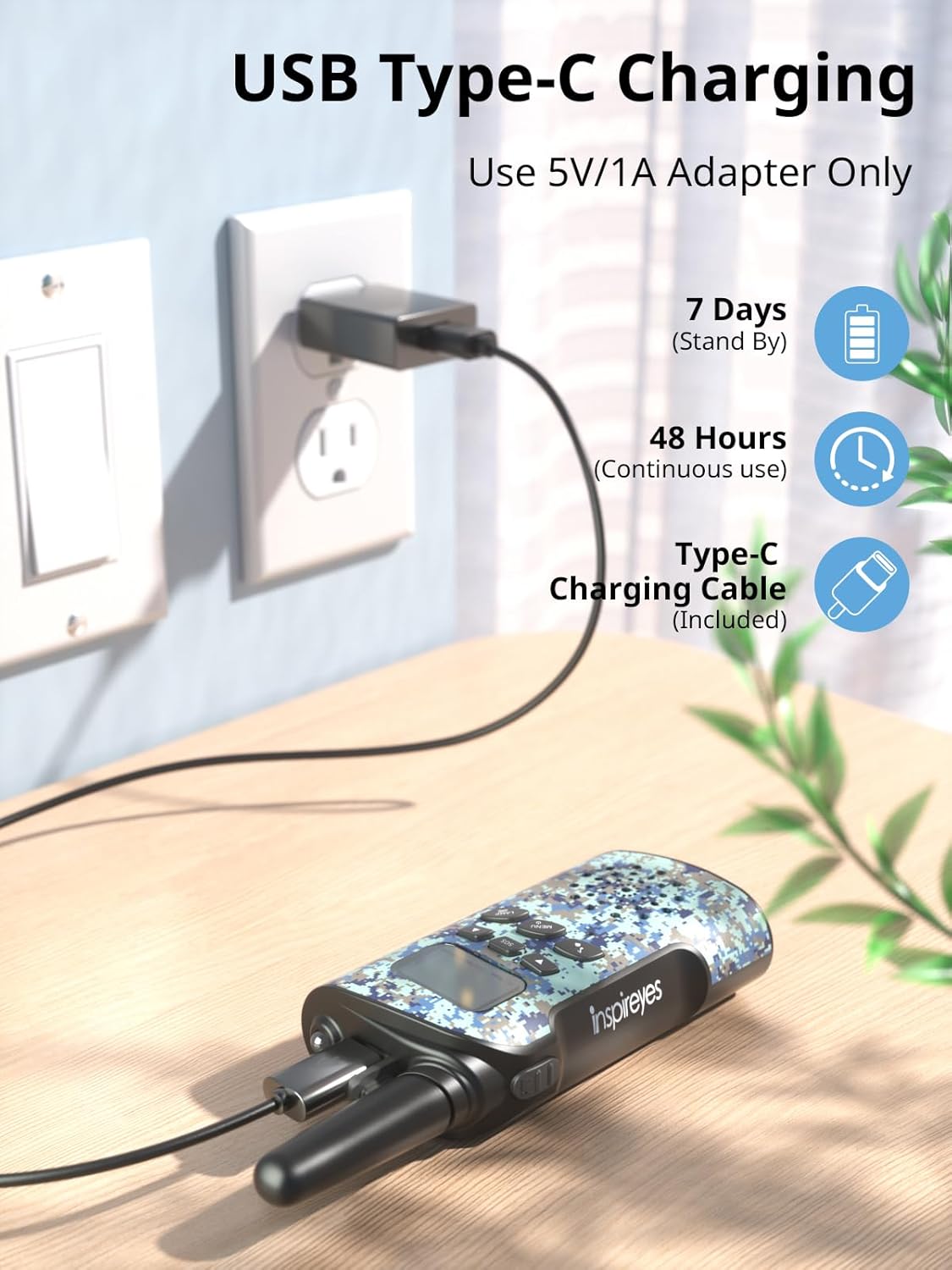
Figur 2: USB Type-C-opladning
A full charge provides up to 48 hours of continuous use and 7 days of standby time.
5.2. Attaching Lanyards
To prevent accidental drops, attach the included lanyards:
- Thread the thin loop of the lanyard through the small hole located near the antenna on the top of the walkie talkie.
- Pass the larger part of the lanyard through the thin loop and pull tight to secure.
5.3. Tænd/sluk
- For at tænde: Tryk på tænd/sluk-knappen (normalt placeret på frontpanelet), og hold den nede, indtil LCD-skærmen lyser.
- For at slukke: Tryk på tænd/sluk-knappen, og hold den nede, indtil LCD-skærmen slukker.
5.4. Opsætningsvideoguide
For a visual guide on setting up your walkie talkies, please watch the official setup video:
Video 1: Let’s set up your Inspireyes Walkie Talkies together!
6. Betjeningsvejledning
6.1. Kanalvalg
The walkie talkies offer 22 channels for communication.
- Press the Menu button once. The channel number on the LCD screen will flash.
- Use the Up (▲) or Down (▼) buttons to select your desired channel (1-22).
- Press the Menu button again to confirm your selection or wait a few seconds for it to set automatically.
- Ensure all walkie talkies intended for communication are set to the same channel.
6.2. Lydstyrkejustering
Adjust the speaker volume to a comfortable level:
- Use the Up (▲) or Down (▼) buttons directly when not in menu mode to increase or decrease the volume. The volume level will be displayed on the LCD screen.
6.3. Push-to-Talk (PTT) Communication
To communicate with other users:
- Ensure all devices are on the same channel.
- Press and hold the PTT button located on the left side of the walkie talkie.
- Tal tydeligt ind i mikrofonen.
- Slip PTT-knappen for at lytte efter et svar.
6.4. VOX Hands-Free Communication
The VOX function allows for hands-free transmission:
- Press the Menu button multiple times until the VOX icon flashes on the LCD screen.
- Use the Up (▲) or Down (▼) buttons to select a VOX sensitivity level (e.g., 1-3, with 3 being most sensitive).
- Press the Menu button to confirm. When VOX is active, the walkie talkie will automatically transmit when it detects your voice.

Figur 3: VOX håndfri kommunikation
6.5. Ring til Tone
To alert other users on the same channel, briefly press the Call/Ring button (often indicated by a music note icon). This will send an audible tone to all connected walkie talkies.
6.6. Lommelygte
The built-in flashlight provides illumination in low-light conditions:
- Tryk på LAMP knappen for at tænde lommelygten.
- Tryk på LAMP knappen igen for at slukke lommelygten.
6.7. SOS-funktion
In emergency situations, the SOS function can be used to alert others:
- Press the SOS button to activate a loud emergency siren.
- Press the SOS button again to deactivate the siren.

Figure 4: SOS Sirens and Flashlight
6.8. Privatlivskoder (CTCSS/DCS)
To ensure private communication and reduce interference, your walkie talkies support 99 sub-codes using CTCSS (Continuous Tone-Coded Squelch System) and DCS (Digitally Coded Squelch) technology.
- Press the Menu button multiple times until the CTCSS/DCS code flashes.
- Use the Up (▲) or Down (▼) buttons to select your desired code.
- Press the Menu button to confirm. All communicating devices must use the same channel and privacy code.
6.9. Long Range Transmission
These walkie talkies offer long-range transmission capabilities:
- Up to 3 miles in open areas with no obstructions.
- Approximately 0.5 to 1.5 miles in typical environments with partial obstructions.
- Note that range can be affected by terrain, buildings, and other environmental factors.

Figure 5: Long Range Transmission
7. Vedligeholdelse
- Rensning: Tør enheden af med en blød, damp klæde. Brug ikke skrappe kemikalier eller slibende rengøringsmidler.
- Opbevaring: Store the walkie talkies in a cool, dry place when not in use.
- Batteripleje: Recharge the batteries regularly to maintain optimal performance, even if not in frequent use. Avoid fully depleting the battery for extended periods.
8. Fejlfinding
- Ingen strøm: Ensure the device is fully charged. Press and hold the Power button to turn it on.
- Kan ikke kommunikere: Verify that all walkie talkies are on the same channel and privacy code. Check battery levels.
- Unclear Sound: Adjust the volume. Ensure you are within range and there are no major obstructions. Speak clearly into the microphone.
- Begrænset rækkevidde: Environmental factors such as hills, buildings, and dense foliage can reduce transmission range. Try moving to an open area.
9. Specifikationer
| Feature | Specifikation |
|---|---|
| Modelnummer | GL-528 |
| Varens vægt | 3.07 ounce |
| Produktdimensioner | 2.17 x 1.3 x 5.91 tommer |
| Batterier | 1 Lithium Polymer batteri påkrævet (medfølger) |
| Display Type | LCD |
| Antal kanaler | 22 |
| Frekvensområde | 462.5625-462.7125 MHz |
| Maksimal talerækkevidde | 3 kilometer (ca. 1.86 miles) |
| Voltage | 3.7 volt |
| Vandmodstandsniveau | Ikke vandafvisende |
10. Garanti
This Inspireyes product comes with a 1-year warranty from the date of purchase, covering manufacturing defects. Please retain your proof of purchase for warranty claims.
11. Support
For further assistance or inquiries, please refer to the contact information provided with your purchase or visit the official Inspireyes webwebsted.
12. Yderligere produktvideoer
Explore more features and usage tips with these official product videos:
Video 2: Inspireyes Rechargeable Walkie Talkies for Kids Age 3-12
Video 3: Inspireyes Walkie Talkies for Kids Rechargeable


