Indledning
Thank you for choosing the Hama MW-500 Recharge Optical 6-Button Wireless Mouse. This manual provides essential information for the safe and efficient operation of your device. The MW-500 mouse features a high-precision BlueWave optical sensor, 2.4 GHz wireless connectivity, and a built-in rechargeable Li-ion battery for extended use.
Opsætning
1. Pakkens indhold
- Hama MW-500 Wireless Mouse
- USB-modtager
- Ladekabel
- Denne brugervejledning
2. Tilslutning af USB-modtageren
Locate the ultra-small USB receiver, typically stored in a compartment on the underside of the mouse. Remove the receiver and plug it into an available USB port on your notebook or PC. The Smart-Link technology ensures easy and automatic connection.
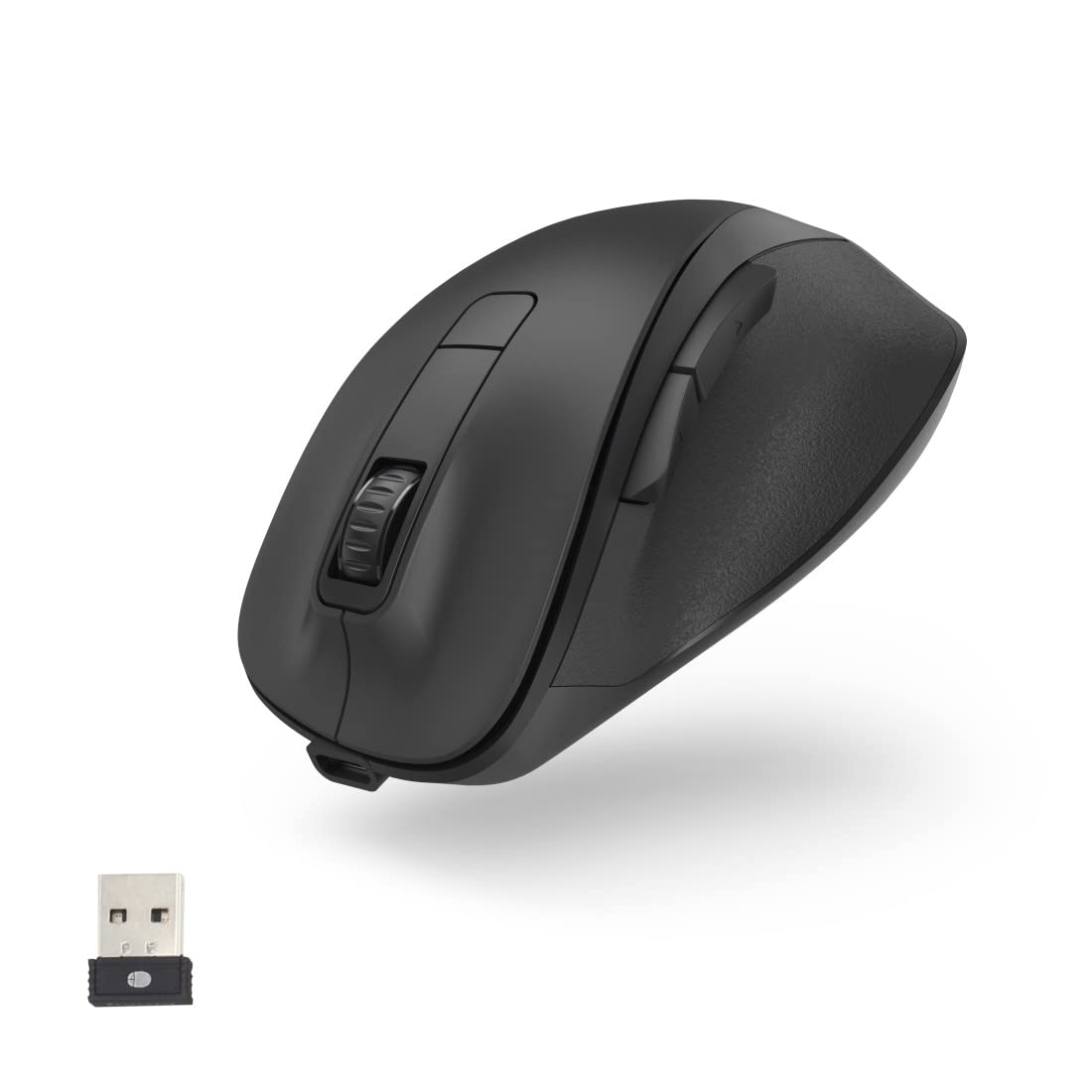
3. Opladning af musen
The MW-500 mouse features a built-in rechargeable Li-ion battery. Before first use, or when the battery is low, connect the provided charging cable to the USB-C port on the front of the mouse and to a USB power source (e.g., computer USB port, USB wall adapter). A full charge provides approximately 75 days of everyday use. The mouse can be used while charging.


4. Tænd/sluk
Locate the power switch on the underside of the mouse. Slide the switch to the 'ON' position to power on the mouse. Slide it to 'OFF' when not in use to conserve battery life.
Drift
1. Knapfunktioner
The Hama MW-500 is a 6-button mouse, providing enhanced functionality:
- Venstre klik: Standard primær knap.
- Højreklik: Standard sekundær knap.
- Scrollhjul: For vertical scrolling. Can also be clicked for middle-click functionality.
- DPI knap: Located behind the scroll wheel, used to adjust cursor sensitivity.
- Frem/Tilbage-knapper: Placeret på siden, typisk brugt til navigation i web browsere eller file opdagelsesrejsende.
2. DPI-justering
Press the DPI button to cycle through the available sensitivity settings: 800, 1200, and 1600 DPI. This allows you to adjust the cursor speed to suit your preference and task requirements.
3. Strømbesparende tilstand
The mouse is equipped with an automatic power-saving mode. If the mouse is inactive for a period, it will enter a low-power state to conserve battery. Move the mouse or click any button to wake it up.

Opretholdelse
1. Rensning
Brug en blød, tør og fnugfri klud til at rengøre din mus. Tør genstridigt snavs let af.ampen the cloth with water or a mild cleaning solution. Avoid using harsh chemicals, abrasive cleaners, or solvents, as these can damage the surface of the mouse.
2. Batteripleje
The integrated Li-ion battery is designed for long life. To maximize battery lifespan:
- Undgå at aflade batteriet helt ofte.
- Opbevar musen et køligt og tørt sted, hvis den ikke bruges i længere perioder.
- Udsæt ikke musen for ekstreme temperaturer.
Fejlfinding
Musen reagerer ikke
- Sørg for, at musen er tændt.
- Kontroller, om USB-modtageren er korrekt tilsluttet en fungerende USB-port.
- Kontroller, at musens batteri er tilstrækkeligt opladet. Genoplad om nødvendigt.
- Prøv at sætte USB-modtageren i en anden USB-port.
- Genstart din computer.
Uregelmæssig pointerbevægelse
- Sørg for, at musesensoren er ren og fri for blokeringer.
- Use the mouse on a suitable surface (e.g., a mouse pad). Highly reflective or uneven surfaces can affect tracking.
- Tjek for interferens fra andre trådløse enheder.
Opladningsproblemer
- Sørg for, at opladningskablet er korrekt tilsluttet til både musen og strømkilden.
- Prøv en anden USB-port eller opladningsadapter.
- Kontroller, at opladningskablet ikke er beskadiget.
Specifikationer
| Mærke | Hama |
| Modelnummer | 00173032 |
| Forbindelsesteknologi | 2.4 GHz trådløs (USB-modtager) |
| Bevægelsesdetekteringsteknologi | Optical (BlueWave) |
| DPI-følsomhed | Switchable: 800, 1200, 1600 dpi |
| Antal knapper | 6 |
| Batteritype | Genopladelig lithiumpolymer |
| Gennemsnitlig batterilevetid | Approx. 75 days (with everyday use) |
| Produktmål (LxBxH) | 12 x 8.5 x 4.2 cm |
| Varens vægt | 114 g |

Garanti og support
For warranty information and technical support, please refer to the documentation provided with your purchase or contact Hama customer service directly. The manufacturer is Hama GmbH & Co. KG, Germany.


