1. Introduktion
The ATTACK SHARK G6 Gaming Mouse is a versatile peripheral designed for both gaming and daily productivity. It offers three distinct connection modes: wired, 2.4G wireless, and Bluetooth, ensuring reliable and accurate transmission across various devices. Its ergonomic design, adjustable DPI settings, and customizable RGB lighting provide a tailored user experience.

Figure 1: The ATTACK SHARK G6 Gaming Mouse (Blue/White) with its USB receiver.
2. Funktioner
- Tri-mode-tilslutning: Seamlessly switch between wired (USB-C), 2.4G wireless (via USB receiver), and Bluetooth connections for maximum flexibility.
- Justerbar DPI: Features 5 adjustable DPI levels (1200/1600/2000/2400/4000) for precise control and responsiveness, suitable for various tasks from detailed work to fast-paced gaming.
- 11 Chroma RGB Lighting Modes: Customize your setup with 11 distinct RGB lighting effects, enhancing your gaming atmosphere.
- 10 programmerbare knapper: Equipped with 10 function buttons, strategically placed for easy access, allowing for quick actions like light changes, one-click web access, and navigation.
- Ergonomisk design: Specifically designed for right-hand users with a comfortable thumb rest, reducing fatigue during extended use.
- Lydløse klikknapper: Left and right buttons feature a silent click design, minimizing noise and preventing disturbance to others.
- Genopladeligt batteri: Built-in 500mAh lithium battery, rechargeable via Type-C, providing long-lasting use on a single charge (approx. 3-4 hours for full charge).
- Bred kompatibilitet: Compatible with Windows, Mac, Android, and other operating systems, ensuring broad usability.

Figur 2: Overview of the 10 programmable buttons and ergonomic finger rests.
3. Pakkens indhold
Kontroller venligst pakkens indhold ved udpakning for at sikre, at alle varer er til stede:
- ATTACK SHARK G6 Gaming Mouse
- USB 2.4G trådløs modtager
- USB-C ladekabel
- Brugervejledning (dette dokument)
4. Opsætning
4.1. Opladning af musen
Before first use, it is recommended to fully charge the mouse. Connect the supplied USB-C charging cable to the mouse's Type-C port and the other end to a USB power source (e.g., computer USB port, USB wall adapter). The charging indicator will show status (refer to LED indicator section for details). A full charge typically takes 3-4 hours.

Figure 3: Charging the G6 Gaming Mouse via its Type-C port.
4.2. Tilslutningstilstande
The G6 mouse supports three connection methods:
- 2.4G trådløs tilstand:
- Locate the USB 2.4G wireless receiver, usually stored in a compartment on the underside of the mouse.
- Sæt modtageren i en ledig USB-port på din computer.
- Tænd musen på tænd/sluk-knappen på undersiden. Musen burde oprette forbindelse automatisk.
- Bluetooth-tilstand:
- Turn on the mouse and switch it to Bluetooth mode (refer to the switch on the underside).
- Gå til Bluetooth-indstillingerne på din enhed (computer, tablet, telefon) og søg efter nye enheder.
- Select "ATTACK SHARK G6" (or similar name) from the list to pair.
- Kablet tilstand:
- Connect the supplied USB-C cable to the mouse's Type-C port.
- Tilslut den anden ende af kablet til en USB-port på din computer.
- Musen fungerer med det samme i kablet tilstand og oplades samtidig.
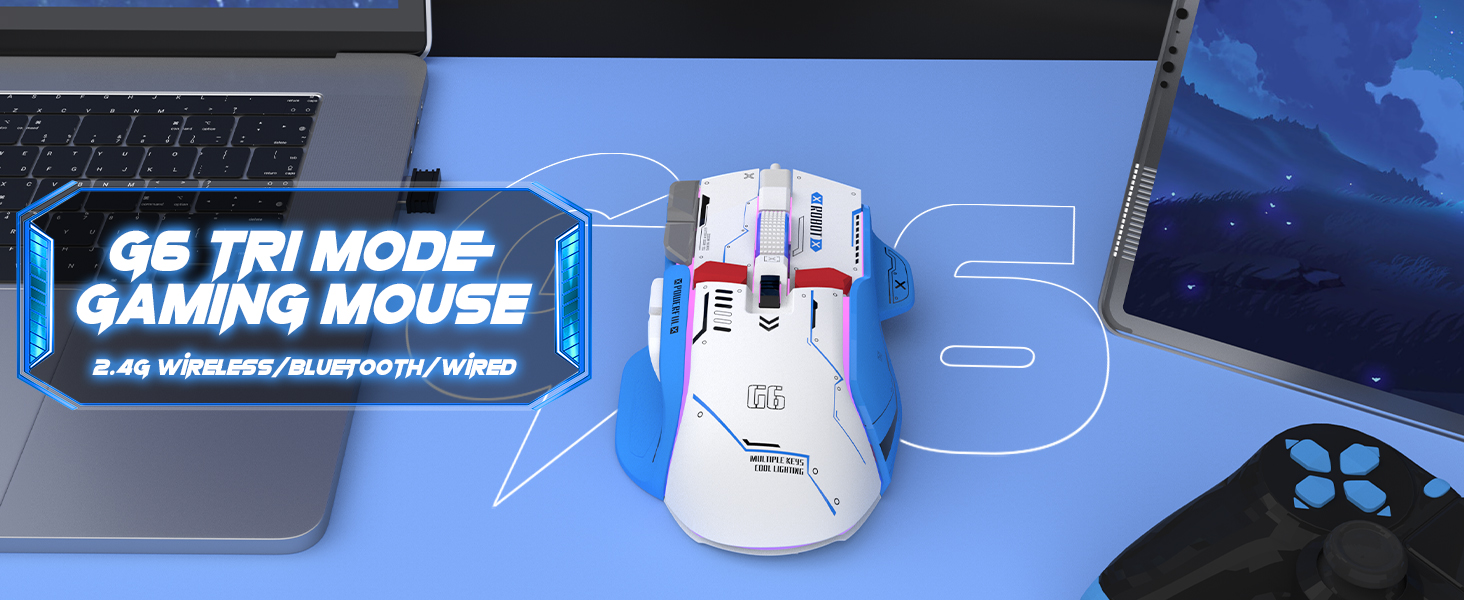
Figure 4: The G6 mouse supports 2.4G wireless, Bluetooth, and wired connections.
5. Betjeningsvejledning
5.1. DPI-justering
The G6 mouse features a dedicated DPI button (refer to Figure 2 for location) to cycle through 5 adjustable DPI levels: 1200, 1600, 2000, 2400, and 4000. Press the DPI button to switch between sensitivity settings to match your preference or game requirements.
5.2. RGB-lysstyring
The mouse offers 11 Chroma RGB lighting modes. Use the dedicated Light Control button (refer to Figure 2) to cycle through the different lighting effects. To turn off the RGB lighting, continue pressing the button until the lights are off, or refer to the software if available for more advanced control.

Figure 5: The G6 mouse features 11 kinds of RGB backlight modes.
5.3. Knapfunktioner
The G6 mouse has 10 function buttons. Their default functions are:
- Venstre klik: Standard venstre museknap.
- Højreklik: Standard right mouse button (silent click).
- Scrollhjul: Rul op/ned, klik med midten.
- DPI knap: Skifter gennem DPI-indstillinger.
- Lyskontrolknap: Skifter mellem RGB-belysningstilstande.
- Frem-knap: Navigerer fremad i web browsers/folders.
- Baglæns knap: Navigerer baglæns i web browsers/folders.
- Brandknap: Rapid fire function (default, may be programmable).
- Desktop Button: One-click access to desktop.
- Webpage Button: One-click access to web browser.

Figur 6: Detaljeret view of key features including finger rests and Type-C port.

Figure 7: The silent click feature ensures quiet operation, ideal for shared spaces.
6. Vedligeholdelse
To ensure the longevity and optimal performance of your ATTACK SHARK G6 Gaming Mouse, follow these maintenance guidelines:
- Rensning: Brug en blød, tør klud til at tørre musens overflade af. Ved genstridigt snavs, tør den let.amp cloth with mild soap can be used, but ensure no liquid enters the mouse. Do not use harsh chemicals or abrasive materials.
- Opbevaring: Opbevar musen et køligt, tørt sted væk fra direkte sollys og ekstreme temperaturer.
- Undgå dråber: Beskyt musen mod fald og stød, som kan beskadige de interne komponenter.
- Kabelpleje: When using wired mode or charging, handle the USB-C cable carefully to prevent bending or fraying.
7. Fejlfinding
If you encounter issues with your ATTACK SHARK G6 Gaming Mouse, please refer to the following common solutions:
| Problem | Mulig løsning |
|---|---|
| Mouse not responding (Wireless/Bluetooth) |
|
| DPI-indstillingerne ændres ikke |
|
| RGB-belysning virker ikke eller sidder fast |
|
| Lag eller intermitterende forbindelse |
|
7.1. Product Video Guide
For a visual guide on the mouse's features and operation, please watch the official product video:
Video: G6 Wireless/wired/bluetooth gaming mouse. This video demonstrates the RGB lighting effects and general appearance of the G6 gaming mouse in different colors.
8. Specifikationer
| Feature | Detalje |
|---|---|
| Mærke | ANGREDE HAJ |
| Modelnummer | G6 |
| Forbindelsesteknologi | Bluetooth, Wired, Wireless (2.4G) |
| Bevægelsesdetekteringsteknologi | Optisk |
| Justerbare DPI-niveauer | 1200/1600/2000/2400/4000 |
| RGB-tilstande | 11 Chroma RGB modes |
| Antal knapper | 10 |
| Batterikapacitet | 500mAh genopladeligt lithiumbatteri |
| Opladningsport | Type-C |
| Varens vægt | 7.4 ounce (ca. 210 gram) |
| Pakkedimensioner | 6.38 x 5.43 x 2.13 tommer |
| Kompatibilitet | Windows, Mac, Android, iOS |
9. Garanti og support
ATTACK SHARK products are designed and manufactured to the highest quality standards. This product is covered by a limited warranty from the date of purchase. For detailed warranty terms, technical support, or customer service inquiries, please contact your retailer or visit the official ATTACK SHARK webwebsted.
Online support: Visit the ATTACK SHARK Store on Amazon


