
1. Introduktion
Thank you for choosing the GKU 4K Dashcam. This manual provides detailed instructions for the installation, operation, and maintenance of your new dashcam system. Designed to capture high-quality video footage of your journeys, this device offers advanced features such as 4K front recording, 1080P rear recording, Wi-Fi connectivity, parking monitoring, and G-sensor accident detection. Please read this manual thoroughly before use to ensure proper functionality and safety.
2. Pakkens indhold
Kontroller venligst, at alle nedenstående varer er inkluderet i din pakke:
- GKU D600 Dashcam (Front Unit)
- Rear Camera & Extension Cable
- Biloplader (strømkabel)
- 64 GB SD-kort
- Selvklæbende tape
- Elektrostatisk film
- Brugervejledning (dette dokument)
- Pry Tool
An illustration showing all components included in the GKU D600 Dashcam package, such as the main dashcam, rear camera, cables, SD card, and installation tools.
3. Nøglefunktioner
- Ultra HD 4K + 1080P Dual Dashcam: The D600 dashcam records in stunning 4K resolution for the front camera and 1080P for the rear camera simultaneously. When the rear camera is disconnected, the front camera can record at 4K 2160P/30fps. It features a 170° wide-angle lens, large F1.8 aperture, and WDR (Wide Dynamic Range) for clear footage selv under dårlige lysforhold.
- Built-in 5GHz/2.4GHz Wi-Fi & App Control: Connect your dashcam to the "GKU GO" app on your Android or iOS smartphone. This allows for live streaming, video downloads, settings adjustments, editing, and sharing of footage.
- Seamless Loop Recording & G-sensor: The dashcam automatically overwrites the oldest recordings when the SD card is full. The built-in G-sensor detects sudden vibrations or impacts, automatically locking and saving the current video to prevent it from being overwritten. Supports up to 256GB microSD cards (a 64GB SD card is included). Use Class 10 or higher microSD cards from trusted brands.
- 24H Parking Monitoring & Time Lapse: Automatically switches to parking mode when your car is parked, providing continuous surveillance. The 24H Time Lapse mode records continuously at a low frame rate to conserve power. Note: Enabling 24-hour parking monitoring requires a Hardwire Kit (not included).
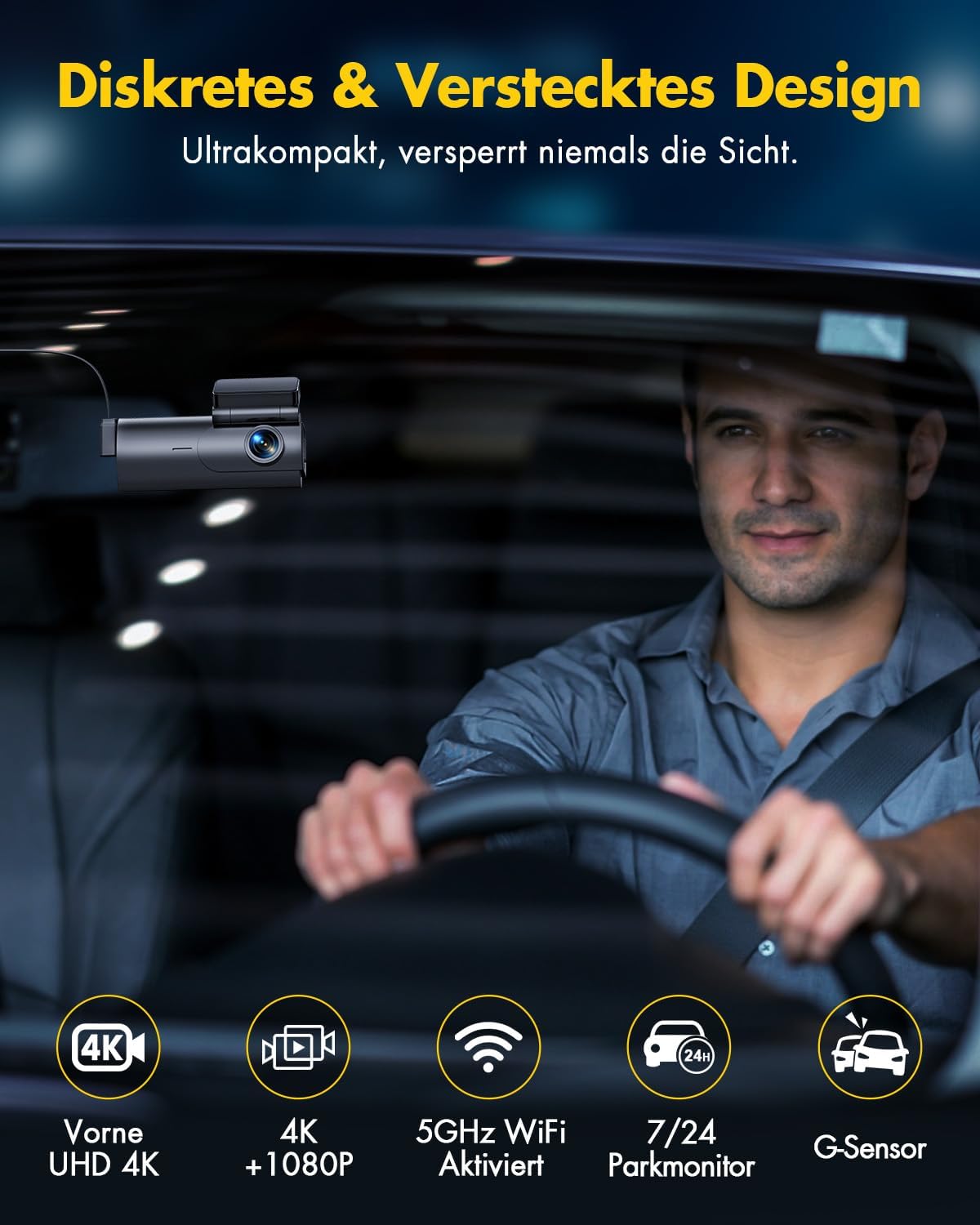
- Compact & Easy Installation: The front dashcam features a sleek, compact design (3.5x1.8x1.4 inches) with a Type-C interface, ensuring it does not obstruct your driving view. Its detachable design and 120° adjustable function simplify installation and removal. The rear dashcam is 360 degrees customizable for flexible positioning.
- Stemmemeddelelse: The 4K dashcam provides various voice prompts to inform you of its status, such as "start recording," "stop recording," or "please format the SD card." If a collision reaches your set G-sensor level, it will emit a "video locked" sound, securing the video in the lock folder. You can adjust the volume or disable this feature.

An image illustrating the GKU Dashcam's ability to record in 4K resolution from the front, capturing details like road signs and license plates.

A visual representation of the GKU Dashcam's dual-channel recording, with the front camera recording in 4K and the rear camera in 1080P, showing their respective fields of view.

An image illustrating the 24-hour parking monitoring feature, showing a car under surveillance and icons for G-sensor detection and loop recording during parking.

A visual demonstrating the GKU Dashcam's discreet and hidden design when installed on a car windshield, emphasizing its compact size and minimal obstruction to the driver's view.
4. Opsætning og installation
Follow these steps for proper installation of your GKU Dashcam:
- Forbered forruden: Clean the area on your windshield where you intend to mount the front dashcam. Apply the electrostatic film first to allow for easier removal and repositioning without leaving residue.
- Mount the Front Dashcam: Attach the front dashcam to the electrostatic film using the adhesive tape. Ensure it is positioned where it does not obstruct your view and is centrally located for optimal recording. The 120° adjustable function allows for precise angle setting.
- Installer bagkameraet: Mount the rear camera on your rear windshield. Use the included extension cable to connect it to the main front unit. The rear camera can be rotated 360 degrees for flexible positioning.
- Før kablerne: Carefully route the power cable from the front dashcam to your car's cigarette lighter socket (or hardwire kit, if used). Use the pry tool to tuck the cables neatly along the edges of your car's interior trim for a clean and hidden installation.
- Indsæt SD-kort: Insert the provided 64GB microSD card into the designated slot on the dashcam. Ensure it is inserted correctly until it clicks into place.
- Tilslut strøm: Plug the car charger into your vehicle's cigarette lighter socket and connect the Type-C end to the dashcam.
5. Betjeningsvejledning
Once installed and powered on, the GKU Dashcam will automatically begin recording. Here are basic operating guidelines:
- Tænd/sluk: The dashcam will automatically power on and off with your vehicle's ignition.
- Indspilning: Continuous loop recording will start automatically. Videos are saved in segments (e.g., 1, 3, or 5 minutes) to the SD card.
- G-sensoraktivering: In case of a sudden impact or collision, the G-sensor will trigger, locking the current video segment to a protected folder on the SD card, preventing it from being overwritten by loop recording.
- Formatering af SD-kort: It is recommended to format the SD card regularly (e.g., once a month) to maintain optimal performance and prevent data corruption. This can usually be done via the dashcam's settings menu or the mobile app.
6. App Control (GKU GO)
The "GKU GO" app enhances your dashcam experience by providing convenient control and access to your footage:
- Download appen: Søg efter "GKU GO" in your smartphone's app store (Android or iOS) and install it.
- Opret forbindelse til Wi-Fi: Turn on the dashcam's Wi-Fi (refer to dashcam settings if needed). On your smartphone, connect to the dashcam's Wi-Fi network (SSID and password usually found on the dashcam screen or manual).
- Livestream: View a real-time feed from your dashcam cameras directly on your phone.
- Download Videos: Easily download recorded video clips from the dashcam to your smartphone's gallery.
- Juster indstillinger: Modify dashcam settings such as resolution, loop recording duration, G-sensor sensitivity, and voice prompt volume directly from the app.
- Edit & Share: Trim, edit, and share your footage directly to social media platforms like YouTube, Twitter, or Facebook.
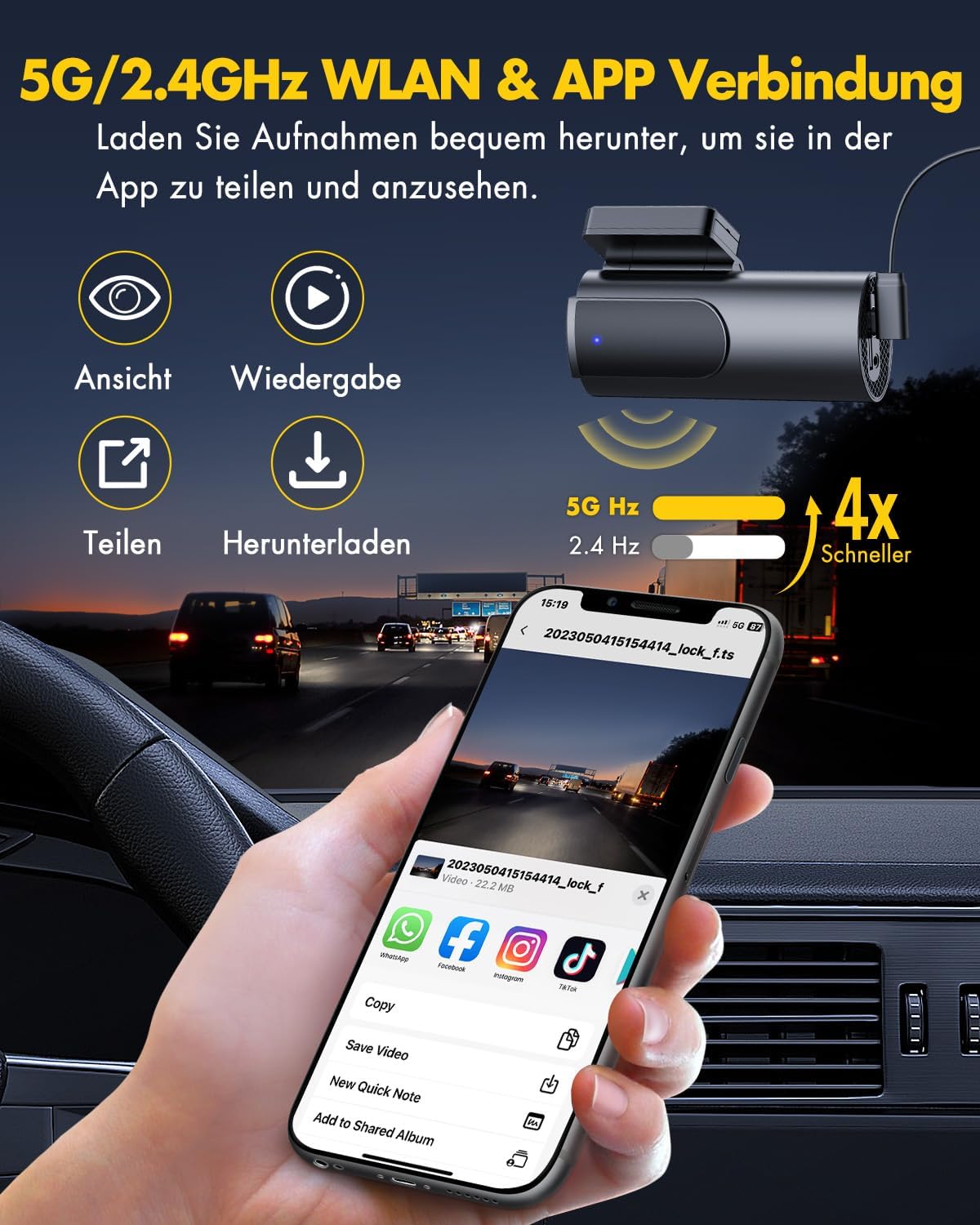
A smartphone screen displaying the GKU GO app interface, showing options for viewing, playback, sharing, and downloading dashcam footage, highlighting the 5GHz/2.4GHz Wi-Fi connection.
7. Parkeringsovervågning
The 24-hour parking monitoring feature provides surveillance even when your vehicle is parked and turned off. To utilize this feature, a dedicated hardwire kit (not included) is required to provide continuous power to the dashcam.
- Automatisk aktivering: Once properly wired, the dashcam will automatically switch to parking mode when your car's ignition is off.
- G-Sensor Trigger: If an impact or vibration is detected while parked, the G-sensor will activate, and the dashcam will record a short video clip and lock it.
- Timelapse-optagelse: In Time Lapse mode, the dashcam records continuously at a very low frame rate (e.g., 1 frame per second), creating a condensed video of the parking period, which is efficient for power consumption and storage.
8. Fejlfinding
If you encounter any issues with your GKU Dashcam, please refer to the following common solutions:
| Problem | Mulig løsning |
|---|---|
| Dashcam'et tænder ikke. | Check the power connection to the car charger and ensure the car's cigarette lighter socket is functioning. Try a different power source if available. |
| Optagelse stopper eller footage er korrupt. | Format the SD card regularly. Ensure you are using a Class 10 or higher microSD card from a reputable brand (e.g., Samsung, SanDisk). The SD card might be full or faulty. |
| Wi-Fi connection issues with the app. | Ensure the dashcam's Wi-Fi is enabled. Restart both the dashcam and your smartphone. Verify you are connecting to the correct Wi-Fi network and entering the correct password. |
| Dårlig videokvalitet. | Ensure the camera lens is clean. Check the video resolution settings in the app or dashcam menu. Ensure the protective film has been removed from the lens. |
| G-sensor is too sensitive/not sensitive enough. | Adjust the G-sensor sensitivity setting via the dashcam menu or the "GKU GO" app. |
If the problem persists after trying these solutions, please contact GKU customer support for assistance.
9. Specifikationer
| Feature | Beskrivelse |
|---|---|
| Mærke | GKU |
| Modelnavn | D600 |
| Farve | D600-DE |
| Forbindelsesteknologi | Wi-Fi (5 GHz/2.4 GHz) |
| Særlige funktioner | Single Front 4K, Dual Channel 4K/2.5K+1080P, APP Connection, Loop Recording, Voice Recording, Accident Lock, 24-hour Parking Monitoring, G-sensor, Discreet & Hidden Design, Super Night Vision, Max. Support 256GB (64GB SD Card Included) |
| Kompatible enheder | Smartphone |
| Batterisammensætning | Lithium Metal (1 battery required) |
| Videooptagelsesopløsning | 1080p (up to 4K for front camera) |
| Inkluderede komponenter | Bil oplader |
| Monteringstype | Selvklæbende montering |
| Orientering | For og bag |
| Type køretøjstjeneste | Bus, bil |
| Fabrikant | GKU |
| Oprindelsesland | Kina |
10. Garanti og kundesupport
GKU provides comprehensive support for your dashcam:
- Garanti: The GKU dashcam includes a 12-month warranty. This warranty can be extended to 24 months if the product is registered within 7 days of purchase.
- Teknisk support: Lifetime technical support is available for all inquiries regarding your 4K dashcam.
- Kontakte: For any questions or support needs, please do not hesitate to contact our customer service team at support@gkutech.com. Vi bestræber os på at løse problemer inden for 24 timer.


