1. Introduktion
Tak for købetasing the KOORUI 27-inch IPS Full HD Monitor, Model 27N1FHD. This manual provides essential information for the proper installation, operation, and maintenance of your monitor. Please read this manual thoroughly before using the product and retain it for future reference.
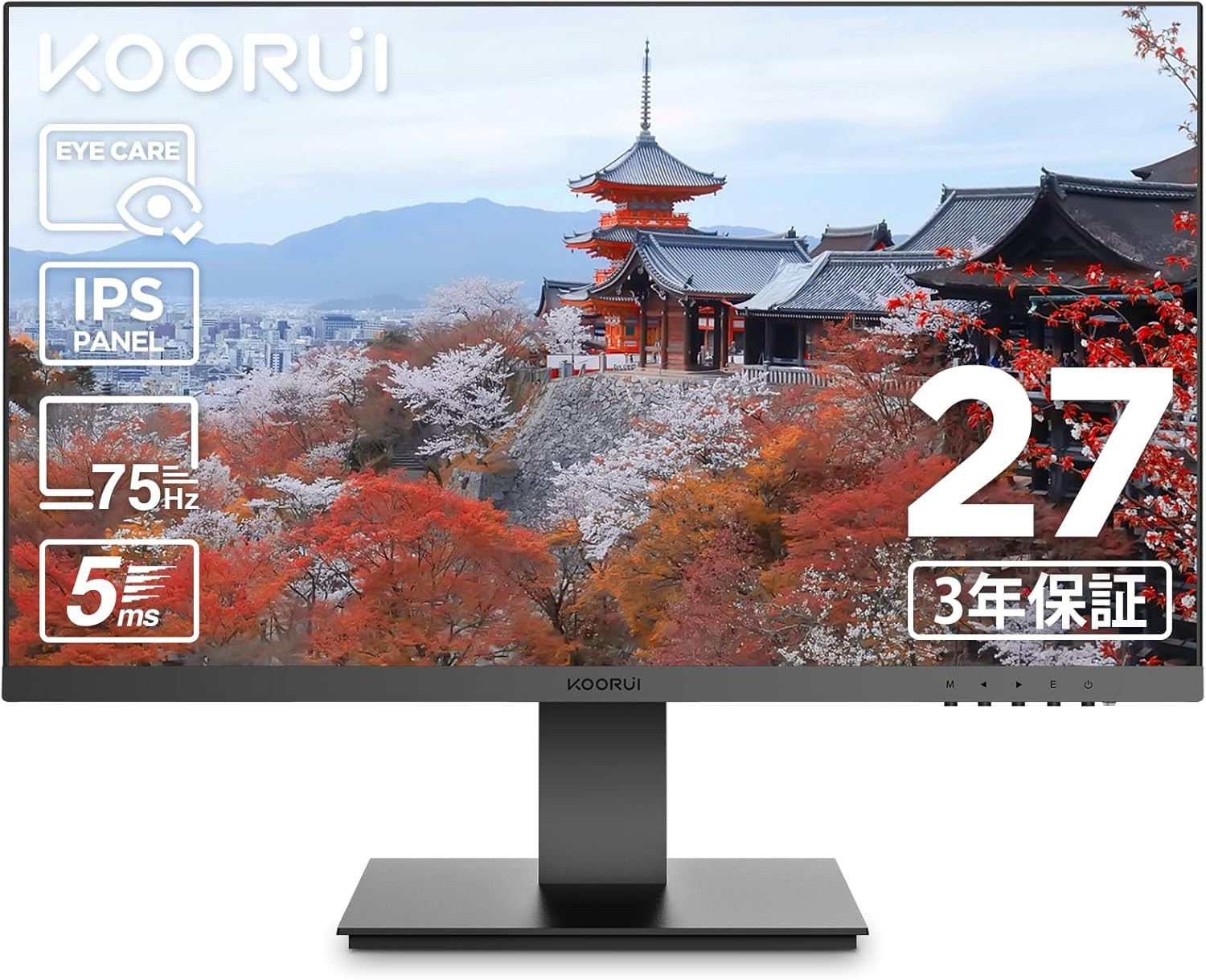
Billede 1.1: Forside view of the KOORUI 27-inch IPS Full HD Monitor.
2. Sikkerhedsoplysninger
For at sikre sikker drift og forhindre skader, bedes du overholde følgende sikkerhedsforanstaltninger:
- Udsæt ikke skærmen for regn, fugt eller ekstreme temperaturer.
- Undgå at placere skærmen i direkte sollys eller i nærheden af varmekilder.
- Sørg for tilstrækkelig ventilation omkring skærmen. Bloker ikke ventilationsåbningerne.
- Brug kun den strømadapter, der følger med skærmen.
- Tag strømkablet ud af stikkontakten under tordenvejr eller når apparatet ikke bruges i længere perioder.
- Do not attempt to open the monitor casing. Overlad al service til kvalificeret personale.
- Hold skærmen væk fra stærke magnetfelter.
3. Pakkens indhold
Bekræft at alle varer er til stede i din pakke:
- KOORUI 27-inch IPS Full HD Monitor (Model 27N1FHD)
- HDMI-kabel (1.5m)
- Strømadapter
- Brugervejledning (denne manual)
- Monitor Stand Base
- Skærmstativsøjle

Billede 3.1: Foran og bagpå view of the KOORUI 27N1FHD monitor, showing ports and VESA mounting points.
4. Opsætningsvejledning
4.1 Samling af stativet
- Placer skærmen med forsiden nedad på en blød, ren overflade for at forhindre ridser.
- Attach the stand column to the back of the monitor until it clicks into place or is secured with screws (if provided).
- Attach the stand base to the bottom of the stand column and secure it with the thumb screw or screws.
- Carefully lift the monitor and place it on a stable, flat surface.
4.2 Tilslutning af skærmen
Skærmen understøtter HDMI- og VGA-tilslutninger.
- Strømtilslutning: Connect the power adapter to the monitor's power input and then plug the adapter into a power outlet.
- Videoforbindelse (HDMI): Connect one end of the provided HDMI cable to the HDMI port on your computer and the other end to the HDMI port on the monitor.
- Videoforbindelse (VGA): Connect a VGA cable (not included) to the VGA port on your computer and the other end to the VGA port on the monitor.

Billede 4.1: Bagside view of the monitor showing VESA mount (75x75mm) and tilt adjustment range (-5° to +15°).
4.3 VESA-montering
This monitor is compatible with VESA 75x75mm mounting standards, allowing for alternative mounting solutions such as wall mounts or monitor arms (sold separately).
- Remove the stand column from the monitor.
- Fastgør din VESA-kompatible montering til de fire skruehuller på bagsiden af skærmen.
- Ensure the screws are tightened securely.

Billede 4.2: Eks.ample of the monitor mounted on a VESA-compatible arm.
5. Betjeningsvejledning
5.1 Tænd/sluk
Tryk på tænd/sluk-knappen nederst til højre på skærmen for at tænde eller slukke den.
5.2 On-Screen Display (OSD) menu
The OSD menu allows you to adjust various display settings. Use the control buttons (usually located on the bottom right or rear of the monitor) to navigate the menu.
- Menu-knap: Åbner OSD-menuen.
- Navigationsknapper: Bruges til at navigere gennem menupunkter (op/ned eller venstre/højre).
- Vælg/Enter-knap: Bekræfter et valg eller åbner en undermenu.
- Afslut-knap: Afslutter den aktuelle menu eller OSD.
5.3 Almindelige OSD-indstillinger
- Lysstyrke/kontrast: Adjusts the overall luminance and contrast of the display.
- Farveindstillinger: Tillader justering af farvetemperatur, gamma og individuelle RGB-niveauer.
- Indgangsvalg: Skift manuelt mellem HDMI- og VGA-indgangskilder.
- Billedtilstand: Pre-set display modes for different content types (e.g., Standard, Game, Movie, Text).
- Eye Care Mode: Activates or adjusts the blue light filter.
- Sprog: Vælger OSD-menusproget.
- Nulstil: Resets all OSD settings to factory defaults.
6. Nøglefunktioner
6.1 Eye Care Technology
The KOORUI 27N1FHD monitor incorporates advanced eye care features to enhance user comfort during prolonged use:
- Flicker-Free (DC Dimming): Utilizes DC dimming technology to eliminate screen flickering, which can cause eye strain and fatigue.
- Lavt blåt lysfilter: Reduces the emission of harmful high-energy short-wave blue light, protecting your eyes and promoting better sleep patterns.

Image 6.1: Visual representation of blue light reduction and flicker-free technology for eye comfort.
6.2 IPS Panel with Full HD Resolution
Experience vibrant colors and sharp details with the IPS (In-Plane Switching) panel and Full HD (1920x1080p) resolution.
- IPS teknologi: Provides consistent and accurate colors from wide viewing angles (178° horizontal and vertical).
- Full HD (1920x1080p): Delivers crisp and clear images for work, entertainment, and general computing.
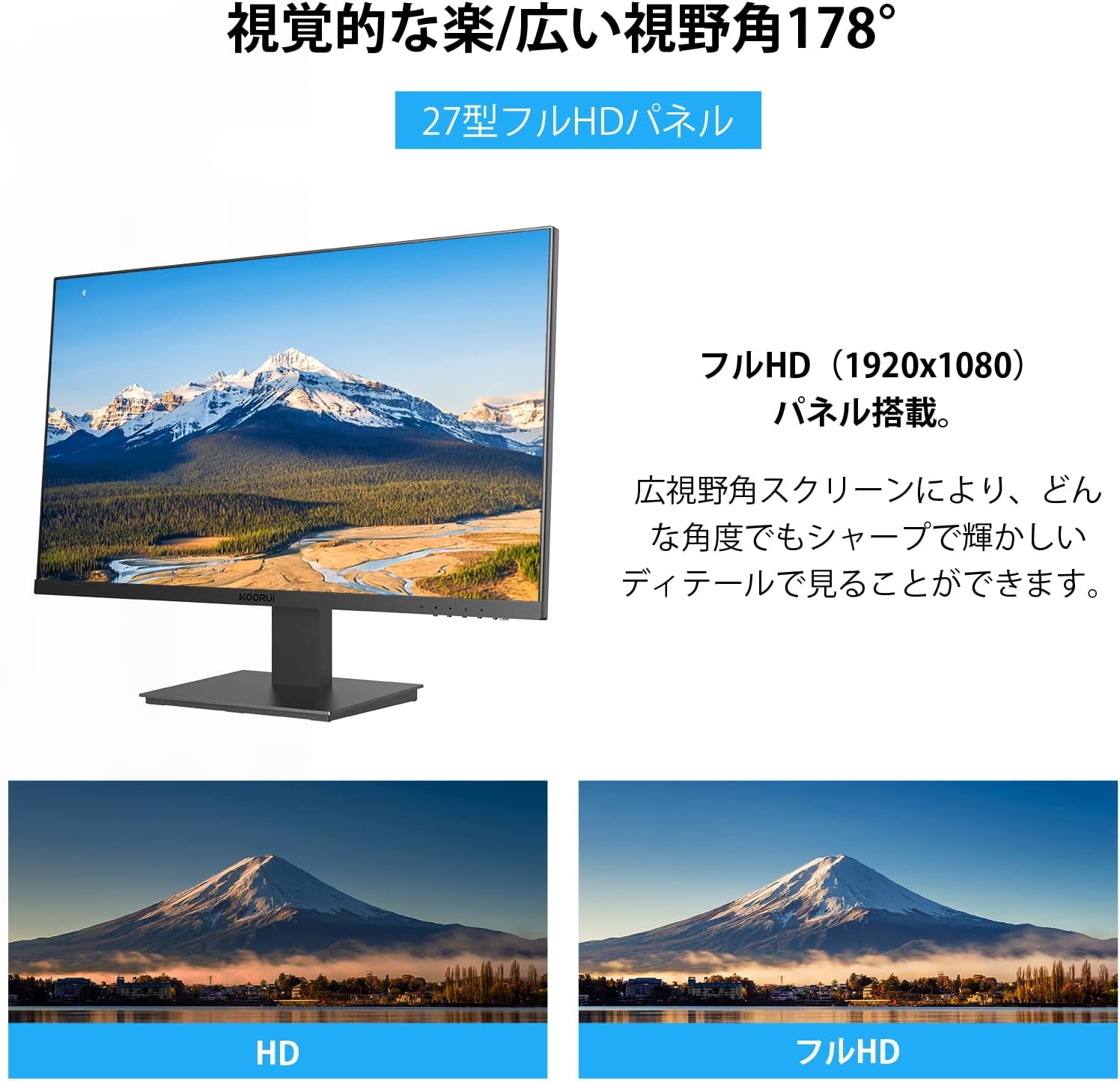
Image 6.2: Illustration of the 178° wide viewing angle and comparison between HD and Full HD image quality.

Image 6.3: Demonstrates the wide 178° viewing angle, allowing multiple viewers to see clear images.
6.3 Ultra-Slim Bezel Design
The monitor features a 3-sided ultra-slim bezel, also known as a "zero-frame design," which maximizes screen space and is ideal for multi-monitor setups.

Billede 6.4: Eks.ample of a multi-monitor setup showcasing the ultra-slim bezel design.

Billede 6.5: Endnu en view of a multi-screen setup, highlighting the seamless visual experience.
6.4 Connectivity and Performance
- Flere grænseflader: Equipped with HDMI and VGA ports for versatile connectivity with various devices like PCs, laptops, and gaming consoles.
- 75 Hz opdateringshastighed: Provides smoother visuals compared to standard 60Hz monitors, beneficial for everyday use and casual gaming.
- 5ms responstid: Reduces motion blur and ghosting, ensuring a clear image during fast-paced scenes.

Image 6.6: The monitor is suitable for diverse applications including office work, graphic design, gaming, and movie watching.
7. Vedligeholdelse
Korrekt vedligeholdelse sikrer din skærms levetid og optimale ydeevne.
- Rengøring af skærmen: Tør forsigtigt skærmen af med en blød, fnugfri klud. Fjern genstridige mærker ved atampen the cloth with a small amount of screen cleaner specifically designed for LCD/LED displays. Do not spray cleaner directly onto the screen.
- Rengøring af Casing: Brug en blød, tør klud til at tørre skærmen afasing. Undgå at bruge slibende rengøringsmidler eller opløsningsmidler.
- Sluk, når den ikke er i brug: Sluk skærmen, når den ikke er i brug i længere perioder, for at spare energi og forlænge dens levetid.
8. Fejlfinding
Hvis du støder på problemer med din skærm, kan du se følgende almindelige problemer og løsninger:
| Problem | Mulig årsag | Løsning |
|---|---|---|
| Intet billede på skærmen |
|
|
| Billedet er sløret eller forvrænget |
|
|
| Skærmen flimrer |
|
|
| No sound (Note: This monitor does not have built-in speakers) |
|
|
Hvis problemet fortsætter efter at have prøvet disse løsninger, bedes du kontakte KOORUIs kundesupport.
9. Specifikationer
| Feature | Detalje |
|---|---|
| Mærke | KOORUI |
| Model | 27N1FHD |
| Skærmstørrelse | 27 tommer |
| Paneltype | IPS |
| Opløsning | 1920x1080 (Full HD) |
| Opdateringshastighed | 75 Hz |
| Svartid | 5 ms |
| Aspektforhold | 16:9 |
| Viewi vinkel | 178° (H) / 178° (V) |
| Overfladebehandling | Non-Glare / Anti-Glare |
| Forbindelse | HDMI, VGA |
| VESA-kompatibilitet | 75 mm x 75 mm |
| Tilt justering | -5° til +15° |
| Indbyggede højtalere | Ingen |
| Øjenplejefunktioner | Flicker-Free (DC Dimming), Low Blue Light Filter |

Image 9.1: Key specifications of the KOORUI 27-inch monitor, including IPS panel, Full HD resolution, 99% sRGB color gamut, and 5ms response time.
10. Garanti og support
KOORUI provides a 3-year free exchange warranty for this product. If you encounter any issues or have questions regarding your monitor, please do not hesitate to contact our customer support team.
For support, please refer to the contact information provided on the KOORUI official webwebstedet eller din købsdokumentation.


