Indledning
The Buffbee Sound Machine with Night Light is designed to create a soothing environment for improved sleep and relaxation. It features 20 non-looping sleep sounds, customizable glow lights with 10 colors, and can be powered by battery or AC adapter, making it suitable for various settings including nurseries, bedrooms, and travel.

Figure 1: Buffbee Sound Machine with Night Light, showcasing its teal light setting.
Sikkerhedsoplysninger
For safe use of your Buffbee Sound Machine, please observe the following guidelines:
- Always inspect the power cord for any signs of fraying or damage before use. Do not use if damaged.
- Use only the recommended batteries (3 AAA, not included) or the provided AC adapter for power.
- Keep the device away from water or any liquids to prevent electric shock or damage.
- This product is not a toy. Ensure children do not play with the device or its components.
- Do not disassemble, repair, or modify the device yourself. Contact customer support for assistance.
- Place the device on a stable, flat surface to prevent it from falling.
Opsætning
The Buffbee Sound Machine offers flexible power options for your convenience.
Strømforsyning til enheden:
- AC-adapter strøm: Connect the included AC adapter to the device's power input port and then plug it into a standard wall outlet. This is recommended for continuous use.
- Batteristrøm: For portable use, insert 3 AAA batteries (not included) into the battery compartment located at the bottom of the device. Ensure correct polarity.

Figure 2: The compact design allows for easy portability, powered by batteries for on-the-go use.
Betjeningsvejledning
Familiarize yourself with the control buttons on the front of the device for optimal use.

Figure 3: The sound machine offers a selection of 20 soothing sounds, including various white noises, fan sounds, and nature sounds.
Kontrol overview:

Figur 4: Intern view highlighting the spatial audio feature for enhanced sound quality.

Figur 5: Detaljeret view of the control panel, indicating functions for each button.
- Tænd/sluk-knap (⏻): Tryk for at tænde eller slukke enheden.
- Sound Selection (⏮ / ⏭): Use these buttons to cycle through the 20 available sleep sounds.
- Lysknap (💡): Press to turn the night light ON/OFF or to change between the 10 available colors.
- Brightness Control (☀): Adjust the brightness of the night light.
- Volume Control (🔈 / 🔊): Increase or decrease the sound volume.
- Sleep Timer (⏳): Set the device to automatically turn off after 30, 60, or 90 minutes. You can also choose continuous play.
Step-by-Step Operation:
- Tænd: Press the Power button (⏻) to activate the sound machine and night light.
- Vælg lyd: Use the Sound Selection buttons (⏮ / ⏭) to browse through the 20 soothing sounds until you find your preferred one.
- Juster lydstyrken: Use the Volume Control buttons (🔈 / 🔊) to set the desired sound level.
- Control Night Light:
- Press the Light button (💡) to turn the light on or off.
- Press the Light button repeatedly to cycle through the 10 available colors.
- Use the Brightness Control button (☀) to adjust the light intensity.
- Indstil Sleep Timer: Press the Sleep Timer button (⏳) to select a shut-off time (30, 60, or 90 minutes) or to enable continuous play. The indicator lights will show the selected timer setting.
- Sluk: Press the Power button (⏻) again to turn off the device.
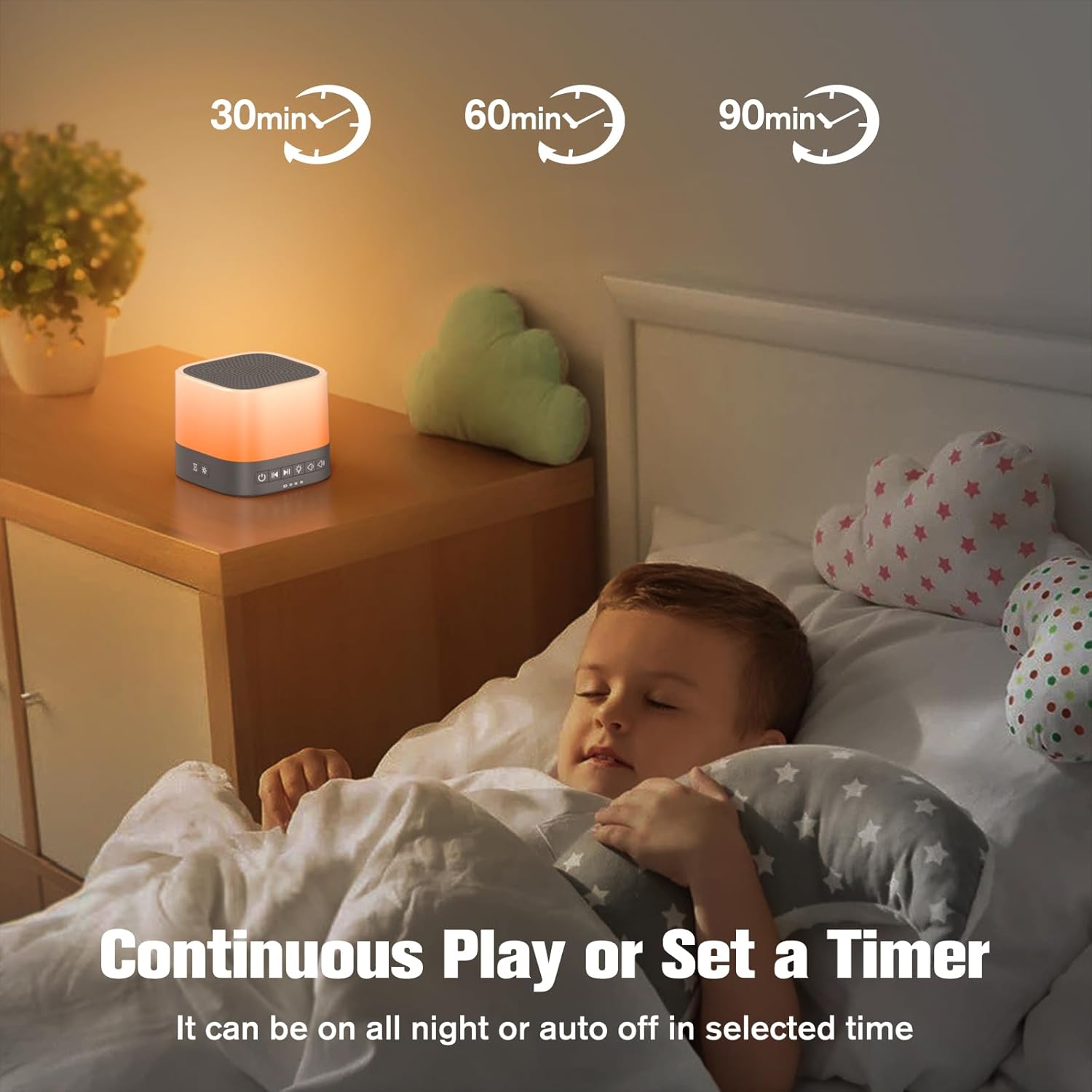
Figure 6: The sleep timer function allows for automatic shut-off after a set duration, or continuous play.
Opretholdelse
Proper maintenance ensures the longevity and optimal performance of your sound machine.
- Rensning: Wipe the device with a soft, dry cloth. Do not use abrasive cleaners, solvents, or immerse in water.
- Opbevaring: Når enheden ikke er i brug i længere perioder, skal den opbevares køligt og tørt, væk fra direkte sollys og ekstreme temperaturer. Fjern batterierne, hvis den opbevares i længere tid.
- Udskiftning af batteri: Replace AAA batteries when the device's performance diminishes or if it fails to power on with batteries.
Fejlfinding
If you encounter issues with your Buffbee Sound Machine, try the following troubleshooting steps:
| Problem | Mulig årsag | Løsning |
|---|---|---|
| Enheden tændes ikke. | No power, dead batteries, or faulty adapter. | Ensure AC adapter is securely plugged in. If using batteries, replace with fresh ones. |
| Ingen lyd eller lav lydstyrke. | Volume too low or sound not selected. | Increase volume using the volume up button. Ensure a sound is selected. |
| Natlyset virker ikke. | Light turned off or brightness set to minimum. | Press the Light button to turn it on. Adjust brightness using the brightness control. |
| Lydkvaliteten er dårlig. | Interference or device placement. | Move the device away from other electronic devices that may cause interference. Ensure it's on a stable surface. |
If the issue persists after attempting these steps, please contact Buffbee customer support for further assistance.
Specifikationer
| Feature | Detalje |
|---|---|
| Modelnavn | Buffbee Sound Machine with Night Light |
| Varemodelnummer | AK5 |
| Mærke | BUFFBEE |
| Strømkilde | Battery Powered (3 AAA, not included) or AC Adapter |
| Materiale | Plast |
| Lydindstillinger | 20 Non-Looping Soothing Sleep Sounds |
| Nattelys farver | 10 Customizable Glow Lights |
| Timer indstillinger | 30, 60, 90 minutes, or Continuous Play |
| Pakkedimensioner | 5.47 x 4.02 x 3.46 tommer |
| Varens vægt | 11.99 ounce |
Garanti og support
For warranty information or technical support, please contact BUFFBEE customer service. Refer to the product packaging or the official BUFFBEE webwebsted for kontaktoplysninger.
Online support: Visit the BUFFBEE Store on Amazon


