1. Introduktion
This manual provides detailed instructions for the installation, operation, and maintenance of your ATOTO S8G2B74MS 7-inch Android Car Stereo. The S8G2B74MS is an advanced double DIN head unit featuring a QLED display, Android 10.0 operating system, and a wide array of connectivity and entertainment options designed to enhance your driving experience.
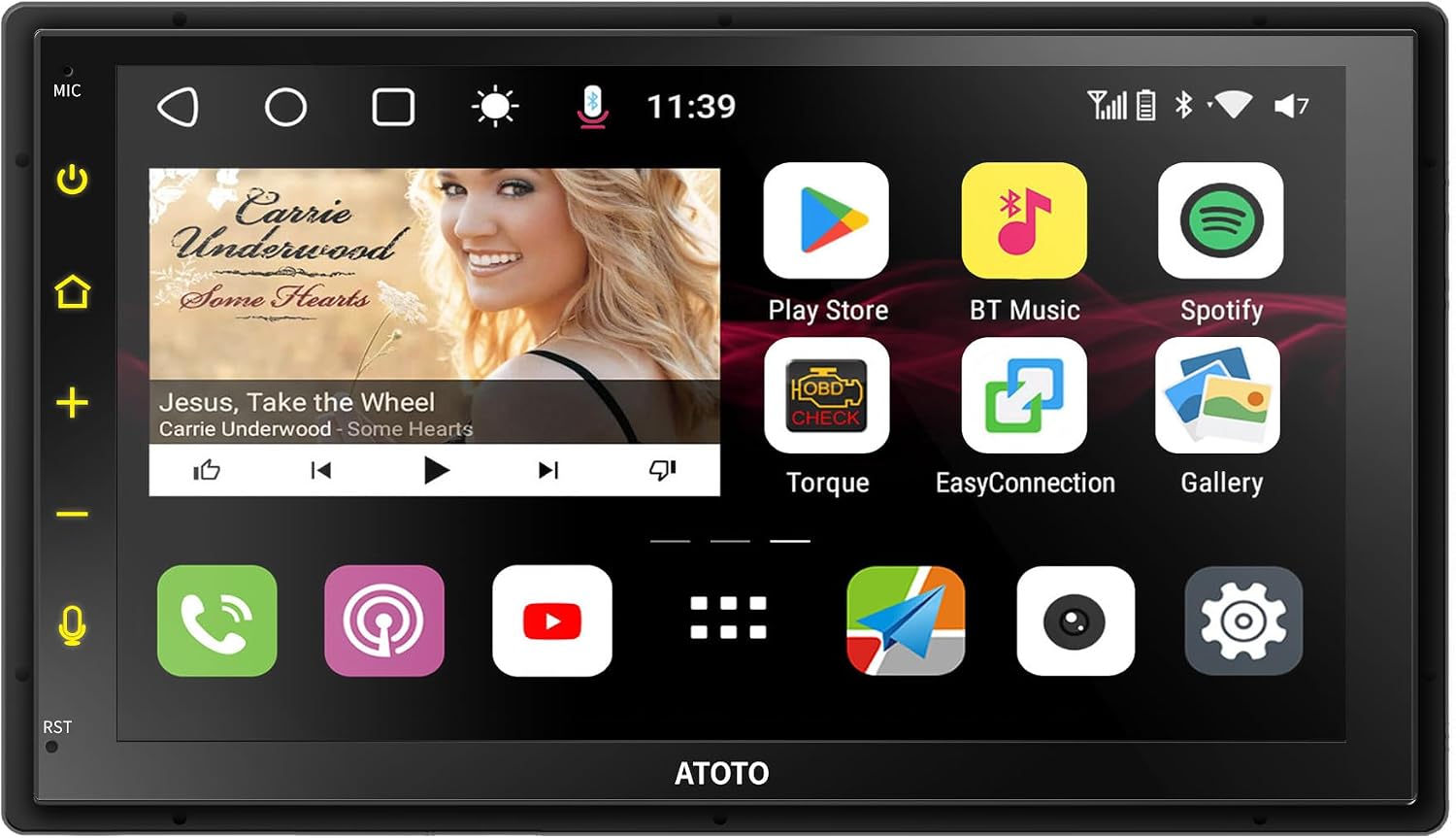
Figure 1: Main interface of the ATOTO S8G2B74MS Car Stereo.
2. Nøglefunktioner
- Vise: 7-inch 1024*600 QLED 5-Touch Capacitive Touchscreen with 178° viewing angle and anti-glare technology.
- Præstation: UIS 7862 ARM Cortex Octa-Core (up to 1.8GHz) CPU with ARM Mali-G52 MP2 GPU, 12nm manufacturing process, 4GB RAM, 32GB ROM.
- Operativsystem: ATOTO AICE UI 11.0, based on Android Q (10.0).
- Internetadgang: Built-in 4G LTE cellular modem (Micro SIM slot), Wi-Fi hotspot, Bluetooth tethering, USB tethering.
- Lydbehandling: Built-in Digital Signal Processor (DSP) with 9 EQ modes, 32 adjustable frequency bands (16 front, 16 rear), Time Correction, Bass Boost, Sound Field, Crossover. Max 4*45W BTL Amplifier with RMS 4*24W.
- Bluetooth: Dual Bluetooth (BT1 5.0 for HFP/HSP/A2DP/AVRCP/PBAP; BT2 4.1 for internet tethering, OBD2, TPMS, gamepad).
- Smartphone-integration: Wired/Wireless CarPlay, Wired/Wireless Android Auto, CarbitLink (Phone Mirroring).
- Navigation & Tracking: Built-in GPS Receiver, Google Maps (default), TrackHU GPS Tracking app.
- Kameraindgange: HD 720P bagview camera input (supports AC-HD02LR/AC-HD03LR for LRV & VSV), Front camera video input (FCAM).
- Andre funktioner: Fast System Boot (within 2 seconds), Split Screen Display, Digital Photo Frame, Speed Compensated Volume Control (SCVC), USB network tethering, Steering Wheel Control compatibility, USB TPMS support, Bluetooth OBD II scanner support, Video Output Adaptors (sold separately).
3. Opsætning
3.1. Installation
The S8G2B74MS utilizes the UDH07D mounting style, designed for universal double-DIN head units with a 7-inch display. It is compatible with most double-DIN dash kits (e.g., Metra, PAC) that provide a 174mm*98mm opening. An extra frame adapter is included to extend the size to 178mm*101.5mm if needed.

Figure 2: Dimensions and double-DIN compatibility of the S8G2B74MS.
Ledningsdiagram
Refer to the detailed wiring diagram for proper connection of power, speakers, cameras, and other peripherals. Ensure all connections are secure before powering on the unit.

Figure 3: Comprehensive wiring diagram for the S8G2B74MS.
3.2. Indledende konfiguration
Upon first boot, the system will load within approximately 2 seconds. You can customize the interface layout, skin themes, and app management to your preference using the ATOTO AICE UI 11.0.
4. Betjeningsvejledning
4.1. Display and Touch Control
The 7-inch QLED display offers a 178° viewing angle and anti-glare technology for clear visibility in various lighting conditions. The 5-touch capacitive touchscreen supports smooth controls like pinch-to-zoom, swipe, and scroll. The unit also supports six touch gestures for quick access to multi-task menus, EQ modes, and screen brightness adjustment.

Figure 4: Touch gestures for enhanced control.
4.2. Smartphone-integration
The S8G2B74MS supports both wired and wireless CarPlay and Android Auto, allowing seamless integration of your smartphone for navigation, music, calls, and messages. The CarbitLink app is pre-installed for phone mirroring, supporting both iOS and Android devices via USB or Wi-Fi.

Figure 5: Wireless CarPlay and Android Auto integration.
4.3. Lydfunktioner
The built-in Digital Signal Processor (DSP) allows for precise audio customization. You can adjust the 32-band equalizer (16 bands for front, 16 for rear), set time correction for optimal sound staging, boost bass, define sound fields, and configure crossovers for your subwoofer and speakers. The Speed Compensated Volume Control (SCVC) automatically adjusts the system volume based on vehicle speed (effective at 50mph or higher) to counteract road noise.

Figure 6: Digital Signal Processor and audio customization options.
4.4. Internetforbindelse
The S8G2B74MS offers four methods for internet access: built-in 4G LTE cellular modem (requires Micro SIM with data plan), Wi-Fi hotspot connection, Bluetooth tethering, and USB tethering. These options allow you to stream music, use online maps, and access a wide range of apps from the Google Play Store.

Figure 7: Internet connectivity options.
4.5. Bluetooth-funktioner
With dual Bluetooth chips, the unit supports simultaneous connections. Bluetooth 1 handles hands-free calls (HFP/HSP), A2DP audio streaming, and voice assistant activation (Siri, Google Assistant). Bluetooth 2 is used for internet tethering, connecting to Bluetooth OBD2 scanners, TPMS, or gamepads. A Bluetooth unlocking feature allows automatic screen unlock when your paired phone is reconnected, securing your accounts.
4.6. Navigation and Tracking
The built-in GPS receiver module with an external GPS antenna ensures accurate positioning. Google Maps is installed as the default navigation app, and other navigation apps can be installed from the Google Play Store. The exclusive TrackHU app provides real-time GPS tracking, track playback, geofence alerts, and more for vehicle location and security.
4.7. Kamerasystemer
The S8G2B74MS supports HD 720P rearview camera input. When paired with specific ATOTO cameras (AC-HD02LR or AC-HD03LR, sold separately), it enables Live RearView (LRV) to view behind the vehicle while moving forward, and Virtual Surround View (VSV) for a 360-degree parking assistance view. A front camera input (FCAM) is also available for real-time front view overvågning.

Figure 8: HD Parking and Live Rear View kapaciteter.
4.8. Betjening på rattet
The unit is compatible with most original steering wheel controls, allowing you to learn and customize functions through the infotainment system. If your vehicle lacks steering wheel controls, the ATOTO AC-44F8 wireless remote (sold separately) is recommended for convenient operation.
4.9. Tilslutning af eksterne enheder
The S8G2B74MS features two USB interfaces for data communication, supporting external storage devices up to 2TB. It also supports optional USB devices like the ATOTO AC-UTP1 USB TPMS (Tire Pressure Monitoring Sensor) for real-time tire pressure monitoring, and the ATOTO AC-4450 Bluetooth OBD II scanner/Code Reader for vehicle diagnostics. Video output adaptors (AC-AHV68: USB to HDMI; AC-AHV48: USB to RCA, sold separately) allow connection to headrest monitors.
4.10. Delt skærmvisning
The split-screen display feature allows you to run two applications simultaneously, such as a navigation map and a media player, enhancing multitasking capabilities.
5. Vedligeholdelse
5.1. Firmwareopdateringer
ATOTO regularly rolls out system firmware updates for the S8G2B74MS. These updates are available Over-The-Air (OTA) via the FindApps application. Regularly updating your device ensures optimal performance, bug fixes, and access to new features.
6. Fejlfinding
- Problemer med Bluetooth-forbindelse: Ensure both Bluetooth 1 and Bluetooth 2 are enabled and visible. For internet access, verify phone tethering settings.
- SIM-kort virker ikke: Confirm the SIM card is Micro SIM size and has an active data plan. Check if your carrier's frequency bands are supported by the unit (2G: GSM 850, 900, 1900; 3G WCDMA: B1, B2, B4, B5, B8; 4G LTE: B1, B2, B4, B5, B7, B8, B12, B13, B17, B19, B25, B26, B38, B41).
- CarPlay/Android Auto-forbindelse: For wired connections, use the factory/original USB cable that came with your phone. Ensure the CarbitLink app is updated.
- Skærmresponsivitet: If the touchscreen is unresponsive, perform a system restart. Ensure the screen is clean and free from debris.
- Problemer med lydoutput: Verify DSP and EQ settings. Check speaker wiring and connections.
7. Specifikationer
| Feature | Specifikation |
|---|---|
| Pakkedimensioner | 8.98 x 5.75 x 5.59 tommer |
| Varens vægt | 3.3 pund |
| ASIN | B0C28DNWM8 |
| Varemodelnummer | S8G2B74MS |
| Mærke | ATOTO |
| Forbindelsesteknologi | Bluetooth |
| Controller type | Android |
| Speciel funktion | Touchskærm |
| Kompatible enheder | Smartphone, højttaler |
| Connector Type | USB |
| Lydudgangstilstand | Stereoanlæg |
| Surround Sound Kanalkonfiguration | 2.1 |
| Videokodning | H.264, H.265/HEVC, MPEG-4 osv. |
| Farve | Sort |
| Fabrikant | ATOTO |
| Dato først tilgængelig | 13. april 2023 |
8. Garanti og support
The ATOTO S8G2B74MS comes with 12 months of product care, extendable by an additional 6 months upon registration. For technical assistance, firmware updates, or any inquiries, please refer to the support information provided in your product packaging or visit the official ATOTO website. Updates are also available via the FindApps application on your device.
You can also seek help via your order center, eproductcase, or support@atotoglobal.com.
9. Officiel produktvideo
Se den officielle produktvideo for et visuelt overblikview of the ATOTO S8G2B74MS features and functionalities.
Video: ATOTO S8 MS Android Double Din Car Stereo Overview. This video demonstrates the key features and user interface of the ATOTO S8G2B74MS car stereo.


