1. Introduktion
This manual provides detailed instructions for the installation, operation, and maintenance of your Energeeks Guardian EG-CIPEXT002 Outdoor WiFi IP Camera. This camera is designed for outdoor surveillance, offering features such as high-resolution video, motion detection with human filtering, two-way audio, and night vision. Please read this manual thoroughly before using the product to ensure proper functionality and safety.
2. Sikkerhedsoplysninger
- Sørg for, at strømforsyningen er afbrudt før installation eller vedligeholdelse.
- Brug kun den strømadapter, der følger med kameraet.
- Do not expose the camera to extreme temperatures or corrosive environments.
- Avoid placing the camera in direct sunlight for prolonged periods, as this may affect performance.
- Sørg for, at alle kabler er korrekt fastgjort for at forhindre snublefare eller beskadigelse.
- This product is rated IP65 for water resistance, meaning it is protected against dust and low-pressure water jets. Do not submerge the camera in water.
3. Pakkens indhold
Bekræft at alle varer er til stede i pakken:
- Energeeks Guardian EG-CIPEXT002 IP Camera
- Vægmonteringsbeslag
- Power Adapter (Transformer)
- Monteringsskruer og vægdyvler
- Brugervejledning (dette dokument)

Image: The product box for the Energeeks Guardian EG-CIPEXT002 camera, showing the camera and its features.
4. Opsætning og installation
4.1 Fysisk installation
- Vælg en placering: Vælg en udendørs placering, der giver den ønskede viewing angle and is within range of your Wi-Fi network. Ensure the camera is mounted securely and has access to a power outlet.
- Monter beslaget: Use the provided wall mounting bracket, screws, and wall plugs to securely attach the bracket to the chosen surface.
- Fastgør kameraet: Secure the camera to the mounted bracket.
- Tilslut strøm: Tilslut strømadapteren til kameraet, og sæt den i en passende udendørs stikkontakt.
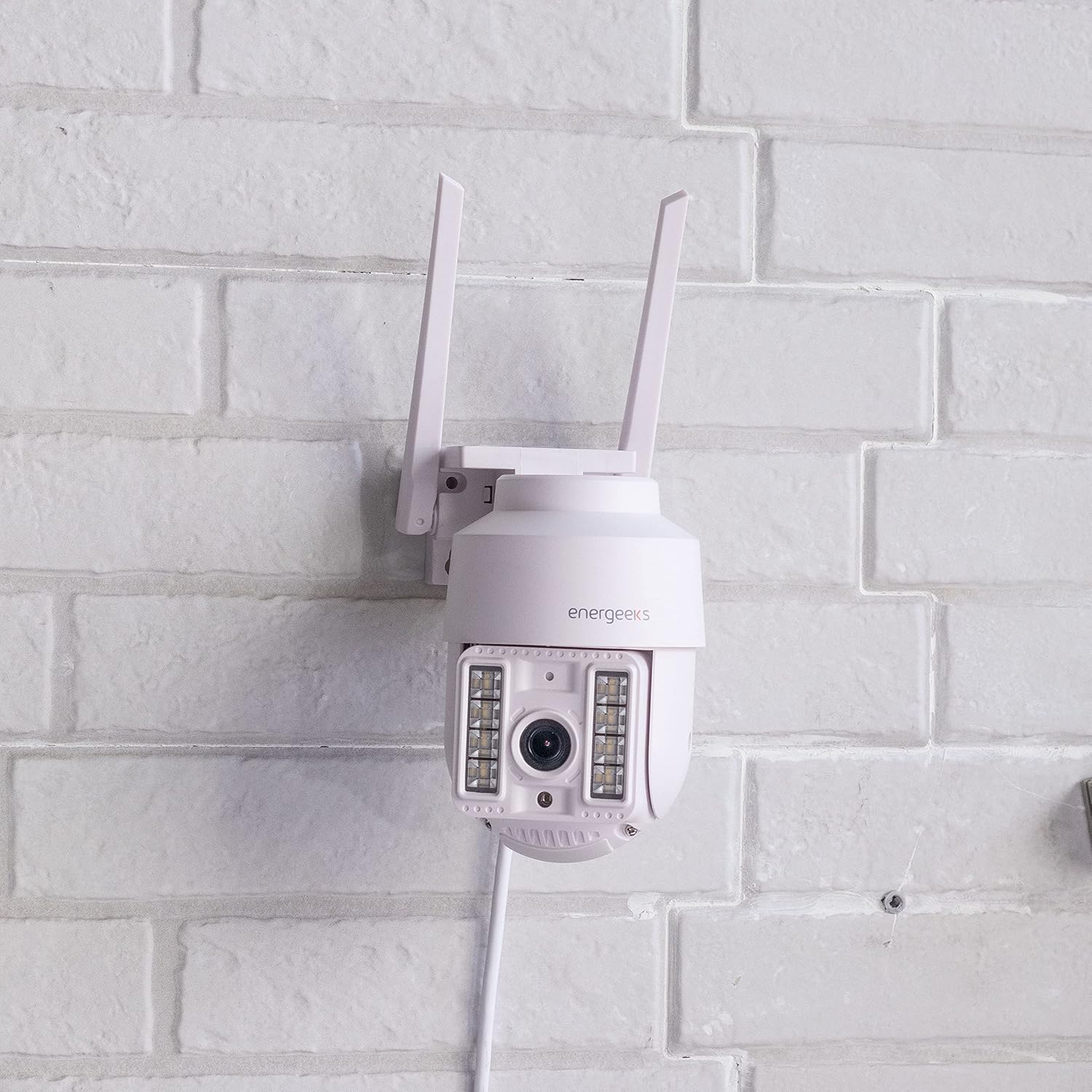
Image: The Energeeks Guardian EG-CIPEXT002 camera mounted on a white brick wall, showing its outdoor installation.

Image: The Energeeks Guardian EG-CIPEXT002 camera mounted on a white brick wall, with its integrated lights illuminated.
4.2 Netværksforbindelse
- Download appen: Søg efter the "Energeeks 3.0" app on Google Play Store or Apple App Store and install it on your smartphone.
- Opret en konto: Åbn appen, og følg instruktionerne på skærmen for at oprette en ny brugerkonto eller logge ind, hvis du allerede har en.
- Tilføj enhed: In the app, select "Add Device" or the "+" icon. Choose "Security Camera" or the relevant camera type.
- Opret forbindelse til Wi-Fi: Follow the app's instructions to connect the camera to your 2.4GHz Wi-Fi network. This typically involves scanning a QR code displayed on your phone with the camera.
- (Valgfrit) Kablet forbindelse: The camera also supports an RJ45 Ethernet connection for a stable wired network connection. Connect an Ethernet cable from your router to the camera's RJ45 port.
5. Betjeningsvejledning
5.1 Live View og kontrol
- Open the Energeeks 3.0 app and select your camera from the device list.
- You will see a live feed from the camera.
- Brug skærmknapperne til at panorere (355° vandret) og vippe (90° lodret) kameralinsen for at justere viewvinkel.
5.2 Nøglefunktioner
- Video i høj opløsning: Records in Super HD 3 Megapixel (1296p) resolution for clear images.
- Motion Detection with Human Filter: The camera detects movement and can specifically filter for human shapes, reducing false alarms. Notifications are sent to your smartphone upon detection.
- Nattesyn: Equipped with infrared LEDs for clear vision in low-light conditions. Integrated lights can also be activated.
- Tovejs lyd: Use the app to listen to the camera's surroundings and speak through the camera's built-in speaker.
- Lokal opbevaring: Supports recording to a MicroSD card (not included). Insert the card into the designated slot on the camera.
- Cloud Storage: Optional cloud storage service is available (subscription required) for secure off-site video backup.
- Integreret sirene: The camera features an integrated siren that can be activated manually or automatically upon detection to deter intruders.
- Smart Home Integration: Compatible with Google Home and Amazon Alexa for voice control and integration into smart home routines.
6. Vedligeholdelse
- Rensning: Rengør kameralinsen og huset med jævne mellemrum med en blød kludamp klæde. Brug ikke skrappe kemikalier eller slibende rengøringsmidler.
- Firmwareopdateringer: Check the Energeeks 3.0 app regularly for available firmware updates. Keeping the firmware updated ensures optimal performance and security.
- Kabelinspektion: Regularly inspect power and network cables for any signs of wear or damage. Replace damaged cables immediately.
7. Fejlfinding
| Problem | Mulig årsag | Løsning |
|---|---|---|
| Kameraet opretter ikke forbindelse til Wi-Fi | Forkert Wi-Fi-adgangskode; Kameraet er for langt fra routeren; Routeren er kun på 5 GHz; Netværksforstyrrelser. | Verify Wi-Fi password; Move camera closer to router; Ensure router supports 2.4GHz (camera only supports 2.4GHz); Reduce interference from other devices. |
| Dårlig billedkvalitet | Dirty lens; Low light conditions; Poor network connection. | Clean the camera lens; Ensure night vision is active in low light; Check Wi-Fi signal strength or use wired connection. |
| Bevægelsesdetektion virker ikke | Motion detection disabled in app; Sensitivity set too low; Incorrect detection zone. | Enable motion detection in the app settings; Adjust sensitivity; Configure detection zones correctly. |
| Tovejslyd fungerer ikke | Microphone/speaker muted in app; App permissions not granted. | Check audio settings in the app; Ensure the app has microphone permissions on your phone. |
8. Specifikationer
| Feature | Detalje |
|---|---|
| Modelnummer | EG-CIPEXT002 |
| Videooptagelsesopløsning | 1296p (3 Megapixel Super HD) |
| Pan / Tilt bevægelse | 355° Vandret / 90° Lodret |
| Vandmodstandsvurdering | IP65 |
| Forbindelsesteknologi | Wi-Fi (2.4GHz), RJ45 Ethernet |
| Særlige funktioner | Two-way audio, Motion detection with human filter, Night vision, Integrated siren, Integrated lights |
| Kompatible enheder | Google Home, Amazon Alexa |
| Strømkilde | El-kabel |
| Dimensioner (L x B x H) | 12 x 14 x 18 cm |
| Vægt | 570 gram |
| Komponenter inkluderet | Camera, Wall Mounting Bracket, Power Adapter |
9. Garanti og support
For warranty information and technical support, please refer to the documentation provided with your purchase or visit the official Energeeks website. Information regarding spare parts availability is not provided at this time. Please retain your proof of purchase for warranty claims.


