1. Produktet er slutview
The EMEET Luna Plus Kit is a comprehensive conference speakerphone system designed for clear and efficient communication in various meeting environments. It features an advanced microphone array, robust noise reduction, and flexible connectivity options to ensure high-quality audio for all participants.

Image: The EMEET Luna Plus Kit, showing the main speakerphone unit, the satellite microphone, and the USB dongle for wireless connection.
Key features include an 8+1 microphone array for 360° voice pickup, VoiceIA noise reduction technology, daisy-chaining capability for larger meetings, a powerful 5W speaker, and broad compatibility with leading conferencing platforms.
2. Pakkens indhold
Before setup, please verify that all items are present in the package:
- EMEET OfficeCore Luna Plus Meeting Kit (Main Speakerphone Unit)
- Satellite Microphone (Expansion Mic)
- USB Cable C-C (3ft)
- Dongle A350
- C-A Adapter
- Brugervejledning (dette dokument)
- Sikkerhedsvejledning

Image: An illustration of all components included in the EMEET Luna Plus Kit package.
3. Opsætning og tilslutning
The EMEET Luna Plus Kit offers multiple connection methods for versatility.
3.1 Tænd
Press and hold the power button on the main speakerphone unit until the indicator lights illuminate.
3.2 Connecting the Satellite Microphone
Connect the satellite microphone to the main unit using the provided cable. This expands the voice pickup range for larger meeting spaces.
3.3 Tilslutningsmetoder
Choose one of the following methods to connect the device to your computer or mobile device:
- USB-forbindelse: Connect the main unit directly to your computer using the USB-C to USB-C cable. Use the C-A adapter if your computer only has USB-A ports. This is a plug-and-play connection, requiring no drivers.
- Bluetooth-forbindelse:
- Turn on the Luna Plus Kit.
- Press and hold the Bluetooth button on the main unit until the Bluetooth indicator light flashes blue, indicating pairing mode.
- On your device (smartphone, tablet, computer), search for Bluetooth devices and select "EMEET Luna Plus Kit" to connect.
- Dongle Connection (USB A350):
- Plug the A350 USB dongle into an available USB port on your computer.
- Turn on the Luna Plus Kit. The device will automatically connect to the dongle, indicated by a solid blue light on the dongle. This provides a stable, low-latency wireless connection.

Image: Visual representation of the easy connection options: USB, Bluetooth 5.3, and the dedicated USB dongle.
4. Betjeningsvejledning
4.1 Grundlæggende kontroller
The main unit features intuitive buttons for common functions:
- Power knap: Tryk og hold for at tænde/slukke.
- Lydstyrke op/ned: Juster højttalerlydstyrken.
- Slå mikrofon fra: Toggle microphone mute on/off. The indicator lights will change to red when muted.
- Besvar/afslut opkald: Manage calls when connected to a phone.
- Bluetooth knap: Press to enter pairing mode or disconnect.
4.2 Voice Pickup and Noise Reduction
The Luna Plus Kit utilizes an 8+1 omnidirectional microphone array to capture voices from all directions (360°). The integrated VoiceIA Algorithm actively reduces background noise such as air conditioning, keyboard clicks, and other ambient sounds, ensuring clear communication.

Image: Illustration of the 8+1 microphone setup providing 360° voice pickup for enhanced audio experience in a conference setting.

Image: A visual explanation of VoiceIA Noise Reduction, demonstrating how various background noises are filtered out to deliver clean and natural sound.
4.3 Daisy Chain-funktionalitet
For larger meetings with up to 25 attendees, two Luna Plus Kits can be daisy-chained together using an EMEET Daisy-Chain cable (sold separately). This wired connection ensures stable and interference-free audio expansion.

Image: A conference room setup illustrating how two Luna Plus Kits can be connected via daisy chain to cover up to 25 people.
4.4 Speaker Performance
The integrated 5W speaker delivers clear and powerful audio, with a maximum volume of 89 dB, ensuring that all participants can hear clearly.

Billede: En detaljeret view of the 5W ultra-clear speaker, highlighting its capability to provide great clarity for every attendee.
4.5 Kompatibilitet
The EMEET Luna Plus Kit is broadly compatible with various operating systems and leading conferencing platforms, including Windows, macOS, Android, iOS, Zoom, Microsoft Teams, Skype for Business, Facetime, Webex Meetings, and GoTo Meeting.

Image: The EMEET Luna Plus Kit demonstrating its compatibility with popular meeting platforms and operating systems.
5. Vedligeholdelse
To ensure the longevity and optimal performance of your EMEET Luna Plus Kit, follow these maintenance guidelines:
- Rensning: Use a soft, dry cloth to wipe the surface of the device. Avoid using abrasive cleaners, solvents, or strong chemicals, as they may damage the finish or internal components.
- Opbevaring: Store the device in a cool, dry place away from direct sunlight and extreme temperatures. When not in use for extended periods, ensure the device is fully charged before storage and recharge it periodically to maintain battery health.
- Håndtering: Handle the device with care. Avoid dropping it or subjecting it to strong impacts, which can damage internal circuitry.
- Kabelstyring: Keep cables neatly organized and avoid sharp bends or kinks that could damage the wiring.
6. Fejlfinding
If you encounter issues with your EMEET Luna Plus Kit, refer to the following common troubleshooting steps:
- Ingen lyd/Mikrofonen virker ikke:
- Ensure the device is powered on and properly connected (USB, Bluetooth, or Dongle).
- Check the volume levels on both the Luna Plus Kit and your connected device.
- Verify that the microphone is not muted (check the mute indicator light).
- Confirm that the Luna Plus Kit is selected as the default audio input/output device in your computer's sound settings or conferencing software.
- If using Bluetooth, try disconnecting and re-pairing the device.
- Dårlig lydkvalitet/ekko:
- Ensure the device is placed on a flat, stable surface and not obstructed.
- Reducer baggrundsstøj i omgivelserne.
- Update the device firmware using the eMeetLink software (see section 6.1).
- Adjust microphone gain settings via eMeetLink if voices are too quiet or distorted.
- Problemer med Bluetooth-forbindelse:
- Ensure the Luna Plus Kit is in pairing mode (flashing blue light).
- Make sure your device's Bluetooth is enabled and within range (up to 66 feet).
- Remove "EMEET Luna Plus Kit" from your device's Bluetooth history and try pairing again.
- If using the dongle, ensure it is properly inserted and its indicator light is solid blue.
- Daisy Chain Not Working:
- Ensure you are using an official EMEET Daisy-Chain cable.
- Verify that both Luna Plus Kits are powered on and the cable is securely connected to the "LINK" ports on both units.
6.1 eMeetLink Software
For advanced settings, firmware updates, and fine-tuning of your Luna Plus Kit, download and install the eMeetLink software from the official EMEET website. This software allows you to customize various parameters such as microphone gain, standby time, and Bluetooth settings.

Image: The eMeetLink software interface, providing options to adjust device settings and update firmware.
7. Specifikationer
| Feature | Detalje |
|---|---|
| Modelnavn | Luna Plus sæt |
| Højttaler type | Satellit |
| Særlige funktioner | Bluetooth, Echo Cancellation, USB Port, Wireless |
| Kompatible enheder | Keyboard, Smartphone (and various conferencing platforms) |
| Controller type | Batteridrevet |
| Surround Sound Kanalkonfiguration | 2.0 |
| Farve | Luna PLUS Kit Grey |
| Batterilevetid | 10 timer |
| Inkluderede komponenter | Battery, USB Cable |
| Produktdimensioner | 1.43" D x 5.11" B x 5.11" H |
| Varens vægt | 14.4 ounce |
| Er vandtæt | FALSK |
| Batterikapacitet | 2600 mioamp Timer |
| Opladningstid | 4 timer |
| Maksimal rækkevidde (Bluetooth) | 66 fod |
| Kontrolmetode | Stemme |
| Trådløs kommunikationsteknologi | Bluetooth |
| Højttaler størrelse | 5.11 tommer |
| Strømkilde | Batteridrevet |
| Signal-støjforhold | 89 dB |
| Forbindelsesprotokol | Bluetooth, USB |
| Fabrikant | Shenzhen eMeet technology Co.,Ltd. |
| Forbindelsesteknologi | Bluetooth, Daisy Chain, Dongle, USB |
| Lydudgangstilstand | Stereoanlæg |
| Monteringstype | Bordplademontering |

Image: A detailed comparison table highlighting the superior specifications of the EMEET Luna Plus Kit.
8. Garanti og support
8.1 Garantioplysninger
The EMEET Luna Plus Kit comes with a Begrænset garanti. Please refer to the official EMEET website or the included safety guide for detailed warranty terms and conditions. EMEET typically offers a 2-year exclusive warranty for its products.
8.2 Kundesupport
EMEET is committed to providing excellent customer service. For technical assistance, product inquiries, or support, please contact the EMEET professional technical team. They aim to provide quick replies within 24 hours and offer lifetime professional technical support.
You can find contact information and additional resources on the official EMEET webwebsted: www.emeet.com
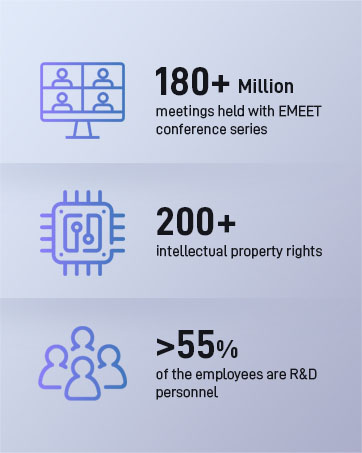
Image: EMEET's commitment to customer support, including 24-hour response, 2-year warranty, and lifetime technical assistance.


