
1. Introduktion
Thank you for choosing the Saiyin 24-inch Sound Bar. This manual provides detailed instructions for setting up, operating, and maintaining your new sound bar to ensure optimal performance and longevity. Please read this manual thoroughly before use and retain it for future reference.

Image: The Saiyin 24-inch Sound Bar shown with its included remote control, highlighting its sleek black design.
2. Sikkerhedsoplysninger
For at mindske risikoen for elektrisk stød, brand eller skade på enheden, bedes du overholde følgende sikkerhedsforanstaltninger:
- Udsæt ikke dette apparat for regn eller fugt.
- Placer ikke genstande fyldt med væske, såsom vaser, oven på apparatet.
- Sørg for tilstrækkelig ventilation. Bloker ikke ventilationsåbninger.
- Må ikke installeres i nærheden af varmekilder såsom radiatorer, varmeapparater, komfurer eller andre apparater (inklusive ampløftere), der producerer varme.
- Beskyt netledningen mod at blive gået på eller klemt, især ved stik, stikkontakter og det punkt, hvor de kommer ud af apparatet.
- Brug kun tilbehør/tilbehør specificeret af producenten.
- Træk stikket ud af dette apparat under tordenvejr, eller når det ikke skal bruges i længere perioder.
- Overlad al service til kvalificeret servicepersonale. Service er påkrævet, når apparatet er blevet beskadiget på nogen måde, såsom strømforsyningsledning eller stik er beskadiget, væske er blevet spildt, eller genstande er faldet ind i apparatet, apparatet har været udsat for regn eller fugt, ikke fungerer normalt , eller er blevet droppet.
3. Pakkens indhold
Markér venligst feltet for følgende elementer:
- Aftagelig Soundbar
- Strømledning
- Fjernbetjening
- Optisk kabel
- 3.5 mm til 3.5 mm lydkabel
- Brugermanual
- Mount Screws (for wall mounting)

Image: A visual representation of all items included in the Saiyin Sound Bar package, such as the sound bar, remote, cables, power adapter, user manual, and mount screws.
4. Produktet er slutview
4.1. Sound Bar Components
The Saiyin Sound Bar features a sleek design with integrated controls and various input ports for versatile connectivity.

Billede: Et nærbillede view of the sound bar's central display, showing LED indicators for different input modes: OPT (Optical), ARC (HDMI ARC), BT (Bluetooth), and AUX.
4.2. Dimensioner
The sound bar measures approximately 24 inches (L) x 3.5 inches (W) x 2.5 inches (H), making it suitable for various TV sizes.

Image: A visual comparison demonstrating the Saiyin Sound Bar's compact size relative to various TV screen sizes, including 24, 32, 40, and 42 inches.
5. Opsætning
5.1. Placering
The sound bar can be placed on a desktop or mounted on a wall. Ensure it is positioned centrally below your TV for the best audio experience.
- Desktopplacering: Place the sound bar on a stable, flat surface in front of your TV. Ensure it does not block the TV's remote sensor.
- Vægmontering: Use the included mount screws to secure the sound bar to the wall. Refer to the wall mounting template (if provided in packaging) for precise drilling locations.

Image: The Saiyin Sound Bar positioned neatly on a media console beneath a wall-mounted television in a living room setting.
5.2. Tilslutning til dit TV
The Saiyin Sound Bar offers multiple connection options:

Image: An illustration showing the various connectivity options for the Saiyin Sound Bar: Optical, HDMI (ARC), Bluetooth, and AUX.
- HDMI (ARC): For the best audio quality and TV remote control integration, connect an HDMI cable (not supplied) from your TV's HDMI ARC port to the sound bar's HDMI ARC port. The sound bar's indicator will light up Hvid for this input.
- Optisk: Connect the supplied optical cable from your TV's optical output to the sound bar's optical input. The sound bar's indicator will light up Lilla for this input.
- AUX: Connect the supplied 3.5mm audio cable from your TV's headphone jack or AUX output to the sound bar's AUX input. The sound bar's indicator will light up Grøn for this input.
5.3. Bluetooth-parring
Sådan forbinder du din mobilenhed via Bluetooth:
- Press the 'BT' button on the remote control or the sound bar to switch to Bluetooth mode. The sound bar's indicator will light up Blå and flash, indicating it's in pairing mode.
- On your mobile device, enable Bluetooth and search for 'Saiyin Sound Bar'.
- Select 'Saiyin Sound Bar' from the list of available devices to pair. Once connected, the blue indicator will stop flashing and remain solid.

Image: The Saiyin Sound Bar connected via Bluetooth, with a smartphone displaying music playback, illustrating wireless audio streaming.
5.4. TV Audio Settings
For optimal sound quality, especially when using Optical or HDMI ARC connections, ensure your TV's audio output settings are configured correctly. The Saiyin Sound Bar is not compatible with Dolby and DTS audio formats.
- Navigate to your TV's audio settings menu.
- Select the sound output to either HDMI(ARC) or Optisk, depending on your connection.
- Change the Digital Output Audio Format to PCM or Stereoanlæg.

Image: A diagram illustrating how to adjust TV audio settings, specifically selecting HDMI(ARC)/Optical as sound output and setting Digital Output Audio Format to PCM, along with a depiction of a TV's rear panel showing HDMI ARC and Optical ports.
6. Betjeningsvejledning
6.1. Tænd/sluk
Tryk på tænd/sluk-knappen på soundbaren eller fjernbetjeningen for at tænde eller slukke enheden.
6.2. Valg af input
Press the 'Input' button on the sound bar or the corresponding input buttons (OPT, ARC, BT, AUX) on the remote control to switch between different audio sources. The LED indicator on the sound bar will change color to reflect the active input:
- Optisk: Lilla
- HDMI (ARC): Hvid
- Bluetooth: Blå
- AUX: Grøn
6.3. Lydstyrkekontrol
Use the 'Volume +' and 'Volume -' buttons on the sound bar or the remote control to adjust the volume level.
6.4. Lydtilstande
The sound bar features three customized sound modes optimized for different content types:
- Musiktilstand: Forbedrer musikalsk klarhed og bas.
- Filmtilstand: Provides a more immersive cinematic experience with enhanced dialogue and surround effects.
- Nyhedstilstand: Optimizes vocal clarity for news broadcasts and talk shows.
Press the 'Music', 'Movie', or 'News' buttons on the remote control to select the desired sound mode.

Image: A hand holding the Saiyin Sound Bar remote control, with a TV screen in the background displaying three distinct sound modes: Music, Movie, and News, each with corresponding visual content.
6.5. Fjernbetjening
The included remote control provides full functionality for the sound bar. Ensure the remote is pointed directly at the sound bar's sensor for optimal response.

Image: A close-up of the Saiyin Sound Bar's remote control, showing its various buttons for power, volume, input selection, and sound modes.
7. Vedligeholdelse
To keep your Saiyin Sound Bar in optimal condition:
- Rengør overfladen med en blød, tør klud. Brug ikke slibende rengøringsmidler eller opløsningsmidler.
- Avoid exposing the sound bar to extreme temperatures or humidity.
- Do not attempt to disassemble the unit. Refer all servicing to qualified personnel.
8. Fejlfinding
If you encounter issues with your sound bar, please refer to the following common solutions:
| Problem | Mulig årsag/løsning |
|---|---|
| Ingen lyd fra soundbaren. |
|
| Sound is distorted or buzzing. |
|
| Fjernbetjening virker ikke. |
|
| Bluetooth-parring mislykkes. |
|
9. Specifikationer
| Feature | Beskrivelse |
|---|---|
| Modelnavn | Detachable Sound Bar for Smart TV |
| Højttaler type | Soundbar |
| Højttaler Maksimal udgangseffekt | 100 watt |
| Forbindelsesteknologi | HDMI (ARC), Optical, AUX, Bluetooth |
| Trådløs kommunikationsteknologi | Bluetooth 5.3 |
| Bluetooth rækkevidde | 10 meter |
| Lydudgangstilstand | Stereoanlæg |
| Surround Sound Kanalkonfiguration | 2.0 |
| Produktdimensioner | 5" D x 24" B x 4" H |
| Varens vægt | 3.75 pund |
| Kontrolmetode | Fjernbetjening, knap |
| Strømkilde | Elektrisk med ledning |
| Monteringstype | Vægmontering |
| Kompatible enheder | Desktop, Gaming Console, Home Theater, Projector, Television |
10. Garanti og kundesupport
Saiyin provides lifetime technical support for its products. For any inquiries, technical assistance, or warranty claims, please contact our customer support team.
- Garanti: Up to 12-month warranty.
- Returpolitik: 30-day free return.
- Tjenester: 24/7 E-mail assistance.
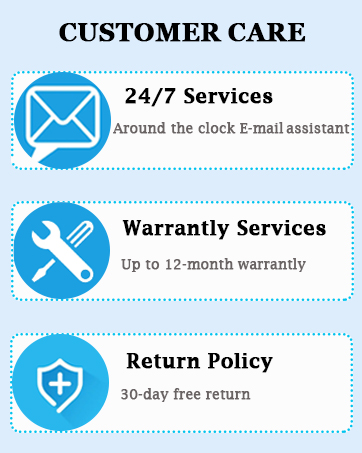
Image: A graphic detailing Saiyin's customer care services, including 24/7 email support, up to 12-month warranty services, and a 30-day free return policy.
Please refer to the contact information provided in your product packaging or visit the official Saiyin webwebstedet for de mest opdaterede supportoplysninger.


