1. Introduktion
The Oladance OWS2 Open Ear Headphones offer a unique audio experience with an open-ear design, allowing you to stay aware of your surroundings while enjoying high-fidelity sound. Featuring advanced Bluetooth 5.3 and multipoint connection, these headphones provide seamless connectivity and extended playtime.
Nøglefunktioner omfatter:
- Opgraderede funktioner: Advanced Bluetooth 5.3 and multipoint connection for simultaneous device pairing, and an upgraded battery life of up to 19 hours.
- Ægte åbent øredesign: Rests gently and securely on top of your ear, providing comfort without entering the ear canal.
- Overlegen lyd: Dual powerful 16.5mm dynamic drivers deliver rich, consistent audio from clear highs to powerful lows.
- Sømløs forbindelse: Connects to two Bluetooth devices simultaneously, allowing easy switching between phone, tablet, or computer.
- Forlænget spilletid: Up to 19 hours of continuous playback or 10 hours of continuous calls at 50% volume.
2. Hvad er der i æsken
- Oladance OWS2 Open Ear-hovedtelefoner
- Protective Case (also serves as charging case)
- USB-C ladekabel
- Brugervejledning (dette dokument)
3. Produktet er slutview

Figure 1: Oladance OWS2 Open Ear Headphones (Interstellar Blue)
This image displays the Oladance OWS2 Open Ear Headphones in Interstellar Blue, showcasing their unique over-ear design without an in-ear component.
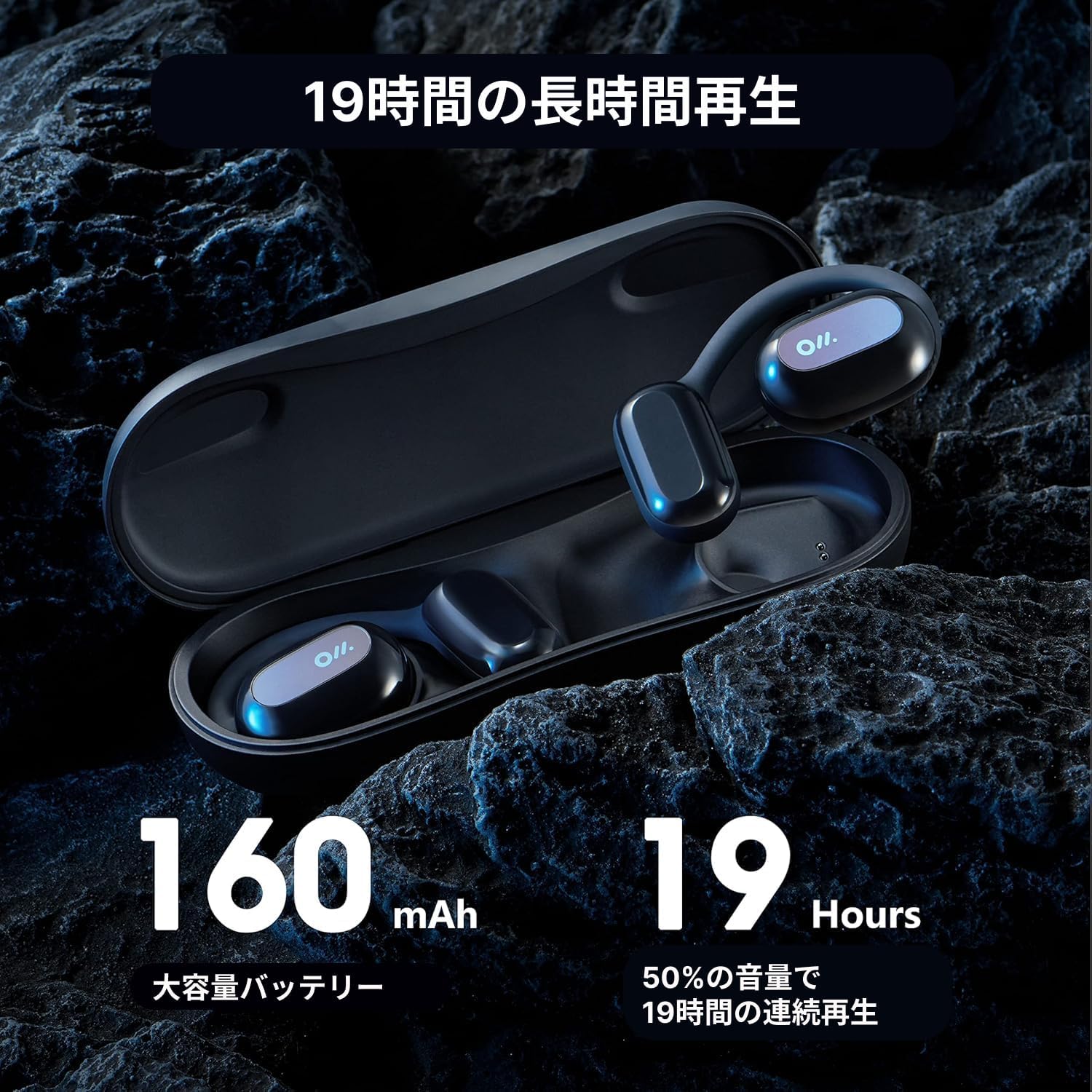
Figure 2: Oladance OWS2 Headphones in their Charging Case
The headphones are shown nestled within their sleek, black charging case, highlighting the compact and portable nature of the product.
4. Opsætning
4.1 Opladning af hovedtelefoner og etuiet
Before first use, fully charge your Oladance OWS2 headphones and their charging case. The case itself holds additional charges for on-the-go power.
- Place the headphones into their respective slots in the charging case. Ensure the charging contacts align.
- Connect the provided USB-C charging cable to the charging port on the case and plug the other end into a USB power source (e.g., wall adapter, computer USB port).
- Indicator lights on the case will show the charging status. Once fully charged, the lights will indicate completion.
4.2 Parring med din enhed
The Oladance OWS2 headphones support Bluetooth 5.3 for stable connections and multipoint connection for simultaneous pairing with two devices.
- Ensure the headphones are charged and in the charging case.
- Open the charging case. The headphones will automatically enter pairing mode (indicated by flashing LED lights on the headphones).
- Gå til Bluetooth-indstillinger på din enhed (smartphone, tablet, bærbar computer), og slå Bluetooth til.
- Søg efter available devices and select "Oladance OWS2" from the list.
- Once connected, the LED indicator on the headphones will stop flashing and remain solid or turn off, depending on the model.
- For multipoint connection, after pairing with the first device, turn off Bluetooth on the first device. Pair with the second device following steps 2-4. Then, re-enable Bluetooth on the first device. The headphones should now be connected to both devices simultaneously.
Video: Detailed Introduction of Oladance Wearable Stereo
Denne video giver en omfattende overview of the Oladance Wearable Stereo headphones, including their design and features.
5. Betjeningsvejledning
5.1 Sådan tager du hovedtelefonerne på
The Oladance OWS2 headphones are designed to rest gently on your outer ear, not inside the ear canal. This ensures comfort and allows for situational awareness.
- Identify the left (L) and right (R) headphones.
- Gently hook the ear hook over the top of your ear, positioning the speaker unit to rest comfortably over your ear canal without inserting it.
- Justér for en sikker og behagelig pasform.

Figure 3: Proper Wearing of Oladance OWS2 Headphones
A person is shown wearing the Oladance OWS2 headphones, demonstrating how they sit comfortably over the ear without entering the ear canal, allowing for environmental awareness.
5.2 Tryk på kontrolelementer
The OWS2 headphones feature intuitive touch controls on the outer surface of each earbud.
| Handling | Kontrollere |
|---|---|
| Afspil/pause musik | Et enkelt tryk på begge øretelefoner |
| Næste spor | Dobbelttryk på den højre øreprop |
| Forrige spor | Dobbelttryk på den venstre øreprop |
| Besvar/afslut opkald | Et enkelt tryk på begge øretelefoner |
| Afvis opkald | Tryk på en af øretelefonerne, og hold den nede i 2 sekunder |
| Aktiver Voice Assistant | Tryk tre gange på begge øretelefoner |
| Lydstyrke op | Slide finger upwards on the touch surface |
| Lydstyrke ned | Slide finger downwards on the touch surface |
5.3 Sound Experience
The OWS2 headphones are engineered for a rich and immersive sound experience while maintaining awareness of your surroundings.
- 360° overlegen lyd: Dual 16.5mm dynamic drivers provide a wide soundstage and powerful audio.
- Directional Playing: Sound is directed towards your ears, minimizing sound leakage to others.
- Environmental Noise Canceling (ENC): Forbedrer opkaldsklarheden ved at reducere baggrundsstøj under samtaler.
6. Vedligeholdelse
To ensure the longevity and optimal performance of your Oladance OWS2 headphones, follow these maintenance guidelines:
- Rensning: Wipe the headphones and charging case with a soft, dry, lint-free cloth. Avoid using harsh chemicals or abrasive materials.
- Vandtæthed: The headphones are water resistant (IPX6 rated), meaning they can withstand splashes and sweat. Do not submerge them in water or expose them to high-pressure water jets. Dry them thoroughly before placing them back in the charging case.
- Opbevaring: Når hovedtelefonerne ikke er i brug, skal de opbevares i deres opladningsetui for at beskytte dem mod støv og skader. Opbevares køligt og tørt, væk fra ekstreme temperaturer.
- Batteripleje: To preserve battery life, avoid fully discharging the headphones frequently. Charge them regularly, even if not used for extended periods.
7. Fejlfinding
If you encounter issues with your Oladance OWS2 headphones, try the following troubleshooting steps:
| Problem | Mulig løsning |
|---|---|
| Hovedtelefoner tænder ikke | Ensure headphones and charging case are fully charged. Place headphones in case, close, then open again. |
| Kan ikke parres med enheden | Ensure Bluetooth is enabled on your device. Make sure headphones are in pairing mode. Forget the device in your Bluetooth settings and try pairing again. Move closer to your device. |
| Ingen lyd eller lav lydstyrke | Adjust volume on both headphones and your device. Ensure headphones are properly positioned on your ears. Check if another device is connected via multipoint. |
| Lydafskæring ind/ud | Move closer to your device. Avoid strong electromagnetic interference. Disconnect and reconnect Bluetooth. |
| Mikrofon virker ikke | Ensure headphones are selected as the audio input device in your device's settings. Check for obstructions around the microphone. |
8. Specifikationer
| Feature | Detalje |
|---|---|
| Modelnavn | OLA06 |
| Forbindelsesteknologi | Trådløs (Bluetooth) |
| Bluetooth version | 5.3 |
| Audio driver størrelse | 16.5 millimeter (dynamisk driver) |
| Batterilevetid (spilletid) | Op til 19 timer |
| Batterikapacitet (øretelefoner) | 160mAh |
| Vandmodstandsniveau | IPX6 (vandtæt) |
| Kontrolmetode | Røre |
| Varens vægt | 9.5 ounce (0.27 kilo) |
| Produktdimensioner | 2.28 x 1.57 x 0.79 tommer |
| Fabrikant | OLADANCE AUDIO INC |
9. Garanti og support
For garantioplysninger og kundesupport henvises til den officielle Oladance website or contact their customer service directly. Additional user guides and instructions may be available in PDF format:


