Indledning
Thank you for choosing the XIWBSY Mini Projector. This portable projector is designed to provide a versatile and immersive viewing experience for home theater, gaming, and outdoor entertainment. Featuring advanced connectivity options and a compact design, it brings your favorite content to a large screen with ease.

Figure 1: The XIWBSY Mini Projector, showcasing its compact design and wireless capabilities.
Key features include 2.4G+5G dual-band WiFi for stable screen mirroring, Bluetooth 5.1 for external audio, and support for a large projection display up to 200 inches. Its high brightness and 1080P resolution support ensure a clear and vibrant picture.
Hvad er der i æsken
Upon unboxing your XIWBSY Mini Projector, please ensure all the following components are present:
- XIWBSY Mini Projector
- Fjernbetjening
- Strømadapter
- HDMI kabel
- AV-kabel
- Brugermanual
Produkt overview
Familiarize yourself with the projector's physical components and interfaces.

Figure 2: The compact and lightweight design of the projector, highlighting its portability.
Grænseflader
The projector is equipped with multiple ports for diverse connectivity options:
- HDMI-port: Connect to laptops, gaming consoles (PS4), TV sticks, and other HDMI-enabled devices.
- USB-port: Tilslut USB-drev til medieafspilning.
- AV-port: Connect to DVD players or older video devices.
- 3.5 mm lydstik: Tilslut eksterne højttalere eller hovedtelefoner.
- DC IN: Strømindgang til projektoren.

Figur 3: Detaljeret view of the projector's input/output ports.
Opsætning
Første gang tændt
- Connect the power adapter to the projector's DC IN port and then to a power outlet.
- Tryk på tænd/sluk-knappen på projektoren eller fjernbetjeningen for at tænde den.
Fokusjustering
To achieve a clear image, adjust the focus ring located on the projector lens until the projected image is sharp.

Figure 4: Adjusting the focus for a clear image.
Keystone korrektion
The projector supports ±15° keystone correction to adjust for distorted images when the projector is not perfectly perpendicular to the screen. Use the keystone adjustment on the projector to correct the image shape.
Placement and Projection Distance
The projector can display images from 40 to 200 inches, with an optimal projection distance between 6.8 and 16.4 feet. Adjust the distance to achieve your desired screen size.

Figur 5: Anbefalede projektionsafstande for forskellige skærmstørrelser.
Betjening af projektoren
Tilslutningsmuligheder
The XIWBSY Mini Projector offers multiple ways to connect your devices:
- Wireless WiFi Screen Mirroring: Compatible with 2.4GHz and 5GHz networks, allowing for smooth and stable content transmission from iOS, Android, and laptop devices without extra adapters.
- Bluetooth 5.1: Connect to external Bluetooth speakers or headphones for an enhanced audio experience. The built-in HiFi stereo speakers also provide quality sound.
- Kablede forbindelser: Utilize the HDMI, USB, and AV ports to connect devices such as TV sticks, PS4, DVD players, and more.
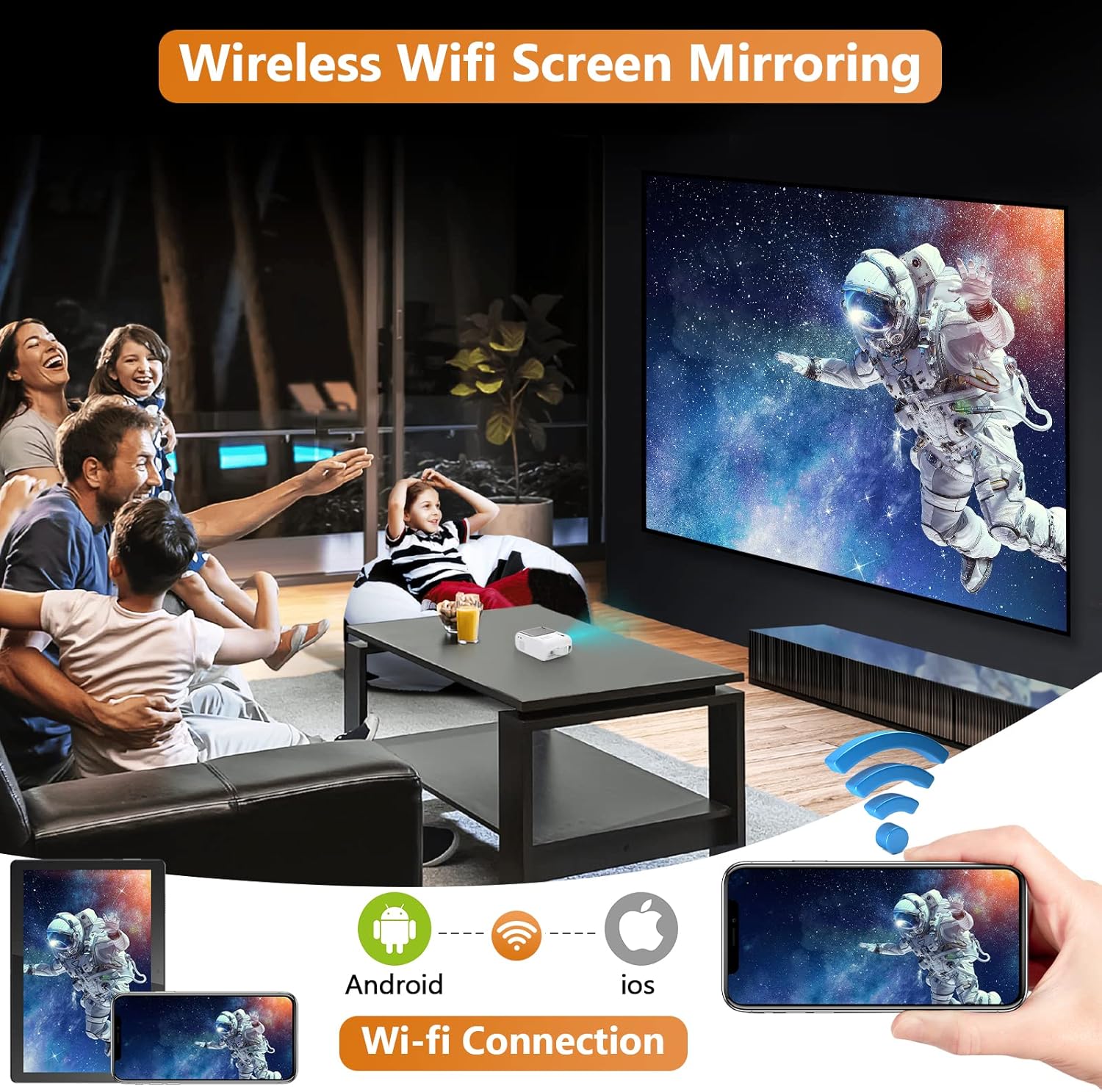
Figure 6: Wireless screen mirroring in action, connecting various devices.

Figure 7: The projector supports a wide range of devices and streaming platforms via multiple connection types.
Brugsscenarier
The projector is versatile for various entertainment needs:
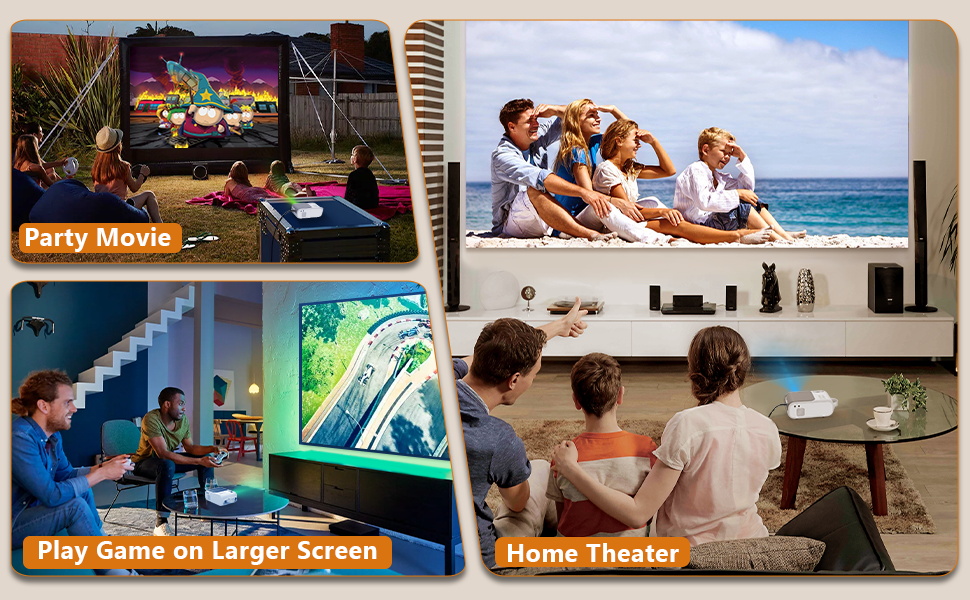
Figure 8: Enjoy movies outdoors, play games on a larger screen, or create a home theater experience.
Opretholdelse
Korrekt vedligeholdelse sikrer projektorens levetid og optimale ydeevne.
Rengøring af linsen
Brug en blød, fnugfri klud, der er specielt designet til optiske linser, til forsigtigt at tørre projektorlinsen af. Undgå at bruge slibende rengøringsmidler eller klude, der kan ridse linsens overflade.
Kølesystem
The projector features a built-in cooling system to prevent overheating. Ensure the ventilation vents are not blocked during operation. Regularly check and clean the vents to maintain proper airflow.

Figure 9: Internal cooling system design for efficient heat dissipation.
Fejlfinding
Hvis du støder på problemer med din projektor, skal du se følgende almindelige fejlfindingstrin:
- Intet billede/dårlig billedkvalitet:
- Sørg for, at strømkablet er korrekt tilsluttet.
- Adjust the focus ring for clarity.
- Kontroller, at inputkilden er korrekt valgt (HDMI, USB, AV).
- Check the projection distance and adjust keystone correction if the image is trapezoidal.
- Ingen lyd:
- Øg lydstyrken på både projektoren og den tilsluttede enhed.
- If using Bluetooth, ensure the external speaker/headphone is properly paired and charged.
- Check audio output settings on the connected device.
- Problemer med trådløs forbindelse:
- Ensure your device and projector are connected to the same WiFi network (2.4G or 5G).
- Restart both the projector and your casting device.
- Ensure your device's screen mirroring feature is enabled.
Specifikationer
| Feature | Detalje |
|---|---|
| Mærke | XIWBSY |
| Modelnummer | Q2 |
| Skærmopløsning | 1920 x 1080 (Understøttet) |
| Forbindelsesteknologi | Bluetooth, Wifi (2.4G+5G), HDMI, USB, AV |
| Særlige funktioner | Built-In Cooling System, Speakers |
| Anbefalede anvendelser | Hjemmebiograf |
| Varens vægt | 2.42 pund |
| Pakkedimensioner | 11.54 x 10.71 x 4.88 tommer |
| Synlig skærmdiagonal | 200" / 508 cm |
Garanti og support
For warranty information and technical support, please refer to the contact details provided on the product packaging or the official XIWBSY webwebsted. Behold din købskvittering som købsbevis i tilfælde af garantikrav.


