Indledning
This manual provides comprehensive instructions for the safe and efficient operation of your Proscan 13.3" Portable DVD Player, model PDVD1332. Please read this manual thoroughly before using the device and retain it for future reference.
Vigtige sikkerhedsoplysninger
To reduce the risk of electric shock, fire, or injury, always follow basic safety precautions when using this product.
- Udsæt ikke enheden for regn eller fugt.
- Bloker ikke nogen ventilationsåbninger.
- Brug kun tilbehør/tilbehør specificeret af producenten.
- Tag stikket ud af enheden under tordenvejr, eller når den ikke skal bruges i længere perioder.
- Overlad al service til kvalificeret servicepersonale.
Pakkens indhold
Bekræft, at alle nedenstående varer er inkluderet i din pakke:
- Proscan 13.3" Portable DVD Player (PDVD1332)
- Fjernbetjening
- AC strømadapter
- Bil oplader
- Øretelefoner
- Brugermanual

Image showing the Proscan 13.3" Portable DVD Player alongside its travel essentials: remote control, earbuds, car charger, and AC power adapter. These accessories are designed to enhance the user's experience, especially during travel.
Produkt overview
Familiarize yourself with the various components and controls of your portable DVD player.
Forside og Top View

The Proscan 13.3" Portable DVD Player shown open, displaying its large screen and the intuitive control panel located on the base. The screen is swiveled for optimal viewing.
Side View og havne

En detaljeret side view of the Proscan Portable DVD Player, illustrating the accessible ports including USB, Card Slot (SD/MMC), Headphone Jack, AV Out, AV In, On/Off Switch, and DC 12V Power input.
Nøglekontroller:
- MODE/SETUP: Access menu settings.
- VOL +/-: Juster lydstyrken.
- SPIL/PAUSE: Start eller sæt afspilning på pause.
- STOP: Stop afspilning.
- FORRIGE NÆSTE: Navigate tracks or chapters.
- USB/SD/MMC: Ports for external media.
- AV IN/OUT: Audio/Video input and output.
- DC 12V: Strømindgang til AC-adapter eller biloplader.
Opsætning
Opladning af batteriet
The portable DVD player is equipped with a built-in lithium-polymer battery for extended playback. Before first use, fully charge the battery.
- Connect the AC power adapter to the DC 12V input port on the player.
- Sæt vekselstrømsadapteren i en almindelig stikkontakt.
- The charging indicator light will illuminate. Once fully charged, the light may change color or turn off (refer to specific indicator behavior in the manual if available).
- For car use, connect the car charger to the DC 12V input and plug it into your vehicle's cigarette lighter socket.
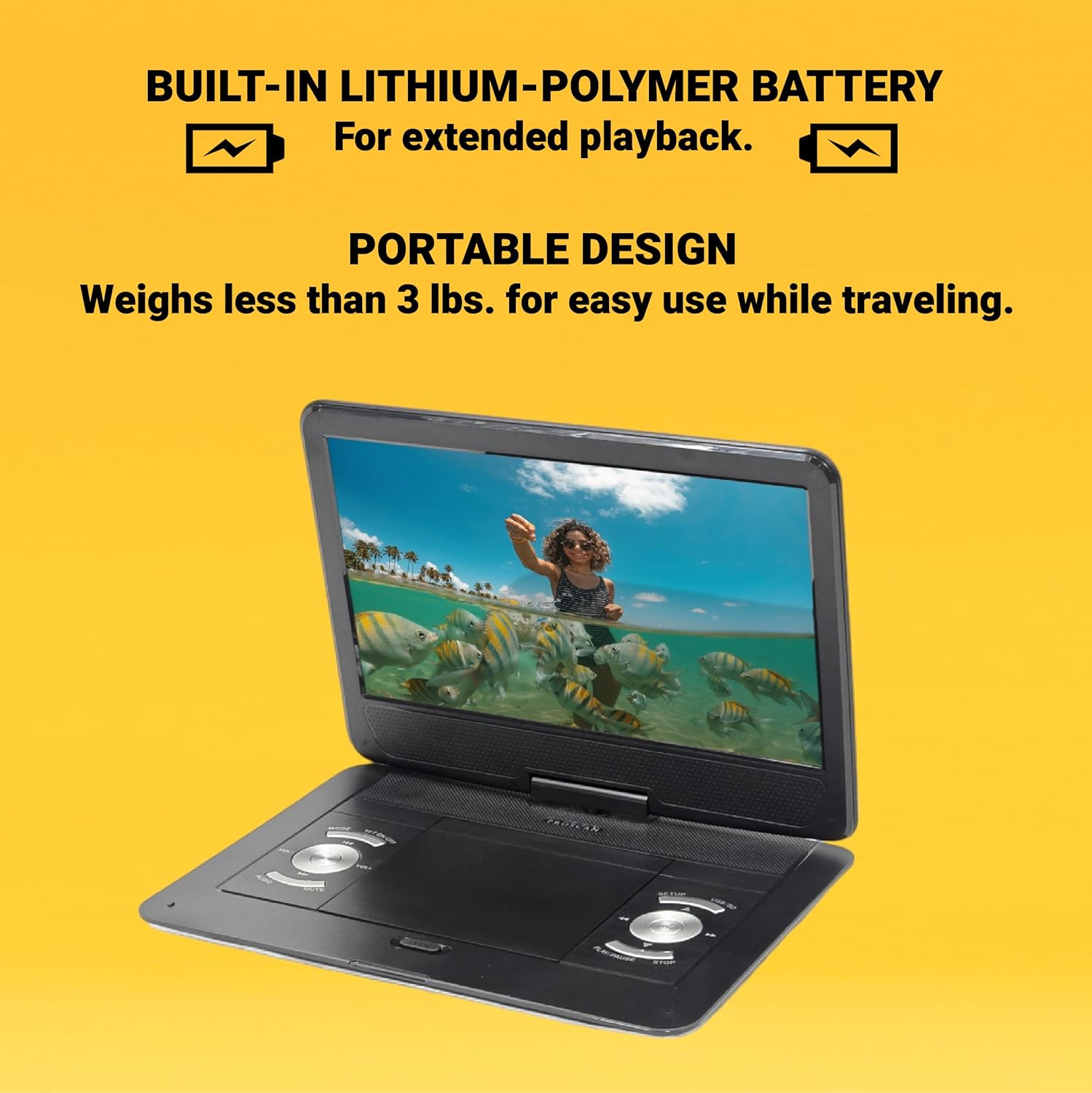
This image emphasizes the Proscan Portable DVD Player's built-in lithium-polymer battery, which provides extended playback, and its lightweight, portable design, weighing less than 3 lbs, making it ideal for travel.
Tænd/sluk
- For at tænde skal du skubbe tænd/sluk-knappen til "ON"-positionen.
- For at slukke skal du skubbe ON/OFF-knappen til "OFF"-positionen.
Betjeningsvejledning
Playing a DVD/CD
- Åbn dækslet til diskrummet.
- Carefully place a DVD or CD onto the disc spindle with the label side facing up.
- Tryk forsigtigt disken ned, indtil den klikker på plads.
- Luk dækslet til diskrummet.
- The player will automatically begin reading the disc. If not, press the AFSPIL/PAUSE knap.
Using USB/SD/MMC Media
The player supports MP3 and JPEG files from USB drives, SD cards, and MMC cards.
- Insert your USB drive into the USB port or your SD/MMC card into the card slot.
- Brug MODE button to select the appropriate input source (USB or CARD).
- Naviger gennem din files bruger FORRIGE NÆSTE buttons and select with the AFSPIL/PAUSE knap.
Justering af lydstyrke
Brug VOL +/- buttons on the player or the remote control to adjust the audio volume.
Brug af fjernbetjeningen
The included remote control provides full functionality for operating the DVD player from a distance. Ensure the remote has working batteries and is pointed towards the player's IR sensor.
Vedligeholdelse og pleje
- Rengøring af skærmen: Use a soft, lint-free cloth to gently wipe the screen. Do not use liquid cleaners or abrasive materials.
- Rengøring af enheden: Tør afspillerens yderside af med en blød, tør klud.
- Diskpleje: Hold diske i kanterne. Hold dem rene og fri for ridser. Opbevar diske i deres æsker, når de ikke er i brug.
- Opbevaring: Når afspilleren ikke er i brug i længere perioder, skal den opbevares køligt og tørt, væk fra direkte sollys og ekstreme temperaturer.
Fejlfinding
| Problem | Mulig årsag | Løsning |
|---|---|---|
| Ingen strøm | Batteriet er afladet; Strømadapteren er ikke tilsluttet korrekt. | Oplad batteriet; Sørg for, at strømadapteren er korrekt tilsluttet. |
| Ingen diskafspilning | Disc inserted incorrectly; Disc is dirty or scratched; Incorrect region code. | Reinsert disc correctly; Clean or replace disc; Ensure disc is compatible with player's region. |
| Ingen lyd | Volume too low; Mute function activated; Headphones not connected properly. | Increase volume; Deactivate mute; Reconnect headphones securely. |
| Fjernbetjening virker ikke | Batterierne er døde eller isat forkert; Blokering mellem fjernbetjening og afspiller. | Udskift batterierne; Sørg for korrekt polaritet; Fjern forhindringer. |
Specifikationer
- Model: PDVD1332
- Skærmstørrelse: 13.3 tommer TFT LCD
- Skærmtype: LCD
- Understøttede diskformater: DVD, DVD-R/RW, CD-R/RW
- Supported Media Formats: MP3, JPEG (via USB/SD/MMC)
- Indgange: USB, SD/MMC Card Slot, AV In, DC 12V
- Udgange: Headphone Jack, AV Out
- Batteri: Built-in Lithium-Polymer
- Vægt: Cirka 4 pund
- Dimensioner: Cirka 15.85 x 14.37 x 3.47 tommer
- Farve: Sort
Garanti og support
This product is sold as a renewed item. Please refer to the specific warranty terms provided by the seller or retailer at the time of purchase. For technical support or service inquiries, please contact the seller or the Proscan customer service department. Keep your purchase receipt as proof of purchase for any warranty claims.
For further assistance, you may visit the official Proscan website or contact their customer support line, details for which are typically found on the product packaging or the seller's information page.


