1. Introduktion
This manual provides essential information for the safe and efficient use of your AOC CU34P3CV 34-inch Ultrawide Quad HD LED Monitor. Please read this manual thoroughly before operating the device and retain it for future reference.
The AOC CU34P3CV is a 34-inch ultrawide curved monitor designed for productivity and immersive viewing, featuring a 3440 x 1440 Quad HD resolution, a VA panel, and a versatile USB-C docking solution.
2. Sikkerhedsoplysninger
- Strømkilde: Use only the power cord and adapter supplied with the monitor. Ensure the power outlet is properly grounded.
- Ventilation: Bloker ikke ventilationsåbningerne. Sørg for tilstrækkelig plads omkring skærmen for korrekt luftgennemstrømning.
- Væskeeksponering: Hold skærmen væk fra vand eller andre væsker. Må ikke anvendes i miljøer med høj luftfugtighed.
- Rensning: Tag stikket ud af stikkontakten før rengøring. Brug en blød, tør klud. Undgå flydende eller aerosolbaserede rengøringsmidler.
- Placering: Place the monitor on a stable, level surface. Avoid direct sunlight, heat sources, or excessive dust.
- Service: Forsøg ikke selv at udføre service på skærmen. Overlad al service til kvalificeret servicepersonale.
3. Pakkens indhold
Kontroller venligst pakkens indhold ved udpakning. Hvis der mangler eller er beskadigede dele, skal du kontakte din forhandler.
- AOC CU34P3CV Monitor
- Monitorstativ (base og hals)
- Strømkabel
- HDMI kabel
- DisplayPort-kabel
- USB-C kabel
- Brugervejledning (dette dokument)
4. Opsætning
4.1. Samling af stativet
- Placer forsigtigt skærmen med forsiden nedad på en blød, ren overflade for at undgå ridser.
- Attach the stand neck to the back of the monitor. Secure with screws if provided.
- Attach the stand base to the stand neck. Secure with the thumb screw or screws provided.
Image: AOC CU34P3CV Monitor Front View
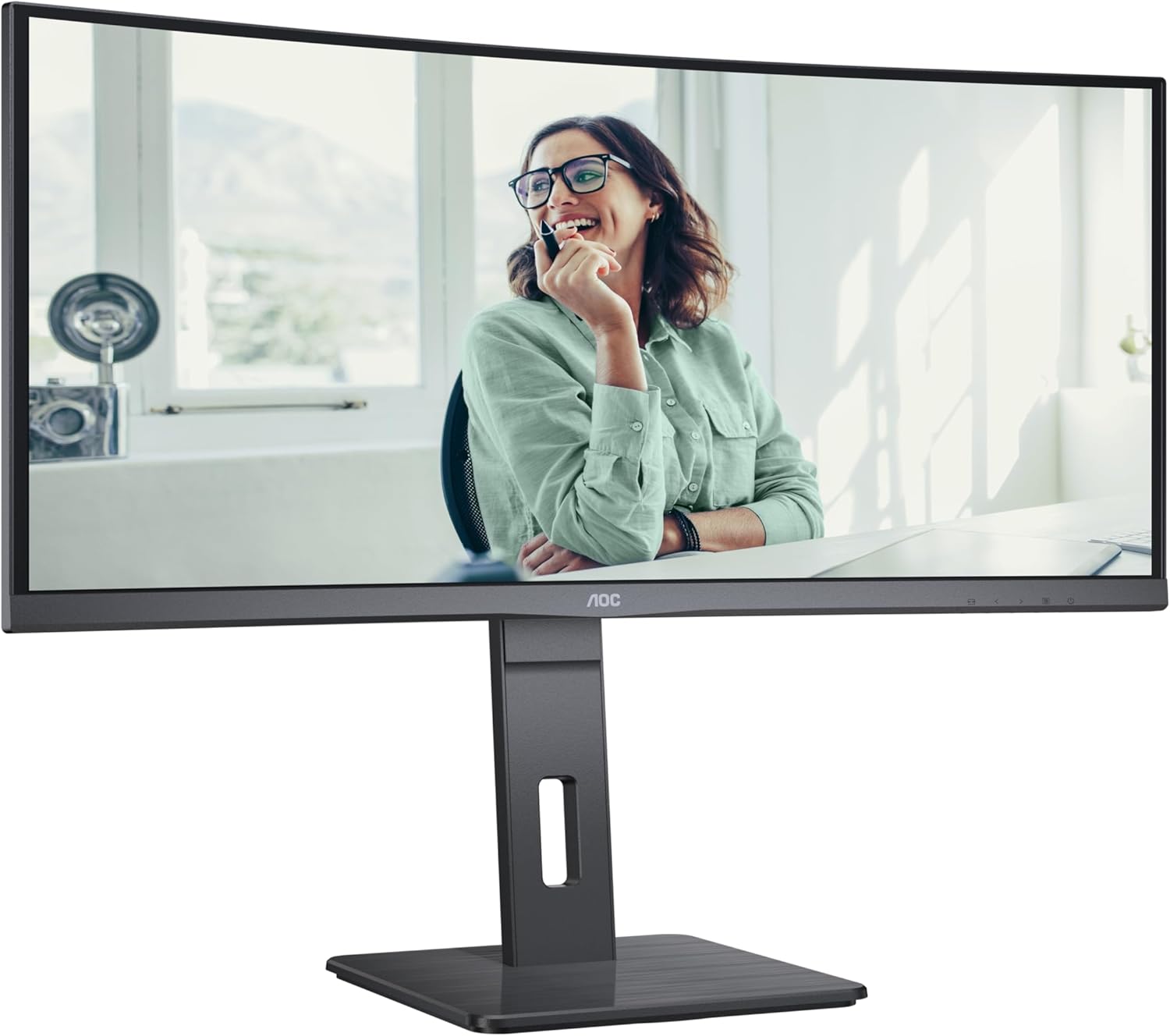
This image shows the AOC CU34P3CV monitor from the front, with its stand, displaying a vibrant image on its curved screen.
Image: AOC CU34P3CV Monitor Features Overview

This image provides a front view of the AOC CU34P3CV monitor, with graphical overlays indicating its key features such as 34-inch size, WQHD resolution, VA panel, 3-sided frameless design, adjustable stand, and curved display.
4.2. Tilslutning af skærmen
Se bagsiden view billede for havneplaceringer.

This image displays the rear of the AOC CU34P3CV monitor, detailing the arrangement of its power input, video input ports (HDMI, DisplayPort, USB-C), and USB hub ports.
- Strømtilslutning: Tilslut strømkablet til skærmens strømindgang og derefter til en jordet stikkontakt.
- Videoforbindelse:
- USB-C: For a single-cable solution providing video, data, and power delivery (up to 65W), connect the USB-C cable from your computer to the monitor's USB-C port.
- HDMI/DisplayPort: Connect an HDMI or DisplayPort cable from your computer's video output to the corresponding port on the monitor.
- USB-hub: Connect the upstream USB-C cable (if using USB-C for video) or a separate USB upstream cable (if using HDMI/DP) from your computer to the monitor to enable the integrated USB hub ports.
- Netværk (RJ45): If your monitor supports an integrated Ethernet port via USB-C docking, connect an Ethernet cable from your network router/modem to the RJ45 port on the monitor.
4.3. Første opstart
- Sørg for, at alle kabler er korrekt tilsluttet.
- Tryk på tænd/sluk-knappen på skærmen.
- Turn on your computer. The monitor should automatically detect the input signal. If not, you may need to manually select the input source using the On-Screen Display (OSD) menu.
5. Betjeningsvejledning
5.1. Tænd/sluk
Press the power button, usually located on the bottom right or rear of the monitor, to turn the monitor on or off.
5.2. On-Screen Display (OSD) menu
The OSD menu allows you to adjust various monitor settings. Use the control buttons (joystick or individual buttons) typically located on the bottom or rear of the monitor to navigate the menu.
- Indgangsvalg: Choose between USB-C, HDMI, or DisplayPort inputs.
- Billedindstillinger: Adjust Brightness, Contrast, Gamma, Color Temperature, and various picture modes.
- Farveopsætning: Fine-tune color settings.
- OSD-opsætning: Juster OSD-sprog, gennemsigtighed og timeout.
- Ekstra: Access information about the current resolution and refresh rate.
5.3. Justering af skærmens position
The monitor stand allows for ergonomic adjustments.
- Højdejustering: Gently push or pull the monitor up or down to adjust its height.
- Justering af hældning: Tilt the monitor screen forward or backward to find your preferred viewvinkel.
- Drejejustering: Drej skærmen til venstre eller højre på dens base.
Image: AOC CU34P3CV Monitor Side View med USB-porte

Dette billede viser en sideprofile of the AOC CU34P3CV monitor, highlighting two easily accessible USB ports on the side of the display.
Image: AOC CU34P3CV Monitor Side View with Stand Adjustment

This image illustrates the side view of the AOC CU34P3CV monitor, showcasing the flexibility of its stand for height and tilt adjustments.
Image: AOC CU34P3CV Monitor Top View
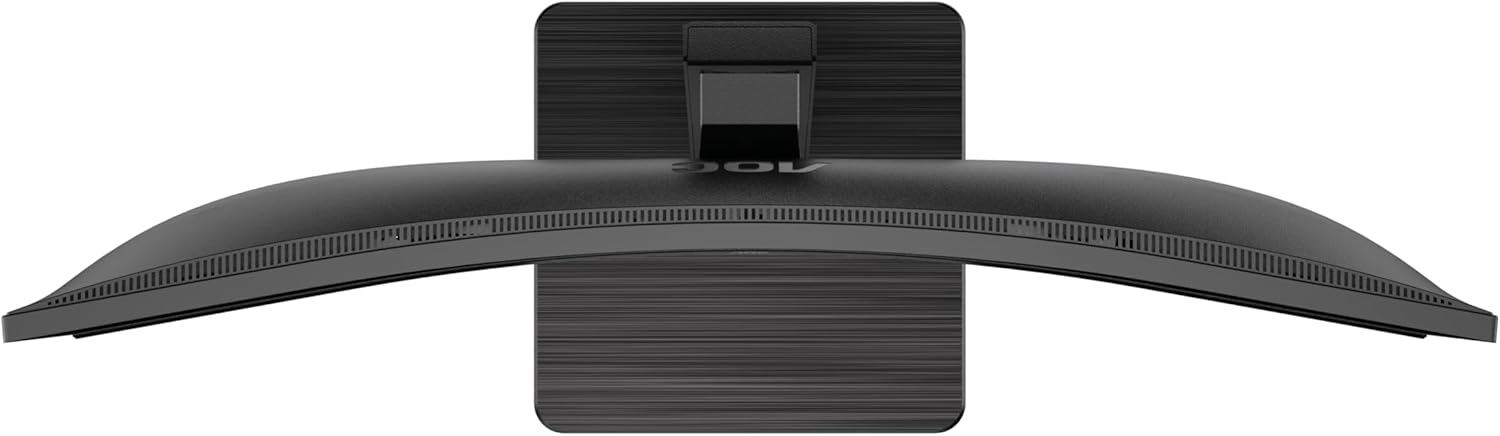
This image provides a top-down perspective of the AOC CU34P3CV monitor, clearly showing the curvature of its ultrawide screen.
6. Vedligeholdelse
6.1. Rengøring af skærmen
- Tag altid stikket ud af stikkontakten før rengøring.
- Brug en blød, fnugfri klud til forsigtigt at tørre skærmen og de udvendige overflader af.
- For genstridige mærker, gnid letampRengør kluden med vand eller et mildt, ikke-slibende skærmrensemiddel. Spray ikke rengøringsmiddel direkte på skærmen.
- Undgå at bruge benzen, fortynder, ammoniakbaserede rengøringsmidler eller slibende rengøringsmidler.
7. Fejlfinding
Hvis du støder på problemer med din skærm, kan du se følgende almindelige problemer og løsninger:
| Problem | Mulig årsag | Løsning |
|---|---|---|
| No power/No image | Power cable not connected; Monitor off | Ensure power cable is securely connected; Press the power button to turn on the monitor. |
| No signal/"No Input" message | Videokabel ikke tilsluttet; Forkert indgangskilde valgt | Check video cable connections (HDMI, DisplayPort, USB-C); Use OSD menu to select the correct input source. |
| Billedet er for mørkt/lyst | Forkerte indstillinger for lysstyrke/kontrast | Adjust Brightness and Contrast settings via the OSD menu. |
| Flimrende billede | Incorrect refresh rate; Loose cable | Ensure refresh rate is set to 60Hz in your computer's display settings; Check video cable connections. |
| USB-porte virker ikke | USB upstream cable not connected; Driver issue | Ensure the USB-C cable (for video and data) or a separate USB upstream cable is connected to your computer; Check computer's device manager for USB driver issues. |
8. Specifikationer
Model: AOC CU34P3CV
| Feature | Specifikation |
|---|---|
| Skærmstørrelse | 34 tommer (86.4 cm) |
| Opløsning | 3440 x 1440 Quad HD |
| Aspektforhold | 21:9 |
| Paneltype | VA -panel |
| Opdateringshastighed | 60 Hz |
| Billedkontrastforhold | 1000:1 |
| Forbindelse | USB-C (with Power Delivery), HDMI, DisplayPort, USB Hub, Ethernet (RJ45) |
| Strømforbrug (SDR) | 32.0 W |
| Strømforbrug (HDR) | 35.0 W |
| Strømforbrug (slukket tilstand) | 0.3 W |
| Strømforbrug (standby) | 0.5 W |
| Produktmål (ca.) | 11.81 x 11.81 x 11.81 cm (med stativ) |
| Varens vægt (ca.) | 2.2 pund (uden stativ) |
| Guaranteed Software/Firmware Updates | 8 år |
| Guaranteed Spare Parts | 7 år |
| Guaranteed Product Support | 8 år |
Image: Product Information Sheet
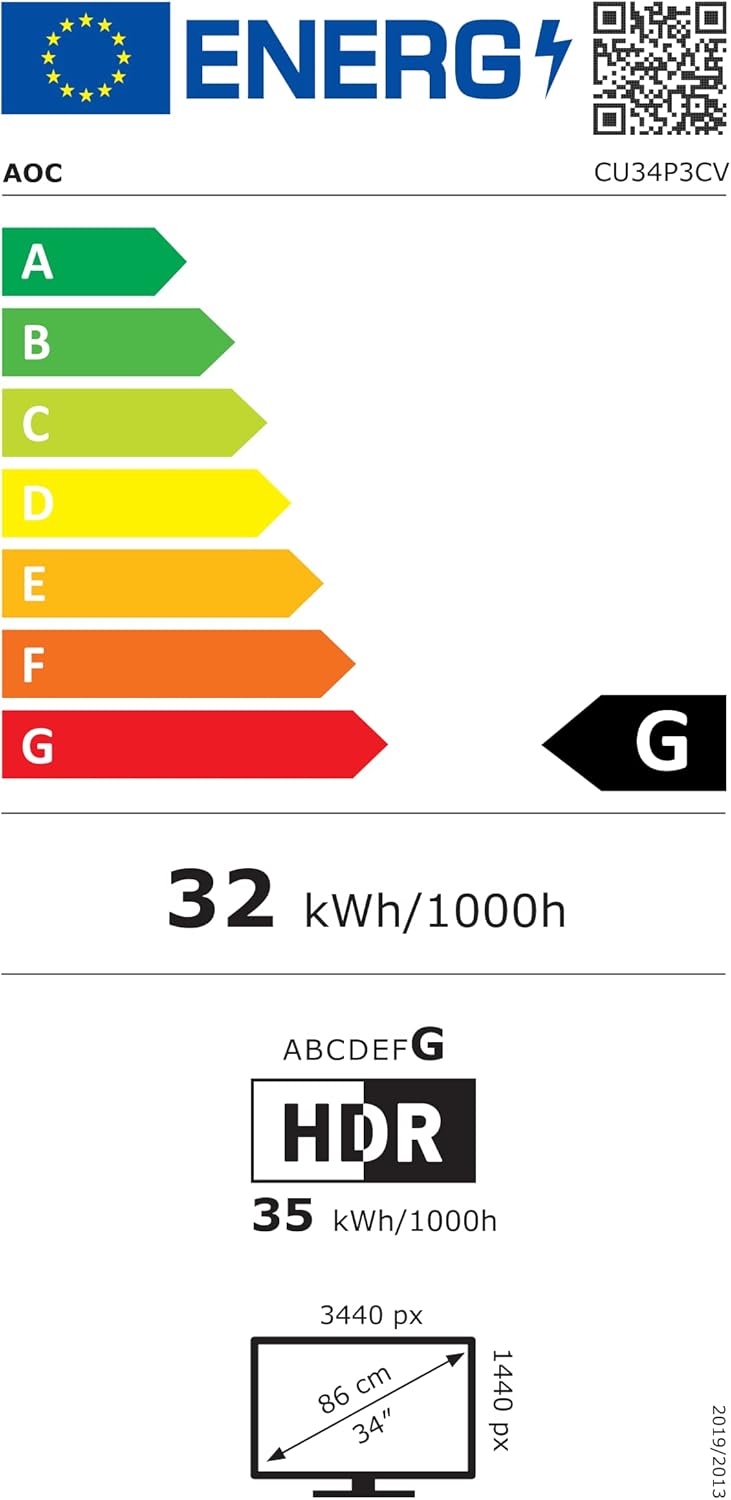
This image displays the official Product Information Sheet for the AOC CU34P3CV monitor, providing detailed technical specifications and compliance information.
Image: Energy Label
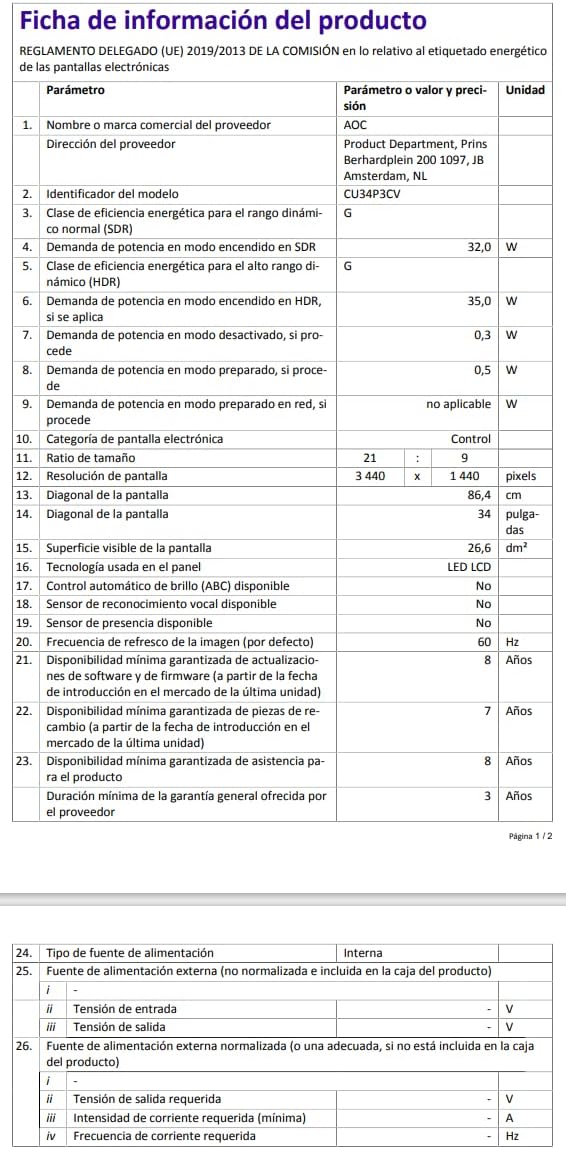
This image presents the EU Energy Label for the AOC CU34P3CV monitor, indicating its energy efficiency class and annual power consumption.
For more detailed energy information, please visit the EPREL database: https://eprel.ec.europa.eu/qr/1362085
9. Garanti og support
Your AOC CU34P3CV monitor comes with a minimum general guarantee of 3 år provided by the supplier. Additionally, AOC guarantees minimum availability of software and firmware updates for 8 years, spare parts for 7 years, and product support for 8 years from the date of end of placement on the market.
For technical support, warranty claims, or further assistance, please visit the official AOC website or contact your local AOC customer service center. Keep your purchase receipt as proof of purchase for warranty purposes.


