1. Introduktion
Thank you for choosing the Auna Connect 100 MKII Portable Bluetooth DAB/DAB+/FM Radio. This device offers a versatile listening experience with access to digital DAB/DAB+ radio, traditional FM radio, and wireless audio streaming via Bluetooth. It also features USB playback, an AUX input, a TFT display, and an alarm clock function. This manual provides essential information for safe operation, setup, and maintenance of your radio.
2. Sikkerhedsinstruktioner
- Læs alle instruktioner omhyggeligt, før du bruger enheden.
- Gem denne vejledning til fremtidig reference.
- Udsæt ikke enheden for regn, fugt eller ekstreme temperaturer.
- Sørg for ordentlig ventilation; bloker ikke ventilationsåbninger.
- Brug kun den strømadapter, der følger med enheden.
- Forsøg ikke at skille enheden ad eller ændre den. Overlad al service til kvalificeret personale.
- Clean the unit only with a dry, soft cloth.
3. Produktet er slutview
Kontrol og display på frontpanelet

Billede: Forside view of the Auna Connect 100 MKII radio, showing the central TFT display, two rotary knobs (Volume and Navigate/Snooze), and various control buttons below the display, including USB IN port.
- TFT skærm: Shows current mode, station information, track details, time, and menu options.
- Lydstyrke/afbryderknap: Drej for at justere lydstyrken; tryk for at tænde/slukke.
- OK/Navigate/Snooze Knob: Rotate to navigate menus/stations; press to confirm selection or snooze alarm.
- USB IN-port: Til tilslutning af USB-lagerenheder til lydafspilning.
- Kontrolknapper: Include Home, Scan, Presets (1-5+), Menu/Info, Back, and Headphone Jack.
Bagpaneltilslutninger

Billede: Bagside view of the Auna Connect 100 MKII radio, highlighting the telescopic antenna, AUX IN, DC power input, and Line-Out ports.
- Teleskopantenne: For DAB/DAB+ and FM radio reception.
- AUX IN: 3.5 mm jackstik til tilslutning af eksterne lydkilder.
- DC IN: Power input for the mains adapter.
- Line-out: Til tilslutning til ekstern ampløftere eller højttalere.
4. Opsætning
4.1 Udpakning
Carefully remove the radio from its packaging. Retain the packaging materials for future transport or storage.
4.2 Strømtilslutning
- Tilslut den medfølgende strømadapter til DC IN-porten på bagsiden af radioen.
- Plug the power adapter into a suitable mains power outlet.
- The radio is designed for mains operation.
4.3 Justering af antenne
Extend the telescopic antenna fully and adjust its position for optimal DAB/DAB+ and FM radio reception.
5. Betjening
5.1 Tænd/sluk
Tryk på Lydstyrke/afbryderknap to turn the radio on or off.
5.2 Valg af tilstand
Tryk på Hjem button to access the main menu and select your desired mode (e.g., DAB, FM, Bluetooth, USB, AUX). Use the OK/Navigate Knob to scroll and select.

Billede: Top view of the Auna Connect 100 MKII radio, showing icons for various connection types and modes such as FM Antenna, DAB/DAB+, USB, Headphone, Aux, WiFi, and Bluetooth.
5.3 DAB/DAB+ radio
- Vælge DAB mode from the main menu.
- Radioen scanner automatisk efter tilgængelige DAB/DAB+-stationer.
- Brug OK/Navigate Knob to browse the station list and press to select a station.
- Tryk på Menu/info knap til view stationsinformation.
5.4 FM radio
- Vælge FM mode from the main menu.
- Tryk på Scan button to automatically scan for FM stations.
- Brug OK/Navigate Knob to fine-tune frequencies or select a scanned station.

Image: Two individuals smiling and enjoying music, illustrating the stereo sound output of the Auna Connect 100 MKII radio.
5.5 Bluetooth -parring
- Vælge Bluetooth mode from the main menu. The display will show "Pairing".
- Aktiver Bluetooth på din smartphone eller tablet, og søg efter tilgængelige enheder.
- Select "Auna Connect 100 MKII" from the list to pair.
- Når den er parret, kan du streame lyd fra din enhed til radioen.
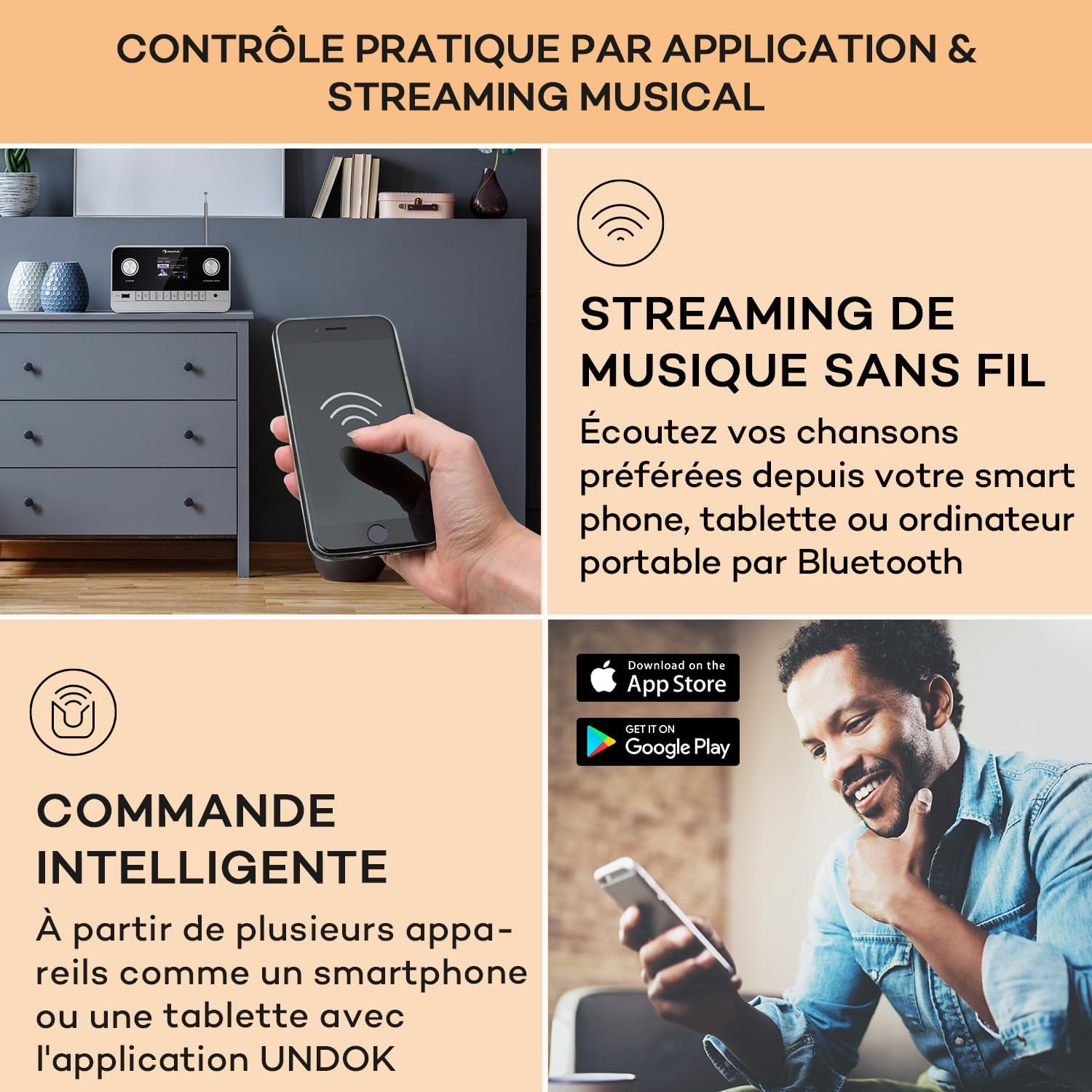
Image: A hand holding a smartphone, demonstrating wireless music streaming and smart control of the Auna Connect 100 MKII radio via a dedicated application.
5.6 USB-afspilning
- Indsæt en USB-lagerenhed i USB IN porten på frontpanelet.
- Vælge USB mode from the main menu.
- Brug OK/Navigate Knob to browse folders and tracks, then press to play.
5.7 AUX-indgang
- Tilslut en ekstern lydenhed (f.eks. MP3-afspiller) til AUX IN port on the rear panel using a 3.5mm audio cable.
- Vælge AUX mode from the main menu.
- Audio from the external device will now play through the radio.
5.8 Vækkeur og sleeptimer
The radio includes an alarm clock and sleep timer function. Access these settings via the Menu button and follow the on-screen instructions to set alarms or a sleep timer.
5.9 Skærmindstillinger
Adjust display brightness and other settings through the Menu options. The TFT color display provides clear visibility of information.
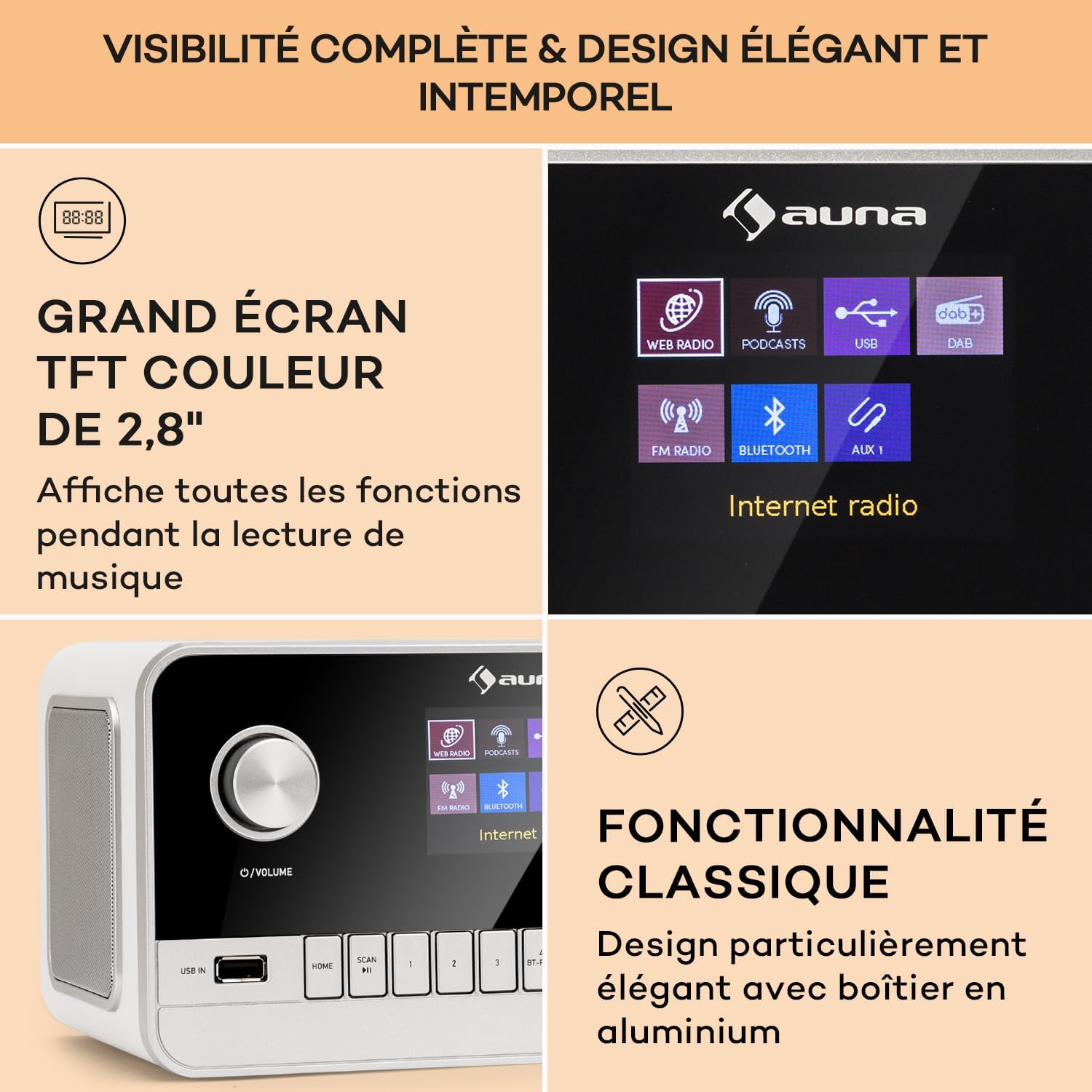
Image: Close-up of the Auna Connect 100 MKII's 2.8-inch TFT color display, showing various function icons and music playback information, highlighting its elegant design.
5.10 Fjernbetjening
The included remote control allows for convenient operation of all radio functions from a distance. Ensure the remote's battery is correctly inserted.
6. Vedligeholdelse
- Rensning: Disconnect the power before cleaning. Use a soft, dry cloth to wipe the surface of the radio. Do not use liquid cleaners or abrasive materials.
- Opbevaring: If not using the radio for an extended period, unplug it from the power outlet and store it in a cool, dry place.
7. Fejlfinding
| Problem | Mulig årsag | Løsning |
|---|---|---|
| Ingen strøm | Strømadapteren er ikke tilsluttet, eller der er en defekt stikkontakt. | Check power connections and try a different outlet. |
| Dårlig radiomodtagelse (DAB/FM) | Antennen er ikke strakt ud, eller signalet er dårligt i området. | Fully extend and adjust the telescopic antenna. Try repositioning the radio. |
| Bluetooth-enhed kan ikke parres | Radio not in pairing mode or device too far. | Ensure radio is in Bluetooth mode and displaying "Pairing". Move device closer to the radio. |
| No sound from USB | Ikke understøttet file format or USB device issue. | Check USB device for compatible audio files. Ensure USB is properly inserted. |
8. Specifikationer
| Feature | Detalje |
|---|---|
| Mærke | AUNA |
| Modelnummer | Connect 100 MKII |
| Farve | Hvid |
| Forbindelsesteknologi | Bluetooth, USB, Auxiliary |
| Særlige funktioner | Portable, Alarm Clock |
| Kompatible enheder | Devices with Bluetooth or USB connectivity |
| Produktmål (LxBxH) | 22.5 x 16.5 x 12.1 cm |
| Tuningteknologi | Digital |
| Understøttede radiobånd | DAB / DAB + / FM |
| Strømkilde | Electric Cable (Mains Powered) |
9. Hvad er der i æsken
- 1 x Auna Connect 100 MKII Portable DAB+/FM Radio
- 1 x strømadapter
- 1 x fjernbetjening
- 1 x Flersproget brugermanual
10. Garanti og support
For warranty information and technical support, please refer to the documentation provided with your purchase or contact Auna customer service. Keep your proof of purchase for any warranty claims.


