Indledning
Thank you for choosing the seenda KOU-401 Multi-Device Backlit Bluetooth Keyboard. This keyboard is designed for versatility, offering seamless connectivity across multiple devices via 2.4G USB and dual Bluetooth channels. It features adjustable backlighting and a rechargeable battery for enhanced user experience. This manual provides detailed instructions for setup, operation, and maintenance to ensure optimal performance.

Image: The seenda KOU-401 keyboard showcasing its full layout with vibrant purple backlighting and the included 2.4G USB receiver.
Sikkerhedsoplysninger
- Keep the keyboard away from water, moisture, and extreme temperatures.
- Undgå at tabe tastaturet eller udsætte det for hårde stød.
- Forsøg ikke selv at skille tastaturet ad eller reparere det. Kontakt kundesupport for at få hjælp.
- Use only the provided charging cable or a certified equivalent to charge the keyboard.
- Turn off the keyboard when not in use for extended periods to conserve battery life.
Pakkens indhold
- seenda KOU-401 Wireless Keyboard
- 2.4G USB-modtager (opbevares i tastaturets batterirum)
- USB-A til Type-C ladekabel
- Brugermanual
Opsætning
1. Opladning af tastaturet
Before first use, fully charge the keyboard. Connect the provided USB-A to Type-C charging cable to the keyboard's Type-C port and a USB power source (e.g., computer USB port, USB wall adapter). The charging indicator light will show charging status.
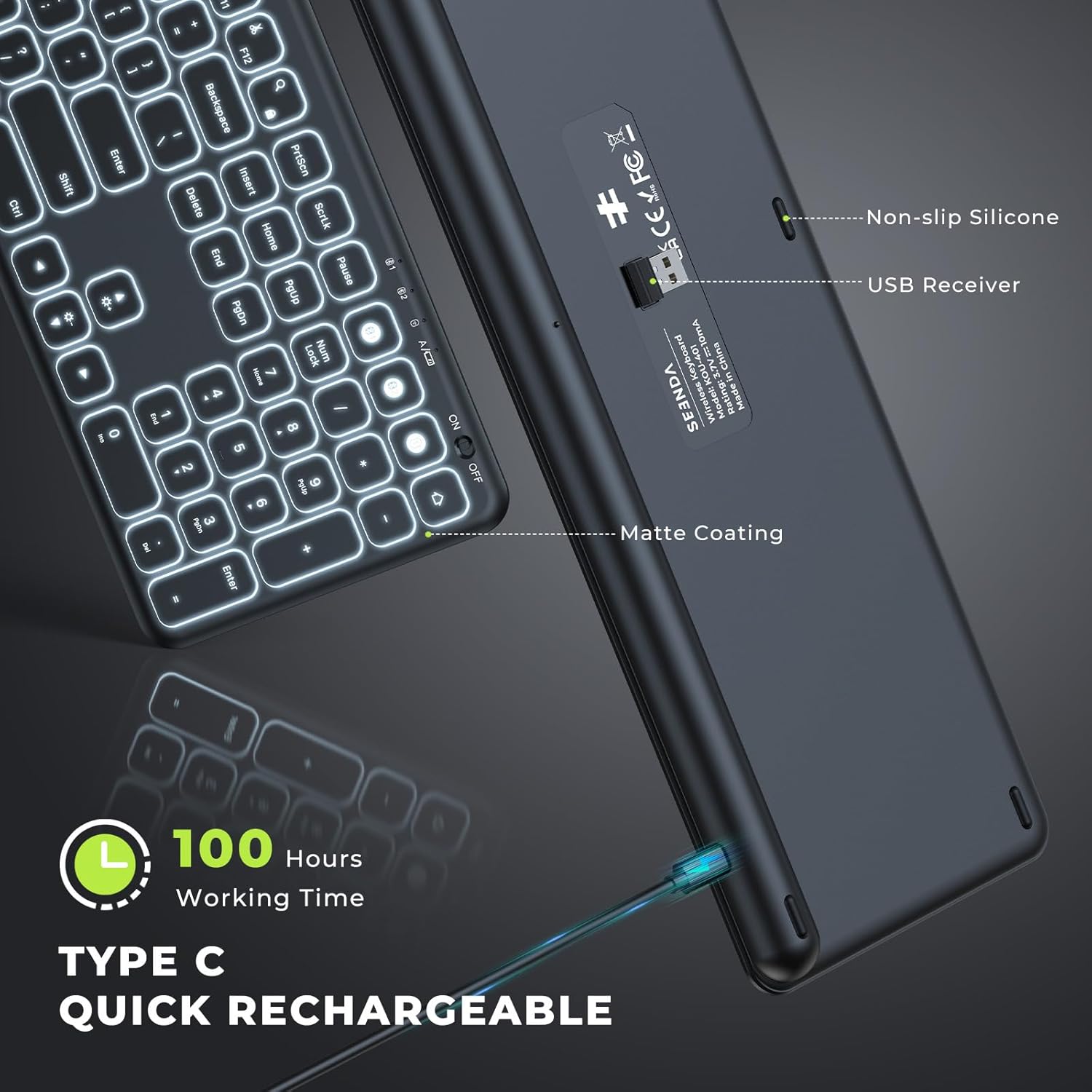
Image: The underside of the seenda KOU-401 keyboard, highlighting the Type-C charging port and the storage slot for the 2.4G USB receiver.
2. Tilslutning via 2.4G USB-modtager
- Locate the 2.4G USB receiver in the keyboard's battery compartment.
- Sæt USB-modtageren i en ledig USB-A-port på din computer eller enhed.
- Turn on the keyboard using the ON/OFF switch located on the top right edge.
- Tryk på Fn + 1 keys simultaneously to switch to 2.4G mode. The indicator light for 2.4G will illuminate.
- Tastaturet burde oprette forbindelse automatisk.
3. Forbindelse via Bluetooth (BT1 / BT2)
The keyboard supports two independent Bluetooth connections.
- Tænd for tastaturet ved hjælp af ON/OFF-knappen.
- Trykke Fn + 2 for Bluetooth Channel 1 or Fn + 3 for Bluetooth Channel 2. The corresponding indicator light will flash slowly.
- Tryk på og hold nede for at gå ind i parringstilstand Fn + 2 (eller Fn + 3) for 3-5 seconds until the indicator light flashes rapidly.
- Aktiver Bluetooth på din enhed (computer, tablet, smartphone) og søg efter nye enheder.
- Select "seenda Keyboard" from the list of available devices.
- Følg eventuelle instruktioner på skærmen for at fuldføre parringsprocessen. Indikatorlampen stopper med at blinke, når der er oprettet forbindelse.

Image: Diagram illustrating the seenda KOU-401 keyboard's ability to connect to three devices simultaneously: one via 2.4G USB and two via Bluetooth.
4. Systemkompatibilitet
Tastaturet er kompatibelt med:
- Windows XP/Vista/7/8/10+
- Mac OS 10.4+
- iPad OS/iOS 13.0+
- Android 4.3+
Note: The wireless keyboard requires Bluetooth 4.0 or above on your device (Bluetooth adapter not included).
Betjeningsvejledning
1. Tænd/sluk
Use the ON/OFF switch located on the top right edge of the keyboard to power it on or off.
2. Skift mellem tilsluttede enheder
Once multiple devices are paired, you can switch between them by pressing the corresponding function keys:
- Fn + 1: Switch to 2.4G USB connected device.
- Fn + 2: Switch to Bluetooth Channel 1 connected device.
- Fn + 3: Switch to Bluetooth Channel 2 connected device.
3. Baggrundslysstyring
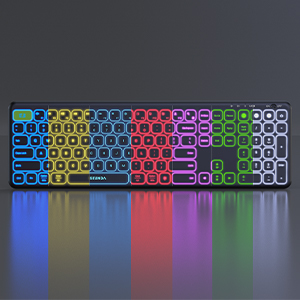
The keyboard features adjustable backlighting for improved visibility in various lighting conditions.
- Fn + Light Bulb Key (
 ): Cycle through 7 backlight colors.
 - Fn + Pil op: Increase backlight brightness (3 levels).
- Fn + pil ned: Decrease backlight brightness, including turning it off.

Image: The seenda KOU-401 keyboard displaying its various backlight color options, illustrating the 7 adjustable colors.

Image: A comparison showing the seenda KOU-401 keyboard with its backlight off in a brightly lit environment and with its backlight on in a dark environment.
4. Multimedia Functional Keys
The F1-F12 keys have dual functions. By default, they act as standard function keys. To access their multimedia functions, press Fn + Fn Lock to toggle between standard function keys and multimedia keys.

Image: A visual guide to the seenda KOU-401 keyboard's multimedia functional keys, showing how to switch between F1-F12 and their secondary media controls.
5. Batterilevetid og strømbesparelse
The keyboard can operate for up to 100 hours without backlight or 20 hours with the brightest backlight on a full charge. To conserve power, the keyboard will enter sleep mode after a period of inactivity. Press any key to wake it up. It is recommended to turn off the backlight during the day if not needed.
Opretholdelse
- Rensning: Brug en blød, tør og fnugfri klud til at rengøre tastaturets overflade. Tør let ved genstridigt snavs.ampRengør kluden med vand eller en mild rengøringsopløsning. Undgå for meget fugt.
- Opbevaring: Store the keyboard in a cool, dry place away from direct sunlight and extreme temperatures. If storing for an extended period, ensure the keyboard is fully charged and powered off.
- Batteripleje: To prolong battery life, avoid fully discharging the keyboard frequently. Charge it regularly.
Fejlfinding
| Spørgsmål | Mulig løsning |
|---|---|
| Tastaturet forbinder ikke |
|
| Baggrundsbelysningen virker ikke eller er svag |
|
| Taster reagerer ikke |
|
| Keyboard disconnects frequently |
|
Specifikationer
| Feature | Detalje |
|---|---|
| Mærke | seenda |
| Modelnummer | KOU-401 |
| Forbindelse | 2.4G USB, Bluetooth (BT1, BT2) |
| Speciel funktion | Backlit (7 colors, 3 brightness levels) |
| Strømkilde | Battery Powered (Rechargeable via Type-C) |
| Tastaturlayout | QWERTY |
| Produktdimensioner | 44.3 x 13.7 x 2.1 cm (L x B x H) |
| Varens vægt | 1.61 pund (0.73 kg) |
| Farve | Sort |
Garanti og support
seenda products are designed for reliability and performance. For warranty information, technical support, or customer service inquiries, please refer to the contact information provided on the product packaging or visit the official seenda webwebsted. Gem venligst din købsbevis til garantikrav.


