1. Introduktion
Thank you for choosing the Baseus Portable Charger. This 10000mAh slim battery pack is designed to provide fast and efficient charging for your mobile devices on the go. Featuring 20W Power Delivery (PD) and Quick Charge (QC) capabilities, it ensures your devices are powered quickly and safely. This manual provides essential information on product features, setup, operation, maintenance, and troubleshooting.

Billede: Forside view of the Baseus Portable Charger, showcasing its sleek design, LED indicator lights, and charging ports.
2. Sikkerhedsoplysninger
Læs venligst alle sikkerhedsadvarsler og instruktioner, inden du bruger dette produkt, for at sikre sikker betjening og forhindre skader. Gem denne manual til senere brug.
- Do not expose the power bank to extreme temperatures (above 60°C/140°F) or direct sunlight.
- Avoid dropping, disassembling, or attempting to repair the device yourself.
- Holdes væk fra vand, fugt og brandfarlige materialer.
- Må ikke anvendes, hvis powerbanken er beskadiget, hævet eller utæt.
- Brug kun certificerede opladningskabler og adaptere.
- Opbevares utilgængeligt for børn.
- Bortskaf produktet ansvarligt i henhold til lokale regler.

Image: Diagram illustrating the 8 built-in safety protections of the Baseus Portable Charger, including overcharge, overdischarge, overvoltage, overheating, overpower, restoration, short circuit, and overcurrent protection.
3. Pakkens indhold
Bekræft at alle varer er til stede i din pakke:
- 1x Baseus 20W Power Bank
- 1x 30cm USB A to USB C cable

Image: Visual representation of the package contents, showing the power bank, USB-A to USB-C cable, and user manual.
4. Produktet er slutview
The Baseus Portable Charger features a compact design with multiple ports for versatile charging.
4.1. Fysiske egenskaber
- LED-indikatorlys: Four blue LED lights indicate the remaining battery capacity. Each light represents approximately 25% charge.
- Power knap: Aktiverer powerbanken og kontrollerer batteriniveauet.

Billede: Nærbillede view of the power bank's LED indicator lights and the orange power button.
4.2. Havne
- USB-C-port: Supports 20W Power Delivery output and 18W input for fast recharging.
- USB-A-port: Supports 18W output for charging devices.
- Micro USB -port: Supports 18W input for recharging the power bank.

Billede: Overview of the power bank's ports (Micro USB, USB-A, USB-C) and a list of widely compatible devices including iPhones, Samsung Galaxy, Google Pixel, Nintendo Switch, earbuds, and handheld fans.
5. Opsætning
5.1. Første opladning af powerbanken
Before first use, fully charge your Baseus Portable Charger.
- Connect the included USB-A to USB-C cable to the USB-C input port of the power bank.
- Connect the other end of the cable to a compatible 18W (or higher) wall charger (not included).
- The LED indicator lights will illuminate to show charging progress. All four lights will be solid when fully charged.
A full charge takes approximately 2 hours and 48 minutes with an 18W charger.

Image: The Baseus Portable Charger connected to a wall adapter for recharging, with an indication that it fully recharges in 2.8 hours.
6. Betjeningsvejledning
6.1. Opladning af dine enheder
The power bank supports fast charging for a wide range of devices.
- Connect your device's charging cable to either the USB-C output port or the USB-A output port on the power bank.
- Tilslut den anden ende af kablet til din enhed.
- Powerbanken vil automatisk begynde at oplade din enhed.
- To check the power bank's remaining battery, press the power button once.
The 20W PD USB-C output can charge an iPhone 15 up to 50% in approximately 30 minutes.
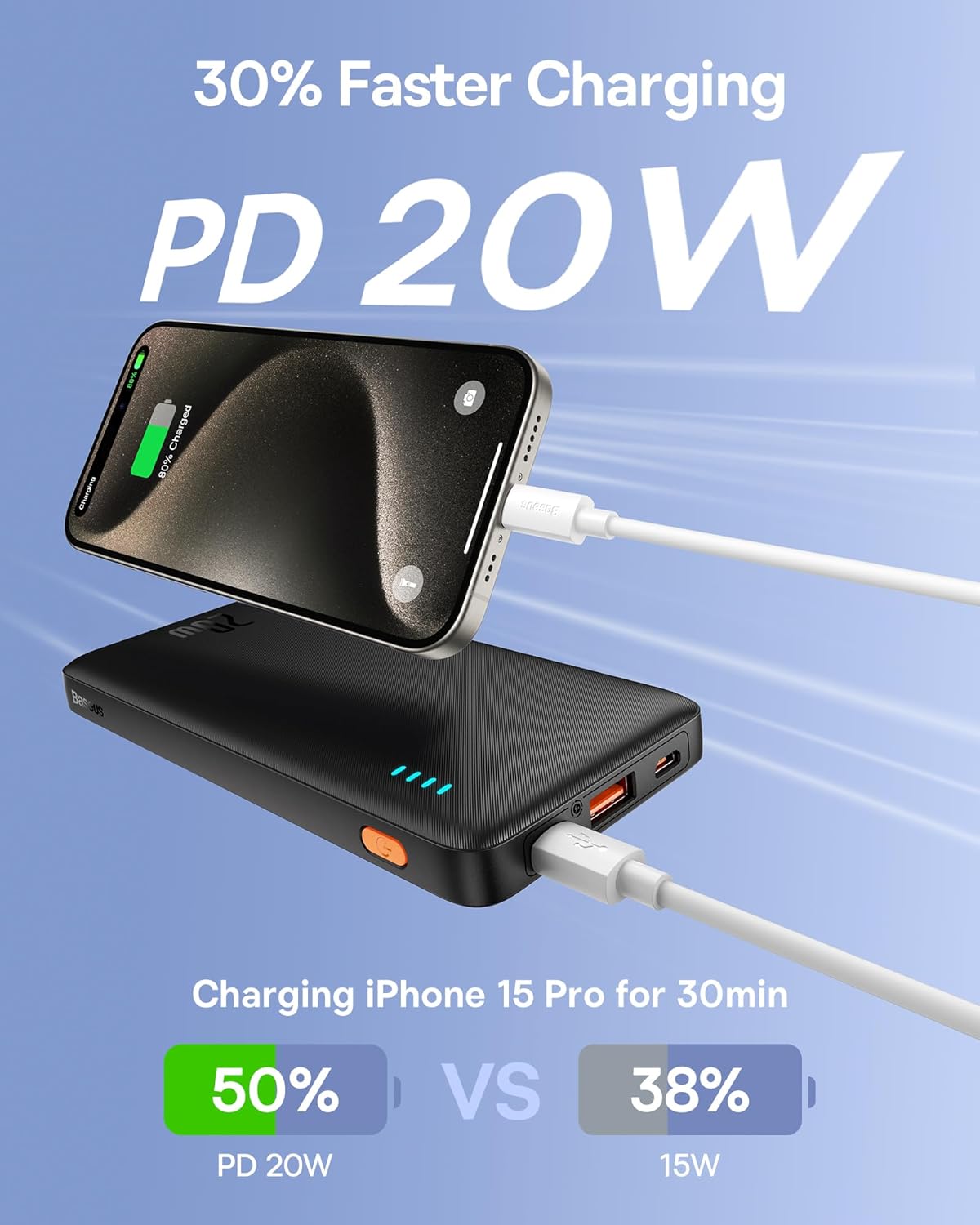
Image: An iPhone 15 Pro being fast-charged by the Baseus Portable Charger, demonstrating 50% charge in 30 minutes compared to 38% with 15W charging.
6.2. Samtidig opladning
You can charge two devices simultaneously using both the USB-C and USB-A output ports.

Image: The Baseus Portable Charger connected to and simultaneously charging two smartphones, one via USB-C and one via USB-A.
7. Vedligeholdelse
- Rengør powerbanken med en blød, tør klud. Brug ikke skrappe kemikalier eller slibende materialer.
- Opbevares på et køligt, tørt sted væk fra direkte sollys og ekstreme temperaturer.
- Hvis den ikke bruges i længere perioder, skal du oplade powerbanken mindst én gang hver tredje måned for at opretholde batteriets sundhed.
- Avoid physical shocks or impacts to the device.
8. Fejlfinding
| Problem | Mulig årsag | Løsning |
|---|---|---|
| Powerbanken oplader ikke. | Problem med kabel eller adapter; powerbank fuldt opladet; defekt port. | Try a different cable or wall adapter. Ensure the power bank is not already full. Try a different input port if available. |
| Enheden oplades ikke fra powerbanken. | Power bank is empty; cable issue; device incompatibility; power bank in standby. | Recharge the power bank. Try a different charging cable. Ensure your device supports charging from a power bank. Press the power button to activate output. |
| Langsom opladning. | Non-fast charging cable/adapter; device not supporting fast charge; multiple devices charging. | Use a fast-charging compatible cable and adapter. Ensure your device supports PD/QC. Charging multiple devices simultaneously may reduce individual charging speeds. |
| LED-indikatorerne virker ikke. | Powerbanken er slukket; intern fejl. | Press the power button. If still unresponsive, contact customer support. |
9. Specifikationer
| Feature | Detalje |
|---|---|
| Modelnummer | PPAP10 |
| Batterikapacitet | 10000 mioamp Timer |
| Produktdimensioner | 6 x 0.7 x 2.7 tommer |
| Varens vægt | 11.4 ounce |
| Indgang (USB-C) | 18W Fast Re-charging |
| Udgang (USB-C) | 20W strømforsyning (PD) |
| Udgang (USB-A) | 18W Quick Charge (QC) |
| Farve | Obsidian sort |
| Særlige funktioner | LED Indicator Lights, 9 Built-in Safety Protections |

Image: Diagram showing the dimensions of the Baseus Portable Charger: 6 inches in length, 0.7 inches in thickness, and 2.7 inches in width.
10. Garanti og support
Baseus products come with a standard warranty. For specific warranty terms and conditions, please refer to the warranty card included with your product or visit the official Baseus webwebsted.
For technical support, troubleshooting assistance, or warranty claims, please contact Baseus customer service through their official channels. You can often find contact information on the product packaging or the Baseus brand store on Amazon.
Baseus mærkebutik: Besøg Baseus-butikken på Amazon


