1. Introduktion
Thank you for choosing the BYINTEK U70 Pro Portable 4K 3D DLP Projector. This manual provides essential information for the safe and efficient operation of your device. Please read it thoroughly before use and retain it for future reference.

Image 1.1: The BYINTEK U70 Pro Portable Projector and its remote control.
2. Sikkerhedsoplysninger
- Se ikke direkte ind i projektorlinsen, når lamp er tændt.
- Sørg for korrekt ventilation for at forhindre overophedning. Bloker ikke ventilationsåbninger.
- Brug kun den medfølgende strømadapter.
- Hold enheden væk fra vand, fugt og ekstreme temperaturer.
- Forsøg ikke selv at skille projektoren ad eller reparere den. Kontakt kvalificeret servicepersonale.
- Opbevares utilgængeligt for børn.
3. Pakkens indhold
Bekræft at alle varer er til stede i din pakke:
- 1 x BYINTEK U70 Pro Projector
- 1 x fjernbetjening
- 1 x HD-kabel
- 1 x Brugermanual (dette dokument)
- 1 x DC 19V 3.42A strømadapter
4. Produktet er slutview
Gør dig bekendt med projektorens komponenter og grænseflader.
Billede 4.1: Foran og bagpå views of the BYINTEK U70 Pro Projector, highlighting its various ports and controls.
Nøglekomponenter:
- Linse: Projektionsoutput.
- Tastatur: Manual control buttons on top.
- IR-modtager: Til fjernbetjeningssignaler.
- DC 12V-in: Strømindgangsport.
- USB 3.0 / USB 2.0: For connecting USB storage devices, mouse, or keyboard.
- Afbryderen: Til at tænde/slukke projektoren.
- Audio-out (3.5mm Jack): Til eksterne højttalere eller hovedtelefoner.
- HD-indgang (HDMI): Til tilslutning af eksterne videokilder.
- 5W Speakers: Indbyggede stereohøjttalere.
- Detachable Dust Filter: For nem rengøring og vedligeholdelse.
- Universal Bracket Hole (d=1/4inch, 6mm): For mounting on tripods or ceiling mounts.
5. Opsætning
5.1 Tænd/sluk
- Connect the DC 19V 3.42A Power Adapter to the projector's DC 12V-in port.
- Press the Power Switch to turn the projector on. The indicator light will illuminate.
- To power off, press the Power Switch again.
5.2 Placering og projektion
The BYINTEK U70 Pro supports a projection size of 30-300 inches with a projection distance of 1-8 meters. The optimal aspect ratio is 16:9, but 16:10 and 4:3 are also supported.
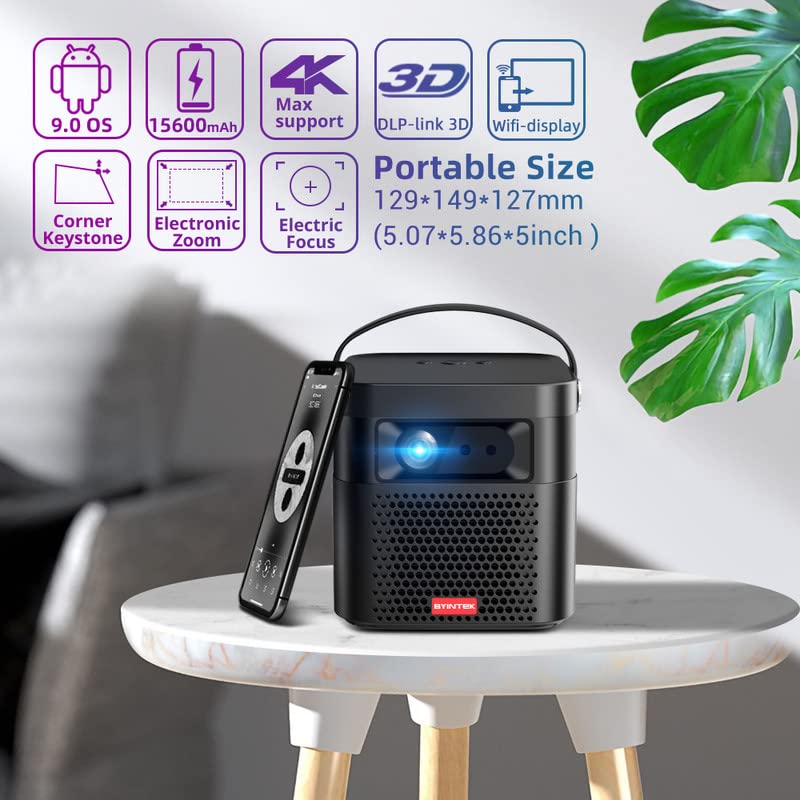
Image 5.1: The BYINTEK U70 Pro Projector highlighting its portable size and advanced features.
5.3 Fokus- og Keystone-korrektion
- Projektoren har Autofokus for hurtig billedklarhed.
- For fine-tuning, use the Elektrisk fokus function via the remote control or on-device keypad.
- Auto Manual Vertical Keystone Correction is available to adjust image distortion when the projector is not perfectly perpendicular to the screen.
- Corner Keystone correction allows for individual corner adjustments.
5.4 Forbindelse
Projektoren tilbyder forskellige tilslutningsmuligheder:
- HDMI: Connect external devices like TV sticks, X-BOX, PS4, PCs, or laptops using the provided HD Cable.
- USB: Insert USB sticks or SSD hard drives for media playback. Supports USB 2.0 and USB 3.0.
- Wi-Fi: Connect to your wireless network for online content and wireless projection.
- Bluetooth: For connecting external Bluetooth speakers or headphones (if supported by the Android OS).
6. Betjeningsvejledning
6.1 Android 9.0 Smart OS
The BYINTEK U70 Pro runs on Android 9.0, providing a smart interface with 32GB internal storage. Navigate the interface using the remote control or by connecting a USB mouse/keyboard.

Image 6.1: The Android 9.0 operating system interface, allowing access to various applications.
6.2 Trådløs projektion
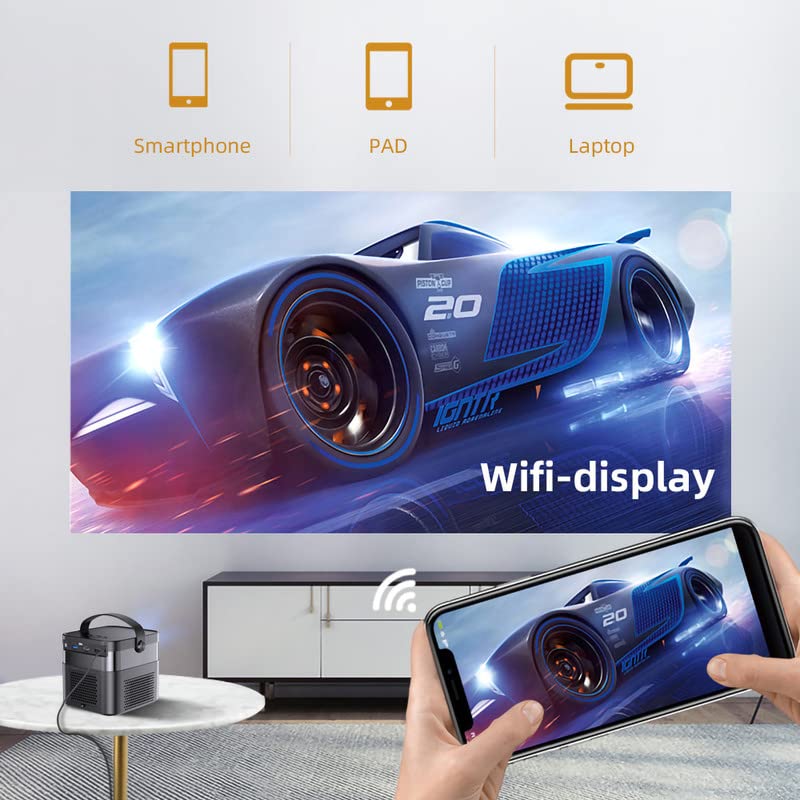
Wirelessly connect your Android or iOS devices for screen mirroring.

Image 6.2: Wireless display functionality, enabling screen mirroring from smartphones, tablets, and laptops.
- Ensure both the projector and your mobile device are connected to the same Wi-Fi network.
- Select the appropriate wireless projection app (e.g., Airplay, Miracast, DLNA, Eshare) on the projector's home screen.
- Follow the on-screen instructions to connect your smartphone, tablet, or laptop.
6.3 3D-funktionalitet
Projektoren understøtter Real 3D content for an immersive viewoplevelse.
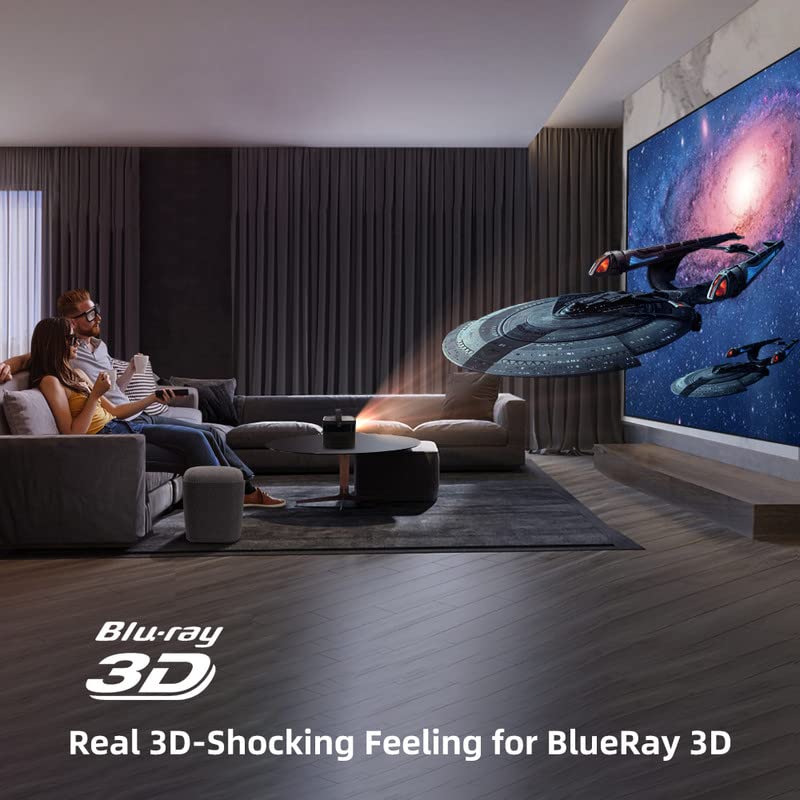
Image 6.3: The projector displaying 3D content for an immersive home theater experience.
- To enjoy 3D content, you will need compatible 3D glasses (sold separately).
- Play 3D-enabled media (e.g., Blu-ray 3D) through a connected device.
- Activate the 3D mode on the projector via the settings menu.
6.4 Lydudgang
The projector has built-in 2 x 5W speakers. For enhanced audio, connect external speakers or headphones via the 3.5mm Audio Jack or Bluetooth.
7. Vedligeholdelse
7.1 Rengøring af linsen
Brug en blød, fnugfri klud, der er specielt designet til optiske linser. Brug ikke slibende rengøringsmidler eller overdreven kraft.
7.2 Rengøring af støvfilteret
The projector features a detachable dust filter. Regularly remove and clean it to maintain optimal performance and prevent overheating. Refer to Image 4.1 for the location of the detachable dust filter.
7.3 Pleje af batterier
The projector includes a rechargeable battery. To prolong battery life:
- Undgå at aflade batteriet helt ofte.
- Store the projector in a cool, dry place if not used for extended periods.
- Charge the battery periodically if stored for a long time.
8. Fejlfinding
Hvis du støder på problemer, kan du se følgende almindelige problemer og løsninger:
| Problem | Mulig årsag | Løsning |
|---|---|---|
| Intet billede vises | Power cable loose, input source incorrect, lens cap on | Check power connection, select correct input source, remove lens cap |
| Billedet er sløret | Focus not adjusted, keystone incorrect | Adjust focus using remote/keypad, correct keystone settings |
| Ingen lyd | Volume too low, external audio device not connected, source audio issue | Increase volume, check external audio connections, verify source audio output |
| Fjernbetjening virker ikke | Batteries dead, IR receiver blocked | Replace batteries, ensure clear line of sight to IR receiver |
| Advarsel om overophedning | Blocked ventilation, dusty filter | Ensure clear ventilation, clean dust filter |
9. Specifikationer
Detailed technical specifications for the BYINTEK U70 Pro Projector:
| Feature | Specifikation |
|---|---|
| Mærke | BYINTEK |
| Model | BYINTEK-UFO-U70-PRO |
| Displayteknologi | DLP (LED) |
| Billedlysstyrke | 500 ANSI Lumens |
| Indfødt opløsning | 1280 x 800 (supports 1080p Full HD Pixels, Max supports 4K signal input) |
| Billedkontrastforhold | 15000:1 |
| Aspektforhold | 16:9 (also 16:10, 4:3) |
| Projektionsstørrelse | 30-300 tommer |
| Projektionsafstand | 1-8 meter |
| Operativsystem | Android 9.0 |
| Intern opbevaring | 32 GB |
| Særlige funktioner | Built-In 3D, Auto Focus, Short Throw, Built-in Speakers, Rechargeable Battery, Wireless Projection |
| Hardware-interface | HDMI, USB 2.0, USB 3.0 |
| Forbindelsesteknologi | Wi-Fi |
| Lydudgang | 3.5mm Audio Jack, Built-in 2 x 5W Speakers |
| Strømkilde | DC 19V 3.42A, Rechargeable Battery |
| Wattage | 65 watt |
| Produktdimensioner | 12.9 x 14.9 x 12.7 cm |
| Varens vægt | 1.36 kg |
| Model årgang | 2023 |
10. Garanti og support
10.1 Garantioplysninger
The BYINTEK U70 Pro Projector comes with a 1 års garanti fra købsdatoen. Gem venligst din købsbevis i tilfælde af garantikrav. Garantien dækker fabrikationsfejl under normale brugsforhold.
10.2 Kundesupport
For technical assistance, warranty claims, or any other inquiries, please contact BYINTEK customer support:
- Telefonnummer: +91 8885241706
- E-mail: care@justshop24x7.com


