1. Introduktion
Thank you for choosing the Vamav Sync 15 Professional Amplified Speaker. This manual provides essential information for the safe and efficient operation of your device. Please read it thoroughly before use and retain it for future reference.
2. Sikkerhedsinstruktioner
- Strømkilde: Sørg for, at højttaleren er tilsluttet en strømkilde, der matcher lydstyrkentage angivet på enheden.
- Ventilation: Do not block ventilation openings. Maintain adequate space around the speaker for proper airflow.
- Vand og fugt: Keep the speaker away from water, rain, and excessive humidity. Do not operate with wet hands.
- Varme: Undgå at placere højttaleren i nærheden af varmekilder såsom radiatorer, varmeapparater, komfurer eller andre varmeproducerende apparater.
- Rensning: Afbryd strømmen før rengøring. Brug en tør, blød klud. Brug ikke flydende rengøringsmidler eller aerosoler.
- Service: Forsøg ikke selv at servicere dette produkt. Overlad al service til kvalificeret servicepersonale.
- Placering: Placer højttaleren på en stabil, flad overflade for at forhindre den i at falde.
3. Pakkens indhold
Bekræft at alle varer er til stede i pakken:
- Vamav Sync 15 Amplified Speaker
- Strømkabel
- Brugervejledning (dette dokument)
4. Produktet er slutview
Familiarize yourself with the various components of your Vamav Sync 15 speaker.
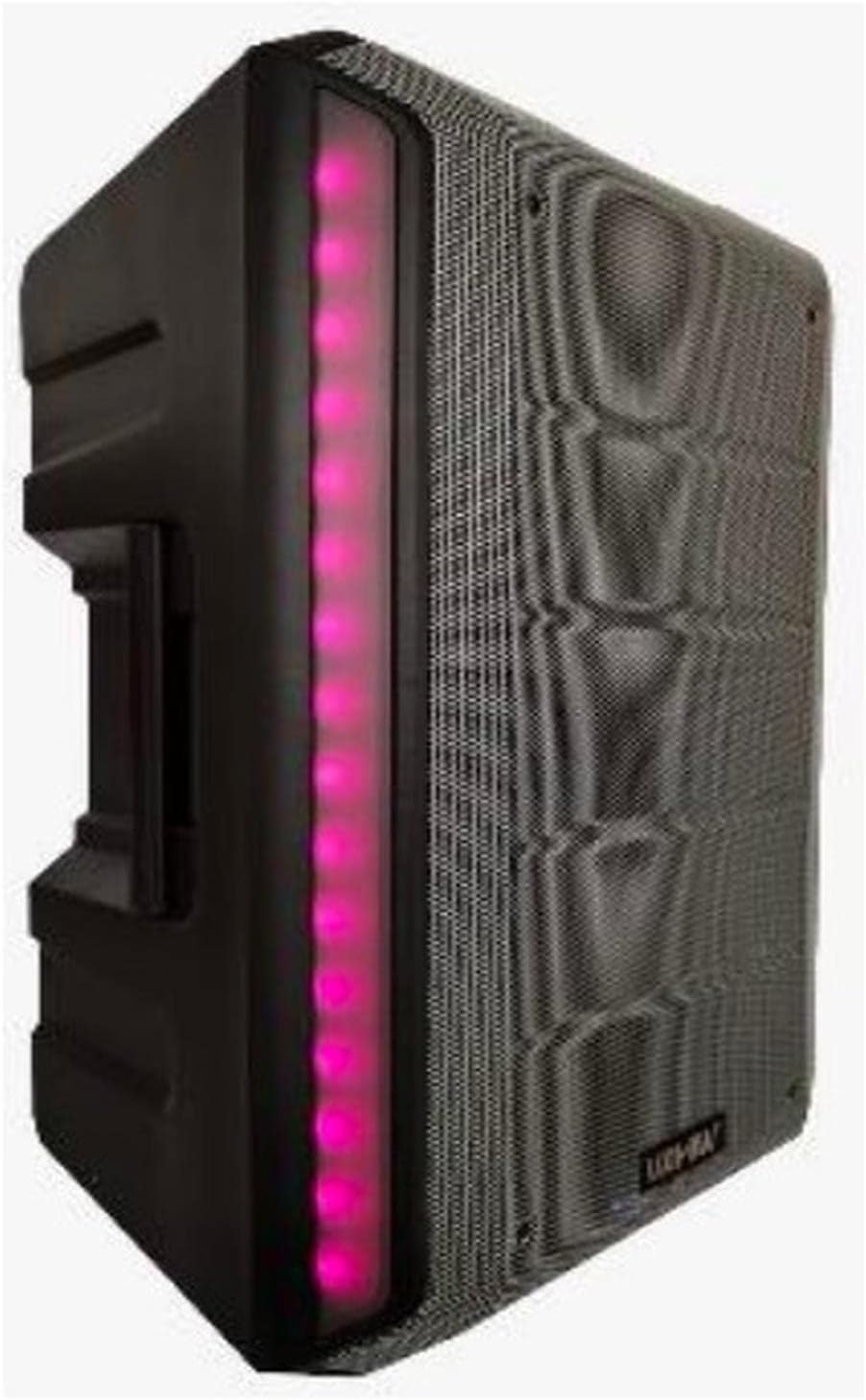
Figur 4.1: Forside View. This image displays the front of the Vamav Sync 15 speaker, featuring a protective grille over the speaker cone and an illuminated LED strip along the side, indicating power and operational status.
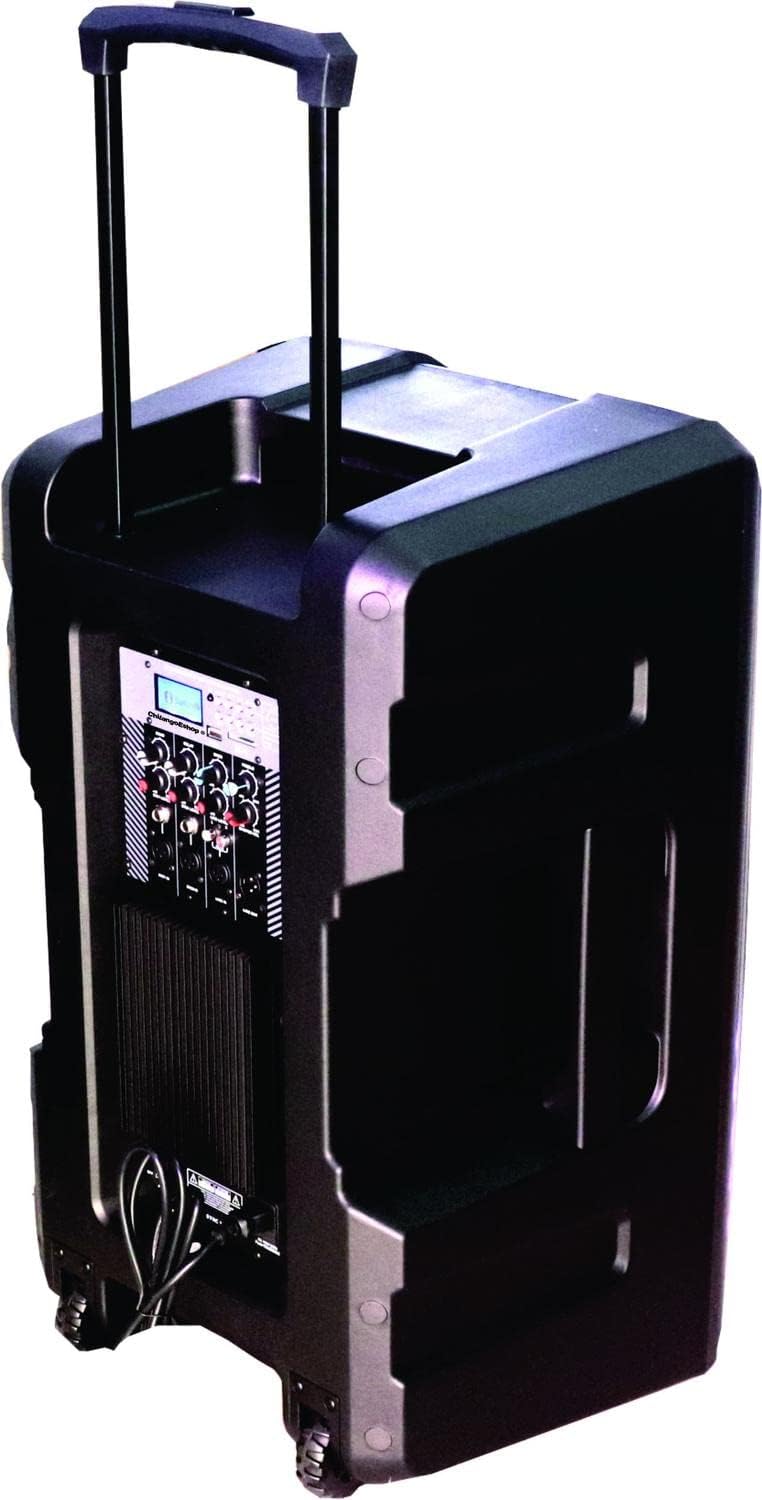
Figur 4.2: Bagside View. The rear of the speaker is shown, highlighting the retractable handle for portability and integrated wheels at the base, designed for easy transport.

Figur 4.3: Kontrolpanel. En detaljeret view of the control panel, featuring an MP3 digital display, Bluetooth connectivity indicator, USB and SD card slots, various input ports (XLR, 6.3mm Jack, RCA), and control knobs for Echo, Delay, Bass, Treble, Microphone Levels, Line Level, and Master Volume.

Figur 4.4: Nederst View. This image illustrates the bottom of the speaker, showing the robust wheels for mobility and a central socket designed for mounting the speaker on a stand.

Figure 4.5: Speaker Dimensions. An illustration indicating the approximate dimensions of the Vamav Sync 15 speaker: 70 cm in height, 35 cm in depth, and 40 cm in width.
5. Opsætning
- Udpakning: Tag forsigtigt højttaleren og alt tilbehør ud af emballagen.
- Placering: Position the speaker on a stable, flat surface or mount it on a compatible speaker stand using the bottom pole mount socket. Ensure adequate space for ventilation.
- Strømtilslutning: Connect the provided power cable to the speaker's power input and then to a suitable electrical outlet.
- Første gang tændt: Turn the Master Volume knob to its minimum setting before powering on the unit to avoid sudden loud sounds. Press the power switch to turn on the speaker.
6. Betjeningsvejledning
6.1. Tænd/sluk
- To power on, ensure the Master Volume is low, then flip the power switch located on the control panel.
- To power off, turn the Master Volume to minimum, then flip the power switch.
6.2. Bluetooth-forbindelse
- Turn on the speaker. The display will show the current mode.
- Press the 'MODE' button on the control panel until 'Bluetooth' is selected. The Bluetooth indicator will flash, signifying it is ready for pairing.
- Aktiver Bluetooth på din mobilenhed (smartphone, tablet osv.) og søg efter tilgængelige enheder.
- Select 'CHSYNC 15' from the list of devices. Once connected, the Bluetooth indicator will stop flashing and remain solid.
- You can now play audio from your device through the speaker. The effective Bluetooth range is approximately 10 meters.
6.3. USB/SD-kortafspilning
- Indsæt et USB-flashdrev eller SD-kort i den respektive stik på kontrolpanelet.
- Højttaleren skifter automatisk til USB/SD-tilstand og begynder at afspille lyd files. If not, press the 'MODE' button to select USB or SD.
- Use the playback controls (Play/Pause, Next, Previous) on the control panel to manage your audio.
6.4. Connecting Microphones and Line-in Devices
- Mikrofoner: Connect microphones to the 'MIC 1 IN' or 'MIC 2 IN' XLR or 6.3mm Jack inputs. Adjust individual microphone levels using the 'MIC 1 LEVEL' and 'MIC 2 LEVEL' knobs.
- Line-in-enheder: Connect external audio sources (e.g., mixer, CD player) to the 'LINE IN' RCA inputs or the 6.3mm Jack input. Adjust the input level using the 'LINE LEVEL' knob.
- Line Out: Use the 'LINE OUT' 6.3mm Jack to connect to another amplified speaker or recording device.
6.5. Lydkontrol
- EKKO: Justerer ekkoeffekten for mikrofoner.
- FORSINKE: Controls the delay time of the echo effect.
- BAS: Justerer lavfrekvent lydudgang.
- DISKANT: Justerer højfrekvent lydudgang.
- MASTER BIND: Styrer højttalerens samlede udgangslydstyrke.
7. Vedligeholdelse
- Rensning: Regularly wipe the speaker's exterior with a soft, dry cloth. Do not use abrasive cleaners or solvents.
- Opbevaring: Når højttaleren ikke er i brug i længere perioder, skal den opbevares køligt og tørt, væk fra direkte sollys og ekstreme temperaturer.
- Kabelpleje: Inspect power and audio cables periodically for damage. Replace any frayed or damaged cables immediately.
8. Fejlfinding
| Problem | Mulig årsag | Løsning |
|---|---|---|
| Ingen strøm | Strømkabel ikke tilsluttet; Stikkontakt defekt; Strømafbryder slukket. | Ensure power cable is securely connected; Test outlet with another device; Turn power switch on. |
| Ingen lydudgang | Master Volume too low; Input source not selected; Input device not connected or faulty; Mute activated. | Increase Master Volume; Select correct input mode (Bluetooth, USB, Line In); Check connections of input device; Ensure no mute function is active. |
| Bluetooth forbinder ikke | Speaker not in Bluetooth mode; Device too far; Bluetooth not enabled on source device; Already connected to another device. | Press MODE button to select Bluetooth; Move device closer (within 10m); Enable Bluetooth on your device; Disconnect from other devices. |
| USB/SD-kort afspiller ikke | Ukorrekt file format; USB/SD card faulty or improperly inserted; Speaker not in USB/SD mode. | Sørg for lyd files are compatible (e.g., MP3); Reinsert USB/SD card; Press MODE button to select USB/SD. |
9. Specifikationer
| Feature | Specifikation |
|---|---|
| Modelnavn | CHSYNC 15 |
| Højttaler type | Overvåge, Amplified (Active) |
| Højttaler størrelse | 15 tommer |
| System | To-vejs system |
| Stemmespole | 2" KSV |
| Chauffør | 34 mm |
| RMS udgangseffekt | 150 watt |
| Trådløs teknologi | Bluetooth (10 meters distance) |
| Forbindelsesteknologi | Bluetooth, USB |
| Medieafspilning | USB-port, SD-kortslot |
| Lydkontrol | Bass, Treble, Echo, Delay, Master Volume, Mic Levels, Line Level |
| Indgange | XLR, 6.3mm Jack (x1), RCA |
| Produktion | 6.3 mm jack |
| Strømkilde | Batteri |
| Kontrolmetode | Taktil |
| Materiale | Plast |
| Farve | Sort |
| Produktdimensioner | 35 cm D x 40 cm B x 70 cm H (13.8 cm D x 15.8 cm B x 27.6 cm H) |
| Kompatible enheder | Desktop computer, Laptop, Projector, MP3 player, Smartphone, Tablet, Television, Video game console |
10. Garanti og support
For garantioplysninger og teknisk support henvises til den dokumentation, der blev leveret ved køb, eller kontakt din forhandler. Gem din købsbevis i tilfælde af garantikrav.


