1. Introduktion og overview
The BOTSLAB Smart Pan Tilt Camera is a versatile 2K WiFi indoor home security dome camera designed to provide comprehensive monitoring for your living spaces. Equipped with advanced features such as human and motion detection, clear night vision, and two-way audio, it serves as an excellent baby monitor or general home surveillance device. Its compatibility with Alexa and Google Assistant allows for convenient voice control and integration into your smart home ecosystem. This manual provides detailed instructions to help you set up, operate, and maintain your camera effectively.
2. Opsætning
2.1 Udpakning og første opstart
Carefully unbox your camera and all accessories. Connect the camera to a power source using the provided USB cable and power adapter. The camera will perform an initial calibration, rotating to its full range of motion.

Image: The BOTSLAB Smart Pan Tilt Camera alongside a smartphone showing its live feed, illustrating its primary function.
2.2 App-download og Wi-Fi-forbindelse
Download the 'Botslab' app from your device's app store (available on iOS and Android). Follow the in-app instructions to create an account and add your new camera. Ensure your mobile device is connected to a 2.4GHz Wi-Fi network, as the camera supports this frequency for stable connectivity.
2.3 Monteringsmuligheder
The camera can be placed on any flat surface such as a desk or shelf. For optimal coverage, it can also be wall-mounted or ceiling-mounted using the included hardware. The camera supports 355° horizontal pan and 105° vertical tilt, allowing for comprehensive room coverage regardless of its placement.

Image: A visual representation of the camera's extensive pan (355°) and tilt (105°) range.
2.4 Opsætningsvideoguide
Video: A quick guide demonstrating the setup process and key features of the Botslab Smart Pan Tilt Camera.
3. Betjening
3.1 Sound Detection
The camera features abnormal noise detection, alerting you to unusual sounds in your baby's room or other monitored areas. This ensures you can respond quickly to any disturbances.
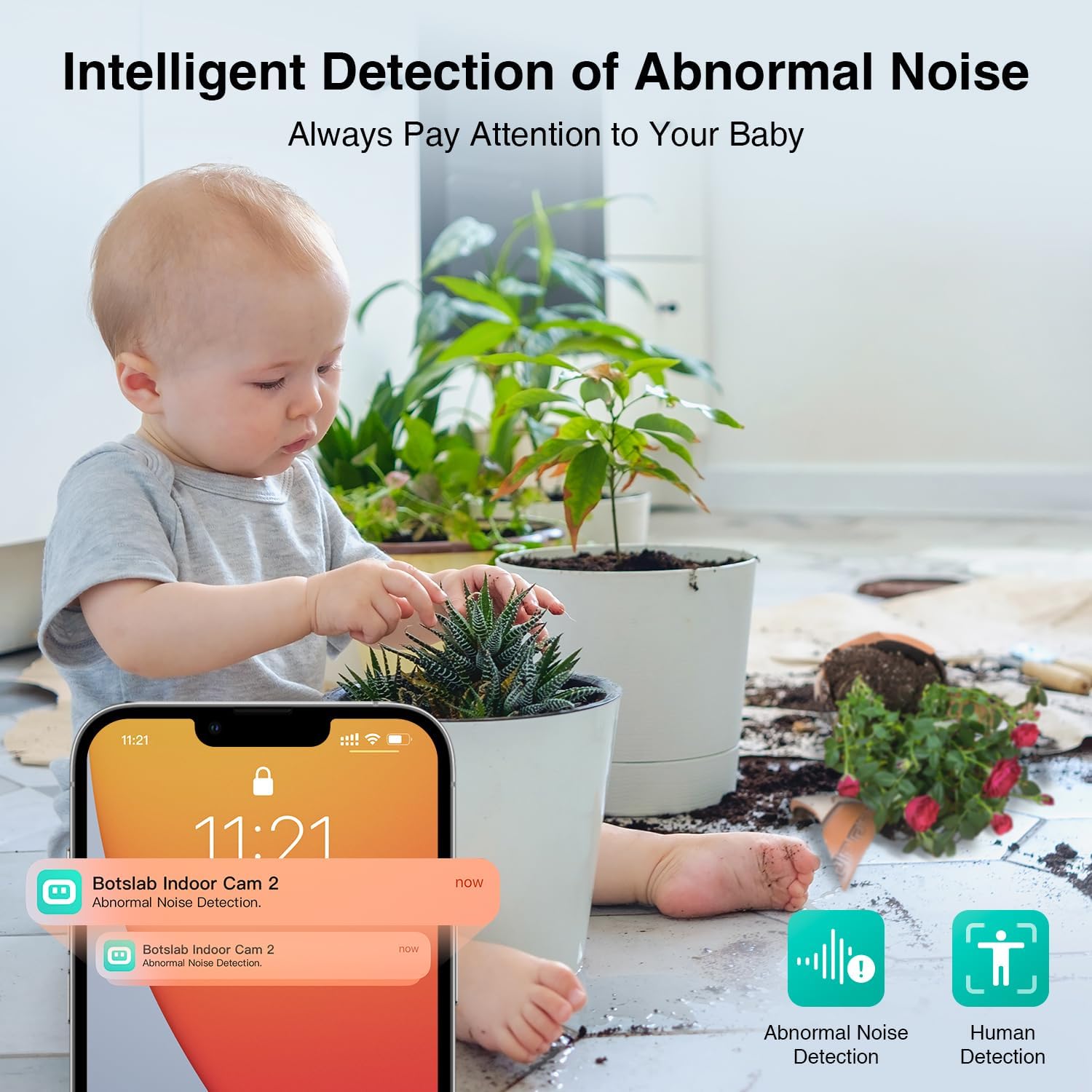
Image: The camera's sound detection feature, alerting users to abnormal noises.
3.2 Human Detection & Tracking
With 360° pan and tilt capabilities, the camera offers human detection and tracking. It can automatically follow detected human movement, ensuring you don't miss any important moments. This feature can be enabled in the camera settings.

Image: The camera's human detection and tracking in action, following subjects within its field of view.
3.3 Klart nattesyn
The enhanced night vision provides clear 2K images up to 33 ft, even in low-light conditions. Equipped with 940nm IR LEDs, it offers discreet monitoring without visible red light, ensuring a peaceful environment. Indicator lights can be turned off in settings for better night monitoring.

Image: Comparison of 2K HD resolution in daylight and clear night vision in darkness.
3.4 Tovejslyd
Communicate in real-time using the clear two-way audio feature. Talk to your baby, pets, or family members through the camera's built-in microphone and speaker. You can also share camera access with family members, making distance irrelevant.

Image: The two-way audio feature allows for real-time communication, useful for interacting with children or pets.
3.5 Alexa & Google Assistant Integration
The camera works seamlessly with Alexa and Google Assistant. Use voice commands to view the live stream of the monitored area on compatible smart displays, providing hands-free convenience.

Image: Voice control integration with Alexa and Google Assistant for easy live stream viewing.
3.6 Lagringsmuligheder
The camera supports both cloud storage and local storage via a MicroSD card (up to 256GB). This allows you to store and review optaget footage bekvemt.

Image: Cloud and MicroSD card storage options for recording and reviewing footage.
3.7 Operating Video Guides
Video: Demonstration of the camera's pan and tilt functions via the mobile app.
Video: Et kort klip, der viserasing the camera's night vision clarity.
4. Vedligeholdelse
4.1 Rengøring
To maintain optimal performance, gently wipe the camera lens and body with a soft, dry cloth. Avoid using harsh chemicals or abrasive materials that could damage the device.
4.2 firmwareopdateringer
Periodically check the Botslab app for available firmware updates. Keeping your camera's firmware up-to-date ensures you have the latest features, security enhancements, and bug fixes.
4.3 SD-kortstyring
If using a MicroSD card for local storage, ensure it is a Class 10 card for reliable performance. Format the card periodically through the app settings to prevent data corruption and maintain recording efficiency. When inserting or removing the card, ensure the camera is powered off to avoid damage.
5. Fejlfinding
5.1 Forbindelsesproblemer
- Kamera offline: Ensure the camera is properly powered and connected to a 2.4GHz Wi-Fi network. Check your router's signal strength.
- Forbindelsen fejlede: Verify your Wi-Fi password. Try resetting the camera using the eject pin and re-pairing it with the app.
5.2 Image/Video Quality
- Sløret billede: Clean the camera lens. Ensure adequate lighting conditions, especially for night vision.
- Lagging Video: Check your Wi-Fi signal strength and internet speed. Reduce the video resolution in app settings if necessary.
5.3 Motion/Sound Detection
- No Alerts: Ensure detection features (human, motion, sound) are enabled in the app settings. Adjust sensitivity levels.
- Falske advarsler: Lower the detection sensitivity. Ensure the camera is placed in an area with minimal irrelevant movement or noise.
For more detailed troubleshooting steps, please refer to the Brugervejledning (PDF).
6. Specifikationer
| Feature | Specifikation |
|---|---|
| Modelnummer | C211 |
| Videooptagelsesopløsning | 2K |
| Effektiv stillopløsning | 3 MP |
| Forbindelsesteknologi | Wi-Fi (2.4 GHz) |
| Felt Af View | 360 Degrees (Pan & Tilt) |
| Night Vision Range | 33 fod |
| Opbevaring | MicroSD (up to 256GB), Cloud Storage |
| To-vejs lyd | Ja |
| Stemmeassistentkompatibilitet | Alexa, Google Assistant |
| Strømkilde | Ledningsbaseret elektrisk (5V, 5W) |
| Produktdimensioner | 1.37 x 1.36 x 1.85 tommer |
| Varens vægt | 13.4 ounce |
7. Garanti og support
BOTSLAB is committed to creating top-tier AI-Vision security products for families, enhancing home safety with expertise in AI and visual technology. All products embody our core belief: Be Secure, Be Botslab.
For technical support, warranty information, or any inquiries, please refer to the official BOTSLAB website or contact customer service directly. A detailed User Manual (PDF) is also available for download via the product's Amazon page or the Botslab app.
- 365-Day Quality Guarantee
- Livstids teknisk hjælp
- 30-dages gratis retur
- 48 Hours Fast Support


