1. Introduktion
Thank you for choosing the SOLIOM S40 3G/4G LTE Cellular Solar Security Camera. This manual provides detailed instructions for the proper installation, operation, and maintenance of your camera. Please read this manual thoroughly before using the product to ensure correct usage and to prevent damage.
Vigtige sikkerhedsoplysninger:
- Sørg for, at kameraet er installeret et stabilt sted for at forhindre det i at falde.
- Do not expose the camera to extreme temperatures or corrosive environments.
- Use only the recommended power accessories.
- Opbevares utilgængeligt for børn.
2. Produktet er slutview
2.1 Produktkomponenter
The SOLIOM S40 camera package typically includes the following items:
- SOLIOM S40 3G/4G LTE Cellular Solar Security Camera
- Solpanel
- Monteringsbeslag og skruer
- USB opladningskabel
- Nano SIM Card (pre-installed or included separately)
- Micro SD Card (pre-installed or included separately)
- Brugervejledning (dette dokument)
2.2 Nøglefunktioner
- 3G/4G LTE Connectivity: Operates without Wi-Fi, ideal for remote locations.
- Solcelledrevet: Equipped with a solar panel for continuous power, reducing the need for manual recharging.
- 1080p fuld HD-video: Giver klar og detaljeret videofootage.
- Pan & Vip-funktionalitet: Offers 355° horizontal pan and 90° vertical tilt for wide area coverage.
- PIR bevægelsesdetektion: Advanced passive infrared sensor detects human and animal movement, minimizing false alarms.
- Farve Night Vision: Enhanced night vision capabilities with spotlight for full-color viewunder dårlige lysforhold.
- Tovejs lyd: Indbygget mikrofon og højttaler til kommunikation i realtid.
- IP66 Vejrbestandig: Holdbart design til udendørs brug under forskellige vejrforhold.
- Lokal og cloud-lagring: Supports Micro SD card storage and optional cloud storage.

Figure 2.1: SOLIOM S40 Camera with Solar Panel

Figure 2.2: Camera operating in a remote location without Wi-Fi or power outlet.
3. Opsætning
3.1 Før du begynder
- Oplad batteriet: Before initial use, fully charge the camera's internal battery using the provided USB cable. Connect the USB cable to the camera's charging port and a 5V/2A USB power adapter (not included).
- Indsæt SIM-kort: Ensure the Nano SIM card is active and has a data plan. Open the rubber cover on the camera body to access the SIM card slot. Insert the Nano SIM card with the gold contacts facing down, following the diagram.
- Indsæt Micro SD-kort: If not pre-installed, insert a Micro SD card (up to 128GB, Class 10 or higher recommended) into the designated slot for local video storage.

Figure 3.1: SIM and SD Card Installation
3.2 Download af app og kontoregistrering
Download the 'SOLIOM+' app from the App Store (iOS) or Google Play Store (Android). Follow the on-screen instructions to register a new account and log in.
3.3 Kameraparring
- Open the SOLIOM+ app and tap 'Add Device' or the '+' icon.
- Select '4G Camera' from the device list.
- Follow the in-app prompts to scan the QR code on the camera or manually enter the device ID.
- Når du har oprettet forbindelse, kan du navngive dit kamera og begynde live viewing.
3.4 Fysisk installation
Choose a suitable location for installation, ensuring good 4G signal reception and sufficient sunlight exposure for the solar panel. The camera is IP66 weather-resistant, suitable for outdoor environments.
- Montering af kameraet: Use the provided mounting bracket and screws to securely attach the camera to a wall or pole. Ensure the camera has a clear line of sight to the area you wish to monitor.
- Positioning the Solar Panel: Mount the solar panel in a location that receives direct sunlight for several hours a day. Connect the solar panel cable to the camera's charging port.

Figure 3.2: Wire-Free Installation with Solar Power

Figure 3.3: IP66 Weather-resistant Design
4. Betjening
4.1 App-grænseflade overview
Upon opening the SOLIOM+ app, you will see a list of your connected cameras. Tap on a camera to access its live view og kontrolmuligheder.
4.2 Live View og afspilning
- Levende View: Tap on the camera feed to see real-time video.
- Afspilning: Få adgang til optaget footage from the Micro SD card or cloud storage via the playback option in the app. You can filter by date and time.
4.3 Panorering/hældningskontrol
I live view interface, use the on-screen joystick or directional arrows to remotely control the camera's pan (355° horizontal) and tilt (90° vertical) movements to adjust the viewvinkel.

Figur 4.1: Panorerings- og vippefunktion
4.4 Bevægelsesdetektion og advarsler
The camera uses PIR (Passive Infrared) technology for accurate motion detection. When motion is detected, the camera can:
- Send push-notifikationer til din smartphone.
- Record video clips to the SD card or cloud.
- Activate the built-in spotlight and/or siren alarm.
Adjust motion detection sensitivity and alert settings within the app to suit your needs.
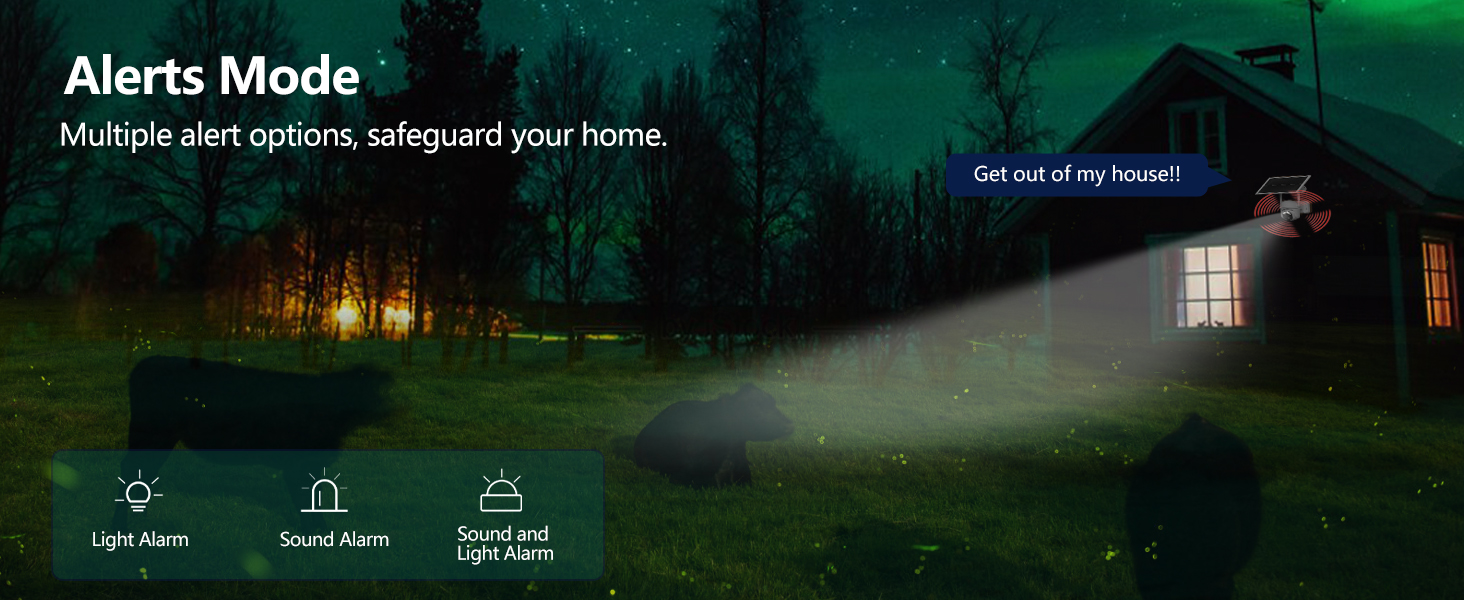
Figure 4.2: Alerts Mode (Light and Sound Alarm)
4.5 Nattesyn
The SOLIOM S40 features advanced night vision modes:
- Infrarødt nattesyn: Giver klar sort-hvid video i fuldstændig mørke.
- Farve Night Vision: When motion is detected or manually activated, the built-in spotlight illuminates the area, allowing for full-color video recording at night.

Figur 4.3: Sammenligning af dag- og nattesyn
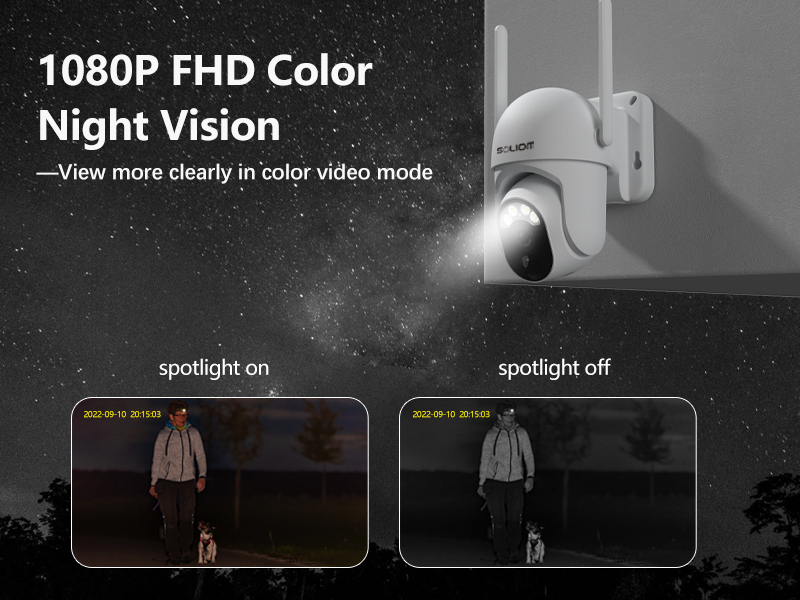
Figure 4.4: Color Night Vision with Spotlight
4.6 Tovejslyd
Use the microphone and speaker icons in the app's live view to enable two-way communication. This allows you to speak to visitors or deter intruders remotely.
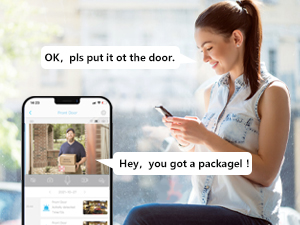
Figur 4.5: Tovejs lydkommunikation
5. Vedligeholdelse
- Rensning: Rengør kameralinsen og solpanelet regelmæssigt med en blød kludamp klud for at sikre optimal ydeevne. Brug ikke skrappe kemikalier.
- Batteriets sundhed: While the solar panel provides continuous charging, ensure the solar panel is free from obstructions and receives adequate sunlight. If the camera's battery level drops significantly, manually charge it via USB.
- Firmwareopdateringer: Check the SOLIOM+ app regularly for firmware updates. Keeping your camera's firmware up-to-date ensures optimal performance and security.
- SD-kortadministration: If using an SD card, periodically check its storage capacity and format it through the app if necessary to maintain recording efficiency.
6. Fejlfinding
- Kamera offline:
- Check 4G signal strength at the camera's location.
- Ensure the SIM card is properly inserted and has an active data plan.
- Kontroller, at kameraets batteri er opladet.
- Restart the camera by pressing the reset button (if applicable) or power cycling.
- Dårlig videokvalitet:
- Rengør kameralinsen.
- Ensure adequate lighting, especially at night.
- Check 4G signal stability.
- Bevægelsesdetektion virker ikke:
- Adjust PIR sensitivity settings in the app.
- Sørg for kameraets view er fri for forhindringer.
- Check the motion detection schedule in the app.
- Battery Not Charging via Solar:
- Sørg for, at solpanelet er rent og fri for snavs.
- Kontroller, at solpanelet er placeret, så det modtager direkte sollys i flere timer dagligt.
- Kontroller forbindelseskablet mellem solpanelet og kameraet.
- Kan ikke oprette forbindelse til appen:
- Sørg for, at din smartphone har en stabil internetforbindelse.
- Verify the camera is powered on and has a working SIM card.
- Try resetting the camera (refer to the reset button location near the SIM/SD card slots).
7. Specifikationer
| Feature | Specifikation |
|---|---|
| Modelnummer | S40-4G |
| Forbindelse | 3G/4G LTE (SIM Card required) |
| Strømkilde | Batteridrevet, Soldrevet |
| Video opløsning | 1080 Pixels (Full HD) |
| Pan vinkel | 355 grader |
| Tilt vinkel | 90 grader |
| Felt af View | 360 Degrees (Pan/Tilt combined) |
| Nattesyn | Infrared, Color Night Vision (with Spotlight) |
| Bevægelsesdetektion | PIR bevægelsessensor |
| Lyd | To-vejs lyd |
| Opbevaring | Micro SD Card (up to 128GB), Cloud Storage (subscription required) |
| Vejrbestandighed | IP66 |
| Dimensioner (L x B x H) | 3 x 3 x 5 tommer |
| Varens vægt | 2.48 pund |
8. Garanti og support
8.1 Garantioplysninger
SOLIOM products typically come with a limited warranty. Please refer to the warranty card included with your product or visit the official SOLIOM webhjemmeside for detaljerede garantivilkår.
8.2 Kundesupport
If you encounter any issues or have questions not covered in this manual, please contact SOLIOM customer support. Contact information can usually be found on the SOLIOM official webwebstedet eller på produktemballagen.
For de seneste oplysninger og supportressourcer, besøg venligst: SOLIOM Official Store on Amazon


