Indledning
This manual provides comprehensive instructions for the Timex TW5M26600 Digital Watch. Please read this manual carefully to understand the functions and proper operation of your watch. This watch is designed for durability and reliability, featuring a robust resin case and a digital display.
Produkt overview

Figur 1: Forside View
This image displays the front of the Timex TW5M26600 Digital Watch. It features a black resin case, a digital display with time, date, and mode indicators, and yellow accents around the display and on the pushers. The strap has a camouflage pattern.
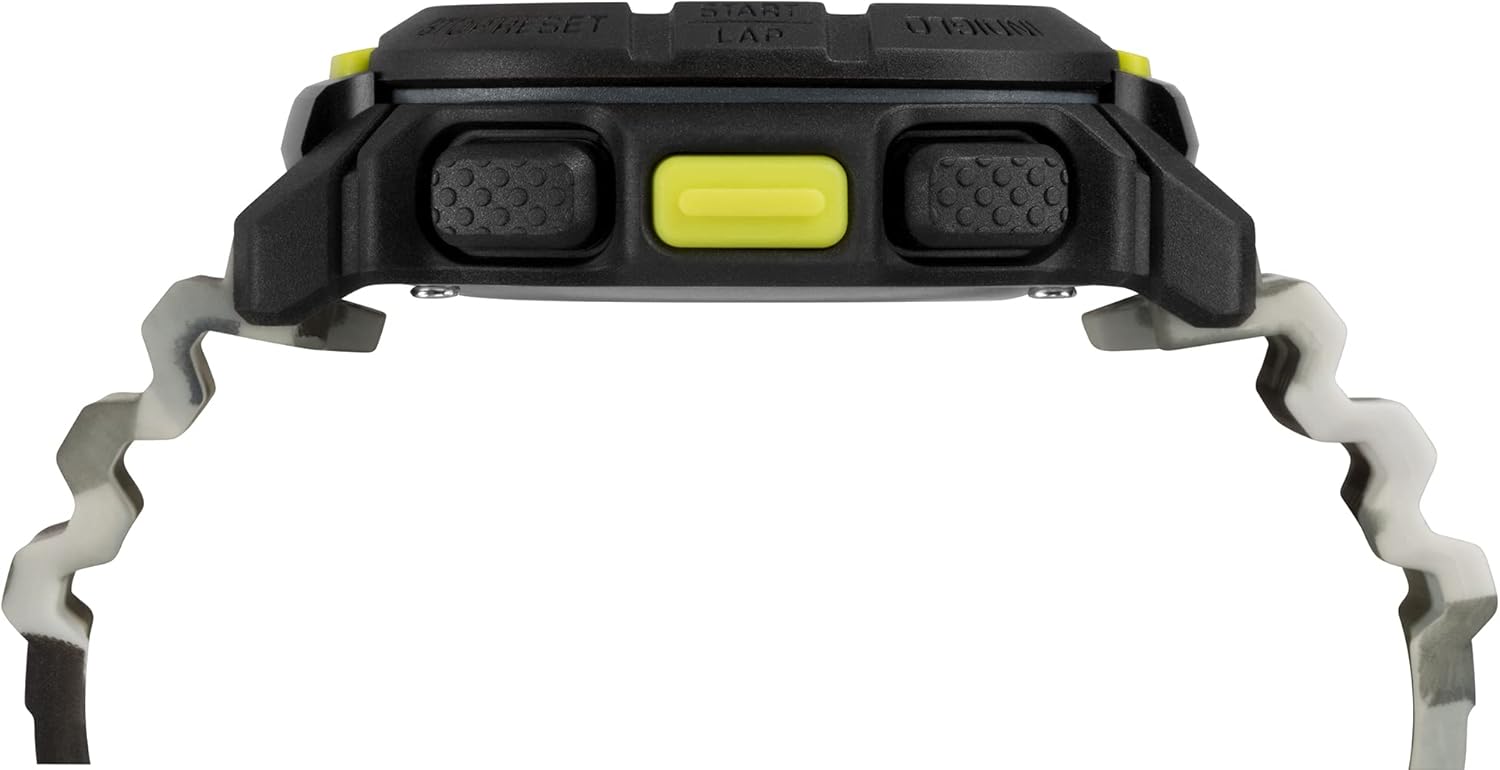
Figur 2: Side View
Dette billede viser sideproffenfile of the Timex TW5M26600 Digital Watch, highlighting the textured pushers on the side of the black resin case. The thickness of the watch case is visible, along with the connection points for the camouflage strap.

Figur 3: Rem View
This image presents a view of the Timex TW5M26600 Digital Watch's camouflage silicone strap, showing the buckle and the strap keeper. The Timex logo is visible on the buckle, emphasizing the brand's presence.
Opsætning
Første opsætning og tidsindstilling
- Activate the Watch: If the display is off, press any button to activate the watch.
- Gå ind i indstillingstilstand: Tryk og hold på INDSTIL/GENKALD button (usually top-left) until the display flashes, indicating you are in set mode.
- Juster tid: Brug START/LAP button (top-right) to increase the value and the STOP/NULSTIL button (bottom-right) to decrease.
- Navigate Fields: Tryk på MODE button (bottom-left) to move between hours, minutes, seconds, 12/24-hour format, year, month, and day.
- Gem indstillinger: Når alle indstillinger er justeret, skal du trykke på INDSTIL/GENKALD button again to exit set mode and save your changes.
Indiglo Natlampe
To activate the Indiglo night-light, press the INDIGLO button (usually top-right or a dedicated button). The display will illuminate for a few seconds, allowing visibility in low-light conditions.
Betjeningsvejledning
Navigationstilstande
Tryk på MODE button (bottom-left) repeatedly to cycle through the different functions of the watch. The available modes typically include:
- Time Mode (CHR): Viser aktuel tid, dag og dato.
- Chronograph (TMR): Stopursfunktion til måling af forløbet tid.
- Timer (ALM): Nedtællingstimer.
- Alarm (REP): Indstil daglige alarmer.
Brug af kronografen
- Gå ind i kronograftilstand: Trykke MODE until "CHR" or "STOPWATCH" appears.
- Start/Stop: Trykke START/LAP for at starte tidtagningen. Tryk igen for at sætte på pause.
- Lap/Split: While timing, press LAP (often the same as START/LAP or a dedicated button) to record lap times without stopping the main timer.
- Nulstil: Trykke STOP/NULSTIL to clear the chronograph to zero.
Indstilling og brug af alarmen
- Gå ind i alarmtilstand: Trykke MODE until "ALM" or "ALARM" appears.
- Indstil alarmtid: Tryk og hold INDSTIL/GENKALD for at gå ind i alarmindstillingstilstand. Brug START/LAP og STOP/NULSTIL to adjust hours and minutes. Use MODE for at skifte mellem timer og minutter.
- Aktiver/deaktiver alarm: In Alarm Mode, press START/LAP to toggle the alarm ON/OFF. An alarm icon will appear when active.
- Udsæt: Når alarmen lyder, skal du trykke på en hvilken som helst knap (undtagen STOP/NULSTIL) to activate snooze. The alarm will sound again after a few minutes.
- Stop alarm: Trykke STOP/NULSTIL when the alarm sounds to turn it off completely.
Opretholdelse
Rengøring af dit ur
To maintain the appearance of your watch, wipe it regularly with a soft, damp cloth. Avoid using harsh chemicals or abrasive materials, as these can damage the resin case and strap.
Vandmodstand
The Timex TW5M26600 is water-resistant up to 20 ATM (200 meters). This means it is suitable for professional marine activity and serious surface water sports, but not for diving. Tryk ikke på nogen knapper, mens uret er nedsænket i vand. Ensure the crown (if applicable) is fully pushed in before exposing the watch to water.
Udskiftning af batteri
The watch is powered by a long-life battery. When the display becomes dim or functions become erratic, it may be time for a battery replacement. It is recommended to have the battery replaced by a qualified watch technician to ensure proper sealing and maintain water resistance.
Fejlfinding
| Problem | Mulig årsag | Løsning |
|---|---|---|
| Skærmen er tom eller svag. | Lavt batteri. | Udskift batteriet. |
| Knapperne reagerer ikke. | Uret er muligvis i låst tilstand, eller der er et internt problem. | Try a soft reset (refer to manual if available, or remove/reinsert battery if comfortable). If issue persists, contact support. |
| Tidspunktet er forkert. | Tiden er ikke indstillet korrekt eller er justeret ved et uheld. | Re-set the time following the "Initial Setup and Time Setting" instructions. |
| Vand inde i uret. | Vandtætheden kompromitteret (f.eks. knapper trykket ned under vand, tætningsfejl). | Immediately take the watch to a qualified technician for inspection and repair to prevent further damage. |
Specifikationer
- Mærke: Timex
- Modelnummer: TW5M26600
- Etui materiale: Harpiks
- Æske diameter: 47mm (as per product description)
- Remmateriale: Silicone (camouflage pattern)
- Skærmtype: Digital
- Vandtæthed: 20 ATM (200 meter)
- Funktioner: Indiglo Night-Light, Chronograph, Timer, Alarm
- Produktdimensioner: 10.5 x 10.5 x 8 cm; 60 grams (from shipping dimensions)
Garanti og support
For garantioplysninger og kundesupport henvises til garantikortet, der fulgte med dit køb, eller besøg den officielle Timex website. Timex provides support for product inquiries, service, and repairs.
For extended protection plans, please refer to options available at the point of purchase, such as those offered by Salama for 1 or 2 years.


