1. Introduktion
Thank you for choosing the Wicked Audio Growl Bluetooth Speaker. This manual provides essential information for the safe and optimal use of your device. The Growl speaker is designed for portability and durability, featuring IP67 waterproof and dustproof ratings, true wireless stereo pairing, and a built-in power bank function.
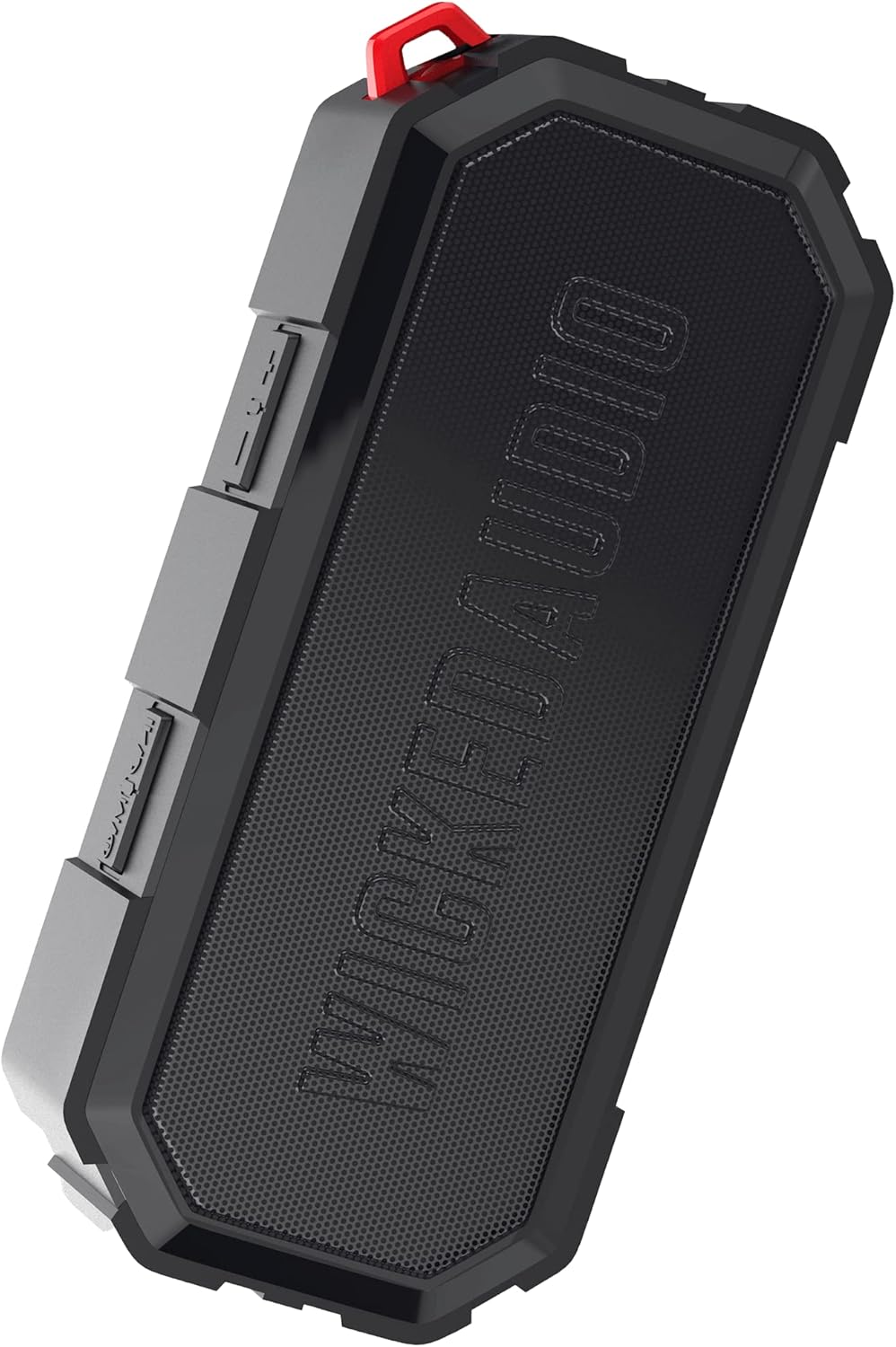
Image 1.1: The Wicked Audio Growl Bluetooth Speaker, showcasing dens kompakte og robuste design.
2. Pakkens indhold
Markér venligst feltet for følgende elementer:
- Wicked Audio Growl Bluetooth Speaker
- Brugervejledning (dette dokument)
- USB-C ladekabel
- Auxiliary (AUX) Audio Cable
3. Produktfunktioner
The Wicked Audio Growl speaker offers a range of features designed for an enhanced audio experience:
- IP67 vandtæt og støvtæt: Provides protection against water immersion and dust ingress, making it suitable for various environments.
- Rugged & Durable Design: Constructed with a durable silicone case and protective covers for buttons and ports.
- True Wireless Stereo (TWS) Linkable Tech: Connect two Growl speakers wirelessly for a stereo sound experience.
- Indbygget Power Bank: Features a 2600mAh battery that can be used to charge other devices via its USB-A output port.
- Forlænget spilletid: Op til 40 timers batterilevetid på en enkelt opladning.
- Deep Bass & Dynamic Sound: Equipped with dual 52mm drivers for powerful audio with enhanced bass, rich mids, and clear highs.
- Bluetooth 5.0-forbindelse: Offers a stable wireless connection up to 32 feet (10 meters).

Image 3.1: Visual representation of the speaker's waterproof, dustproof, and rugged characteristics.

Image 3.2: The Growl speaker highlighting its IP67 waterproof and dustproof rating.

Image 3.3: Key features of the Growl speaker including extended battery, dual drivers, and linkable tech.

Image 3.4: Close-up emphasizing the enhanced bass and dual 52mm drivers for superior sound.
4. Opsætning
4.1 Opladning af højttaleren
Before first use, fully charge your Growl speaker. The speaker has a USB-C charging port located under a protective cover.
- Open the protective cover on the side of the speaker to access the ports.
- Tilslut det medfølgende USB-C-opladerkabel til højttalerens USB-C-port.
- Tilslut den anden ende af kablet til en USB-strømadapter (medfølger ikke) eller en computers USB-port.
- Opladningsindikatorlampen lyser. En fuld opladning tager typisk cirka 3 timer.
- Once fully charged, disconnect the cable and securely close the protective cover to maintain IP67 rating.

Image 4.1: Illustration of the speaker's 40-hour battery life and 3-hour charging time.
4.2 Tænd/sluk
To power on or off the speaker, locate the power button on the control panel.
- Tænd: Press and hold the Power button for a few seconds until you hear an audible indication.
- Sluk: Press and hold the Power button again for a few seconds until you hear an audible indication.
4.3 Bluetooth -parring
Connect your Growl speaker to a Bluetooth-enabled device.
- Ensure the speaker is powered on and within 32 feet (10 meters) of your device.
- Højttaleren går automatisk i parringstilstand, hvilket indikeres af et blinkende LED-lys.
- Gå til Bluetooth-indstillinger på din enhed (smartphone, tablet osv.), og aktiver Bluetooth.
- Søg efter available devices and select "Wicked Growl" from the list.
- Once connected, the LED indicator will stop flashing and remain solid, and you will hear a confirmation sound.
4.4 Ægte trådløs stereo (TWS) parring
For an immersive stereo experience, you can pair two Growl speakers together.
- Ensure both Growl speakers are powered on and not connected to any other Bluetooth device.
- On one speaker (this will be your primary speaker), press and hold the TWS pairing button (refer to button layout in section 5.1).
- Den primære højttaler vil søge efter den sekundære højttaler.
- Når de er tilsluttet, vil begge højttalere udsende en bekræftelseslyd, og deres LED-indikatorer vil synkroniseres.
- Tilslut nu din enhed til den primære højttaler via Bluetooth som beskrevet i afsnit 4.3. Lyden afspilles i stereo gennem begge højttalere.

Image 4.2: Diagram illustrating the process of wirelessly pairing two Growl speakers for dual audio.
4.5 Ekstraindgang (AUX)
You can connect devices without Bluetooth using the 3.5mm AUX input.
- Åbn beskyttelsesdækslet på siden af højttaleren.
- Connect one end of the provided 3.5mm AUX cable to the speaker's AUX port.
- Tilslut den anden ende til hovedtelefonstikket eller lydudgangen på din enhed.
- Højttaleren skifter automatisk til AUX-tilstand.
5. Betjeningsvejledning
5.1 Knapfunktioner
The Growl speaker features intuitive controls on its top panel:
| Knap | Funktion (kort tryk) | Funktion (langt tryk) |
|---|---|---|
| Power knap | N/A | Tænd/sluk |
| Afspil/pause knap | Afspil/pause musik; Besvar/afslut opkald | Afvis opkald |
| Lydstyrke op (+) | Øg lydstyrken | Næste spor |
| Skrue ned (-) | Sænk lydstyrken | Forrige spor |
| TWS knap | N/A | Start TWS-parring |
5.2 Brug som powerbank
The Growl speaker can provide a power boost to your other devices.
- Åbn beskyttelsesdækslet på siden af højttaleren.
- Tilslut din enheds opladningskabel (USB-A-enden) til højttalerens USB-A-udgangsport.
- Connect the other end of your device's charging cable to your device.
- The speaker will begin charging your device. Note that using the power bank feature will reduce the speaker's playback time.
- Once charging is complete or you wish to stop, disconnect the cable and securely close the protective cover.

Image 5.1: The speaker functioning as a backup power bank for a smartphone.

Image 5.2: The Growl speaker connected via USB to charge a smartphone, demonstrating its power bank capability.
6. Vedligeholdelse
Proper care will ensure the longevity of your Wicked Audio Growl speaker.
- Rensning: Tør højttaleren af med en blød, damp cloth. Do not use abrasive cleaners or solvents. Ensure all port covers are securely closed before cleaning with water.
- Vandeksponering: While IP67 rated, avoid prolonged submersion or exposure to high-pressure water jets. Always ensure port covers are sealed when near water.
- Opbevaring: Opbevar højttaleren et køligt, tørt sted væk fra ekstreme temperaturer og direkte sollys.
- Batteripleje: For optimal batterilevetid bør du undgå at aflade batteriet helt ofte. Oplad højttaleren regelmæssigt, selvom den ikke er i brug i længere perioder.
7. Fejlfinding
If you encounter issues with your Growl speaker, refer to the following common solutions:
| Problem | Mulig løsning |
|---|---|
| Højttaleren tændes ikke | Sørg for, at batteriet er opladet. Tilslut til en strømkilde med USB-C-kablet. |
| Kan ikke parres via Bluetooth | Ensure the speaker is in pairing mode (flashing LED). Turn off and on Bluetooth on your device. Forget "Wicked Growl" from your device's Bluetooth list and try pairing again. Ensure no other devices are connected to the speaker. |
| Ingen lyd | Check volume levels on both the speaker and your connected device. Ensure the correct input mode (Bluetooth or AUX) is selected. If using AUX, ensure the cable is fully inserted. |
| Dårlig lydkvalitet | Move the speaker closer to your Bluetooth device to reduce interference. Ensure the speaker is not obstructed. Check the audio source quality. |
| TWS-parring mislykkes | Ensure both speakers are powered on and not connected to any other Bluetooth device. Try resetting both speakers by powering them off and on, then re-attempt TWS pairing. |
| Powerbanken oplader ikke enheden | Ensure the speaker has sufficient charge. Check the USB cable and connection. Some devices may require more power than the speaker can provide. |
8. Specifikationer
Detailed technical specifications for the Wicked Audio Growl Bluetooth Speaker:
| Feature | Specifikation |
|---|---|
| Modelnavn | Knurre |
| Varemodelnummer | WIBTS70 |
| Bluetooth version | 5.0 |
| Wireless Range | Op til 32 fod (10 meter) |
| Højttaler størrelse | Dobbelt 52 mm drivere |
| Højttaler Maksimal udgangseffekt | 5 watt |
| Frekvensrespons | 20000 Hz |
| Impedans | 16 Ohm |
| Batteritype | 1 lithium-ion batteri |
| Batterikapacitet | 2600 mAh |
| Spilletid | Op til 40 timer |
| Opladningstid | Ca. 3 timer |
| Opladningsport | USB-C |
| Power Bank output | USB-A |
| Vandtæt vurdering | IP67 |
| Produktdimensioner | 20.5D x 5.5B x 15H Centimeter |
| Vægt | 680 g |
| Farve | Sort |

Image 8.1: Visual summary of the speaker's sleek design, durability, and key specifications.
9. Garanti og support
Wicked Audio provides a 12 måneders begrænset garanti for the Growl Bluetooth Speaker from the date of purchase. This warranty covers manufacturing defects and ensures your product performs as expected under normal use.
For warranty claims, technical support, or any inquiries regarding your Wicked Audio Growl speaker, please contact Wicked Audio customer service through their official webwebstedet eller de kontaktoplysninger, der følger med din købsdokumentation.
Gem venligst din købsbevis til garantiservice.


