
BolaButty C27C

BolaButty Bluetooth-højttaler C27C brugermanual
Model: C27C
1. Introduktion
Thank you for choosing the BolaButty C27C Portable Bluetooth Speaker. This manual provides essential information for setting up, operating, and maintaining your speaker to ensure optimal performance and longevity. Designed for immersive sound and durability, this speaker is perfect for various environments, from home use to outdoor adventures.
2. Sikkerhedsoplysninger
- Udsæt ikke højttaleren for ekstreme temperaturer eller direkte sollys i længere perioder.
- Undgå at tabe eller udsætte højttaleren for kraftige stød.
- Keep the speaker away from water sources when charging. Although it is IPX5 waterproof, ensure the charging port cover is securely closed before exposure to water.
- Forsøg ikke selv at skille ad, reparere eller modificere højttaleren. Kontakt kvalificeret servicepersonale for eventuelle reparationer.
- Brug kun det medfølgende Type-C-opladerkabel eller et tilsvarende certificeret kabel.
- Rengør højttaleren med en blød, tør klud. Brug ikke slibende rengøringsmidler eller opløsningsmidler.
3. Pakkens indhold
Tjek venligst pakken for følgende varer:
- 1 x BolaButty C27C Bluetooth Speaker
- 1 x Type-C ladekabel
- 1 x Lynstartguide (Denne manual fungerer som en detaljeret guide)
4. Produktet er slutview

Figure 4.1: BolaButty C27C Bluetooth Speaker (Red model) demonstrating its IPX5 water resistance.
The BolaButty C27C speaker features a robust design with intuitive controls. Key components include:
- Power knap: Tryk og hold for at tænde/slukke.
- Lydstyrke ned-knap: Sænk volumen.
- Lydstyrke op-knap: Øg volumen.
- Afspil/pause knap: Afspil eller sæt lyd på pause. Besvar/afslut opkald.
- Lys knap: Cycle through light effects or turn lights off.
- TWS-parringsknap: Start ægte trådløs stereoparring.
- Type-C opladningsport: Til opladning af højttaleren.
- AUX-indgangsport: Til kablet lydforbindelse (kabel medfølger ikke).
- Indbygget mikrofon: Til håndfri opkald.

Figur 4.2: Øverst view of the speaker showing control buttons.
5. Opsætning
5.1 Opladning af højttaleren
Before first use, fully charge the speaker. Connect the provided Type-C charging cable to the speaker's charging port and the other end to a 5V/1A USB power adapter (not included). The charging indicator light will show charging status and turn off when fully charged. A full charge takes approximately 5 hours.
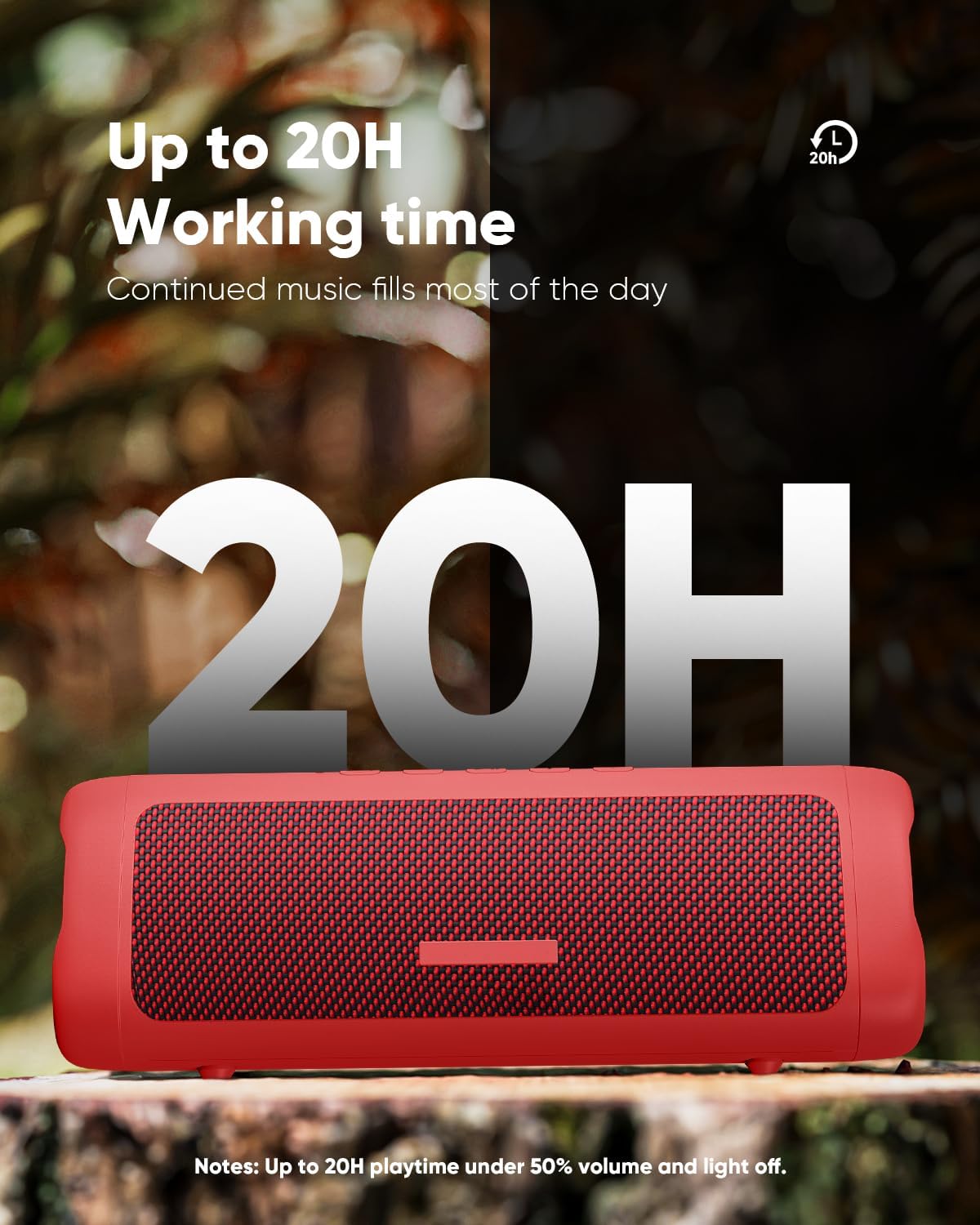
Figure 5.1: The speaker offers extended playtime, up to 20 hours at 50% volume with lights off.
5.2 Tænd/sluk
- For at tænde: Tryk på tænd/sluk-knappen og hold den nede i 2-3 sekunder, indtil du hører en lydmeddelelse, og indikatorlamperne lyser.
- For at slukke: Tryk på tænd/sluk-knappen og hold den nede i 2-3 sekunder, indtil du hører en lydmeddelelse, og lysene slukkes.
5.3 Bluetooth -parring
The speaker will automatically enter Bluetooth pairing mode when powered on for the first time or if no device is connected. The indicator light will flash, indicating it's ready to pair.
- Sørg for, at højttaleren er tændt og i parringstilstand.
- Aktiver Bluetooth på din enhed (smartphone, tablet osv.).
- Søg efter "C27C" in the list of available Bluetooth devices.
- Select "C27C" to connect. Once connected, you will hear a confirmation sound, and the indicator light will become solid.
The speaker supports Bluetooth 5.3, offering a stable connection up to 33 feet (10 meters) in an open environment.
6. Betjeningsvejledning
6.1 Grundlæggende kontroller
| Fungere | Handling |
|---|---|
| Tænd/sluk | Press and hold Power button (2-3 seconds) |
| Afspil/pause | Tryk på knappen Afspil/Pause |
| Lydstyrke op | Press Volume Up (+) button |
| Lydstyrke ned | Press Volume Down (-) button |
| Næste spor | Press and hold Volume Up (+) button |
| Forrige spor | Press and hold Volume Down (-) button |
| Besvar/afslut opkald | Tryk på knappen Afspil/Pause |
| Afvis opkald | Press and hold Play/Pause button |
6.2 lyseffekter
The speaker features dynamic multi-color light effects that sync with the music. Press the Light button to cycle through different light modes or to turn the lights off to conserve battery.

Figure 6.1: The speaker's breathing light feature adds a visual element to your audio experience.
6.3 TWS (ægte trådløs stereo) parring
You can pair two BolaButty C27C speakers together for an immersive stereo sound experience.
- Sørg for, at begge højttalere er tændt og ikke er forbundet til nogen Bluetooth-enhed.
- On one speaker (this will be the primary speaker), press the TWS Pairing button. You will hear a prompt indicating it's searching.
- De to højttalere vil automatisk oprette forbindelse til hinanden. Når de er oprettet, vil du høre en bekræftelseslyd.
- Now, connect your device to the primary speaker via Bluetooth as described in Section 5.3. The audio will play in stereo through both speakers.

Figure 6.2: TWS pairing allows for a wider, more immersive soundstage by connecting two speakers.
7. Vedligeholdelse
Korrekt vedligeholdelse sikrer din højttalers levetid og ydeevne.
- Rensning: Wipe the speaker with a soft, lint-free cloth. For stubborn dirt, slightly dampRengør kluden med vand. Brug ikke skrappe kemikalier eller slibende materialer.
- Vandtæthed (IPX5): The speaker is IPX5 waterproof, meaning it can withstand splashes and light rain. Do not submerge it in water. Always ensure the charging port cover is sealed tightly before exposing the speaker to water.
- Opbevaring: When not in use for extended periods, store the speaker in a cool, dry place away from direct sunlight and extreme temperatures. Charge the speaker at least once every three months to maintain battery health.

Figure 7.1: The IPX5 rating makes the speaker suitable for outdoor use and resistant to water splashes.
8. Fejlfinding
Hvis du støder på problemer med din højttaler, kan du se følgende almindelige problemer og løsninger:
8.1 Problemer med Bluetooth-forbindelse
- Speaker not connecting or disconnecting frequently:
- Ensure the speaker is within 33 feet (10 meters) of your device and there are no significant obstacles.
- Avoid strong electromagnetic environments (e.g., near Wi-Fi routers, microwave ovens, other 2.4GHz devices) which can cause interference.
- Make sure the speaker has sufficient battery power. Low battery can affect Bluetooth performance.
- Prøv at ophæve parringen og parre højttaleren igen fra din enheds Bluetooth-indstillinger.
- Genstart både højttaleren og din Bluetooth-enhed.
8.2 Sound Quality/Volume Issues
- Lyden er lav eller forvrænget:
- Kontroller lydstyrkeniveauet på både højttaleren og din tilsluttede enhed.
- Ensure the audio source is not distorted. Try playing different audio.
- For outdoor use, note that a 10W speaker's sound range may be limited to about 33 feet in open spaces due to lack of sound reflection.
- If using TWS pairing, ensure both speakers are properly connected.
8.3 Batterilevetid kortere end forventet
- Actual playtime can vary depending on volume level, audio content, and usage of the light effects.
- Sørg for, at højttaleren er fuldt opladet før brug.
- Turn off the light effects by pressing the Light button to extend battery life.
9. Specifikationer

Figure 9.1: Dimensions and weight of the BolaButty C27C speaker.
| Feature | Detalje |
|---|---|
| Modelnavn | C27C |
| Mærke | BolaButty |
| Højttaler type | Udendørs |
| Forbindelsesteknologi | Bluetooth (BT 5.3) |
| Trådløs kommunikationsrækkevidde | Op til 33 fod (10 meter) |
| Vandmodstandsniveau | IPX5 vandtæt |
| Højttaler Maksimal udgangseffekt | 10 watt |
| Lydudgangstilstand | Stereo (med TWS-parring) |
| Batterilevetid | Up to 20 hours (50% Vol, lights off) |
| Opladningstid | Ca. 5 timer |
| Produktmål (D x B x H) | 7.87 cm x 2.76 cm x 2.81 cm |
| Varens vægt | 1.28 lbs (0.58 kg) |
| Inkluderede komponenter | Speaker, Type-C charging cable, Quick Start Guide |
| Mikrofon | Indbygget til håndfri opkald |
10. Garanti og support
BolaButty provides lifetime technical support for your C27C Bluetooth Speaker. If you have any questions, concerns, or require assistance, please do not hesitate to contact our customer support team.
For support, you can typically reach out to the seller directly through your purchase platform. On Amazon, this can be done by navigating to your order history and selecting "Contact Seller" for your BolaButty speaker purchase.

Figure 10.1: General guidance on contacting the seller for support.