ARCCAPTAIN HSH-G999 Auto Darkening Welding Helmet User Manual
Model: HSH-G999 | Brand: ARCCAPTAIN

Front view of the ARCCAPTAIN HSH-G999 Auto Darkening Welding Helmet, showcasing dens slanke sorte design og store viewpå skærmen.
Indledning
The ARCCAPTAIN HSH-G999 Auto Darkening Welding Helmet is designed to provide superior eye protection and enhanced visibility for a wide range of welding, cutting, and grinding tasks. Equipped with advanced auto-darkening technology, true color optics, and a comfortable, adjustable headgear, this helmet ensures safety and efficiency for both professional and hobbyist users.

Key features of the upgraded ARCCAPTAIN welding helmet, including True Color technology, large viewing area, long-lasting battery, and fast darkening speed.
Nøglefunktioner omfatter:
- High-end auto-darkening lens with four premium arc sensors.
- Optimal eye protection with full automatic protection up to DIN 16 and continuous UV/IR protection.
- Advanced true-color technology and 1/1/1/1 optical clarity for a clear, natural view.
- Stor viewing area of 3.94" x 3.66" for enhanced precision.
- Lightweight design (2 pounds) and dynamically adjustable headgear for superior comfort.
- Durable PP material construction, offering shock and flame resistance.
- Solar-powered with a replaceable CR2450 lithium battery.
Opsætning
Udpakning og indledende inspektion
Carefully remove all components from the packaging. Verify that all items listed in the 'What's in the Box' section are present and undamaged. Remove any protective films from the inner and outer lenses before use.
Contents of the ARCCAPTAIN welding helmet package, including the helmet, replacement lenses, lithium battery, and storage bag.
Justering af hovedbeklædning
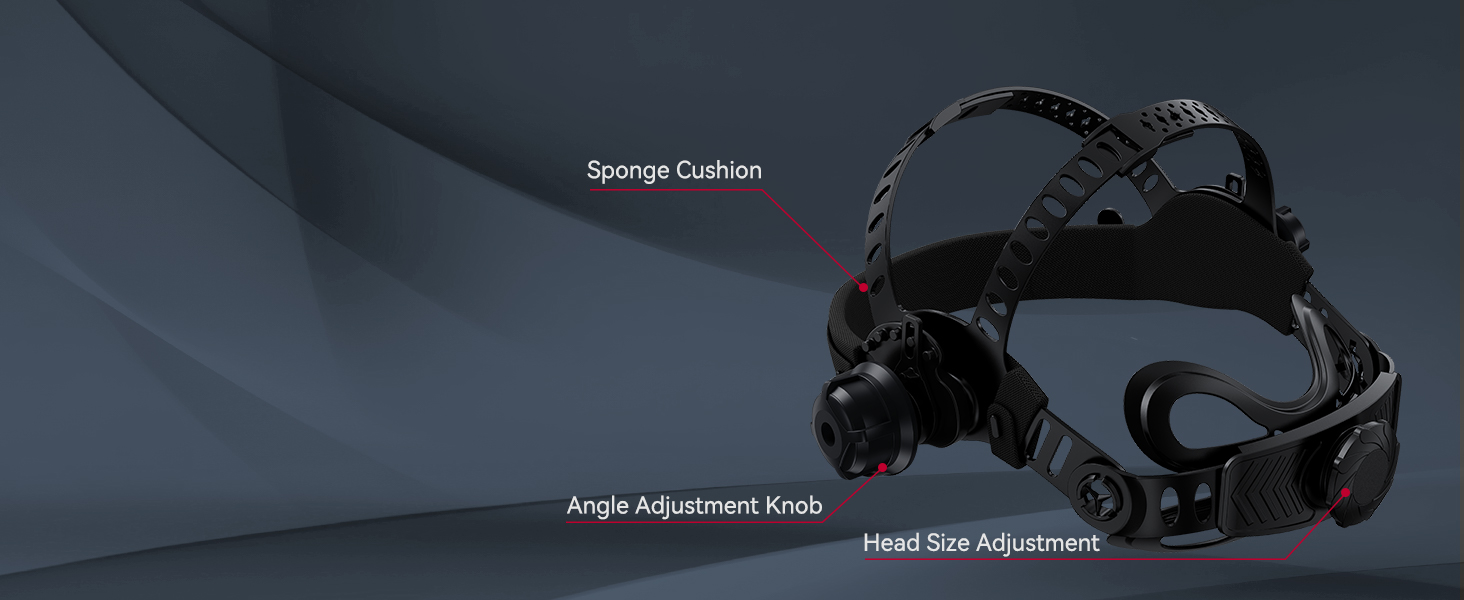
The helmet features a dynamically adjustable headgear with breathable padding for a perfect fit. Adjust the headgear using the following:
- Head Size Adjustment Knob: Rotate the knob at the back of the headgear to tighten or loosen the fit around your head.
- Vinkeljusteringsknap: Adjust the angle of the helmet relative to your face for optimal viewing og komfort.
- Sponge Cushion: Ensure the sponge cushion rests comfortably against your forehead.
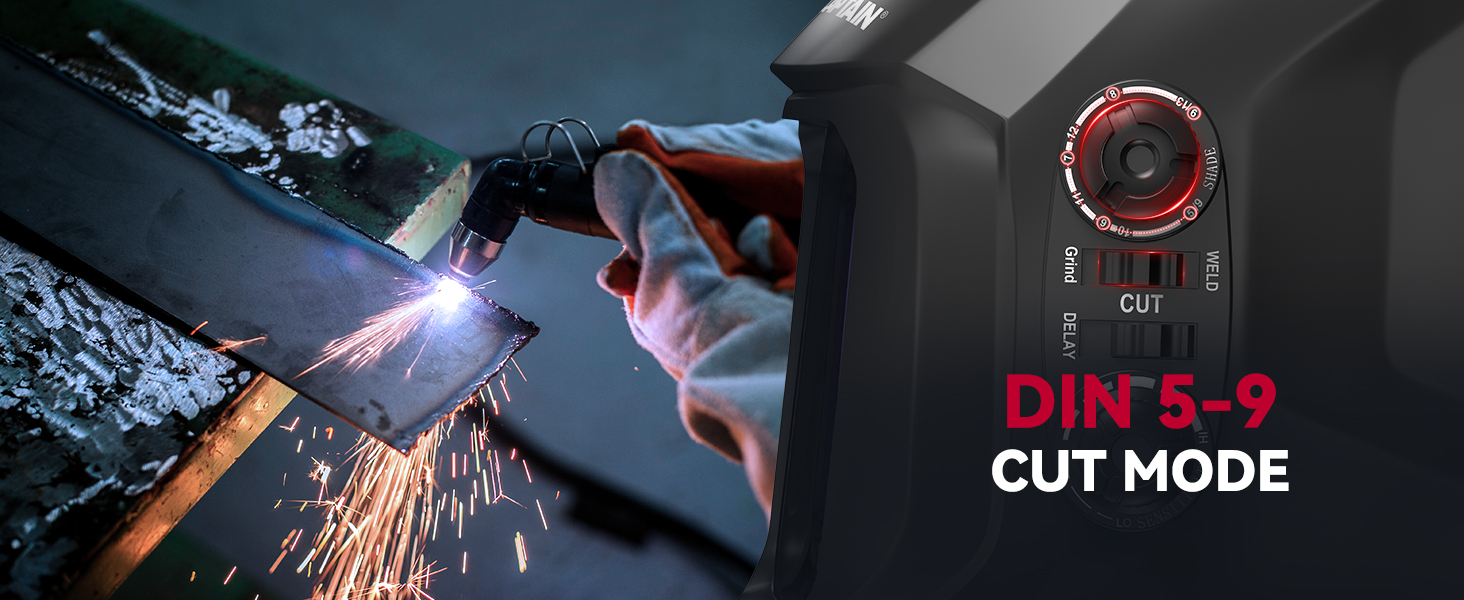
Diagram illustrating the adjustable components of the helmet's headgear, including the sponge cushion, angle adjustment knob, and head size adjustment.
Batteriinstallation/-kontrol
The helmet is powered by a solar cell and a CR2450 lithium battery (included). The battery is typically pre-installed. Ensure the battery is securely in place. The solar panel assists in charging and extending battery life.
Betjeningsvejledning
Auto Darkening Function
The helmet features a high-end auto-darkening lens with four arc sensors. When an arc is detected, the lens will automatically darken to the selected shade level within 1/25000 seconds, protecting your eyes from intense light.

Illustration of the auto-darkening feature, highlighting the four smart arc sensors and upgraded solar panels for rapid light protection.
Adjusting Settings (Shade, Sensitivity, Delay)
The control knobs on the side of the helmet allow for easy adjustment of welding parameters:
- Skyggekontrol: Adjust the darkness level. The lens operates at DIN4 in the light state and DIN5-9/9-13 in the dark state.
- Følsomhedskontrol: Adjust the sensitivity to accommodate different lighting conditions and welding processes.
- Forsinkelseskontrol: Slow down the lens transition from dark to light state (0.1 to 0.8 seconds) to prevent eye fatigue after the arc stops.

Detaljeret view of the control knobs on the ARCCAPTAIN welding helmet for adjusting delay, shade, and sensitivity settings.
Driftstilstande
The helmet supports multiple modes for various applications:
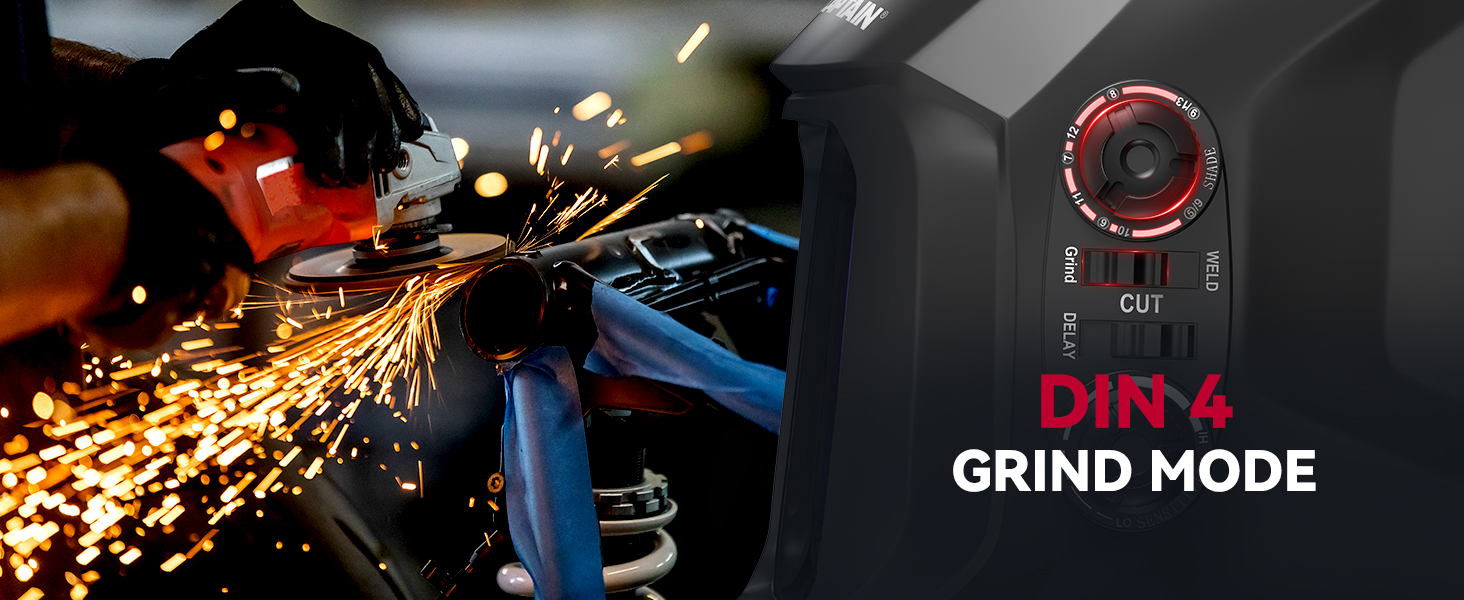
- Slibetilstand: Set to DIN 4 for grinding operations.
- Klippetilstand: Set to DIN 5-9 for cutting applications.
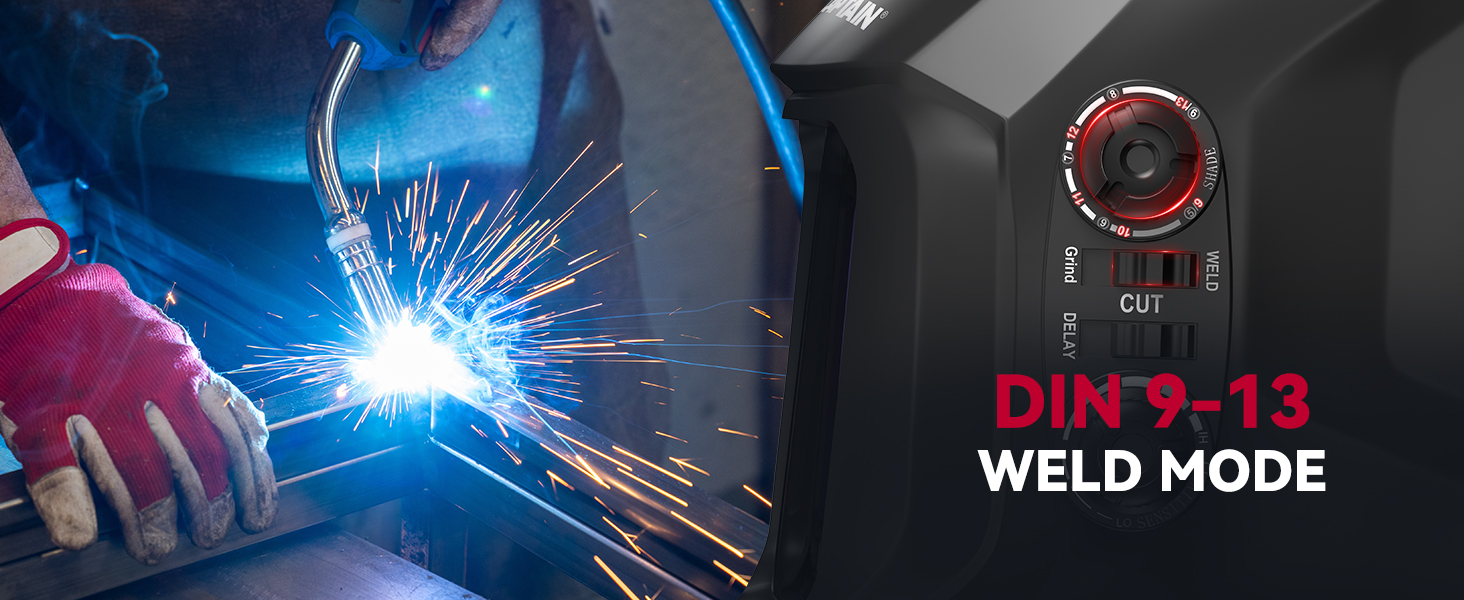
- Svejsetilstand: Set to DIN 9-13 for ARC, TIG, and MIG welding.
Visual representation of the helmet in Grind Mode, set to DIN 4, suitable for grinding tasks.
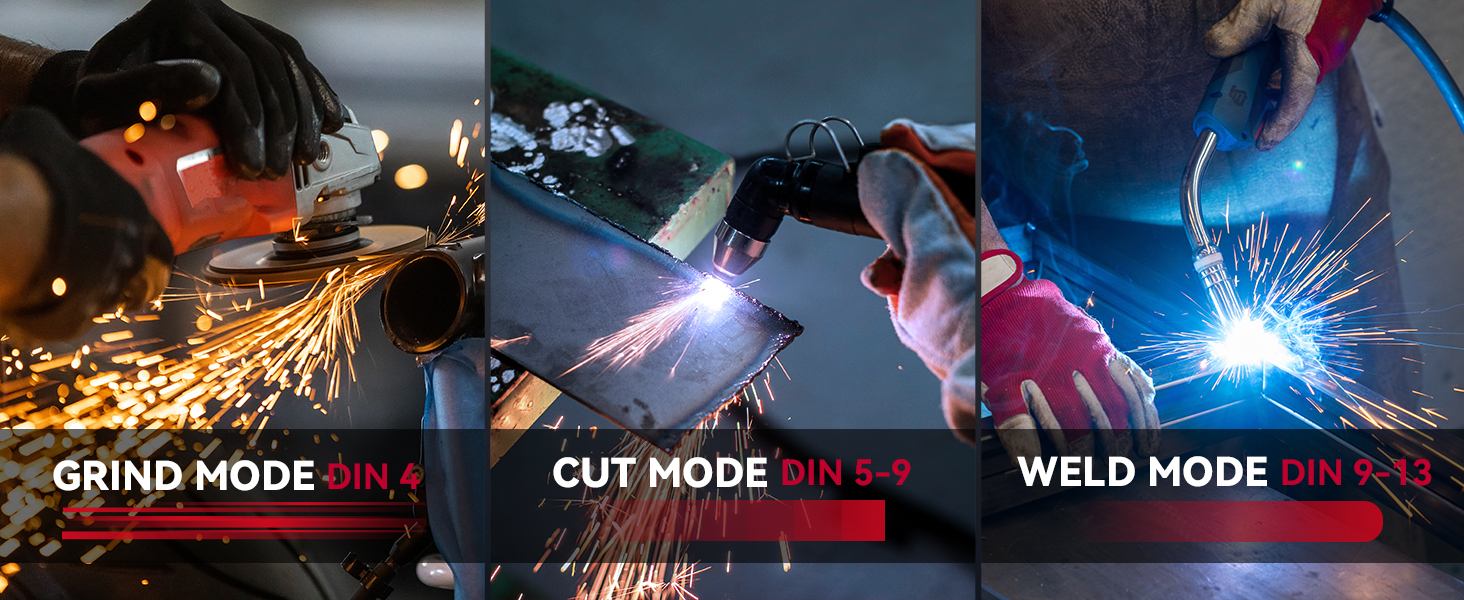
Visual representation of the helmet in Cut Mode, set to DIN 5-9, ideal for cutting operations.
Visual representation of the helmet in Weld Mode, set to DIN 9-13, for various welding processes.
True Color and Clearer Vision
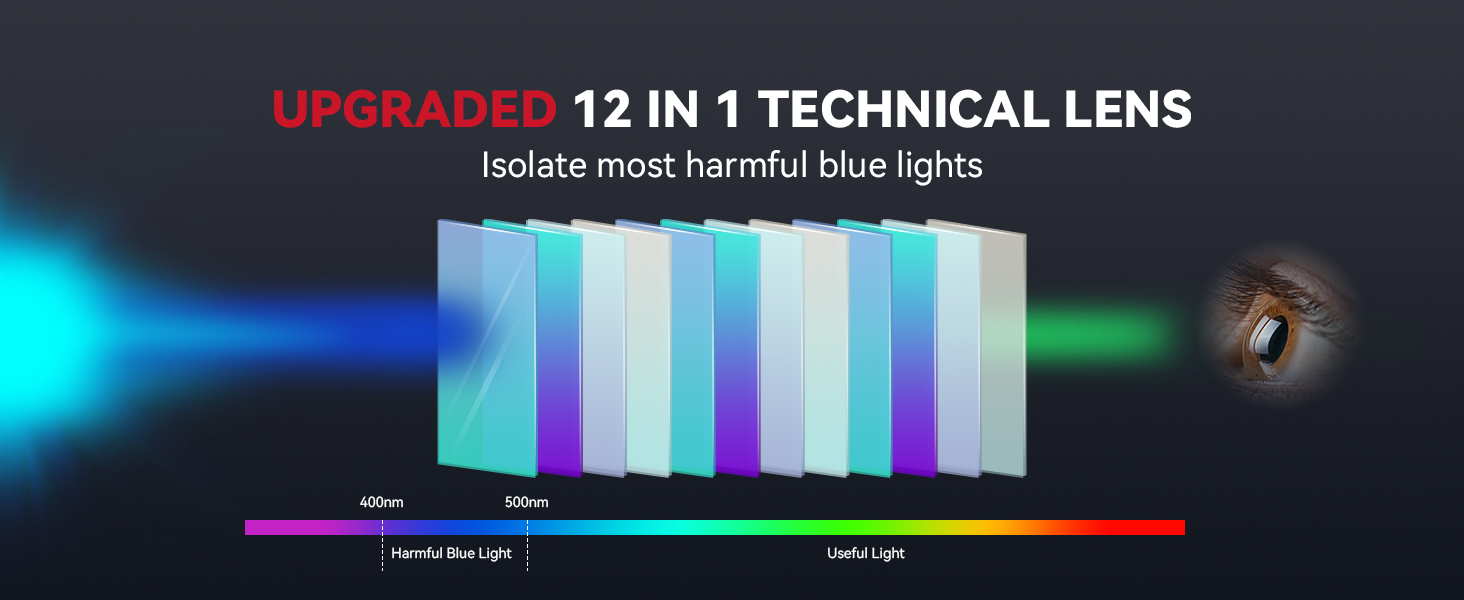
The helmet features a top 1/1/1/1 optical clarity lens and advanced true-color technology, providing a significantly enhanced visual experience. This allows for more efficient and precise work, especially when dealing with small details.

Comparison illustrating the superior clarity and true color provided by ARCCAPTAIN's lens technology compared to traditional green-tinted lenses.
En intern view of the welding helmet's lens, demonstrating the clear and unobstructed vision it provides during operation.
Opretholdelse
Cleaning the Helmet and Lenses
- Regularly clean the helmet shell with a soft, damp klud. Undgå slibende rengøringsmidler eller opløsningsmidler.
- Clean the inner and outer protective lenses with a soft, lint-free cloth and a mild lens cleaning solution. Do not use harsh chemicals.
- Ensure the arc sensors are clean and free from debris to maintain proper auto-darkening function.
Replacing Protective Lenses
The helmet comes with replacement lenses. Replace them when they become scratched, pitted, or otherwise impair visibility.
- Carefully remove the old protective lens by unlatching its retaining clips.
- Insert a new protective lens, ensuring it is seated correctly and the clips are securely fastened.
Udskiftning af batteri
The CR2450 lithium battery should be replaced when the low battery indicator appears or if the auto-darkening function becomes unreliable. Refer to the battery compartment for specific instructions on replacement.
Fejlfinding
| Problem | Mulig årsag | Løsning |
|---|---|---|
| Linsen mørkner ikke, når lysbuen tændes. | Low battery; dirty/obstructed sensors; incorrect sensitivity setting. | Replace battery; clean sensors; adjust sensitivity setting. |
| Dårlig sigtbarhed gennem linsen. | Scratched/dirty protective lenses; incorrect shade setting. | Clean or replace protective lenses; adjust shade setting. |
| Hjelmen føles ubehagelig eller ustabil. | Improper headgear adjustment. | Adjust head size and angle knobs for a secure and comfortable fit. |
| Battery compartment catches on glasses. | Headgear positioning. | Slightly reposition the helmet or adjust headgear to avoid interference. |
Specifikationer
| Feature | Specifikation |
|---|---|
| Mærke | ARCCAPTAIN |
| Modelnummer | HSH-G999 (LY800F) |
| Viewing område | 3.94 x 3.66 cm |
| Optisk klarhed | 1/1/1/1 |
| Lys State Shade | DIN 4 |
| Dark State Shade | DIN 5-9 / DIN 9-13 (Adjustable) |
| Lysbuesensorer | 4 |
| Skiftetid | 1/25000s |
| Strømkilde | Solar Cell & Replaceable CR2450 Lithium Battery |
| Materiale | Polypropylene (PP) and Polyamide (PA) |
| Varens vægt | 1.1 pund |
| Produktdimensioner | 7.09 x 8.66 x 7.87 tommer |
| Certificeringer | ANSI Z87.1, EN379 CE, CSA Z94.3 |
Garanti og support
For detailed warranty information and customer support, please refer to the official ARCCAPTAIN webwebstedet eller kontakt deres kundeservice direkte. Gem din købskvittering til garantikrav.


