1. Introduktion
The Daytech Wireless Caregiver Pager System is designed to provide reliable and convenient communication between caregivers and those needing assistance, such as the elderly, patients, or children. This system ensures that help is just a button press away, offering peace of mind and enhanced safety within the home or care environment.
The system typically includes a plug-in receiver and wearable call buttons (wrist pagers). Its wireless design allows for flexible placement and ease of use.

Image 1.1: Daytech Wireless Caregiver Pager System components, including the receiver and two wrist call buttons.
2. Produktkomponenter
Din Daytech trådløse personsøger til plejepersonale indeholder følgende:
- 1 x Plug-in Receiver: The central unit that receives signals from the call buttons and emits alerts.
- 2 x Wrist Call Buttons: Wearable, waterproof buttons for initiating alerts.
- Brugermanual: Dette dokument.

Image 2.1: The system provides peace of mind for both the person needing care and the caregiver.
3. Opsætningsvejledning
Follow these steps to set up your Daytech Wireless Caregiver Pager System:
- Tilslut modtageren: Sæt modtageren i en almindelig stikkontakt på et centralt sted, hvor alarmen let kan høres.
- Prepare Call Buttons: The wrist call buttons come with pre-installed alkaline batteries. Ensure they are ready for use.
- Parring (hvis nødvendigt): The units are typically pre-paired. If re-pairing or adding new buttons, follow these steps:
- Plug the Receiver into the socket.
- Press the Volume Control button on the receiver and hold it until it emits a "ding-dong" sound. This indicates it is in pairing mode.
- Press the Call Button on the wrist pager. The receiver will make a "ding-dong" sound, confirming successful pairing.
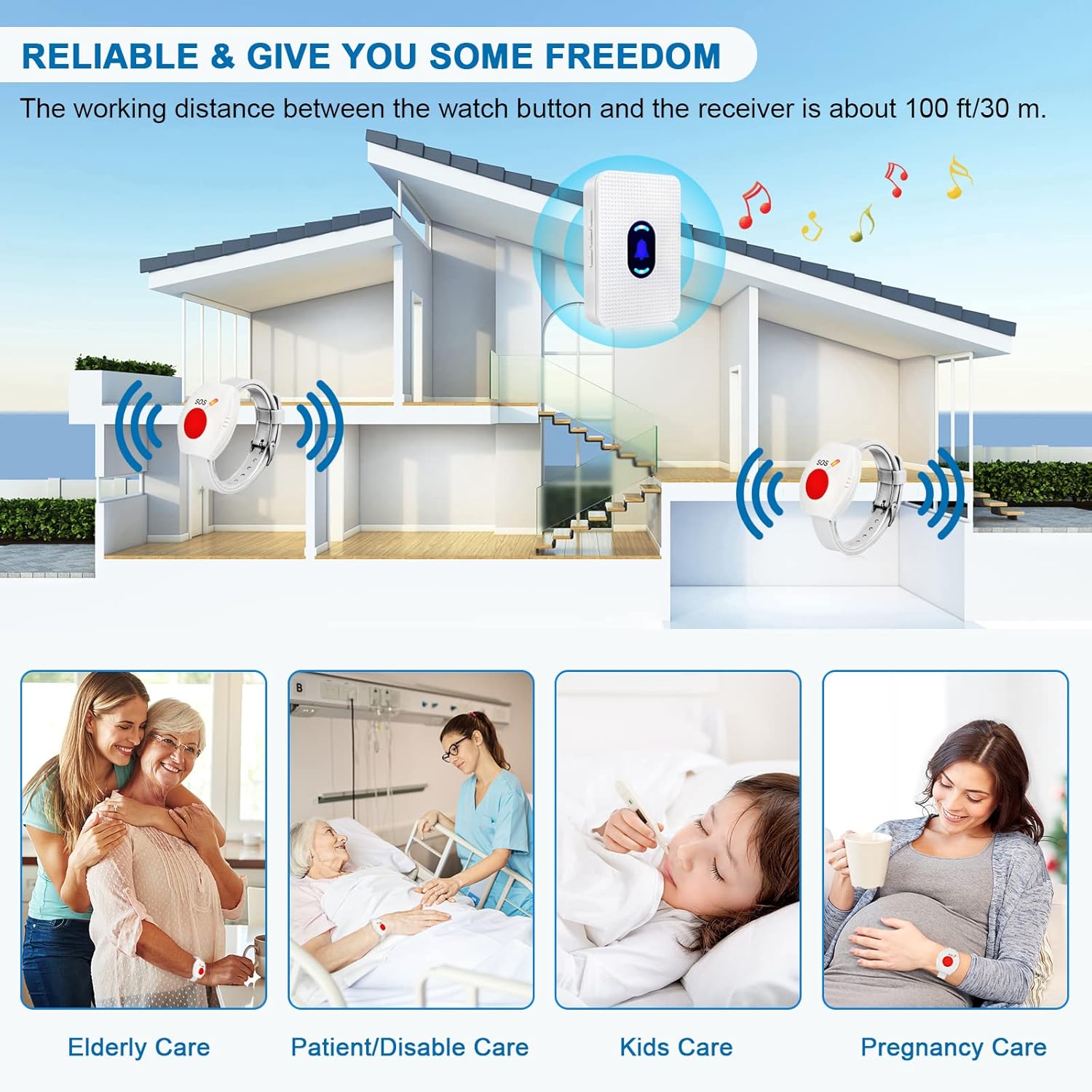
Image 3.1: Detailed steps for modifying ringtone and pairing the devices.
4. Betjeningsvejledning
4.1 Initiating an Alert
To send an alert, simply press the large red SOS button on the wrist call pager. The receiver will sound the selected chime and flash its LED indicator.
4.2 Justering af lydstyrke
The receiver features 5 adjustable volume levels, including a mute mode. Use the dedicated volume control button on the side of the receiver to cycle through the volume settings.

Image 4.1: Location of the volume control button on the receiver.
4.3 Selecting Ringtone
The receiver offers 55 different chimes. Use the 'Forward' and 'Backward' buttons on the side of the receiver to browse and select your preferred ringtone.
4.4 Natlystilstand
To activate or deactivate the night light mode on the receiver, press and hold the middle button (bell icon) for 5 seconds.
4.5 System Expandability
The Daytech receiver is designed to be expandable and can be paired with various other Daytech transmitters, such as door/window sensors, additional call buttons, or dog doorbells. Each paired transmitter can be set with a different ringtone for easy identification.

Image 4.2: The system is expandable with various Daytech transmitters.
4.6 Operationel demonstration
Video 4.1: This video demonstrates the adjustable volume levels and various ringtones of the Daytech Caregiver Pager System, as well as how different call buttons trigger alerts.
5. Vedligeholdelse
To ensure the longevity and optimal performance of your Daytech Caregiver Pager System, please follow these maintenance guidelines:
- Rensning: Wipe the receiver and call buttons with a soft, dry cloth. Do not use abrasive cleaners or solvents.
- Udskiftning af batteri: The wrist call buttons use alkaline batteries. If the signal strength weakens or the button stops responding, replace the battery. Refer to the specifications for battery type.
- Vandtæthed: The wrist call buttons are designed to be water-resistant, suitable for daily splashes or showers. However, they are not intended for prolonged submersion in water. Ensure the battery compartment is securely sealed after replacement.
- Opbevaring: Store the system in a cool, dry place away from direct sunlight and extreme temperatures when not in use for extended periods.
6. Fejlfinding
If you encounter any issues with your Daytech Wireless Caregiver Pager System, refer to the following common troubleshooting steps:
| Problem | Mulig årsag | Løsning |
|---|---|---|
| Modtageren lyder ikke, når der trykkes på knappen. | Receiver unplugged; button battery low/dead; units out of range; units not paired. | Ensure receiver is plugged in; replace button battery; move units closer; re-pair the units (see Section 3. Setup). |
| Kort driftsrækkevidde. | Obstructions (thick walls, metal structures); electromagnetic interference; low button battery. | Relocate receiver to a more central position; avoid placing near large metal objects or strong electronic devices; replace button battery. |
| Receiver sounds continuously or randomly. | Interference from other wireless devices; button stuck. | Check if any other devices are causing interference; inspect call button for damage or stuck button. Re-pair if necessary. |
If the problem persists after trying these solutions, please contact Daytech customer support.
7. Specifikationer
| Feature | Detalje |
|---|---|
| Modelnummer | E-01W |
| Kontrolmetode | Røre |
| Støjniveau | 110dB (maks.) |
| Monteringstype | Vægmontering (modtager) |
| Maksimal rækkevidde | 800 fod (ca. 240 meter) |
| Varens vægt | 5.9 ounce |
| Pakkedimensioner | 4.8 x 2.91 x 2.64 tommer |
| Batterier inkluderet? | Ja |
| Batteribeskrivelse | Alkalisk |
| Strømkilde | Battery Powered (Buttons), Plug-in (Receiver) |
| Voltage | 260 Volts (Receiver input) |
| Farve | Hvid |
8. Garanti og support
For detailed warranty information and customer support, please refer to the official Daytech website or the contact information provided with your purchase. A digital copy of the user guide is also available for download at https://manuals.plus/m/67d6b89a8bab3e7d5184b912a68b617864973d3b14763878e99923d78ffe4926.
Daytech is committed to providing high-quality products and excellent customer service. If you have any questions or require assistance, do not hesitate to reach out to our support team.


