Indledning
This manual provides detailed instructions for the safe and effective use of your OPPO Enco Air 3 True Wireless Earbuds. Please read this manual thoroughly before using the product and retain it for future reference.

Image: OPPO Enco Air 3 True Wireless Earbuds and their charging case. The earbuds are white, with a sleek, in-ear design, and are shown partially inserted into the matching white, translucent charging case. The OPPO logo is visible on the case.
Pakkens indhold
Sørg for at alle varer er til stede i pakken:
- OPPO Enco Air 3 True Wireless Earbuds (Left and Right)
- Opladningsetui
- USB-opladerkabel (Type-C)
- Brugervejledning (dette dokument)
Opsætning
1. Opladning af øretelefoner og etuiet
Oplad ørepropperne og opladningsetuiet helt inden første brug.
- Placer øretelefonerne i opladningsetuiet.
- Tilslut USB-opladerkablet til opladningsporten på etuiet og til en strømkilde.
- The indicator light on the case will show charging status. A full charge provides up to 6 hours of playback for the earbuds and an additional 19 hours with the charging case.
- A quick 10-minute charge of the case can provide up to 2 hours of listening time for the earbuds.

Image: Illustration showing the OPPO Enco Air 3 earbuds in their charging case, with a graphic indicating "Up to 25 Hours of Playtime" and "6 Hours Buds + 19 Hours Charging Case".
2. Parring med en enhed
The OPPO Enco Air 3 earbuds support seamless Bluetooth 5.3 connectivity.
- Første gangs parring:
- Åbn opladningsetuiet med øretelefonerne indeni.
- Aktiver Bluetooth på din smartphone eller enhed.
- A pop-up window should appear on your phone (for OPPO devices or devices with HeyMelody app installed) to quickly pair. Tap to confirm.
- If no pop-up appears, go to your device's Bluetooth settings and select "OPPO Enco Air 3" from the list of available devices.
- Genparring: The earbuds will automatically connect to the last paired device when taken out of the case.
- New Device Pairing: To pair with a new device, place the earbuds in the case, open the lid, and press and hold the function button on the case (if available, or refer to device-specific instructions) until the indicator light flashes, then select "OPPO Enco Air 3" on the new device.

Image: A graphic displaying "The New Generation of Bluetooth 5.3" with a stylized image of an earbud's internal circuitry and the Bluetooth logo, indicating advanced wireless connectivity.
3. HeyMelody App (Recommended)
For enhanced control and customization, download the HeyMelody app from your device's app store. The app allows you to:
- Tilpas berøringskontroller.
- Juster equalizer-indstillingerne.
- Opdater firmware.
- Access additional features.
Betjeningsvejledning
1. Tryk på Kontrolelementer
The OPPO Enco Air 3 earbuds feature intuitive touch controls. Default controls typically include:
- Dobbeltklik: Afspil/pause musik, besvar/afslut opkald.
- Tredobbelt tryk: Spring til næste nummer.
- Tryk og hold: Activate voice assistant, switch noise control modes (if applicable).
Note: Specific touch controls can be customized via the HeyMelody app.
2. Foretage og modtage opkald
The earbuds utilize DNN Noise Cancellation for clear calls, even in noisy environments.
- Besvar opkald: Dobbelttryk på en af øretelefonerne.
- Afslut opkald: Dobbelttryk på en af øretelefonerne.
- Afvis opkald: Tryk og hold på en af øretelefonerne i 2 sekunder.
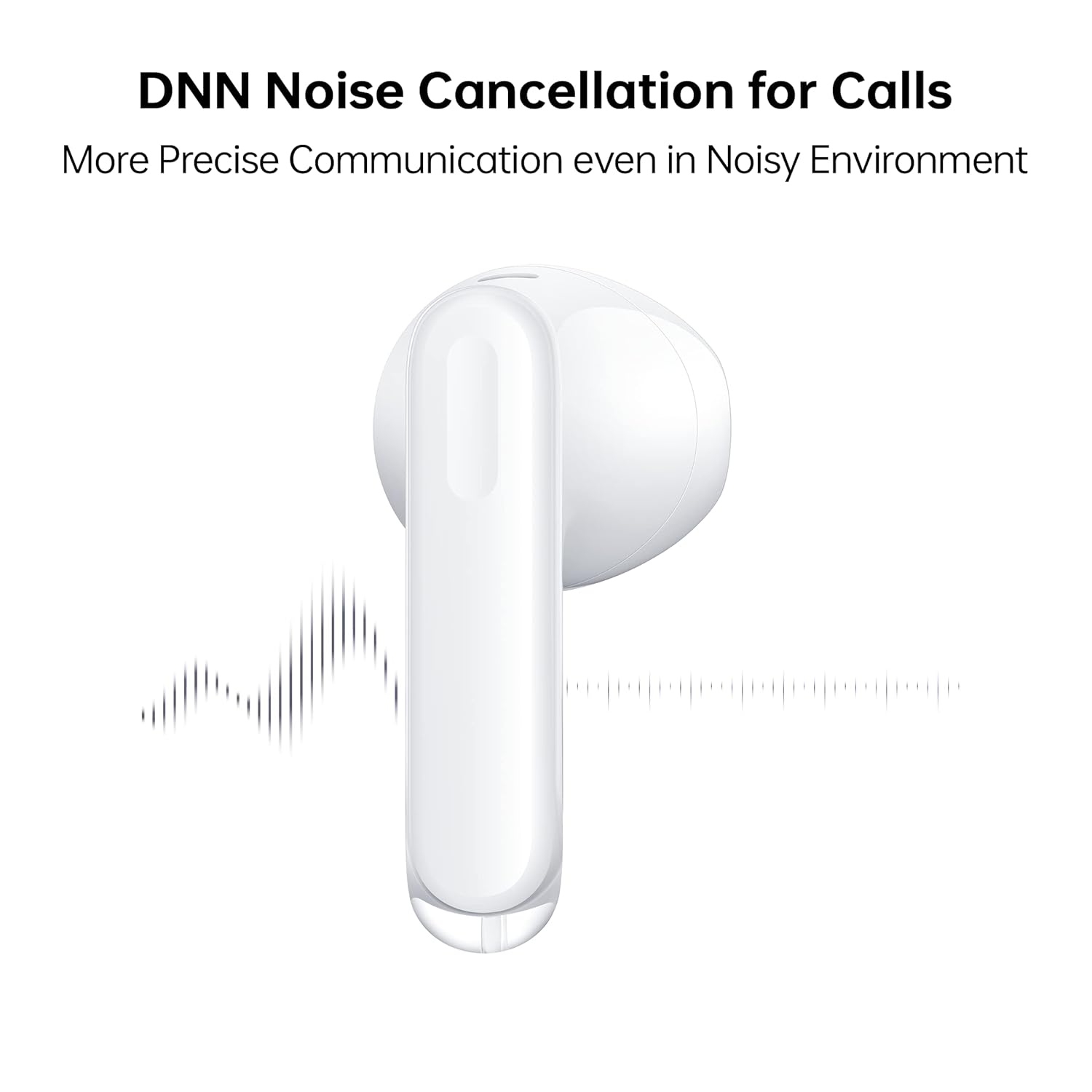
Image: A close-up of an OPPO Enco Air 3 earbud, with sound wave graphics emanating from it, illustrating the DNN Noise Cancellation feature for clearer communication.
3. Spiltilstand
Activate Gaming Mode for an ultra-low latency experience, reducing audio delay to 47ms on the earbuds and 94ms end-to-end.
- Gaming Mode can typically be activated or deactivated through the HeyMelody app or via a specific touch control gesture (refer to app settings for customization).

Image: An OPPO Enco Air 3 earbud next to a smartphone displaying a racing game, highlighting the "47ms Ultra-Low Latency" feature for an enhanced gaming experience.
4. Lydfunktioner
The OPPO Enco Air 3 incorporates advanced audio technology for a superior listening experience:
- Cadence HiFi5 DSP: Features an audiophile-grade digital signal processor for enhanced sound processing.
- 13.4mm Large Composite Driver: Delivers powerful and dynamic bass.
- OPPO Alive Audio: Provides a wider sound stage and a 360-degree surround sound experience.

Image: A detailed illustration of the Cadence HiFi5 DSP chip, emphasizing its role in audiophile-grade sound processing within the OPPO Enco Air 3 earbuds.

Billede: En eksploderet view diagram of an OPPO Enco Air 3 earbud, highlighting its internal components, specifically the 13.4mm large composite driver responsible for sound output.
Vedligeholdelse og pleje
1. Rensning
- Rengør regelmæssigt ørepropperne og opladningsetuiet med en blød, tør og fnugfri klud.
- Brug ikke slibende rengøringsmidler, alkohol eller kemiske opløsningsmidler.
- Gently remove any earwax or debris from the earbud mesh and charging contacts using a dry cotton swab or a soft brush.
2. Vand- og støvafvisende
The OPPO Enco Air 3 earbuds are rated IP54 for dust and water resistance.
- This rating indicates protection against limited dust ingress and splashing water from any direction.
- De er velegnede til brug under træning eller i let regn.
- Gør ikke submerge the earbuds in water or expose them to high-pressure water jets.
- Opladningsetuiet er ikke vandtæt.
- Sørg for, at ørepropperne er tørre, før du sætter dem tilbage i opladningsetuiet, for at forhindre skader.

Image: Two OPPO Enco Air 3 earbuds with water droplets around them, illustrating their IP54 dust and water resistance feature.
3. Opbevaring
- Når ørepropperne ikke er i brug, skal de opbevares i deres opladningsetui for at beskytte dem og holde dem opladede.
- Undgå ekstreme temperaturer og direkte sollys.
Fejlfinding
If you encounter issues with your OPPO Enco Air 3 earbuds, try the following solutions:
1. Earbuds Not Pairing/Connecting
- Sørg for, at Bluetooth er aktiveret på din enhed.
- Sørg for, at øretelefonerne er opladet.
- Place the earbuds back in the case, close the lid, wait a few seconds, then open it again to re-initiate pairing mode.
- Try forgetting the device ("OPPO Enco Air 3") from your device's Bluetooth settings and re-pairing.
- Genstart din enhed.
2. Ingen lyd eller lav lydstyrke
- Kontroller lydstyrkeniveauet på både din enhed og ørepropperne.
- Sørg for, at ørepropperne sidder korrekt i dine ører.
- Rengør eventuelt snavs fra øreproppernes net.
- Confirm the earbuds are connected to the correct audio output on your device.
3. Opladningsproblemer
- Sørg for, at opladningskablet er korrekt tilsluttet til både etuiet og strømkilden.
- Prøv et andet USB-C-kabel og en anden strømadapter.
- Rengør opladningskontakterne på både ørepropperne og indersiden af etuiet.
4. Unresponsive Touch Controls
- Sørg for, at dine fingre er rene og tørre, når du bruger berøringsknapperne.
- Genstart ørepropperne ved at placere dem i etuiet og lukke låget.
- Check the HeyMelody app for any customized control settings or firmware updates.
Specifikationer
| Feature | Detalje |
|---|---|
| Modelnavn | ETE31 |
| Varemodelnummer | 6672827 |
| Forbindelsesteknologi | Trådløs (Bluetooth) |
| Bluetooth version | 5.3 |
| Audio driver type | Dynamisk driver (13.4 mm) |
| Batterilevetid (ørepropper) | Op til 6 timer |
| Batterilevetid (med opladningsetui) | Op til 25 timer |
| Hurtig opladning | 10 minutes charge for 2 hours playback (earbuds via case) |
| Latency | 47ms (earbuds), 94ms (end-to-end) in Gaming Mode |
| Støjkontrol | DNN Noise Cancellation for Calls |
| Vandmodstandsniveau | IP54 (øretelefoner) |
| Kontrolmetode | Røre |
| Earbud vægt | 3.7 gram (hver) |
| Samlet varevægt | 37 gram |
| Produktdimensioner | 3.3 x 1.8 x 1.7 cm |
| Kompatible enheder | Mobiltelefoner, spillekonsoller, bærbare computere, tablets |
| Fabrikant | Guangdong Oppo Mobile Telecommunications Corp, Ltd. |
Garanti og support
Your OPPO Enco Air 3 True Wireless Earbuds come with a 1-års garanti fra købsdatoen. Gem venligst din købsbevis i tilfælde af garantikrav.
For technical support, service, or warranty inquiries, please contact OPPO customer service through their official webstedet eller autoriserede servicecentre.
Fabrikant: Guangdong Oppo Mobile Telecommunications Corp, Ltd. NO.18, HAIBIN ROAD, WUSHA, CHANGAN, DONGUAN, GUANGDONG, China
Importør (Indien): Oppo Mobiles India Private Limited 5th Floor, Tower-B, Building No. 8, DLF Cyber City, Gurugram, Haryana-122002, India


