1. Introduktion
This manual provides essential information for the proper setup, operation, and maintenance of your TECLAST P25T Android 12 Tablet. Please read this guide thoroughly to ensure optimal performance and longevity of your device. The TECLAST P25T is a 10.1-inch tablet featuring an Android 12 operating system, a quad-core processor, and Wi-Fi 6 connectivity.

Image 1.1: The TECLAST P25T Tablet displaying its key specifications.
2. Enhed overview
Familiarize yourself with the physical components of your TECLAST P25T tablet.

Image 2.1: Physical layout and port identification of the TECLAST P25T Tablet.
- Forreste kamera: Located on the top bezel when held horizontally, used for video calls and selfies.
- Rear Camera/LED Flash: Located on the back panel, used for photography and video recording. The LED flash assists in low-light conditions.
- Power knap: Used to turn the tablet on/off or put it to sleep/wake it up.
- Lydstyrkeknapper: Juster lydudgangsniveauet.
- Nulstil Pinhole: A small hole for a hard reset in case of system unresponsiveness. Use a thin pin to press.
- Hovedtelefonstik: 3.5 mm port til tilslutning af kablede hovedtelefoner.
- Højttalere: Dual speakers provide audio output.
- Micro SD-slot: For expanding storage with a Micro SD card (up to 1TB).
- Type-C port: Used for charging the tablet and connecting to a computer for data transfer.
3. Opsætning
3.1 Indledende opladning
Before first use, fully charge your TECLAST P25T tablet. Connect the provided USB Type-C cable to the tablet's Type-C port and the other end to a compatible power adapter. The charging indicator will typically show the charging status on the screen.
3.2 Tænd/sluk
- For at tænde: Press and hold the Power Button until the TECLAST logo appears on the screen.
- For at slukke: Tryk på tænd/sluk-knappen og hold den nede, indtil der vises en sluk-menu. Vælg "Sluk", og bekræft.
- At sove/vågne: Briefly press the Power Button to put the tablet into sleep mode or wake it up.
3.3 Guide til indledende opsætning
Når du tænder den første gang, vil Android 12-opsætningsguiden guide dig gennem de vigtigste konfigurationer:
- Sprogvalg: Vælg dit foretrukne sprog.
- Wi-Fi-forbindelse: Connect to an available Wi-Fi network. This is crucial for downloading apps and system updates.
- Google-konto: Log ind med din Google-konto, eller opret en ny. Dette er nødvendigt for at få adgang til Google Play Butik og andre Google-tjenester.
- Dato og tid: Indstil den korrekte dato og det korrekte klokkeslæt, eller lad netværket indstille det automatisk.
- Sikkerhed: Opsæt en skærmlås (pinkode, mønster eller adgangskode) for at sikre enheden.
3.4 Indsættelse af et Micro SD-kort
The TECLAST P25T supports Micro SD cards up to 1TB for expanded storage.
- Locate the Micro SD card slot on the side of the tablet (refer to Image 2.1).
- Sæt forsigtigt Micro SD-kortet i åbningen, indtil det klikker på plads.
- The tablet will detect the new storage. You may be prompted to format the card for optimal use with the device.
4. Betjening af tabletten
4.1 Android 12-operativsystem
Your TECLAST P25T runs on Android 12, offering an intuitive user interface, enhanced privacy controls, and access to millions of applications via the Google Play Store.
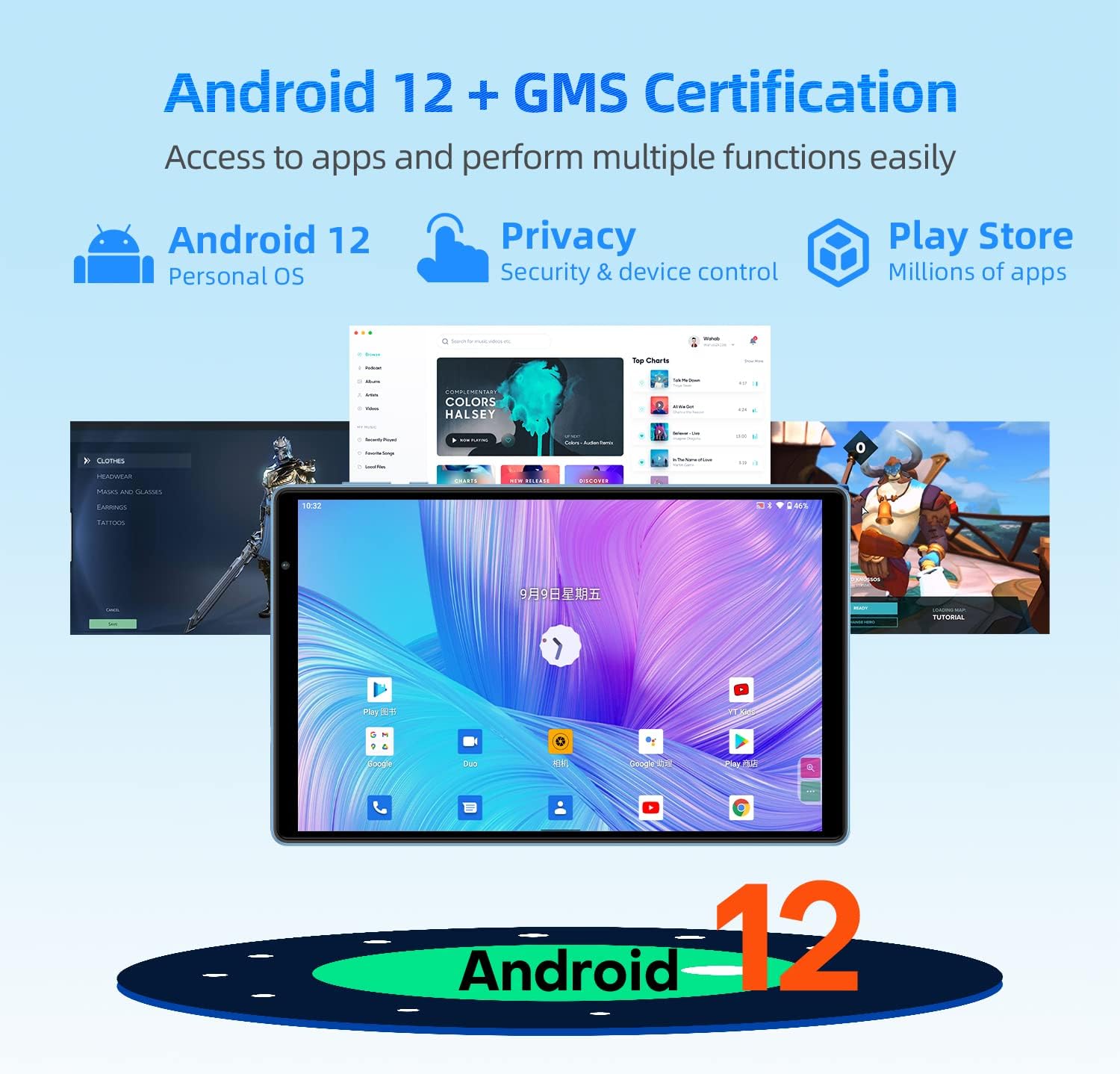
Image 4.1: Android 12 interface and key features on the TECLAST P25T.
- Navigation: Use gestures or the traditional navigation bar (back, home, recent apps) to move through the system.
- Meddelelser: Stryg nedad fra toppen af skærmen for at få adgang til notifikationer og hurtigindstillinger.
- App Skuffe: Stryg op fra startskærmen til view alle installerede applikationer.
4.2 Display og visuelle elementer
The tablet features a 10.1-inch IPS HD display with a resolution of 1280x800 pixels, providing clear visuals and wide viewing angles. The T-Colour optimization enhances color reproduction.
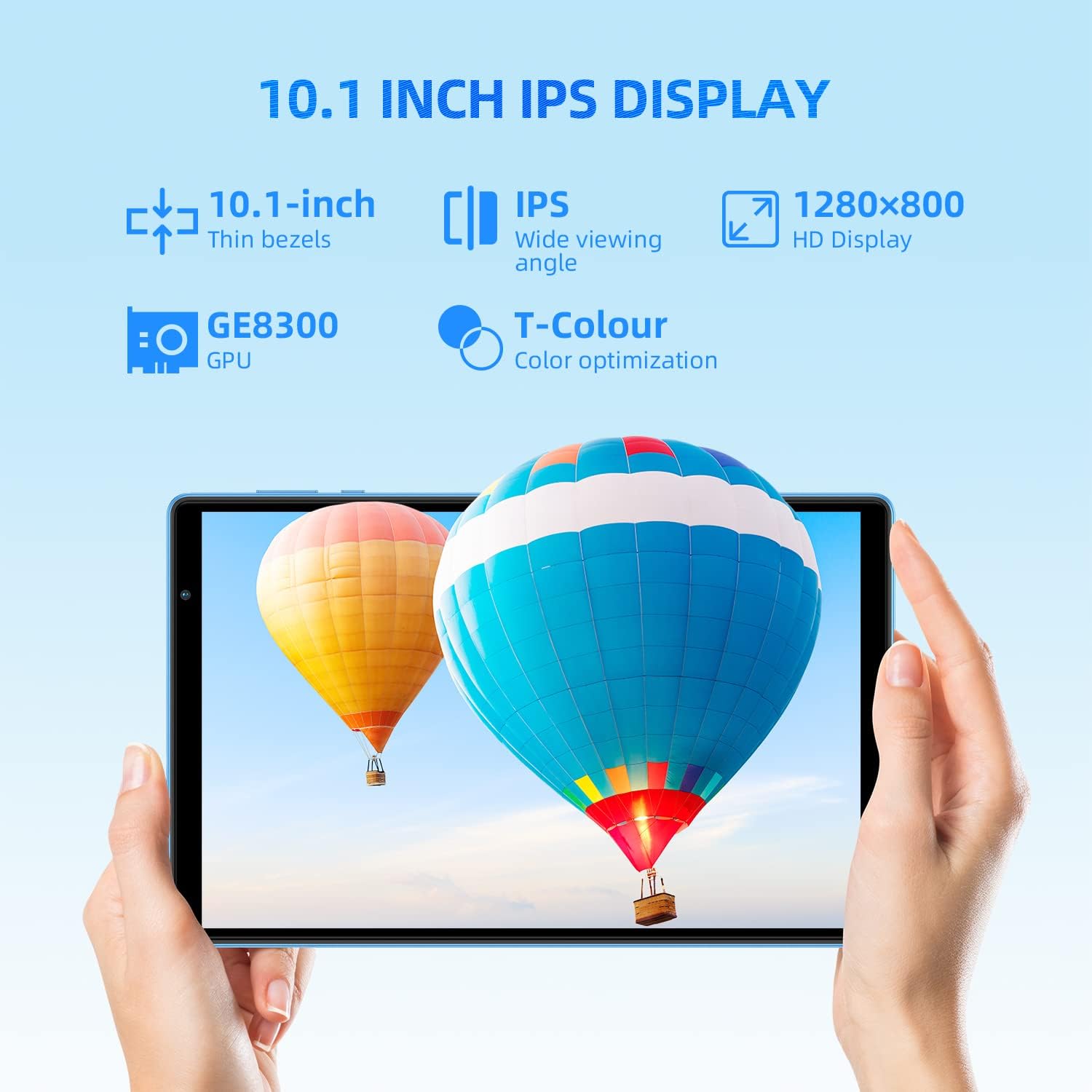
Image 4.2: The 10.1-inch IPS HD display of the TECLAST P25T.
4.3 Forbindelse
The TECLAST P25T supports high-speed wireless connectivity.

Image 4.3: Wi-Fi 6 and Bluetooth 5.0 connectivity features.
- Wi-Fi 6 (802.11ax): Provides faster speeds, greater capacity, and lower latency compared to previous Wi-Fi standards. Connect to a Wi-Fi 6 compatible router for optimal performance.
- Bluetooth 5.0: For connecting wireless headphones, speakers, keyboards, and other Bluetooth-enabled accessories.
- Note: This tablet does not support cellular connectivity (SIM card).
4.4 kameraer
The tablet is equipped with a 2MP front camera for video calls and a 5MP rear autofocus camera with an LED flashlight for photography.

Image 4.4: Camera features and battery capacity.
4.5 Lagring og ydeevne
The TECLAST P25T is designed for efficient multitasking and storage.

Image 4.5: Storage and processor details of the TECLAST P25T.
- VÆDDER: 8GB (4GB physical + 4GB virtual) for smooth application operation.
- Intern opbevaring: 64GB ROM for applications and media.
- Udvidelig lagerplads: Supports Micro SD cards up to 1TB.
- Processor: Quad-core 1.8GHz Allwinner A133P processor with PowerVR GE8300 GPU for graphics processing.
5. Vedligeholdelse
5.1 Pleje af batterier
The tablet is equipped with a 5000mAh battery, providing approximately 8 hours of video playback. To maximize battery life:
- Undgå ekstreme temperaturer.
- Lad ikke batteriet aflades helt for ofte.
- Brug den originale oplader eller en certificeret kompatibel oplader.
- Juster skærmens lysstyrke til et behageligt niveau.
- Luk ubrugte programmer, der kører i baggrunden.
5.2 Rengøring af enheden
- Brug en blød, fnugfri klud til at rengøre skærmen og kabinettet.
- Til genstridige pletter, let dampRengør kluden med vand eller en skærmrens.
- Undgå at bruge skrappe kemikalier eller slibende materialer.
5.3 Softwareopdateringer
Periodically check for system updates in the tablet's settings. Software updates can improve performance, add new features, and enhance security. Ensure your tablet is connected to Wi-Fi and has sufficient battery charge before initiating an update.
5.4 Lagringsoptimering
Regularly manage your tablet's storage to maintain performance:
- Afinstaller ubrugte programmer.
- Ryd cachedata for apps.
- Overfør stort files (photos, videos) to your Micro SD card or cloud storage.
6. Fejlfinding
This section addresses common issues you might encounter with your TECLAST P25T tablet.
6.1 Tablet is Unresponsive or Frozen
- Tryk og hold tænd/sluk-knappen nede i cirka 10-15 sekunder for at fremtvinge en genstart.
- If a restart does not work, locate the Reset Pinhole (refer to Image 2.1) and gently press it with a thin pin (e.g., a paperclip) until the tablet restarts.
6.2 Problemer med Wi-Fi-forbindelse
- Sørg for, at Wi-Fi er aktiveret i tablettens indstillinger.
- Genstart din Wi-Fi-router og tabletten.
- Glem netværket i tabletindstillingerne, og genopret forbindelsen.
- Sørg for, at du er inden for Wi-Fi-signalets rækkevidde.
6.3 Langsom ydeevne
- Luk ubrugte programmer, der kører i baggrunden.
- Clear app cache and temporary files.
- Ensure sufficient free storage space (at least 10-15% of total storage).
- Genstart tabletten med jævne mellemrum.
6.4 Batteriet aflades hurtigt
- Reducer skærmens lysstyrke.
- Deaktiver Wi-Fi, Bluetooth og GPS, når de ikke er i brug.
- Identify and close power-intensive applications.
- Tjek for systemopdateringer, da de ofte inkluderer batterioptimeringer.
7. Specifikationer
Detailed technical specifications for the TECLAST P25T Tablet.
| Feature | Specifikation |
|---|---|
| Mærke | TECLAST |
| Modelnummer | TX-EU-P25T |
| Operativsystem | Android 12 |
| Processor mærke | Allvinder |
| Processorhastighed | 1.8 GHz (firekernet) |
| GPU | PowerVR GE8300 |
| Skærmstørrelse | 10.1 tommer |
| Skærmopløsning | 1280 x 800 pixels (HD IPS) |
| Installeret RAM-størrelse | 4 GB (8 GB med virtuel RAM) |
| Hukommelseslagringskapacitet | 64 GB |
| Udvidelig opbevaring | Up to 1 TB via Micro SD |
| Trådløs teknologi | 802.11ax (Wi-Fi 6) |
| Bluetooth | Bluetooth 5.0 |
| Interface | USB Type-C, 3.5 mm hovedtelefonstik |
| Batterilevetid | Approx. 8 hours (video playback) |
| Batteritype | Lithium-polymer |
| Produktets vægt | 543 gram |
| Dimensioner | 27.9 x 18.5 x 5.1 cm (pakke) |
8. Garanti og support
For garantioplysninger og teknisk support henvises til den dokumentation, der fulgte med dit køb, eller besøg den officielle TECLAST-side. webwebsted. Gem din købsbevis til garantikrav.


