Indledning
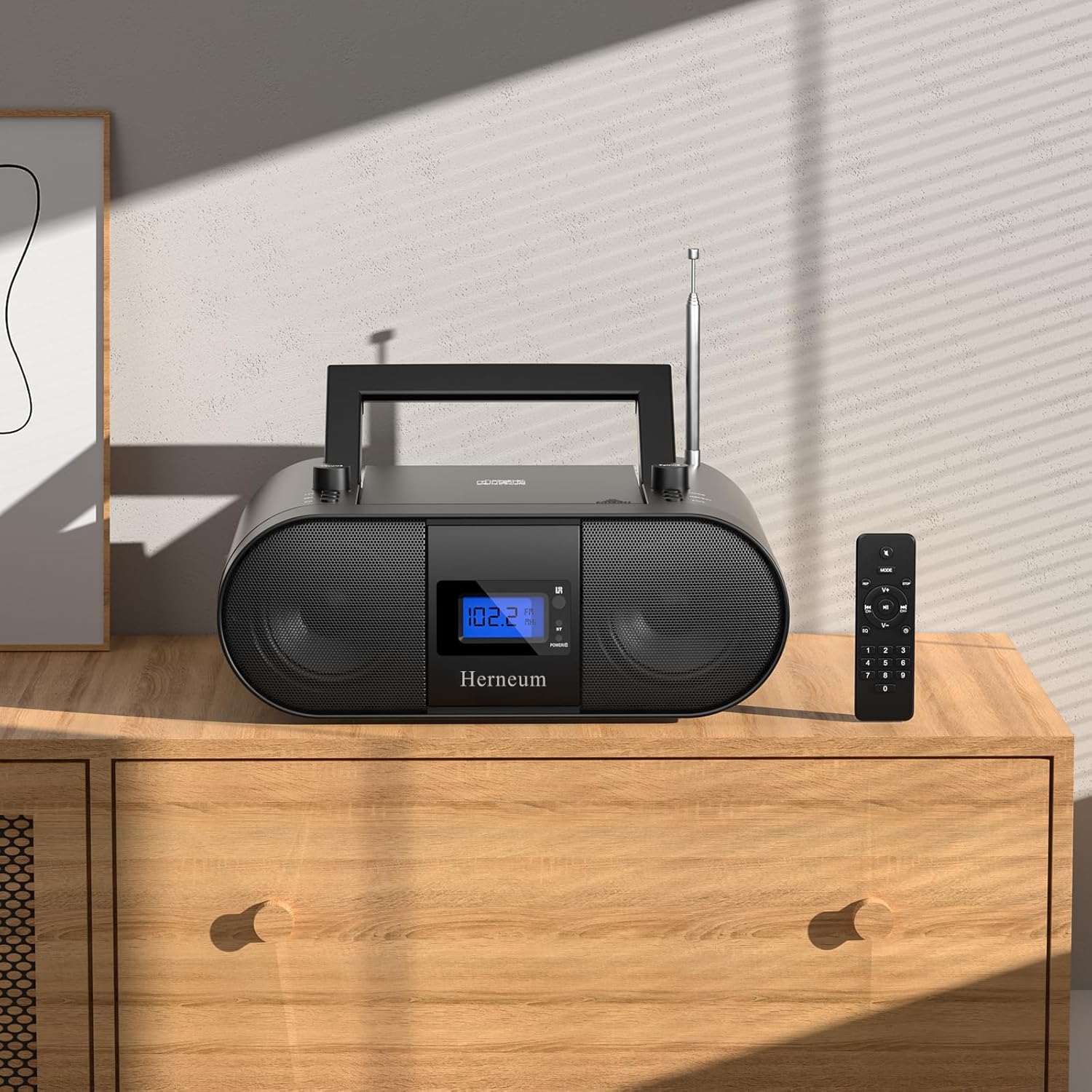
This manual provides essential instructions for the safe and efficient operation of your Herneum FC Portable CD Player Boombox. Please read this manual thoroughly before using the device and retain it for future reference.
Produktegenskaber
- Bærbar CD-afspiller: Top-loading CD player with play/pause, skip, and repeat functions.
- FM-radio: Built-in FM radio with telescopic antenna for enhanced reception.
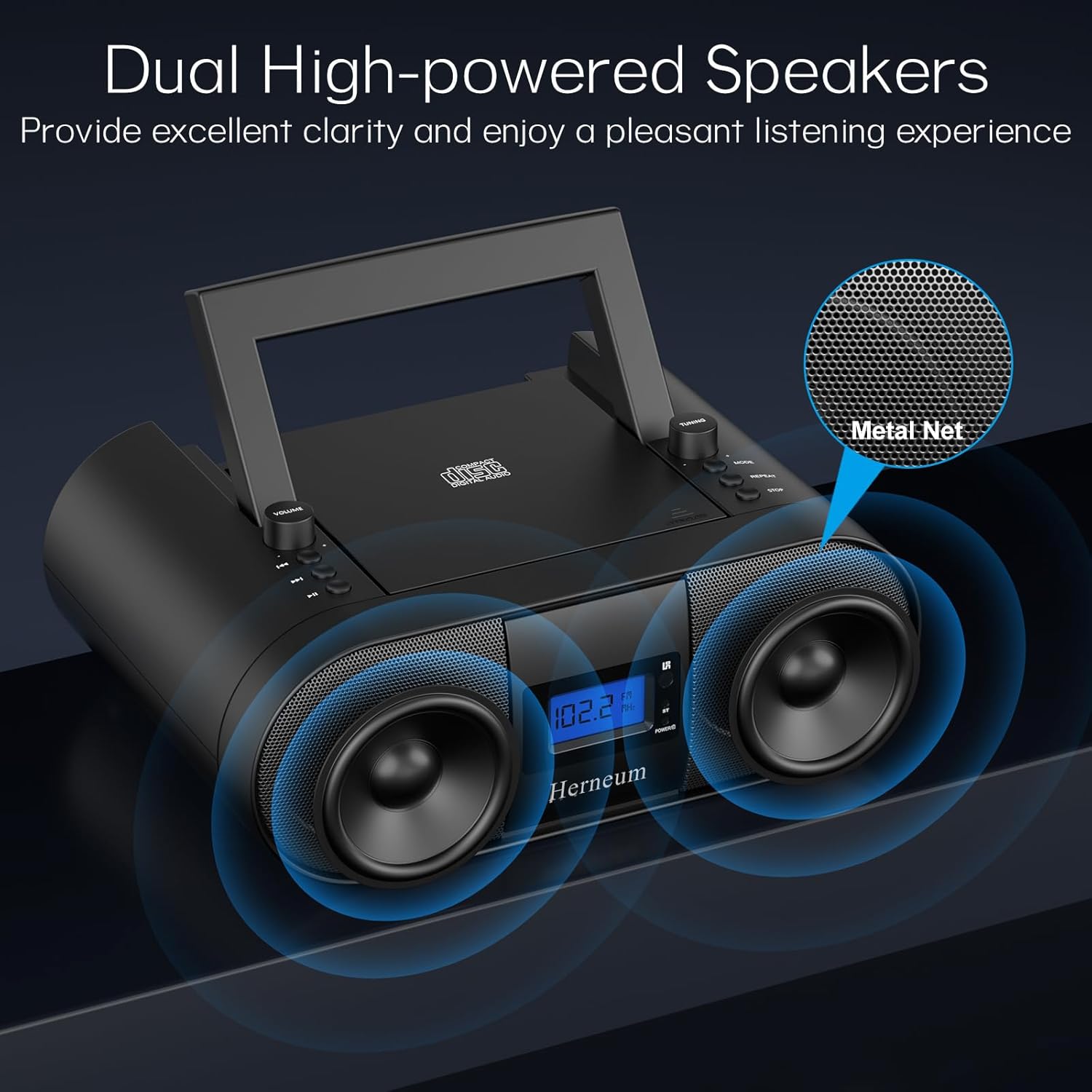
- Dual Stereo Sound System: High-performance speakers for clear audio.
- Genopladeligt batteri: Integrated 2000mAh battery providing 4-5 hours of playback.
- Bluetooth-forbindelse: Trådløs lydstreaming fra kompatible enheder.
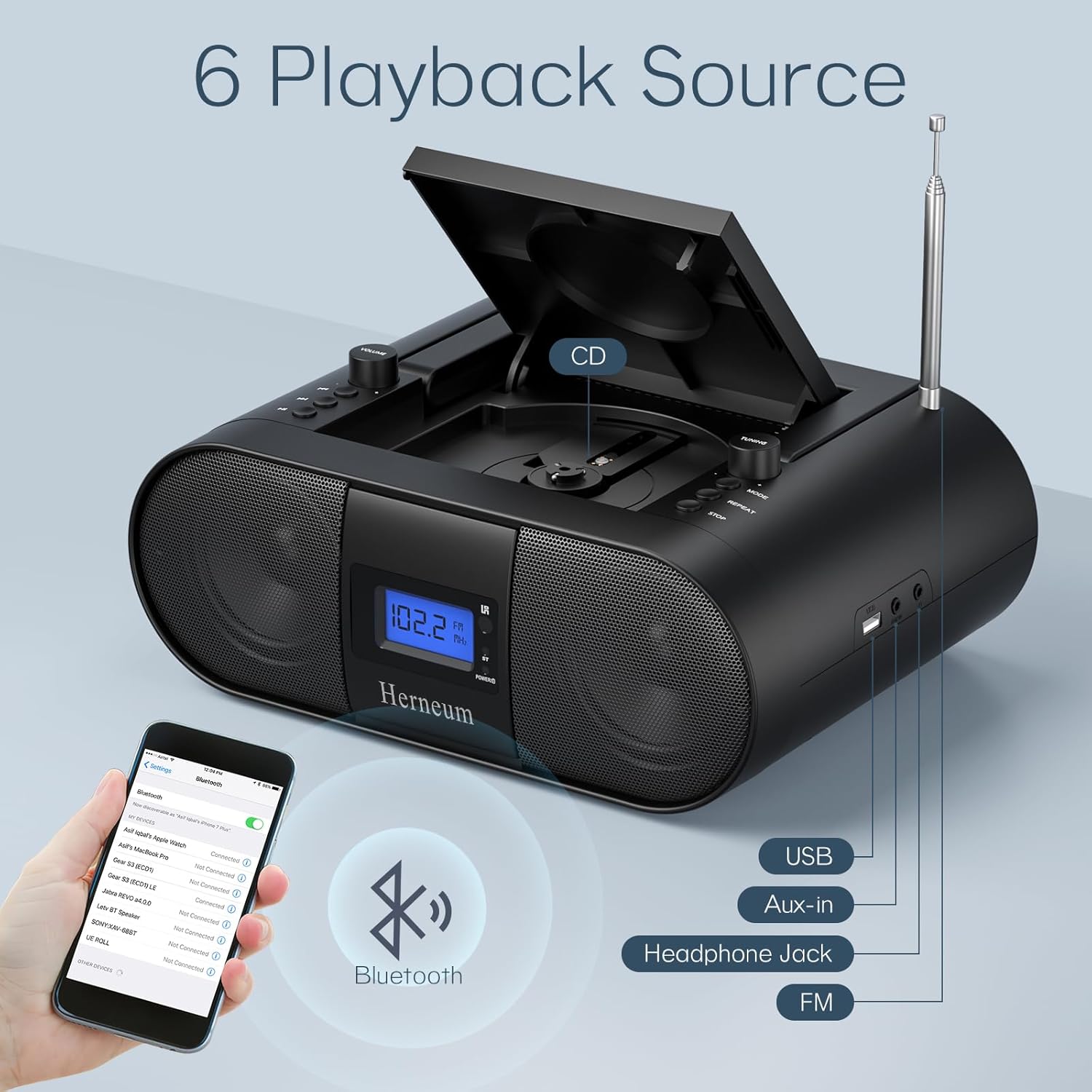
- Flere indgange: Supports USB and AUX-in for versatile audio sources.
- Hovedtelefonudgang: Til privat lytning.
- Fjernbetjening: Convenient operation from a distance, including sleep timer function.
Pakkens indhold
Sørg for, at alle varer er til stede ved udpakning:
- Herneum FC Portable CD Player Boombox
- Fjernbetjening
- Brugermanual
- Strømkabel
Sikkerhedsoplysninger
- Udsæt ikke enheden for regn eller fugt.
- Undgå at placere enheden i nærheden af varmekilder eller i direkte sollys.
- Åbn ikke enheden casing; overlad service til kvalificeret personale.
- Opbevares utilgængeligt for børn.
- Brug kun den medfølgende strømadapter.
Opsætning
1. Strømforsyning til enheden
The Herneum FC can be powered by its internal rechargeable battery or by connecting it to an AC power outlet.
- AC strøm: Connect the provided power cable to the "Power socket" (19) on the back of the unit and then to a wall outlet.
- Genopladeligt batteri: The unit has a built-in 2000mAh rechargeable battery. It charges automatically when connected to AC power. A full charge provides approximately 4-5 hours of playback.
2. Justering af antenne
For optimal FM radio reception, extend the telescopic antenna fully and adjust its position.

Betjeningsvejledning
1. Generelle kontroller
The device features various controls on its top panel and a remote control for convenient operation.

- Afbryder (18): Placeret på bagsiden af enheden.
- Volume +/- (1): Justerer lydudgangsniveauet.
- Tilstand (7): Switches between CD, FM, Bluetooth, USB, and AUX modes.
- Display (14): Shows current mode, track number, and FM frequency.
2. CD-afspilning
- Open the CD compartment (10) by gently lifting the lid.
- Placer en CD med etiketten opad.
- Luk CD-rummet.
- Tryk på Mode button (7) to select CD mode.
- Trykke Afspil/pause (4) for at starte afspilning.
- Bruge Forrige spor (2) og Næste spor (3) to navigate tracks.
- Trykke Gentage (8) for single track or all track repeat.
- Trykke Stop (9) to end playback.
3. Betjening af FM-radio
- Forlæng teleskopantennen.
- Tryk på Mode button (7) to select FM radio mode.
- Bruge Tuning +/- (6) to manually tune to a station.
- For automatic scanning, press and hold Tuning +/- (6).
4. Bluetooth-forbindelse
- Tryk på Mode button (7) to select Bluetooth mode. The display will show "BT" and flash, indicating it's ready for pairing.
- On your mobile device, enable Bluetooth and search for "Herneum FC" (or similar device name).
- Select the device to pair. Once connected, the "BT" indicator will stop flashing.
- You can now stream audio from your device to the boombox.
5. USB-afspilning
- Insert a USB drive containing MP3/WMA files into the USB PORT (11).
- Tryk på Mode button (7) to select USB mode.
- Playback will start automatically. Use track navigation buttons to select songs.
6. AUX-indgangstilslutning
- Connect an external audio device (e.g., smartphone, MP3 player) to the AUX-in jack (12) using a 3.5mm audio cable.
- Tryk på Mode button (7) to select AUX mode.
- Styr afspilning og lydstyrke fra din eksterne enhed.
7. Brug af hovedtelefoner
Plug headphones into the Headphone jack (13) for private listening. The speakers will automatically mute.
8. Fjernbetjening
The included remote control allows for convenient operation of all functions from a distance. Insert 2 x AAA batteries (not included) into the remote.
- Slå lyden fra/til: Temporarily silences or restores audio.
- Spring spor over: Navigates to the next or previous track.
- Change Radio: Adjusts FM frequency.
- Styr volumen: Øger eller mindsker lydstyrken.
- Stop Playing: Halts current playback.
- EQ-tilstand: Adjusts sound equalization settings.
- Sleep timer: Set preferred running time (15, 30, 45, 60, or 90 minutes).

Opretholdelse
- Rensning: Brug en blød, tør klud til at rengøre enhedens yderside. Brug ikke slibende rengøringsmidler eller opløsningsmidler.
- CD-pleje: Hold cd'er i kanterne. Rengør snavsede cd'er med en blød, fnugfri klud, og tør af fra midten og udad.
- Opbevaring: When not in use for extended periods, store the boombox in a cool, dry place.
Fejlfinding
| Problem | Mulig årsag | Løsning |
|---|---|---|
| Ingen strøm | Power cable not connected; battery drained; power switch off. | Check power cable connection; charge battery; ensure power switch (18) is ON. |
| CD not playing/skipping | CD'en er snavset eller ridset; CD'en er isat forkert; CD-skuffen er ikke lukket. | Clean or replace CD; ensure CD is label-side up; close compartment firmly. |
| Dårlig FM -modtagelse | Antennen ikke trukket ud/justeret; svagt signal. | Extend and adjust antenna; try moving the unit to a different location. |
| Bluetooth ikke parring | Device not in pairing mode; Bluetooth disabled on external device. | Ensure boombox is in Bluetooth mode; enable Bluetooth on your device and search again. |
| Fjernbetjening virker ikke | Batteries drained or inserted incorrectly; obstruction between remote and unit. | Replace remote batteries; ensure correct polarity; remove obstructions. |
Specifikationer
- Model: FC
- Mærke: Herneum
- Produktdimensioner: 12.6 x 8.66 x 5.9 tommer
- Varens vægt: 4.36 pund
- Forbindelse teknologi: Bluetooth, CD, USB, AUX-in, FM Radio
- Farve: Sort
- Højttalertype: Dobbelt højttaler
- Batteri: Indbygget 2000mAh genopladeligt batteri
- Playback Time (Battery): 4-5 timer
Garanti og support
The Herneum FC Portable CD Player Boombox comes with an 18-month warranty. For warranty claims, technical support, or any inquiries, please contact Herneum customer service.
Visit the official Herneum store for more information: Herneum Store


