1. Introduktion
The Divoom Ditoo-Mic is an innovative Bluetooth speaker that combines high-quality audio with a unique pixel art display and a functional mechanical keyboard. It comes equipped with a mini karaoke microphone, making it perfect for entertainment. Beyond music, it offers various smart features and customization options through its dedicated mobile application.
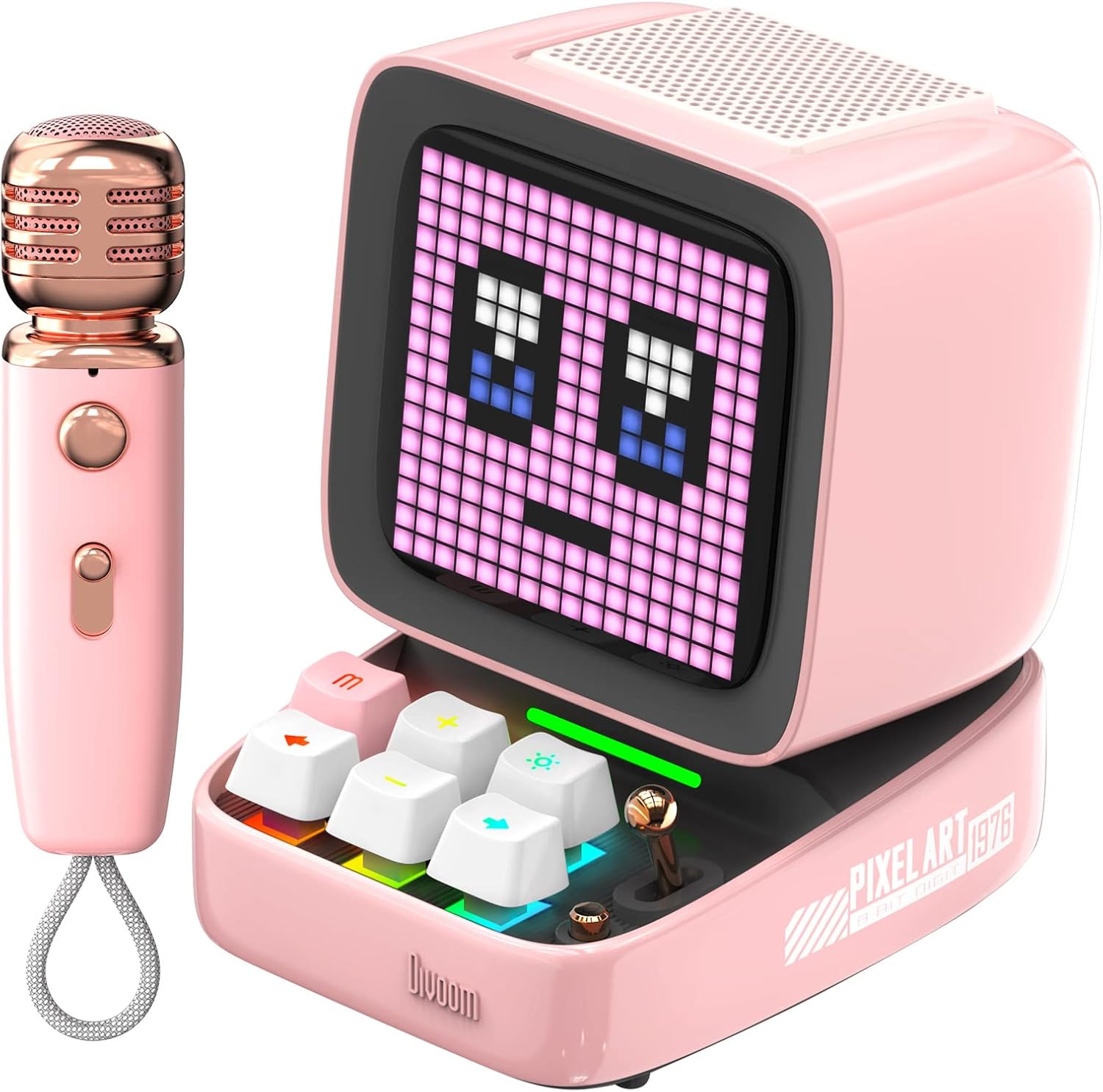
Figure 1: Divoom Ditoo-Mic Speaker and Microphone
2. Opsætning
2.1 Udpakning og første opkrævning
Carefully remove all components from the packaging. Before first use, fully charge the Ditoo-Mic speaker and the mini microphone using the provided USB cable. The speaker requires 4 hours of charging for 8 hours of playtime.

Figure 2: Divoom Ditoo-Mic in its packaging
2.2 Tænd/sluk
Locate the power switch on the back of the Ditoo-Mic speaker. Slide the switch to the 'ON' position to power on the device. The pixel display will light up. To power off, slide the switch to the 'OFF' position.
2.3 Bluetooth -parring
Once powered on, the Ditoo-Mic will automatically enter Bluetooth pairing mode. On your smartphone or other Bluetooth-enabled device, search for 'Ditoo-Mic' in the Bluetooth settings and select it to connect. A confirmation sound will indicate successful pairing.
3. Betjeningsvejledning
3.1 Divoom Mobile Application
For full functionality and customization, download the 'Divoom' app from your device's app store. The app allows you to control pixel art animations, music playback, alarm settings, and access various other features.
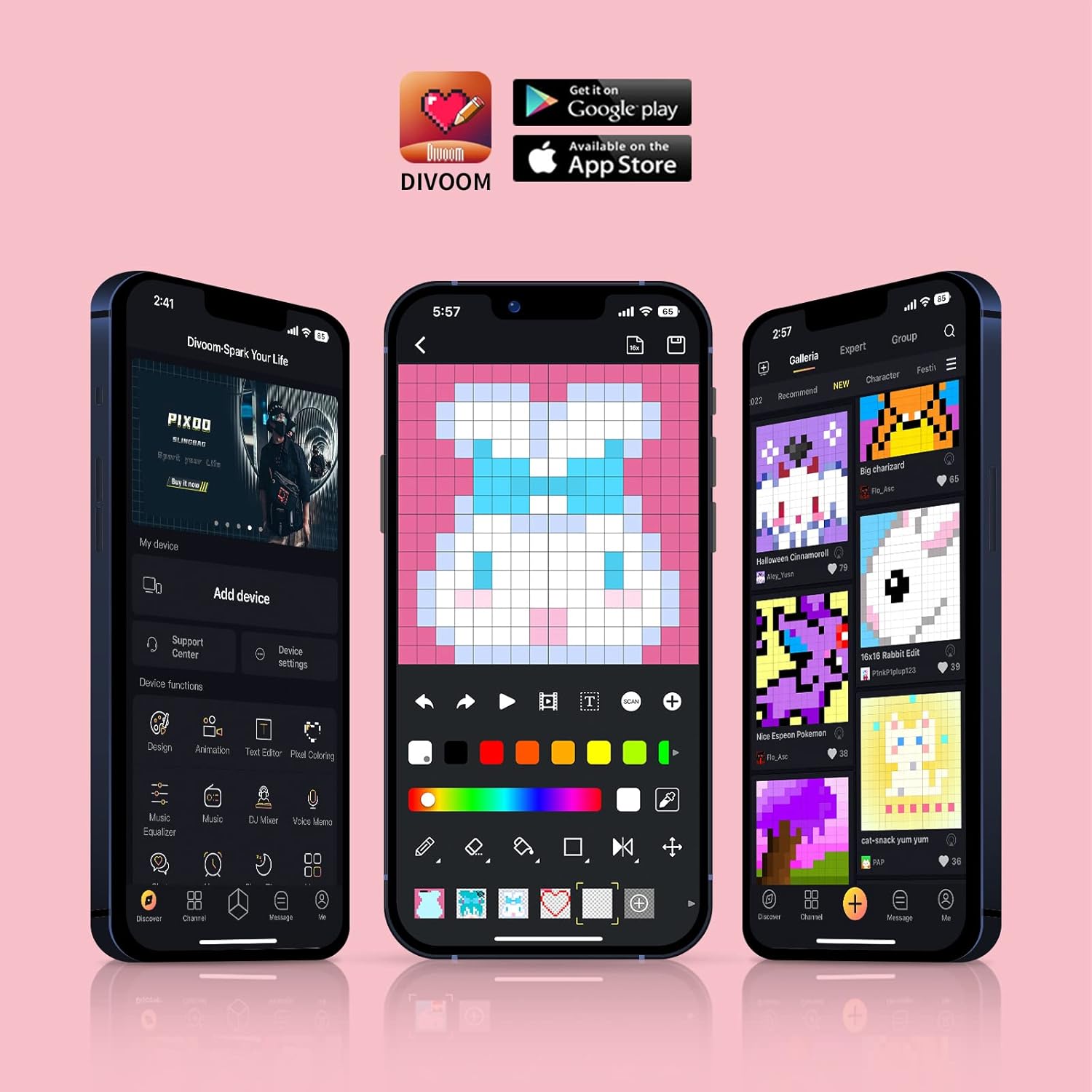
Figure 3: Divoom Mobile Application Interface
3.2 Karaoke-funktionalitet
Connect the mini microphone to the Ditoo-Mic speaker via Bluetooth. The speaker supports various karaoke profiles, allowing for different vocal effects. Adjust volume and effects directly on the microphone or through the Divoom app.

Figure 4: Using the Karaoke Microphone
3.3 Pixel Art Display & Creation
The Ditoo-Mic features a customizable pixel art display. You can select from a vast gallery of existing pixel art designs within the Divoom app or create your own unique animations and images in real-time using your finger on the app interface. The display on the speaker will update instantly.

Figure 5: Real-time Pixel Art Creation

Figure 6: Explore the Divoom Pixel Art Community
3.4 Pixel Mini Games
The Ditoo-Mic includes several built-in pixel mini-games that can be played directly on the device using its mechanical keyboard. These games provide an interactive and nostalgic experience.
3.5 Smart Alarm and Notifications
Utilize the Divoom app to set smart alarms, manage your planner, and receive social media notifications directly on the Ditoo-Mic's pixel display. It can also show weather information and act as a noise meter.

Figure 7: Smart Alarm Features

Figure 8: Social Media Notifications
3.6 Officiel produktvideo
Video 1: Ditoo Mic Speaker with microphone - This official video from Divoom showcases the various features and uses of the Ditoo-Mic speaker and its accompanying microphone, including music playback, karaoke, and pixel art display.
4. Vedligeholdelse
To ensure the longevity of your Divoom Ditoo-Mic, follow these maintenance guidelines:
- Hold enheden ren ved at tørre den af med en blød, tør klud. Undgå at bruge slibende rengøringsmidler eller opløsningsmidler.
- Udsæt ikke enheden for ekstreme temperaturer, direkte sollys eller høj luftfugtighed.
- Opbevar enheden på et køligt, tørt sted, når det ikke er i brug.
- Undgå at tabe enheden eller udsætte den for kraftige stød.
5. Fejlfinding
If you encounter issues with your Divoom Ditoo-Mic, try the following steps:
- Ingen strøm: Ensure the device is fully charged. Connect it to a power source and check the charging indicator.
- Problemer med Bluetooth-forbindelse: Make sure Bluetooth is enabled on your device and the Ditoo-Mic is in pairing mode. Try unpairing and re-pairing the device. Ensure no other devices are interfering with the Bluetooth signal.
- Ingen lyd: Check the volume levels on both the Ditoo-Mic and your connected device. Ensure the microphone is properly connected and powered on if using the karaoke function.
- Displayfejl: Restart the device. If the issue persists, check the Divoom app for any firmware updates.
6. Specifikationer
| Feature | Detalje |
|---|---|
| Produktdimensioner | 7.5 x 7.5 x 10.2 tommer |
| Varens vægt | 1.18 pund |
| Modelnummer | Ditoo-Mic |
| Batterier | 1 Lithium Polymer batteri påkrævet (medfølger) |
| Mærke | Divoom |
| Speciel funktion | Indbygget mikrofon |
| Farve | Lyserød |
| Inkluderede komponenter | Mini mikrofon |
| Anbefalede anvendelser | Hjem |
7. Garanti og support
For garantioplysninger og teknisk support henvises til den officielle Divoom-side. webwebstedet eller kontakt deres kundeservice direkte. Gem din købskvittering som købsbevis i tilfælde af garantikrav.
Besøg Divoom-butik på Amazon for yderligere produktinformation og supportressourcer.


