1. Produktet er slutview
The XTOOL Anyscan A30 is a wireless OBD2 scanner designed for comprehensive vehicle diagnostics. It supports all system diagnosis, bidirectional control, full OBD2 functions, and includes 8 common maintenance services. The device connects wirelessly to your iPhone or Android smartphone, offering a portable and intuitive diagnostic solution with continuous free updates.
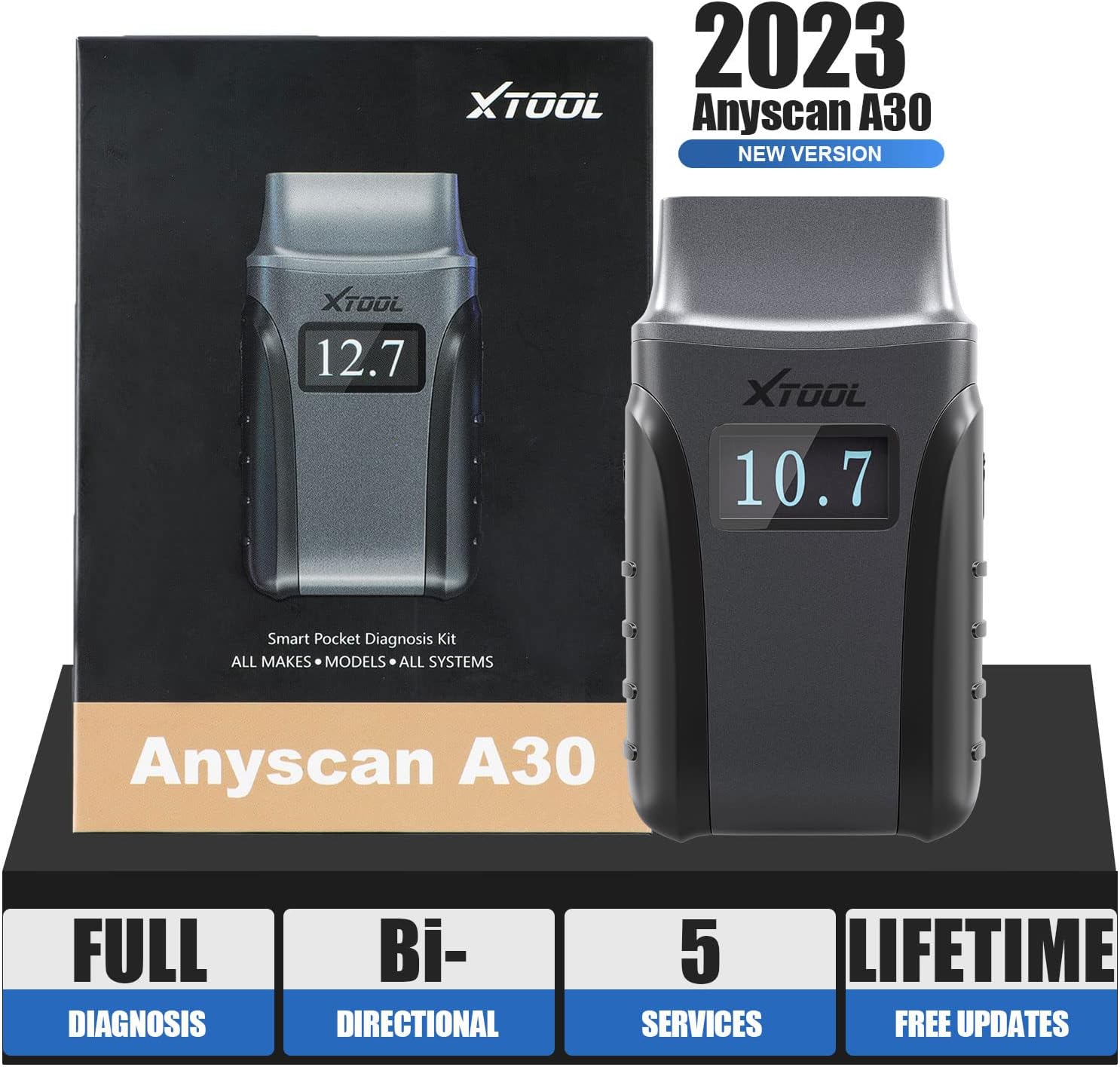
Figure 1: XTOOL Anyscan A30 OBD2 Scanner and its packaging.
2. Opsætning og tilslutning
Follow these steps to set up and connect your XTOOL Anyscan A30 scanner:
- Download appen: Install the "Anyscan" app from Google Play Store (for Android) or the App Store (for iOS).
- Aktiver enheden: Locate the Serial Number (S/N) and activation code on the quality certificate included with your Anyscan A30. Open the app and follow the prompts to bind and activate the dongle.
- Tilslut til OBD2-porten: Locate your vehicle's OBD2 diagnostic port (typically under the dashboard on the driver's side) and plug in the Anyscan A30 device.
- Aktiver Bluetooth: Turn on Bluetooth on your smartphone or tablet and pair it with the Anyscan A30 device. Only one Bluetooth signal can be paired at a time.
- Tænd tændingen: Turn your vehicle's ignition to the "ON" position (engine off) to begin the diagnostic process.

Figure 2: Step-by-step guide for connecting the XTOOL Anyscan A30.

Figure 3: The Anyscan A30 connects wirelessly via Bluetooth, offering a diagnosis range of up to 33 feet (10 meters).
3. Betjening af scanneren
3.1. Diagnose af alle systemer
The Anyscan A30 can access and scan all available electronic control units (ECUs) on most vehicles with standard OBDII ports. This includes systems such as Engine, Transmission, ABS, SRS, BMS, TPMS, and more. It allows you to:
- Læs ECU Information
- Læs og ryd diagnostiske fejlkoder (DTC'er)
- View Live-datastrømme
- Læs Freeze Frame Data
- Perform Actuation Tests

Figure 4: The scanner provides OE-level diagnostics across all major vehicle systems.
3.2. Tovejsstyring (aktive test)
The bidirectional control feature allows the Anyscan A30 to send commands to vehicle components and systems to test their functionality. This helps in quickly pinpointing issues by actively testing components like fuel pumps, windows, door locks, cooling fans, and more. The specific actuation tests available may vary by vehicle make and model.

Figur 5: Eksamples of components that can be tested using bi-directional controls.
3.3. Live Data Graphing
Monitor vehicle performance in real-time by viewing live data streams. The Anyscan A30 supports graphing of up to 8 PIDs (Parameter IDs) simultaneously, allowing for easy comparison and analysis of multiple data points. This graphical representation helps in identifying abnormal readings and diagnosing intermittent issues.

Figure 6: Live data can be displayed in graphical format for up to 8 PIDs.
3.4. Rapporter
Diagnostic reports can be generated and viewed directly within the "Anyscan" app. These reports provide a summary of vehicle information, detected trouble codes, and other diagnostic data. You have the option to share these reports via email or print them out for record-keeping or client communication.

Figure 7: The app allows for easy sharing and printing of diagnostic reports.
4. Vedligeholdelsestjenester
The XTOOL Anyscan A30 includes 8 commonly used maintenance services to assist with routine automotive tasks:
- Olie nulstilling: Nulstiller olielevetidsovervågningssystemet efter et olieskift.
- Nulstilling af EPB (elektronisk parkeringsbremse): Deaktiverer og genaktiverer det elektroniske parkeringsbremsesystem til udskiftning af bremseklodser.
- SAS (Styrevinkelsensor) Nulstilling: Calibrates the steering angle sensor after steering system repairs.
- D.P.F (Diesel Particulate Filter) Regeneration: Initiates the regeneration process for the diesel particulate filter.
- Genindlæring af gashåndtag: Genindlærer gasspjældshusets position efter rengøring eller udskiftning.
- Nulstilling af BMS (Batteristyringssystem): Registrerer et nyt batteri i køretøjets ECU.
- ABS-blødning: Udfører automatiske udluftningsprocedurer for ABS-bremsesystemet.
- Nulstilling af TPMS (dæktryksovervågningssystem): Nulstiller TPMS-sensorer efter dækskift eller dækskift.
Note: Not all features are available for all makes/models. Please verify compatibility with your vehicle's VIN before purchase.

Figure 8: The XTOOL Anyscan A30 offers 8 essential maintenance services.
5. Fejlfinding
If you encounter any issues while using your XTOOL Anyscan A30, consider the following general troubleshooting steps:
- Forbindelsesproblemer: Ensure the Anyscan A30 is securely plugged into the OBD2 port and that your device's Bluetooth is enabled and paired correctly. Try restarting both the app and your mobile device.
- Appen reagerer ikke: Close and reopen the Anyscan app. If the issue persists, try reinstalling the app.
- Enheden aktiveres ikke: Double-check the Serial Number and activation code for accuracy. Ensure you have a stable internet connection during activation.
- Feature Not Available: Some advanced functions or service resets may not be supported by all vehicle models. Refer to the product's compatibility list or contact XTOOL support for specific vehicle compatibility.
- Softwareopdateringer: Ensure your Anyscan A30 software is up to date. Regular updates improve compatibility and add new features.
6. Specifikationer
| Specifikation | Værdi |
|---|---|
| Mærke | XTOOL |
| Model | Anyscan A30 |
| Varens vægt | 3.52 ounce |
| Produktdimensioner | 3.94 x 6.3 x 3.94 tommer |
| Varemodelnummer | XTOOL A30 |
| Producentens varenummer | XTOOL |
| Pære type | LED |
| ASIN | B0BQ3PTNS8 |
| Dato først tilgængelig | 28. december 2022 |
| UPC | 758987845410 |
7. Garanti og support
The XTOOL Anyscan A30 comes with a 2-year warranty, ensuring peace of mind for your purchase. XTOOL is committed to providing excellent customer service, offering 24/7 technical support to assist users with any inquiries or issues they may encounter.
A key benefit of the Anyscan A30 is its lifetime free software updates. This ensures your device remains compatible with the latest vehicle models and diagnostic protocols without any additional subscription fees.

Figure 9: Benefit from lifetime free software updates and convenient Wi-Fi downloads.
For technical assistance, including questions about activation codes or language changes, please contact XTOOL support directly with your device's Serial Number (S/N) and vehicle VIN.


