1. Introduktion
Thank you for choosing the GLOBE Electric 64000012 30-inch 4-Light Track Lighting fixture. This manual provides essential information for the safe installation, operation, and maintenance of your new lighting system. Please read these instructions thoroughly before beginning installation and retain them for future reference.

Image 1.1: The GLOBE Electric 64000012 30-inch 4-Light Track Lighting fixture.
2. Vigtige sikkerhedsoplysninger
To reduce the risk of fire, electric shock, or personal injury, always follow these basic safety precautions:
- Læs alle instruktioner: Before installing or using this fixture.
- Elektrisk sikkerhed: Alle elektriske forbindelser skal være i overensstemmelse med lokale forskrifter, forordninger eller National Electric Code (NEC). Kontakt en kvalificeret elektriker, hvis du ikke er bekendt med korrekt elektrisk ledningsføring.
- Afbryd strømmen: Always turn off the power at the main circuit breaker or fuse box before beginning installation or performing any maintenance.
- Jording: Sørg for, at armaturet er korrekt jordforbundet for at undgå potentielt elektrisk stød.
- Krav til pære: Use only GU10/Twist and Click Base MR16 50W bulbs (sold separately). Do not exceed the maximum wattage.
- Varme: Halogen bulbs can become very hot. Allow bulbs to cool before touching.
- Dæmpbar funktion: If using a dimmer, ensure it is compatible with GU10 bulbs and installed by a qualified professional.
- Kun indendørs brug: This fixture is designed for indoor use in dry locations.
3. Pakkens indhold
Kontroller, at alle komponenter er til stede, før installationen påbegyndes:
- Track Light Fixture (1)
- Monteringshardware (1 sæt)
- Instruction Sheet (1)

Billede 3.1: Eks.ample of product packaging, showing the track light fixture.
4. Produktspecifikationer
| Feature | Specifikation |
|---|---|
| Mærke | Globe Electric |
| Modelnavn | Pratt |
| Varenummer | 64000012 |
| Farve | Black, Pratt |
| Materiale | Metal |
| Produktdimensioner | 12 cm L x 76.2 cm B x 18.32 cm H (4.75 cm L x 30 cm B x 7.25 cm H) |
| Strømkilde | Hardwired |
| Installationstype | Loftmontering |
| Antal lyskilder | 4 |
| Pære base | GU10 |
| Max Wattage pr. pære | 50 watt |
| Voltage | 120 volt |
| Særlige funktioner | Dimmable, Matte Black Finish, Pivoting Track Heads |
| Indendørs/Udendørs brug | Indendørs |

Image 4.1: Product dimensions for planning installation.
5. Opsætning og installation
5.1. Før du begynder
- Sørg for, at strømmen er afbrudt ved afbryderen.
- Saml de nødvendige værktøjer (skruetrækker, afisoleringstang, elektrikertape, stige).
- Review all local electrical and building codes.
5.2. Installationstrin
- Forbered ledningsføring: Carefully pull the electrical wires from the outlet box.
- Tilslut ledninger: Connect the fixture's wires to the house wires (black to black, white to white, ground to ground) using wire connectors. Secure with electrical tape.
- Monteringsbeslag: Attach the mounting bracket to the outlet box. Secure the fixture base to the mounting bracket using the provided screws.
- Installer pærer: Insert four GU10/Twist and Click Base MR16 50W bulbs (sold separately) into each track head. A suction cup tool (often included with GU10 bulbs) can assist with installation.
- Gendan strøm: Tænd for strømmen igen ved afbryderen.

Image 5.1: The track lighting fixture installed in a living room setting.

Image 5.2: The track lighting fixture providing illumination over a desk area.
6. Betjening
6.1. Grundlæggende betjening
Once installed and powered, the fixture operates via your wall switch. If connected to a compatible dimmer switch (sold separately), you can adjust the light intensity to create the desired atmosphere.
6.2. Adjusting Light Heads
The four cylindrical track heads are designed to pivot, allowing you to direct light precisely where needed. Gently grasp each light head and rotate or tilt it to your preferred angle. This feature is ideal for accent lighting or illuminating specific areas.

Image 6.1: Adjustable heads allow for directional lighting.

Image 6.2: The fixture is fully dimmable with a compatible dimmer switch.
7. Vedligeholdelse
7.1. Rensning
Always disconnect power before cleaning. Wipe the fixture with a soft, dry cloth. Do not use abrasive cleaners or solvents, as they may damage the finish.
7.2. Udskiftning af pære
Ensure power is OFF and bulbs have cooled completely before attempting replacement. This fixture uses GU10/Twist and Click Base MR16 50W bulbs. To replace, gently push the bulb into the socket and twist counter-clockwise to remove. Insert the new bulb by pushing it in and twisting clockwise until secure. A suction cup tool can be helpful for this process, especially if the bulbs are difficult to grip.
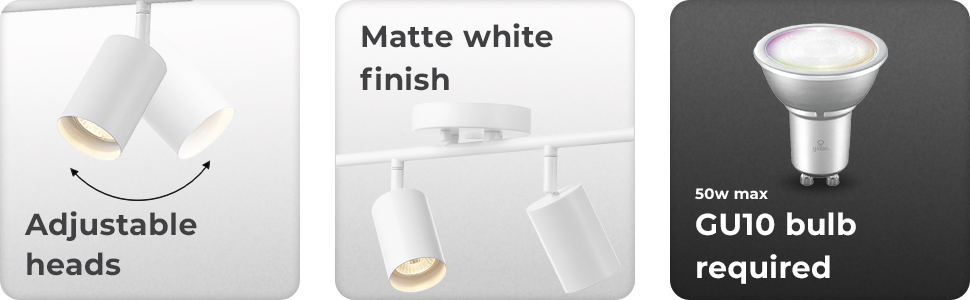
Image 7.1: Reminder of GU10 bulb requirement for the fixture.
8. Fejlfinding
If you experience issues with your track lighting, refer to the table below for common problems and solutions:
| Problem | Mulig årsag | Løsning |
|---|---|---|
| Lyset tænder ikke | No power to the fixture; Loose wiring; Faulty bulb | Check circuit breaker; Verify wire connections; Replace bulb. |
| Lysene flimrer | Loose bulb; Incompatible dimmer switch; Loose wiring | Ensure bulbs are seated correctly; Use a compatible dimmer; Check wire connections. |
| Pærer brænder hurtigt ud | Forkert pære wattage; Poor ventilation; Voltage udsving | Use correct 50W GU10 bulbs; Ensure proper air circulation; Consult an electrician for voltage problemer. |
9. Garanti og support
9.1. Garantioplysninger
This product comes with no warranty. Please refer to your retailer's return policy for any issues upon purchase.
9.2. Kundesupport
For further assistance or inquiries, please contact Globe Electric customer service through their official webwebstedet eller forhandleren, hvor produktet blev købt.


