Brugermanual til OMOTON trådløst tastatur
Model: WK001
1. Introduktion
Thank you for choosing the OMOTON Wireless Keyboard. This compact and quiet keyboard is designed for seamless connectivity with your laptop, tablet, computer, desktop, and PC via a 2.4G USB receiver. Its slim profile and ergonomic design ensure comfortable and efficient typing. This manual will guide you through the setup, operation, and maintenance of your new keyboard.

Figure 1.1: OMOTON Wireless Keyboard with USB Receiver
2. Pakkens indhold
Kontroller venligst pakkens indhold for at sikre, at alle varer er til stede:
- 1 x Black Wireless Keyboard
- 1 x USB-modtager
- 1 x brugermanual
3. Opsætningsvejledning
3.1 Batteriinstallation
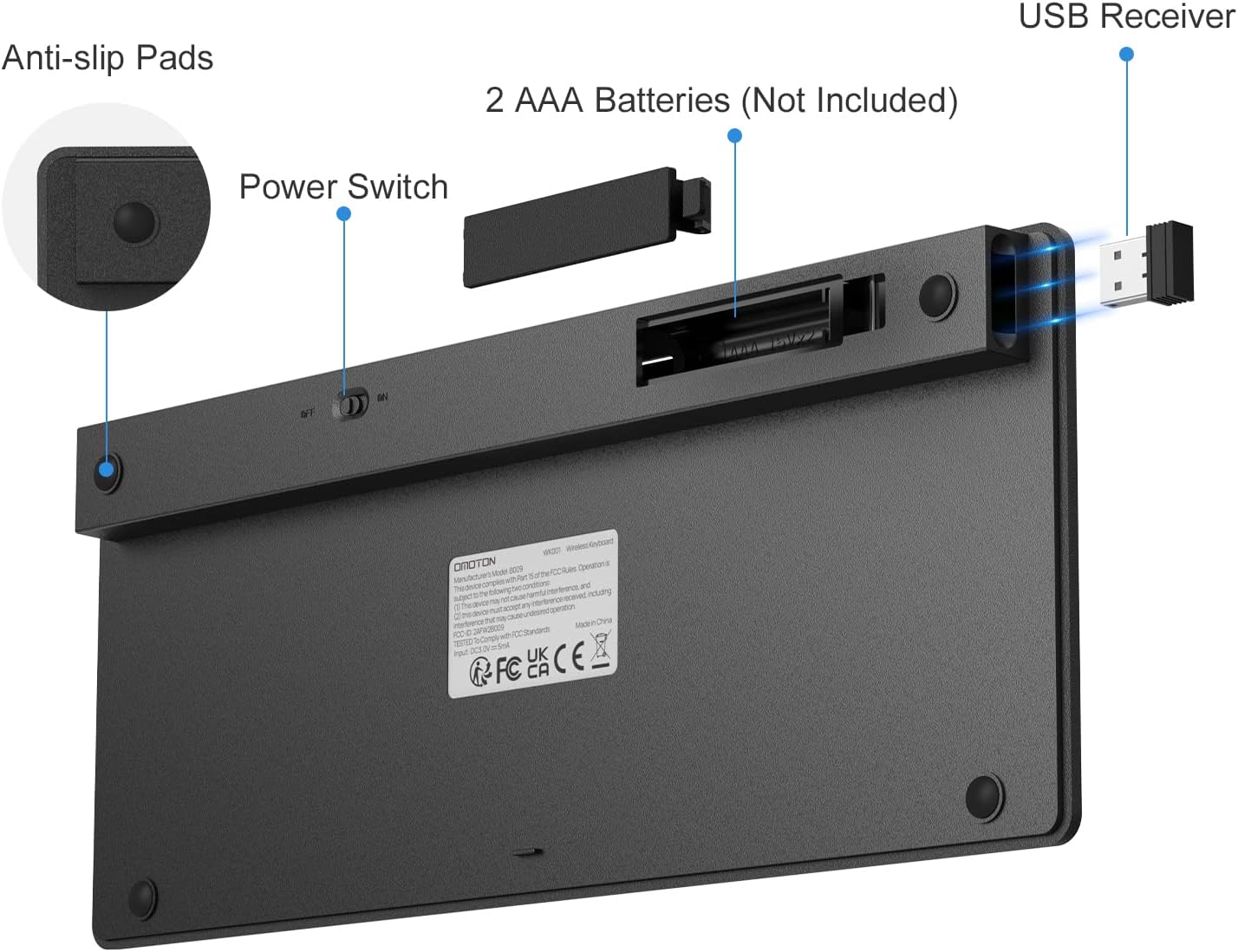
The OMOTON Wireless Keyboard requires 2 AAA batteries (not included). Follow these steps to install them:
- Find batterirummet på bagsiden af tastaturet.
- Skub batterirummets dæksel op.
- Isæt to AAA-batterier, og sørg for at polariteten (+/-) vender korrekt.
- Luk batterirummets dæksel forsvarligt.
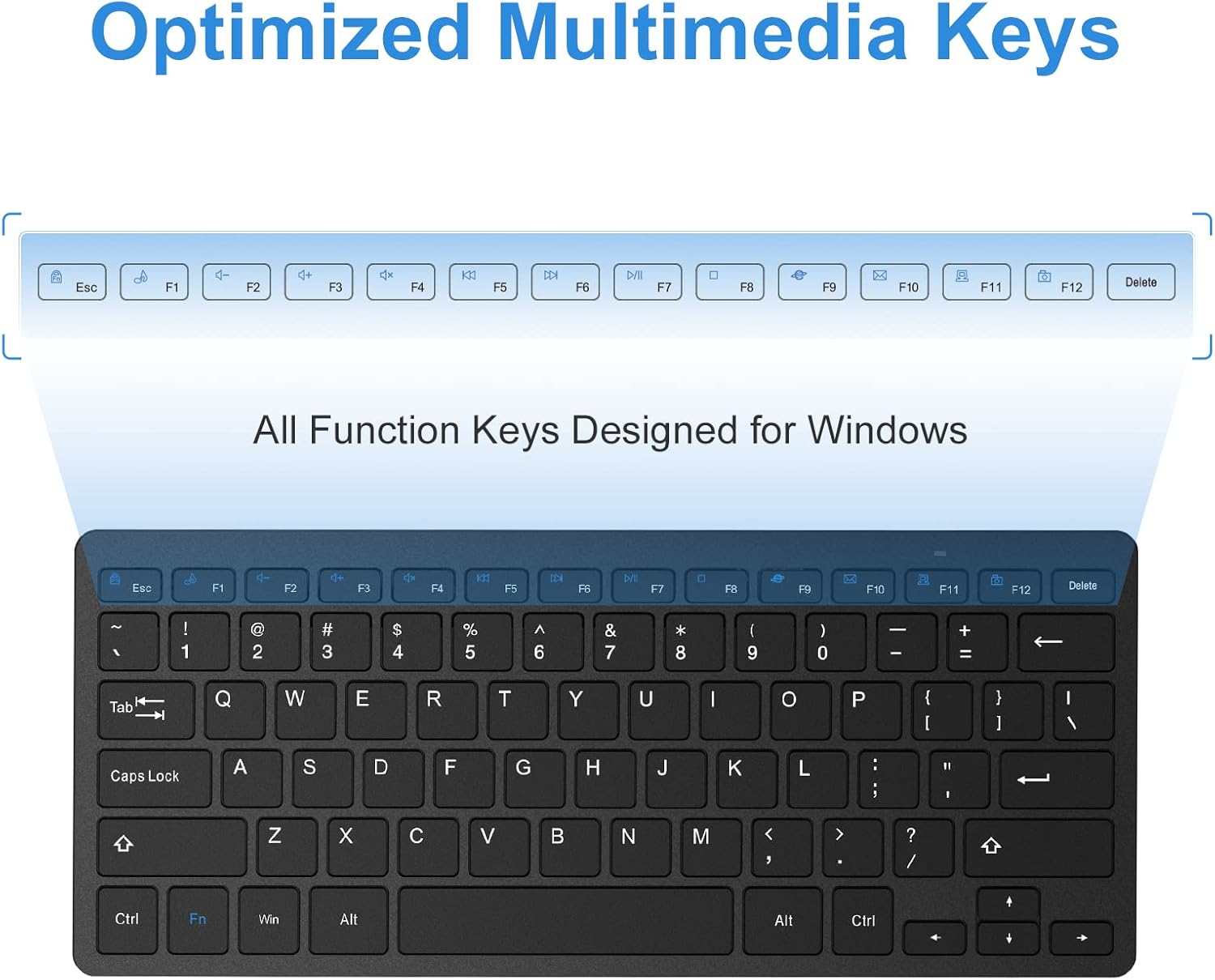
Figure 3.1: Battery Compartment and Power Switch
3.2 Tilslutning af USB-modtageren
The keyboard connects wirelessly via a 2.4G USB receiver. The receiver is typically stored in a dedicated slot on the back of the keyboard for convenience during travel.
- Remove the USB receiver from its storage slot on the back of the keyboard.
- Plug the USB receiver into an available USB port on your computer, laptop, or tablet.
- Turn on the keyboard using the ON/OFF switch located on the back of the keyboard (refer to Figure 3.1).
- Tastaturet burde automatisk oprette forbindelse til din enhed. Der kræves typisk ingen yderligere drivere.
Figur 3.2: Tilslutning af USB-modtageren
4. Betjeningsvejledning
4.1 Stable 2.4G Wireless Connection
The keyboard provides a stable and reliable 2.4G wireless connection, allowing you to operate your device from up to 33 feet (10 meters) away. This ensures flexibility and convenience in your workspace.
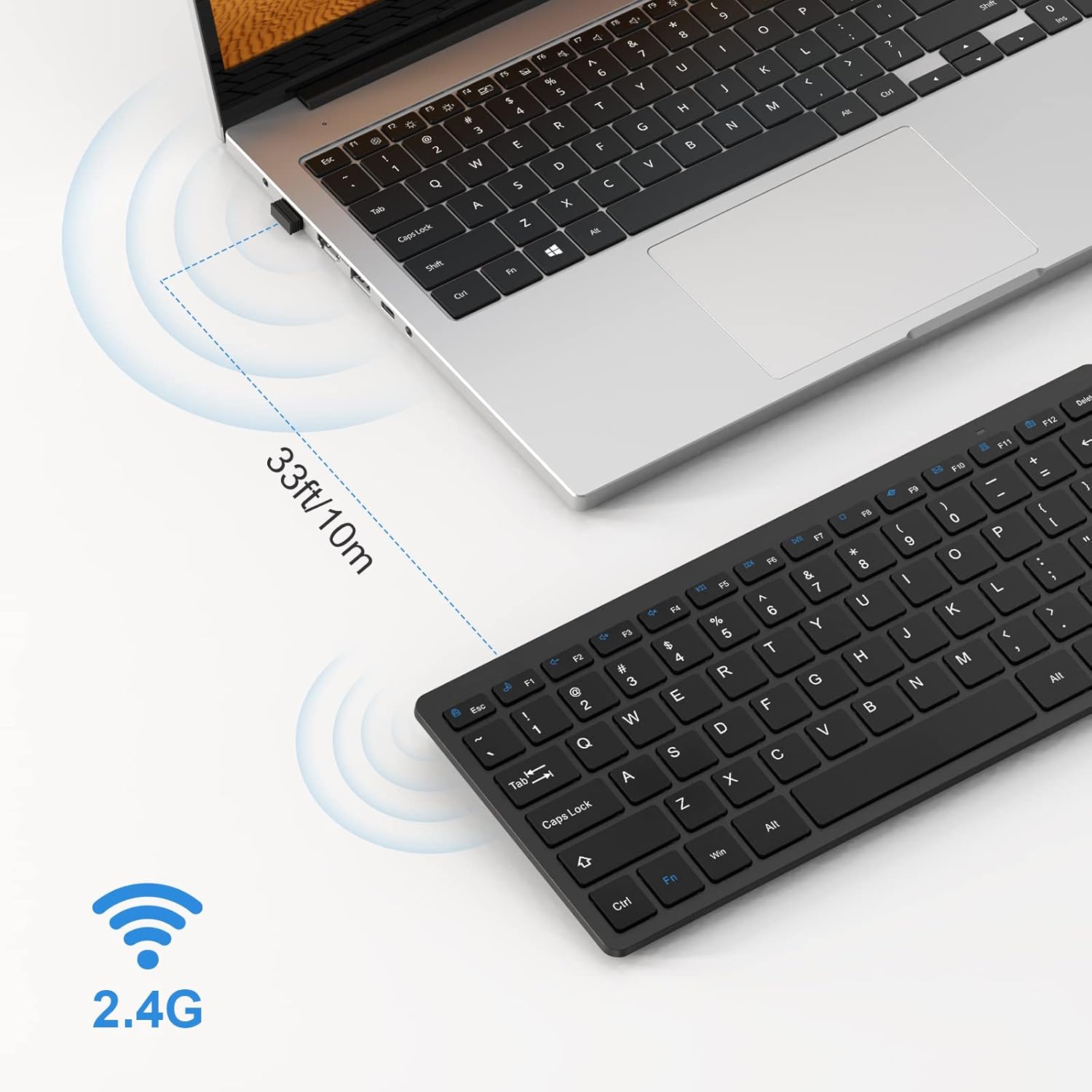
Figure 4.1: 2.4G Wireless Connection Range
4.2 Scissor-Switch Keys
The keyboard features scissor-switch keys, which provide a responsive and quiet typing experience. This mechanism ensures precise keystrokes and reduces typing noise, making it ideal for various environments.
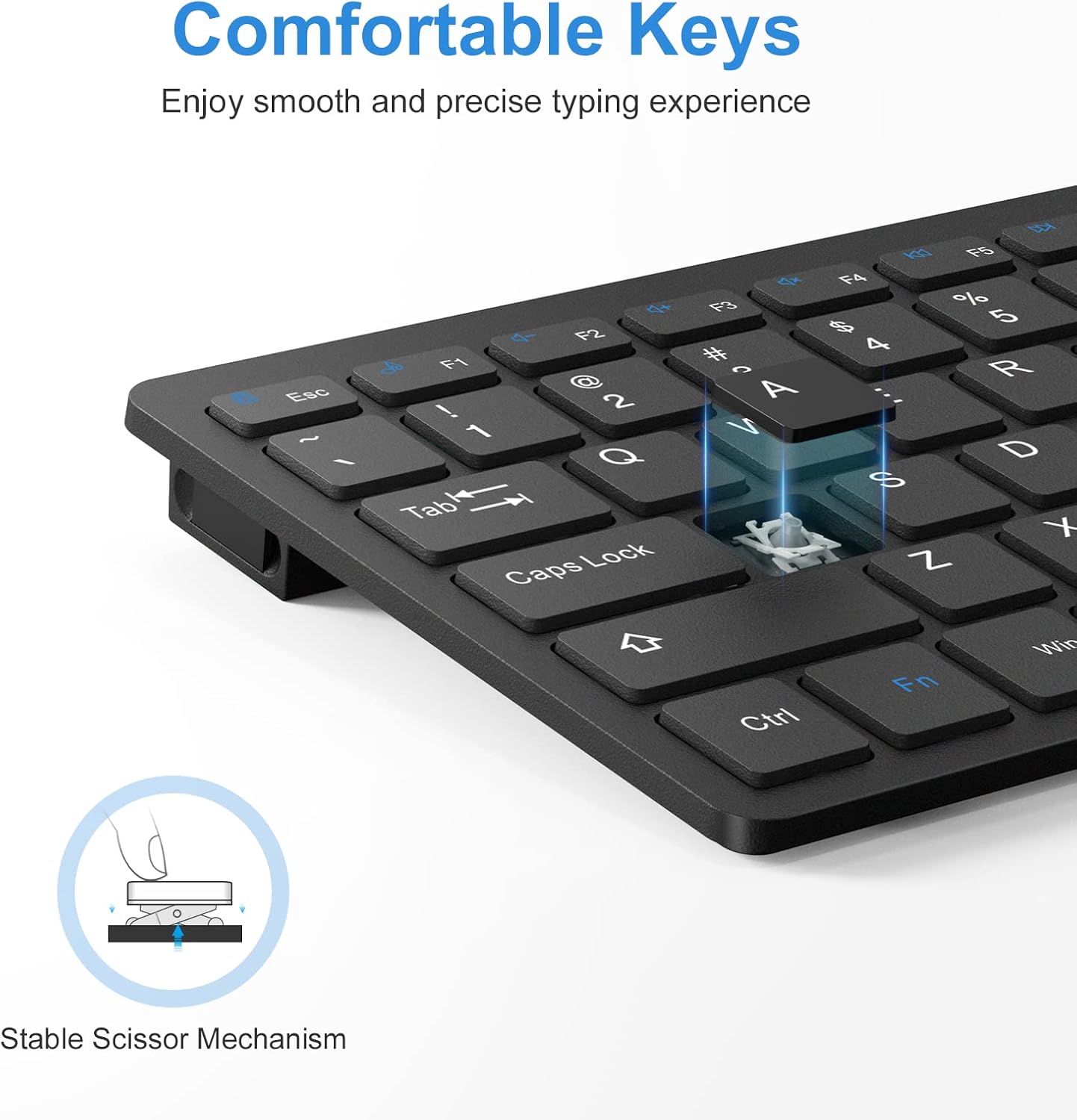
Figure 4.2: Scissor-Switch Key Mechanism
4.3 Optimized Multimedia Keys
The keyboard includes optimized multimedia keys designed for Windows operating systems. These function keys (F1-F12) provide quick access to various controls such as volume, media playback, and more, enhancing your productivity.
Figur 4.3: Multimediefunktionstaster
4.4 Ergonomisk design
The keyboard features an optimal tilt angle to prevent wrist discomfort during long typing sessions. Four rubberized pads on the bottom ensure stability and prevent the keyboard from slipping on your desk.
4.5 Automatisk dvaletilstand
To conserve battery life, the keyboard features an environmentally friendly auto-sleep mode. If inactive for a period, it will enter sleep mode. Press any key to wake it up.
4.6 Kompatibilitet
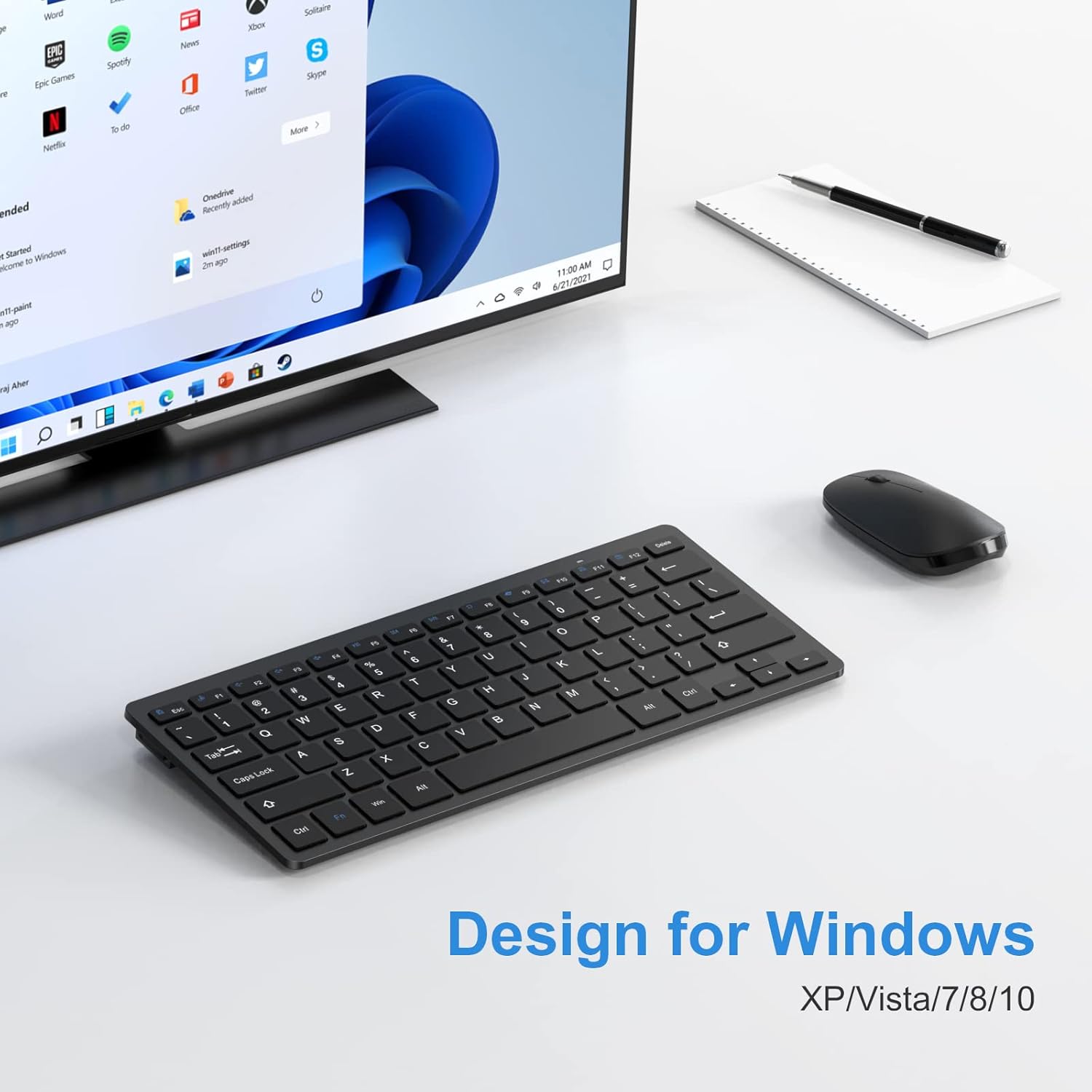
This keyboard is designed for Windows XP/Vista/7/8/10 and is compatible with laptops, PCs, and desktop computers.
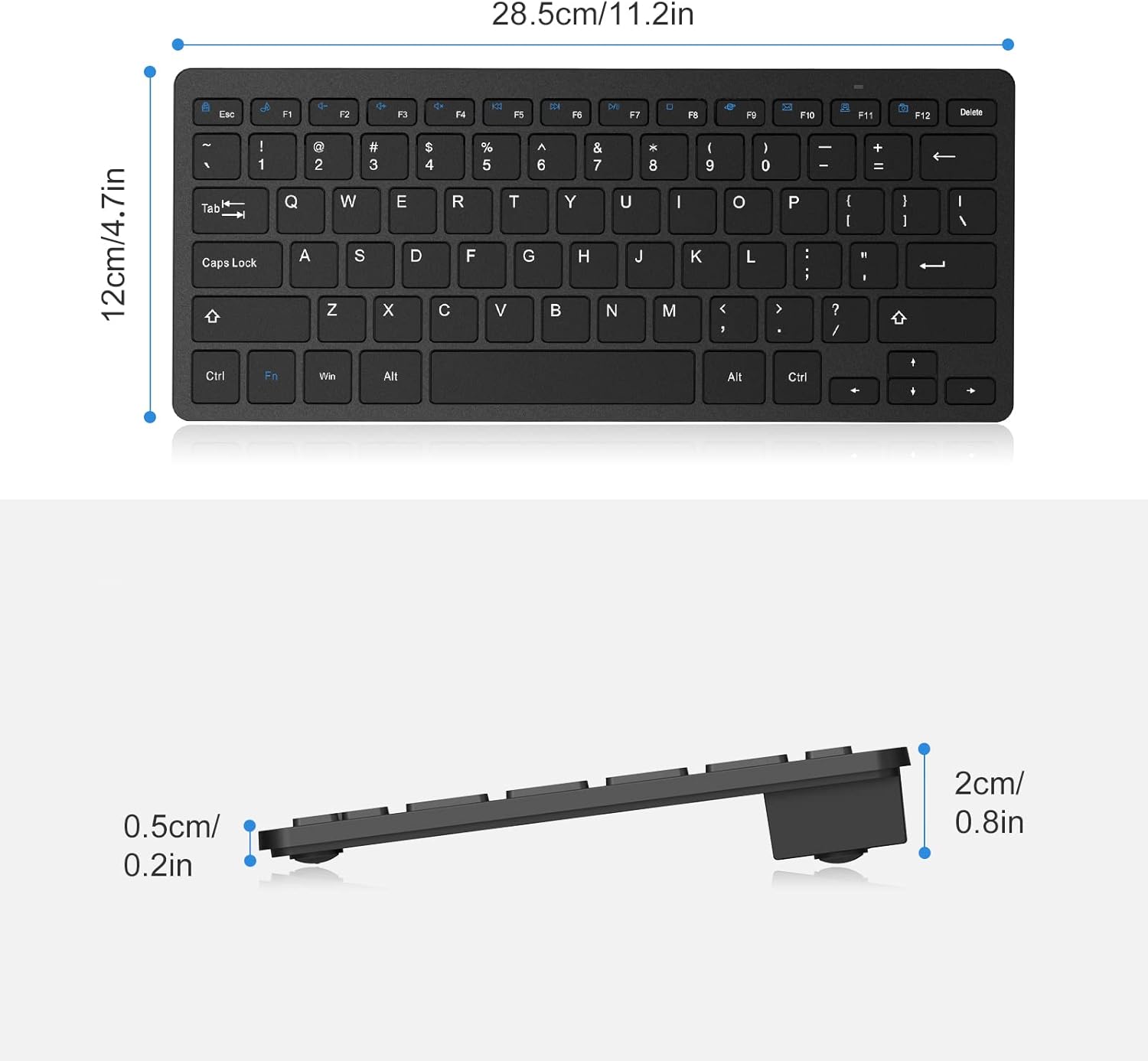
Figure 4.4: Designed for Windows Operating Systems
5. Vedligeholdelse
5.1 Udskiftning af batteri
The keyboard's battery life can last up to 6 months depending on usage. When the keyboard's performance degrades or it stops responding, it's time to replace the batteries. Follow the steps in Section 3.1 to replace the 2 AAA batteries.
5.2 Rengøring
For at rengøre dit tastatur skal du forsigtigt tørre overfladen af med en blød kludamp cloth. Avoid using harsh chemicals or abrasive materials that could damage the keyboard's finish or keys. Ensure the keyboard is turned off before cleaning.
6. Fejlfinding
If you encounter any issues with your OMOTON Wireless Keyboard, please refer to the following common problems and solutions:
- Tastaturet reagerer ikke:
- Ensure the keyboard is turned ON using the switch on the back.
- Kontroller, om batterierne er korrekt installeret og har tilstrækkelig opladning. Udskift om nødvendigt.
- Verify that the USB receiver is securely plugged into a working USB port on your device. Try a different USB port.
- Move the keyboard closer to the USB receiver to ensure it's within the 33ft (10m) operating range.
- Genstart din computer eller enhed.
- Tasterne er klæbrige eller reagerer ikke:
- Gently clean around and under the affected keys to remove any debris.
- Sørg for, at tastaturet er på en flad, stabil overflade.
- Intermitterende forbindelse:
- Ensure there are no large metal objects or other wireless devices causing interference between the keyboard and the receiver.
- Try plugging the USB receiver into a different USB port, preferably one directly on your computer rather than a hub.
7. Specifikationer
| Feature | Detalje |
|---|---|
| Modelnummer | WK001 |
| Forbindelsesteknologi | 2.4G trådløs (USB-modtager) |
| Kompatible enheder | Laptop, PC (Windows XP/Vista/7/8/10) |
| Tastaturbeskrivelse | Wireless, Compact, Quiet, Slim |
| Nøgletype | Sakse-afbryder |
| Antal nøgler | 78 |
| Farve | Sort |
| Strømkilde | 2 x AAA-batterier (medfølger ikke) |
| Driftsområde | Op til 33 fod (10m) |
| Produktdimensioner | 11.22 x 4.72 x 0.79 tommer |
| Varens vægt | 12.3 ounce |
| Oprindelsesland | Kina |
8. Garanti og support
OMOTON products are designed for reliability and performance. For any questions or assistance with your OMOTON Wireless Keyboard, please contact our customer support. Refer to the contact information provided on the product packaging or the official OMOTON webwebsted for detaljer.


