Indledning
This manual provides detailed instructions for the Strex Bluetooth 2-in-1 Transmitter and Receiver, Model SP173. This versatile device allows you to wirelessly transmit or receive audio signals, enhancing your audio experience with various devices.
The Strex Bluetooth adapter supports both Senderen (TX) og Modtager (RX) modes, utilizing Bluetooth 5.0 technology for stable, high-quality audio transmission.
Pakkens indhold
- Strex Bluetooth 2-in-1 Audio Transmitter/Receiver
- Micro USB strømkabel
- 3.5 mm AUX lydkabel
- 3.5 mm til RCA-kabel
- Brugervejledning (dette dokument)

Enhed overview
Familiarize yourself with the various components and ports of your Strex Bluetooth adapter.

- Tænd/sluk-knap: Tænder eller slukker for enheden.
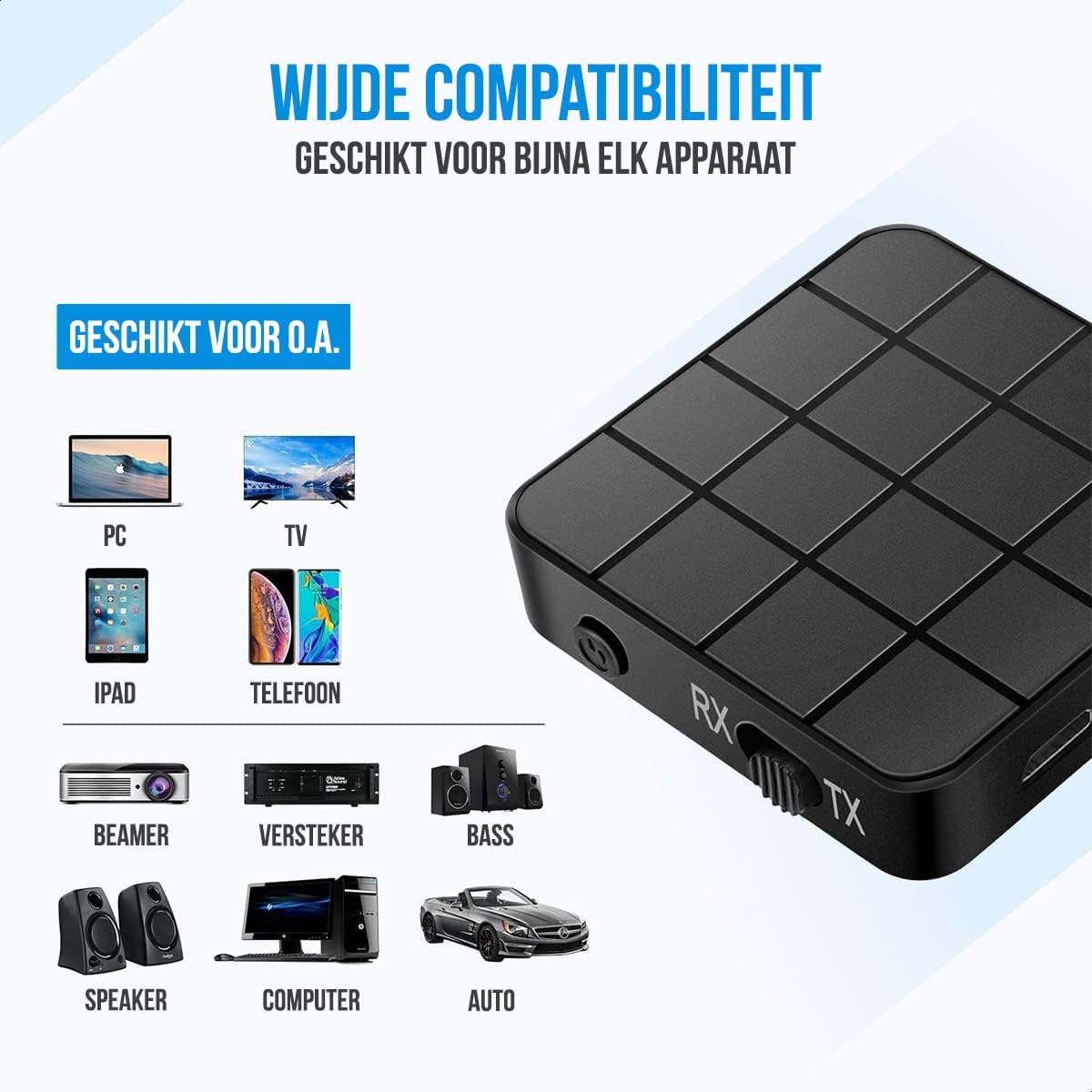
- Mode Switch (RX/TX): Selects between Receiver (RX) and Transmitter (TX) modes.
- Status-LED: Indicates power, pairing, and connection status.
- Micro USB-opladningsport: Til opladning af det interne batteri.
- 3.5mm Audio Input/Output: Connects to audio sources or output devices using the provided cables.
Opsætning og drift
Opladning af enheden
Before first use, ensure the device is fully charged. Connect the Micro USB power cable to the charging port on the adapter and the other end to a USB power source (e.g., computer USB port, USB wall adapter).
- En fuld opladning tager cirka 90 minutter.
- The device provides up to 6-8 timer of continuous playtime on a single charge.

Modtager (RX) tilstand
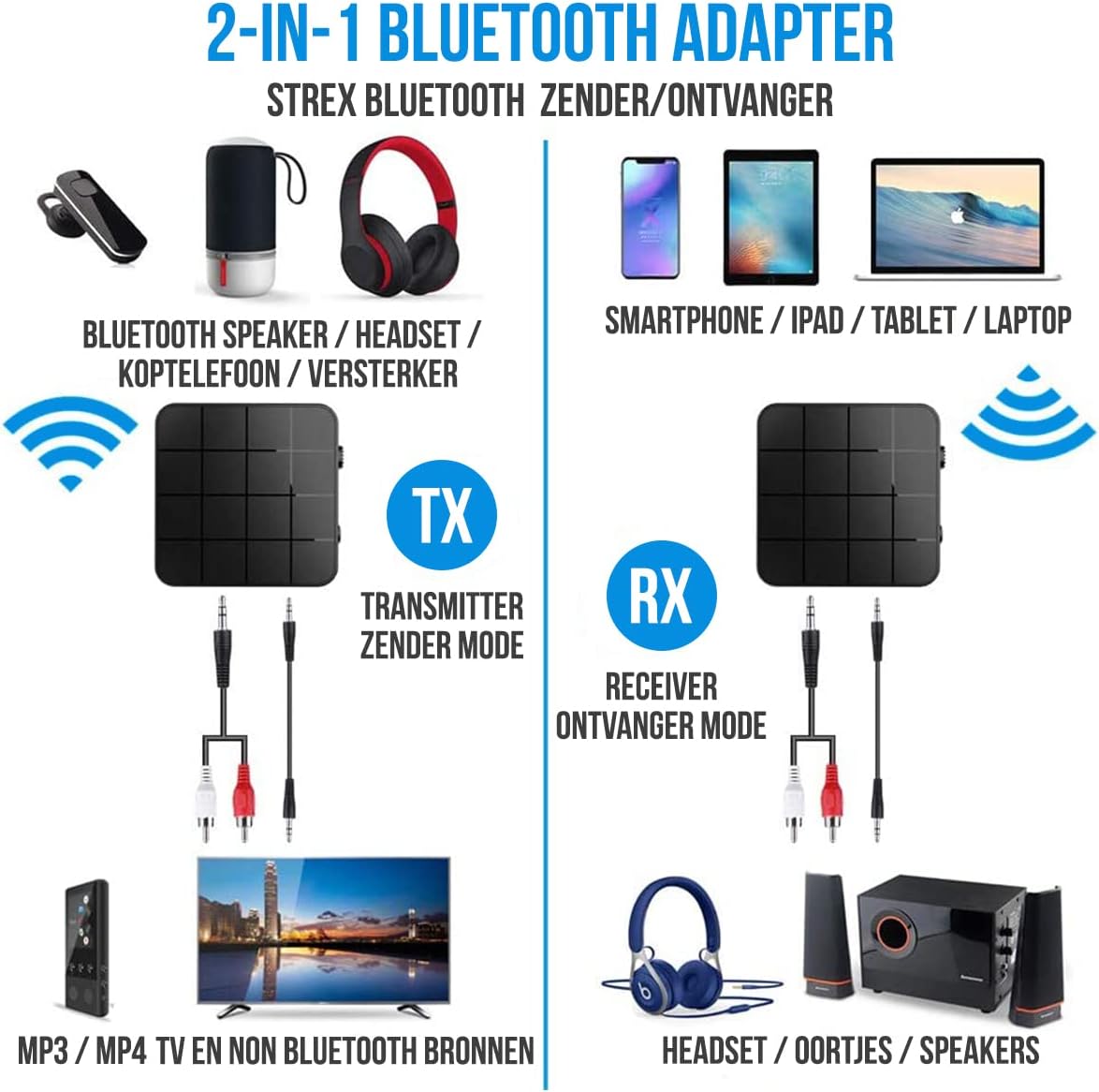
In RX mode, the Strex adapter receives audio wirelessly from a Bluetooth-enabled device (e.g., smartphone, tablet) and outputs it to a non-Bluetooth audio system (e.g., wired speakers, car stereo).
- Switch the device to RX-tilstand using the mode selector switch.
- Connect the Strex adapter to your non-Bluetooth audio system using either the 3.5 mm AUX-kabel eller den 3.5 mm til RCA -kabel.
- Power on the Strex adapter. The Status LED will indicate pairing mode (typically blinking blue).
- On your Bluetooth-enabled device (e.g., smartphone), go to Bluetooth settings and search for available devices. Select "Strex" (or similar name) to pair.
- Once paired, the Status LED will show a solid blue light. You can now stream audio from your device to your audio system.

Sender (TX) tilstand
In TX mode, the Strex adapter transmits audio wirelessly from a non-Bluetooth audio source (e.g., TV, PC, old stereo system) to a Bluetooth-enabled receiving device (e.g., Bluetooth headphones, Bluetooth speakers).
- Switch the device to TX-tilstand using the mode selector switch.
- Connect the Strex adapter to your non-Bluetooth audio source (e.g., TV's audio output) using either the 3.5 mm AUX-kabel eller den 3.5 mm til RCA -kabel.
- Power on the Strex adapter. The Status LED will indicate pairing mode.
- Sæt dine Bluetooth-hovedtelefoner eller -højttalere i parringstilstand.
- The Strex adapter will automatically search for and connect to nearby Bluetooth receiving devices. Once connected, the Status LED will show a solid light.
- Ensure your Bluetooth headphones/speakers are unpaired from any other devices (e.g., smartphone) before attempting to pair with the Strex adapter in TX mode.

Important Notes on Operation:
- The adapter cannot simultaneously send and receive audio. It must be set to either TX or RX mode.
- For optimal performance, ensure the adapter is within 10 meters (33 feet) of the connected Bluetooth device.
- Bluetooth 5.0 provides HD Audio with minimal latency, but some older Bluetooth devices may experience slight synchronization differences.
Opretholdelse
- Rensning: Brug en blød, tør klud til at rengøre enheden. Brug ikke flydende rengøringsmidler eller aerosoler.
- Opbevaring: Opbevar enheden et køligt, tørt sted væk fra direkte sollys og ekstreme temperaturer.
- Batteripleje: For at forlænge batteriets levetid bør du undgå at aflade batteriet helt ofte. Oplad enheden regelmæssigt, selvom den ikke er i brug i længere perioder.
Fejlfinding
- Ingen strøm:
Ensure the device is charged. Connect it to a power source using the Micro USB cable and allow it to charge for at least 15 minutes before attempting to power on.
- Cannot Pair in RX Mode:
Make sure the adapter is in RX mode. Ensure your smartphone/tablet's Bluetooth is enabled and it is searching for new devices. If previously paired, try unpairing and re-pairing. Keep the devices within 10 meters.
- Cannot Pair in TX Mode:
Verify the adapter is in TX mode. Ensure your Bluetooth headphones/speakers are in pairing mode and are not connected to any other device. Some devices may require you to manually initiate pairing on the adapter (refer to Status LED indications).
- No Audio Output/Input:
Check all cable connections (3.5mm AUX or RCA) are secure. Ensure the volume on both the adapter and the connected audio device is turned up. Confirm the correct input/output source is selected on your audio system/TV.
- Audio Lag/Poor Quality:
Ensure devices are within range and there are no significant obstructions. Reduce interference from other wireless devices. While Bluetooth 5.0 minimizes lag, some older audio sources or receiving devices might introduce slight delays.
Specifikationer
| Modelnummer | SP173 |
| Bluetooth version | Bluetooth 5.0 (A2DP, AVRCP in Receiver mode) |
| Driftstilstande | Sender (TX) og modtager (RX) |
| Forbindelse | 3.5mm AUX, RCA (via 3.5mm to RCA cable) |
| Wireless Range | Op til 10 meter (33 fod) |
| Batteritype | Li-polymer |
| Batterikapacitet | 200 mAh |
| Spilletid | Cirka 6-8 timer |
| Opladningstid | Cirka 90 minutter |
| Dimensioner (L x B x H) | 4.4 x 4.4 x 1.2 cm (1.73 x 1.73 x 0.47 tommer) |
| Vægt | 18 gram (0.63 ounce) |
| Materiale | Plast |
| Kompatible enheder | Smartphones, Tablets, PCs, TVs, Audio Systems, Headphones, Speakers |

Sikkerhedsoplysninger
- Do not dispose of batteries in fire. Batteries may explode.
- Hold enheden væk fra vand og for høj luftfugtighed.
- Oplad ikke enheden i nærheden af brændbare materialer.
- The device has an operating range of 10 meters and may interfere with other wireless devices within this range.
- Always adhere to local regulations for the disposal of electronic waste.
Garanti og support
Specific warranty details are not provided in this manual. For warranty information or technical support, please refer to the product packaging or contact Strex customer service through their official webwebstedet eller forhandleren, hvor produktet blev købt.


